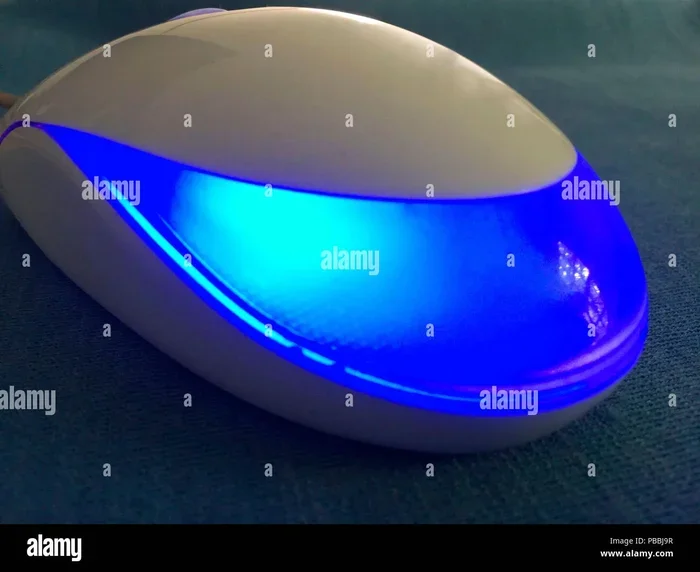
Advantages And Disadvantages Of Optical Mouse Explained
The optical mouse has revolutionized how we interact with computers, offering reliable precision and affordability. However, it does come with limitations like surface dependency and potential sensor issues. In this guide, we break down every advantage and disadvantage so you can make an informed choice. Whether you are a gamer, office worker, or casual user, understanding the pros and cons helps you pick the right optical mouse for your needs.
This is a comprehensive guide about Advantages Disadvantages Of An Optical Mouse.
Key Takeaways
- Affordable and Reliable: Optical mice are budget-friendly and deliver consistent performance for everyday tasks.
- No Moving Parts: Unlike mechanical mice, optical models have fewer parts that wear out, leading to a longer lifespan.
- Surface Dependency: Optical mice struggle on reflective or transparent surfaces, which can be a real hassle.
- Great for Gaming: High-DPI optical sensors offer excellent precision for gaming and design work.
- Wireless Options Available: Modern optical mice come in both wired and wireless designs with solid battery life.
- Easy Maintenance: Cleaning an optical mouse is simple and requires minimal effort.
- Not Ideal for All Surfaces: You may need a dedicated mouse pad for the best experience.
[FEATURED_IMAGE_PLACEHOLDER]
What Is an Optical Mouse?
An optical mouse is a computer peripheral that uses light to detect movement. Instead of a rolling ball inside, it relies on a small optical sensor and an LED light. This sensor captures thousands of images per second of the surface beneath it. A tiny processor then compares these images to calculate how far and in what direction the cursor movement should go.
The technology replaced the old mechanical mouse in the early 2000s and quickly became the standard. Today, you will find optical mice in nearly every office, home, and gaming setup. They connect through a USB port or wirelessly via Bluetooth or a USB receiver. The simplicity and accuracy of this tracking technology made it the go-to choice for millions of users worldwide.
Advantages of an Optical Mouse
1. Excellent Precision and Accuracy
One of the biggest advantages of an optical mouse is its precision. The optical sensor tracks movement with incredible detail. Modern sensors can detect changes as small as fractions of a millimeter. This level of accuracy makes the optical mouse perfect for tasks that require fine control.
For example, graphic designers and video editors rely on optical mice for precise clicking and dragging. Gamers also benefit from the high DPI (dots per inch) ratings that many optical models offer. A higher DPI means the cursor moves farther with less physical movement. This responsiveness gives users a real edge in fast-paced games and detailed work.
2. No Moving Parts Means Less Wear
Old mechanical mice had a rubber ball and internal rollers that collected dust and wore down over time. An optical mouse has no moving parts inside. The sensor and LED do all the work. This design significantly reduces mechanical failure.
Because there are no parts to grind or clog, an optical mouse tends to last much longer. You will not need to open it up and clean out dust regularly. This durability translates to fewer replacements and lower long-term costs. For heavy daily users, this reliability is a major win.
3. Affordable and Widely Available
Optical mice come in a huge range of prices. You can pick up a basic model for under $10. High-end gaming versions might cost $50 to $100 or more. But even the budget options deliver solid performance. This affordability makes optical mice accessible to everyone.
You can find them at every electronics store, online marketplace, and office supply shop. The sheer variety means there is an optical mouse for every budget and need. Whether you want a simple wired model or a fancy wireless gaming mouse, the options are endless.
4. Works Great with Both Wired and Wireless Setups
Modern optical mice are available in both wired and wireless designs. Wired models plug directly into a USB port and never need charging. They offer a plug-and-play experience with zero setup time. Wireless optical mice use rechargeable batteries or replaceable AA cells for freedom of movement.
Many wireless optical mice now offer battery life of several weeks or even months. Some models also feature fast charging or USB-C connectivity. This flexibility lets you choose the connection type that suits your workflow. Whether you need a clutter-free desk or a zero-latency connection, there is an optical mouse for you.
5. Easy to Clean and Maintain
Keeping an optical mouse clean is incredibly simple. Since there is no ball or roller mechanism, you only need to wipe the sensor lens occasionally. A quick pass with a microfiber cloth usually does the trick.
Unlike mechanical mice that require deep cleaning every few weeks, optical models demand very little upkeep. This low-maintenance design is perfect for people who want a hassle-free computer peripheral. Just keep it free of dust and grime, and it will perform reliably for years.
6. Supports High DPI and Customizable Settings
Many optical mice now come with adjustable DPI settings. This lets you switch between sensitivity levels on the fly. Need slow, precise movement for design work? Drop the DPI. Need fast cursor sweeps for a wide monitor? Crank it up.
Premium optical mice often include software that lets you customize buttons, RGB lighting, and profiles. This level of customization appeals to power users and gamers alike. You can create different settings for different tasks, making your mouse truly versatile.
Disadvantages of an Optical Mouse
1. Surface Dependency Can Be a Problem
The biggest drawback of an optical mouse is its reliance on the surface beneath it. The sensor needs a textured, non-reflective surface to track properly. Shiny desks, glass tables, and transparent surfaces can confuse the sensor.
On these problematic surfaces, the cursor may jump, stutter, or stop moving altogether. This can be incredibly frustrating during important work sessions or intense gaming moments. The solution is to use a proper mouse pad, but this adds an extra accessory you need to buy and maintain. Some users find this limitation annoying, especially if they like to use their mouse on different surfaces throughout the day.
2. Performance Drops on Certain Materials
Even on seemingly normal surfaces, performance can vary. Dark or black surfaces absorb the LED light, which can reduce tracking accuracy. Some textured or patterned surfaces cause the sensor to misread movement.
This inconsistency can affect productivity and precision. If you frequently move your mouse between different desk surfaces, you may notice the cursor movement feels inconsistent. While higher-end optical mice handle this better, budget models can struggle. It is something to keep in mind if you work in varied environments.
3. Wireless Models Can Have Latency Issues
While wired optical mice offer instant response, wireless models sometimes introduce slight latency. This delay is usually tiny and unnoticeable for everyday tasks. But for competitive gaming or professional design work, even a millisecond of lag can matter.
Modern wireless optical mice have improved dramatically, and many now match wired performance. However, budget wireless models may still lag behind. Battery drain can also become an issue during long sessions. You need to keep an eye on charge levels, especially during important deadlines or gaming tournaments.
4. Sensor Can Be Affected by Dirt and Hair
The optical sensor on the bottom of the mouse needs a clear view of the surface. Dust, hair, and debris can block the sensor and cause tracking issues. While cleaning is easy, it is still something you need to stay on top of.
In dusty environments or workshops, this can become a recurring problem. The sensor lens may need frequent wiping to maintain smooth tracking. For users who work in dirty or high-debris areas, this maintenance requirement can feel like a nuisance compared to sealed mechanical alternatives.
5. Limited Performance on Certain Special Surfaces
Some specialty desk surfaces, like glass or high-gloss laminate, are simply incompatible with most optical mice. The sensor cannot get a clear reading on these ultra-smooth or reflective materials. This limits where you can comfortably use the mouse.
While some premium optical mice include advanced sensors that handle glass surfaces, these come at a higher price point. For the average user, a glass desk or table means you will need to place a mouse pad down. This extra step may seem minor, but it can be inconvenient for people who like a clean, minimalist desk setup.
6. LED Light May Fade Over Time
The LED light inside an optical mouse does not last forever. Over time, the brightness may dim slightly. In most cases, this does not affect performance much. But in very low-light conditions, a faded LED can reduce tracking quality.
This is a slow degradation issue rather than a sudden failure. You may not notice it for months or even years. Still, it is worth knowing that the light source has a lifespan. Replacing the entire mouse is usually more practical than trying to swap out the LED.
Optical Mouse vs Laser Mouse
People often compare the optical mouse to the laser mouse. Both use light-based tracking, but they differ in important ways. Understanding these differences helps you choose the right tool for your needs.
How They Compare
A laser mouse uses an infrared laser instead of an LED. This allows it to read surfaces at a much deeper level. As a result, laser mice work on more surfaces, including glass and high-gloss desks. They also tend to have higher maximum DPI ratings.
However, laser mice can be overly sensitive for some tasks. The extreme precision sometimes causes cursor jitter during slow movements. Optical mice, on the other hand, offer a more natural and stable feel for everyday use. For most office work and casual gaming, an optical mouse is more than enough.
| Feature | Optical Mouse | Laser Mouse |
|---|---|---|
| Tracking Technology | LED light sensor | Infrared laser sensor |
| Surface Compatibility | Needs textured surface | Works on most surfaces |
| DPI Range | Up to 10,000+ DPI | Up to 15,000+ DPI |
| Price Range | $5 to $150 | $15 to $200 |
| Best For | Office, casual gaming | Competitive gaming, design |
| Cursor Stability | Very stable | Can jitter at low speeds |
How to Choose the Right Optical Mouse
Consider Your Primary Use
Think about what you will use the mouse for most often. If you spend your days in spreadsheets and email, a basic optical mouse with a comfortable shape is all you need. If you game competitively, look for a high-DPI model with adjustable sensitivity and programmable buttons.
For creative professionals, a mouse with a smooth sensor and adjustable DPI is essential. Matching the mouse to your primary task ensures you get the best value and performance.
Wired or Wireless?
Wired optical mice offer zero latency and never need charging. They are ideal for users who prioritize reliability and simplicity. Wireless optical mice provide freedom of movement and a cleaner desk. Modern wireless models have largely closed the latency gap with wired versions.
Consider your workspace and habits. If you move around a lot or prefer a tidy desk, wireless is the way to go. If you sit at a fixed desk and want hassle-free operation, wired works great.
Check the DPI Range
DPI stands for dots per inch and measures how sensitive the mouse is. A higher DPI means faster cursor movement. For general use, 800 to 1600 DPI is plenty. Gamers and designers often prefer 4000 DPI or higher for quick, precise adjustments.
Look for a model that lets you adjust DPI on the fly. This gives you flexibility without needing to dig into software settings every time you switch tasks.
Ergonomics Matter
You will hold your mouse for hours, so comfort is crucial. Look for an ergonomic design that fits your hand size and grip style. People who palm their mouse need a taller shape. Claw grip users prefer a lower profile. Finger grip users do well with smaller, lighter models.
Try before you buy if possible. A comfortable mouse reduces strain and prevents long-term wrist and hand issues. This is especially important for users who spend eight or more hours a day at the computer.
Common Problems and How to Fix Them
Cursor Jumping or Stuttering
If your optical mouse cursor jumps around unexpectedly, the sensor lens is likely dirty. Wipe it gently with a microfiber cloth. Also, check that you are using a compatible surface. A cheap or worn-out mouse pad can cause tracking issues.
Another common cause is a loose USB connection. Try plugging the mouse into a different port. If you use a wireless model, check the battery level and ensure the receiver is plugged in properly.
Mouse Not Responding
A non-responsive optical mouse can usually be fixed with a few simple steps. First, try a different USB port. Next, restart your computer. If the problem persists, check the device manager to see if the mouse is recognized.
For wireless models, recharge or replace the batteries. Sometimes simply resetting the connection by unplugging and replugging the receiver solves the issue. Keeping your mouse driver software up to date also helps prevent connectivity problems.
Slow or Inaccurate Tracking
Slow tracking often means the DPI is set too low. Check your mouse settings in the control panel or manufacturer software. Increase the DPI to see if it improves the response.
If the problem continues, the sensor may be obstructed. Remove any dust or debris from the bottom of the mouse. A clean sensor lens ensures accurate and smooth tracking every time.
Expert Insights and Tips
Tech experts agree that the optical mouse remains one of the best all-around computer peripherals available today. The technology has matured significantly over the past two decades. Modern optical sensors rival or even surpass older laser sensors in many real-world scenarios.
Experts recommend investing in a good mouse pad if you use an optical mouse regularly. A quality pad provides a consistent surface that maximizes sensor performance. It also protects your desk from scratches and extends the life of the mouse feet.
Another pro tip is to clean your mouse once a week. A simple wipe-down takes seconds and keeps everything running smoothly. For wireless users, experts suggest turning the mouse off when not in use to conserve battery life and prevent accidental clicks.
Key Takeaways
- Affordable and Reliable: Optical mice deliver great performance at a budget-friendly price point.
- Precision Tracking: The optical sensor provides accurate and responsive cursor movement for work and play.
- No Moving Parts: Fewer internal components mean less wear and a longer lifespan.
- Surface Limitation: Reflective or glass surfaces can interfere with tracking, requiring a mouse pad.
- Wired and Wireless Options: Both connection types are available, offering flexibility for every user.
- Low Maintenance: Simple cleaning keeps the mouse performing at its best for years.
- Great for Most Users: From office work to casual gaming, the optical mouse covers a wide range of needs.
Conclusion
The optical mouse has earned its place as one of the most popular and practical computer peripherals in the world. Its combination of precision, affordability, and reliability makes it a fantastic choice for nearly any user. Whether you are typing emails, designing graphics, or battling opponents in your favorite game, an optical mouse delivers the performance you need.
Of course, it is not perfect. Surface dependency, occasional sensor issues, and the need for a proper mouse pad are real considerations. But with the right expectations and a little basic maintenance, these drawbacks are easy to manage. For most people, the advantages of an optical mouse far outweigh the disadvantages.
If you are in the market for a new mouse, the optical mouse should be at the top of your list. Consider your needs, budget, and workspace, and you will find the perfect match. The right optical mouse can transform your daily computing experience in ways you might not expect.
Frequently Asked Questions
What is the main advantage of an optical mouse over a mechanical mouse?
The optical mouse has no moving parts, which means it does not collect dust or wear out like a mechanical mouse with a rolling ball. This gives it a longer lifespan and more reliable cursor movement over time.
Can an optical mouse work on any surface?
No, optical mice work best on textured, non-reflective surfaces. Shiny glass, mirrors, and transparent surfaces can confuse the sensor. Using a mouse pad solves this problem and ensures smooth tracking on any desk.
Is an optical mouse good for gaming?
Yes, many modern optical mice are excellent for gaming. They offer high DPI settings, fast response times, and customizable buttons. For most gamers, an optical gaming mouse provides the perfect balance of precision and affordability.
How long does an optical mouse last?
With proper care, an optical mouse can last several years. The lack of moving parts reduces mechanical wear significantly. Keeping the sensor clean and using it on a compatible surface helps maximize its lifespan.
Does an optical mouse need a driver to work?
Most basic optical mice work plug-and-play without any driver installation. However, advanced models with customizable buttons or DPI settings may require manufacturer software to unlock all features. This is usually a quick and simple setup process.
Are optical mice better than laser mice for everyday use?
For most everyday tasks, yes. Optical mice offer stable and consistent tracking without the jitter some laser mice exhibit at slow speeds. They are also more affordable and work well on the surfaces most people use daily, especially when paired with a quality mouse pad.
Frequently Asked Questions
What is Advantages Disadvantages Of An Optical Mouse?
Advantages Disadvantages Of An Optical Mouse is an important topic with many practical applications.