How Can I Get Wi Fi Immediately In Just A Few Seconds
Getting Wi-Fi immediately is easier than you think. Whether you need a quick connection at home, on the go, or in an emergency, multiple methods let you go online in seconds. This guide covers portable hotspot options, free public networks, device tricks, and no-provider solutions that deliver instant internet access right now.
There you are. You need internet right now. Maybe your home Wi-Fi just stopped working, or you’re at a coffee shop and forgot to tether your phone. Whatever the reason, you landed here because you want to know how can I get Wi-Fi immediately.
The good news is that you have more options than you probably think. You do not need to call your internet provider or wait days for a technician. In most cases, you can be online in under five minutes. This article walks you through every practical method to get instant Wi-Fi right when you need it most.
We will cover mobile hotspots, portable Wi-Fi devices, public networks, and even ways to get wireless internet without a traditional provider. Each method is simple, tested, and works in real life. Let us get you connected fast.
Key Takeaways
- Mobile Hotspot: Your phone can instantly share cellular data as a Wi-Fi network in under a minute.
- Portable Wi-Fi Devices: MiFi and pocket routers give you immediate internet without a home setup.
- Free Public Wi-Fi: Libraries, cafes, and stores offer instant wireless access without any password.
- Neighbor Networks: You can connect to nearby open networks quickly using simple tools.
- No-Provider Solutions: Wi-Fi without a monthly internet plan is possible through specific devices and methods.
📑 Table of Contents
- Use Your Phone as a Mobile Hotspot
- Buy a Portable Wi-Fi Device
- Connect to Free Public Wi-Fi
- Get Wi-Fi Without an Internet Provider
- Boost Your Existing Wi-Fi for Faster Immediate Access
- Get Wi-Fi on the Go Instantly
- Compare Methods for Getting Wi-Fi Immediately
- Common Mistakes That Slow Down Wi-Fi Setup
- Frequently Asked Questions
- Final Thoughts
Use Your Phone as a Mobile Hotspot
The fastest way to get Wi-Fi immediately is by turning your smartphone into a mobile hotspot. This method uses your phone’s cellular data to create a wireless network that other devices can join. It takes less than sixty seconds to set up.
How to Set Up a Mobile Hotspot on iPhone
Open your iPhone settings. Tap Personal Hotspot. Toggle it on. You will see a Wi-Fi password displayed on screen. On your laptop or tablet, open Wi-Fi settings, find your iPhone name, and enter the password. Done. You are now browsing in seconds.
How to Set Up a Mobile Hotspot on Android
Go to Settings, then Network and Internet, then Hotspot and Tethering. Tap Wi-Fi Hotspot and turn it on. Your phone broadcasts a network name right away. Connect your other device just like you would with any router. The whole process takes under two minutes.
Tips for Best Hotspot Performance
- Keep your phone plugged in while using it as a hotspot. It drains battery fast.
- Place your phone near a window for stronger cellular signal.
- Use a 5G plan if available. It gives much faster speeds than 4G.
- Limit the number of connected devices to keep speed high.
- Turn off hotspot when you are done to save data and battery.
Quick Tip: If your data plan has a limit, monitor your usage. Streaming video eats data quickly. Stick to browsing and email when using a hotspot to avoid running out.
Buy a Portable Wi-Fi Device
If you need immediate internet access regularly, a portable Wi-Fi device is a game changer. These small gadgets create your own personal Wi-Fi network anywhere there is cellular coverage. They work just like a home router but fit in your pocket.
What Is a Portable Wi-Fi Device?
A portable Wi-Fi device, often called a MiFi or pocket router, connects to a cellular network and broadcasts Wi-Fi to nearby devices. You do not need a home internet plan or a phone to use it. Just insert a SIM card, power it on, and connect your devices.
Benefits of Portable Wi-Fi
- You can connect multiple devices at once, usually five to ten.
- It works anywhere with cell service, not just at home.
- No need to set up a home router or modem.
- You can travel with it and stay connected everywhere.
- Most devices have long battery life, lasting all day.
Many people use portable Wi-Fi for travel, work trips, or as a backup at home. If your main internet goes down, a MiFi device keeps you online immediately. You can find these devices at most electronics stores or online retailers.
Connect to Free Public Wi-Fi
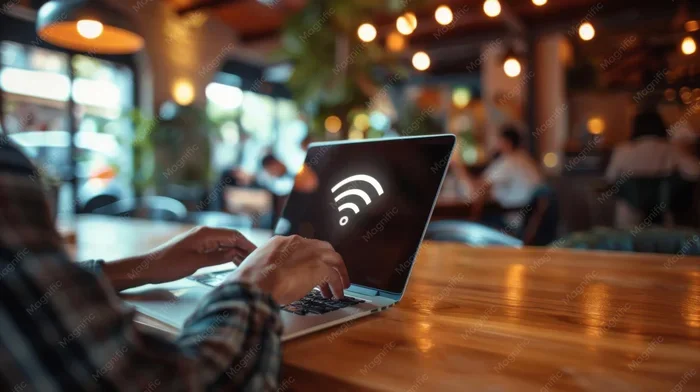
Want Wi-Fi right now without spending a dime? Public Wi-Fi is everywhere. Coffee shops, libraries, malls, airports, and even some city parks offer free wireless internet. All you need is a device with a Wi-Fi adapter.
Where to Find Free Wi-Fi Fast
- Coffee shops: Starbucks, Dunkin, and local cafes almost always have open networks.
- Libraries: Public libraries offer free internet and are often open most days.
- Malls and shopping centers: Many large stores provide guest Wi-Fi.
- Airports: Most airports have free networks, though they sometimes require a code.
- Fast food chains: McDonald’s, Taco Bell, and similar spots usually have free Wi-Fi.
Staying Safe on Public Wi-Fi
Free Wi-Fi is convenient, but it comes with risks. Open networks are not encrypted, which means others on the same network could potentially see your activity. Here is how to stay safe.
- Avoid logging into bank accounts or entering passwords on public networks.
- Use a VPN if possible. It encrypts your connection.
- Stick to HTTPS websites. Look for the padlock icon in your browser.
- Turn off file sharing and auto-connect features on your device.
- Forget the network after you are done so your device does not reconnect automatically.
Expert Insight: Public Wi-Fi works great for quick tasks like checking email or reading articles. For anything sensitive, wait until you are on a trusted network. A few simple habits keep you safe while enjoying instant access.
Get Wi-Fi Without an Internet Provider
You can have Wi-Fi without a monthly internet bill. This sounds surprising, but several methods let you set up a wireless network without signing up for a traditional home internet plan. It is perfect for people who need basic connectivity fast.
Option 1: Use a Mobile Hotspot Plan
Some carriers offer dedicated hotspot plans with no home internet required. You get a SIM card or device that provides cellular data. You connect your devices to it just like a regular Wi-Fi network. Plans start as low as fifteen to twenty dollars per month.
Option 2: Connect to a Neighbor’s Network
If a neighbor has an open Wi-Fi network, you can connect to it from your home. You might even be able to see their network from your window. Some routers broadcast without a password by default. You can check your Wi-Fi settings to see available networks nearby.
Option 3: Use a Wi-Fi USB Adapter
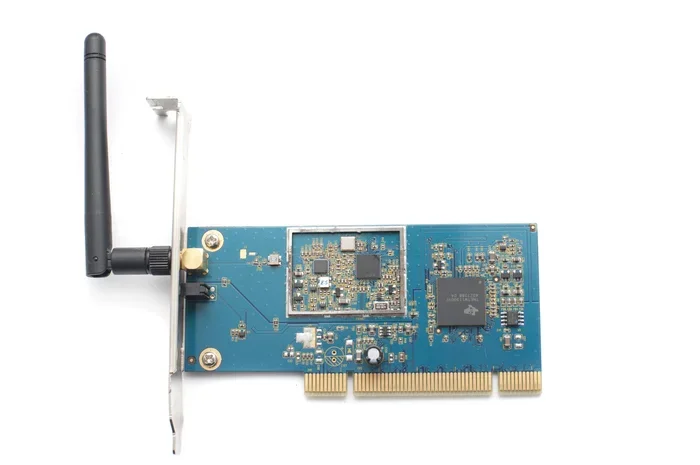
If your computer does not have built-in Wi-Fi, a USB Wi-Fi adapter solves the problem instantly. Plug it in, scan for networks, and connect. These adapters are cheap, usually under twenty dollars, and they work with any laptop or desktop computer.
Quick Tip: If you are looking for a no-cost solution, check if your area has a free municipal Wi-Fi network. Some cities provide public wireless internet in downtown areas and parks. You can connect from your phone or laptop without any setup at all.
Boost Your Existing Wi-Fi for Faster Immediate Access
If you already have a Wi-Fi network but it is slow or weak, you do not need to replace your whole setup. A few simple fixes can give you immediate better performance and get you back online fast.
Restart Your Router
This sounds too simple, but it works more than you would think. Unplug your router, wait thirty seconds, and plug it back in. This clears temporary glitches and refreshes the connection. Most slow Wi-Fi problems go away after a quick restart.
Move Closer to the Router
Wi-Fi signals weaken with distance and walls. If you are in another room or far from the router, move closer. Even a few feet can make a big difference in speed and connection stability.
Change the Wi-Fi Channel
Your router broadcasts on a specific channel. If your neighbors use the same channel, interference slows things down. You can log into your router settings and switch to a less crowded channel. Most routers default to channel 6, which is often the busiest one.
Use a Wi-Fi Range Extender
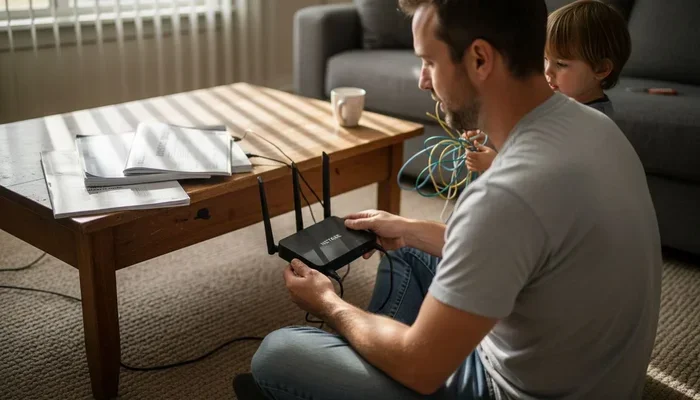
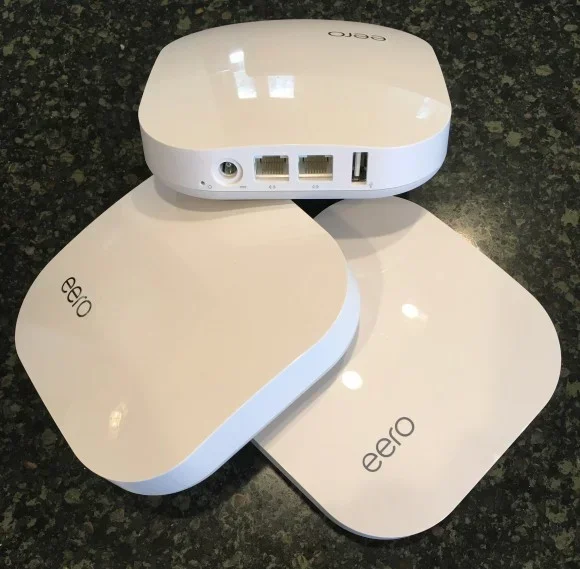
A range extender picks up your existing signal and rebroadcasts it to areas with weak coverage. These small devices plug into any wall outlet and cost around twenty to fifty dollars. They are a quick fix for dead zones in your home.
Key Takeaway: Before buying anything new, try the basics first. Restart the router, move closer, and check for interference. These free steps solve most immediate Wi-Fi problems.
Get Wi-Fi on the Go Instantly
Need instant Wi-Fi while traveling or away from home? You are not stuck without options. Several methods let you connect to wireless internet wherever you are, whether on a road trip, at a hotel, or even on a plane.
Use In-Flight Wi-Fi
Many airlines now offer Wi-Fi on flights. You can connect to the plane’s network once you reach cruising altitude. Some airlines charge a fee, while others offer free basic messaging. You can check your phone or laptop for emails and light browsing during your flight.
Connect at Hotels and Business Centers
Hotels almost always provide guest Wi-Fi for guests. Even budget motels offer free internet. Business centers in airports and office buildings also have open networks you can use for free.
Carry a Portable Hotspot for Travel
A travel MiFi device is one of the best investments for frequent travelers. It gives you your own private Wi-Fi network anywhere there is cell coverage. You do not have to rely on hotel networks or public Wi-Fi. Just power it on and connect.
Quick Tip: Before any trip, download offline maps and entertainment. Even with the best instant Wi-Fi, connections can be unreliable in remote areas. Having offline options keeps you productive no matter where you are.
Compare Methods for Getting Wi-Fi Immediately
With so many options, it helps to see how they stack up against each other. Here is a quick comparison of the main methods for getting Wi-Fi right now.
| Method | Setup Time | Cost | Best For |
|---|---|---|---|
| Mobile Hotspot | Under 1 minute | Uses existing data plan | Quick access with your phone |
| Portable Wi-Fi Device | 2-3 minutes | $50-$150 plus data plan | Regular on-the-go use |
| Public Wi-Fi | Under 1 minute | Free | Casual browsing in public |
| Neighbor’s Network | Under 1 minute | Free | Emergency home access |
| USB Wi-Fi Adapter | 2-3 minutes | $10-$25 | Devices without built-in Wi-Fi |
| Range Extender | 5-10 minutes | $20-$50 | Fixing weak home signal |
Each method has its strengths. Your best choice depends on your situation and how fast you need to be online. For most people, the mobile hotspot is the go-to option because it works instantly and requires no extra equipment.
Common Mistakes That Slow Down Wi-Fi Setup
Sometimes you try to get Wi-Fi immediately but run into problems. Avoid these common mistakes that slow down your setup.
- Forgetting to turn on cellular data: Your hotspot will not work without it. Check that mobile data is enabled in your phone settings.
- Using outdated network drivers: If your computer cannot find any Wi-Fi networks, update your wireless adapter drivers first.
- Ignoring airplane mode: If airplane mode is on, Wi-Fi will not work. Turn it off before trying to connect.
- Not restarting devices: A simple restart fixes more Wi-Fi issues than any other step. Do it before trying anything complicated.
- Overlooking the password: Double-check that you are entering the correct Wi-Fi password. Passwords are case-sensitive.
Expert Insight: Most Wi-Fi problems come down to simple oversights. Before spending time on complex fixes, run through these basics. Nine times out of ten, one of these steps solves the problem instantly.
Frequently Asked Questions
Can I get Wi-Fi immediately without an internet provider?
Yes, you can. Mobile hotspots, portable Wi-Fi devices, and public Wi-Fi networks all let you get online without a traditional home internet provider. Your phone’s hotspot is the fastest option since it uses your cellular data plan to create a Wi-Fi network instantly.
How fast can I set up a mobile hotspot?
A mobile hotspot takes under sixty seconds to set up. You just need to go to your phone settings, turn on the hotspot feature, and connect your other device using the displayed password. It is the quickest way to get Wi-Fi immediately in almost any situation.
Is free public Wi-Fi safe to use?
Free public Wi-Fi is generally safe for casual browsing and checking email. However, you should avoid entering sensitive information like bank details or passwords on open networks. Using a VPN adds an extra layer of protection when you connect to public hotspots.
What is the cheapest way to get Wi-Fi right now?
The cheapest way is to use your phone’s mobile hotspot if you already have a data plan. Alternatively, you can connect to free public Wi-Fi at coffee shops, libraries, or stores. Both options cost nothing extra for immediate access.
Can I buy a portable Wi-Fi device without a contract?
Yes, many portable Wi-Fi devices work with pay-as-you-go data plans or prepaid SIM cards. You do not need to sign a long-term contract. These devices are great for travel or as a backup when your home internet is down.
Why is my Wi-Fi so slow even after connecting?
Slow Wi-Fi is often caused by distance from the router, interference from other devices, or too many connected devices sharing the same network. Restarting your router, moving closer, or switching to a less crowded channel usually fixes the problem right away.
Final Thoughts
Now you know exactly how can I get Wi-Fi immediately. You have multiple paths to choose from, and each one works in different situations. Your phone hotspot is the fastest option for most people. A portable Wi-Fi device is perfect for regular travel or backup needs. Public Wi-Fi works well for quick, casual browsing when you are out and about.
The key is knowing your options so you can act fast when you need internet right now. You do not have to wait for a technician or sign up for a long-term contract. With the methods in this guide, you can be online in seconds.
Keep this article bookmarked for the next time your Wi-Fi goes down or you need instant internet somewhere new. Share it with friends and family who struggle with connectivity. Staying connected should never be a hassle, and now you have the tools to fix it fast.
Remember: The best Wi-Fi solution is the one that works for you in the moment. Try the mobile hotspot first, explore public networks when you are out, and consider a portable device if you need reliable on-the-go access. You are now ready to get Wi-Fi immediately whenever you need it.