How Can I Find A Hidden Bluetooth Device In My Home
Finding a hidden Bluetooth device in your home is easier than you think. You can use your phone, a Bluetooth scanner app, or a dedicated RF detector to uncover wireless devices you didn’t know were nearby. This guide walks you through every method step by step so you can protect your privacy and stay in control of your wireless space.
Key Takeaways
- Use your phone’s Bluetooth settings: The simplest way to spot hidden devices is by scanning through your phone’s Bluetooth menu.
- Download a Bluetooth scanner app: Apps like BLE Scanner give you detailed info on every nearby Bluetooth signal.
- Check your router’s connected devices list: Your router can reveal wireless devices that aren’t visible on your phone.
- Use an RF detector for stealthy devices: Some hidden Bluetooth devices operate in invisible mode, which requires specialized tools to find.
- Secure your network after discovery: Once you find a hidden device, take steps to block or remove it to protect your home.
- Regular scanning keeps you safe: Making Bluetooth discovery a habit helps you catch unauthorized devices early.
📑 Table of Contents
- How Can I Find A Hidden Bluetooth Device In My Home?
- Why Would a Bluetooth Device Be Hidden?
- Method 1: Use Your Phone’s Built-In Bluetooth Scanner
- Method 2: Download a Bluetooth Scanner App
- Method 3: Check Your Router’s Connected Device List
- Method 4: Use an RF Detector or Spectrum Analyzer
- How to Remove or Block a Hidden Bluetooth Device
- Can Bluetooth Devices Be Completely Hidden?
- When Should You Call a Professional?
- Conclusion
How Can I Find A Hidden Bluetooth Device In My Home?
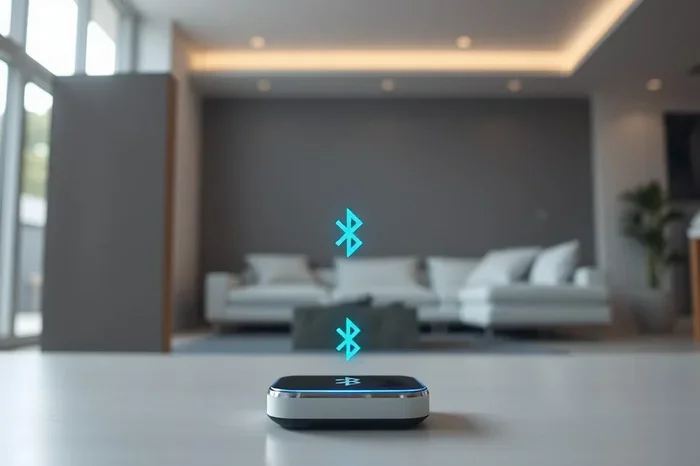
You might be sitting on your couch and notice something odd. Your phone shows a Bluetooth signal you don’t recognize. Maybe your Bluetooth headphones connect to something you never paired them with. Or perhaps you just want to make sure no one is secretly spying on you through a wireless device. Whatever the reason, how can I find a hidden Bluetooth device is a question more people are asking every day.
The good news is that you don’t need to be a tech expert. With just a few tools and some basic know-how, you can discover any Bluetooth device hiding in your home. This guide covers every method from the simplest phone scan to advanced RF detection. By the end, you’ll know exactly what to do and feel confident about your wireless environment.
Bluetooth device discovery has become an essential skill in today’s smart home world. We have speakers, trackers, cameras, and countless other wireless gadgets all around us. Some of these devices are easy to spot. Others hide in plain sight. Learning to find them gives you peace of mind and better control over your personal space.
Why Would a Bluetooth Device Be Hidden?
Before we dive into the how, let’s talk about the why. Understanding the reasons behind hidden Bluetooth devices helps you know what to look for. Not all hidden devices mean something sinister. Sometimes they’re just set up by accident or forgotten over time.
Accidental Pairing
Bluetooth devices often pair automatically when they’re in discovery mode. Your phone might connect to a neighbor’s speaker or a smart device you didn’t even know was nearby. This happens more often than you’d think. Many Bluetooth speakers and Bluetooth headphones enter pairing mode when you first turn them on. If your phone is close by, it connects without asking you.
Privacy Concerns
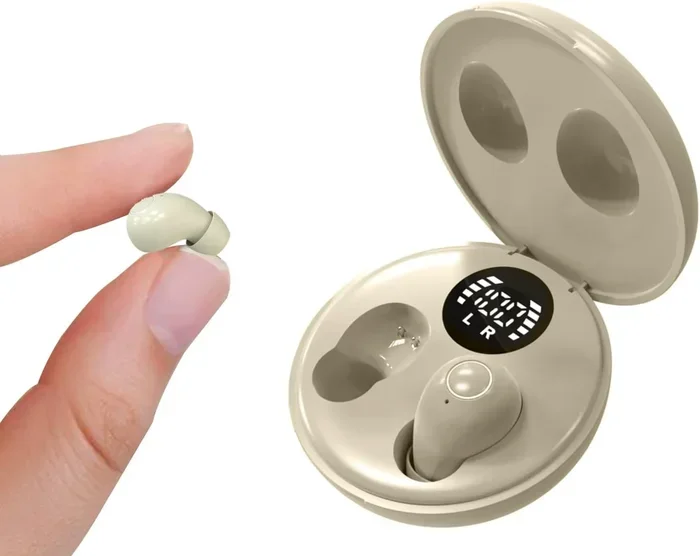
Some people hide Bluetooth devices for spying or tracking purposes. A small Bluetooth tracker can be placed in a bag, a room, or even a car. These devices send location data to someone else. If you suspect someone is tracking you, finding the device is the first step to stopping it.
Smart Home Setup
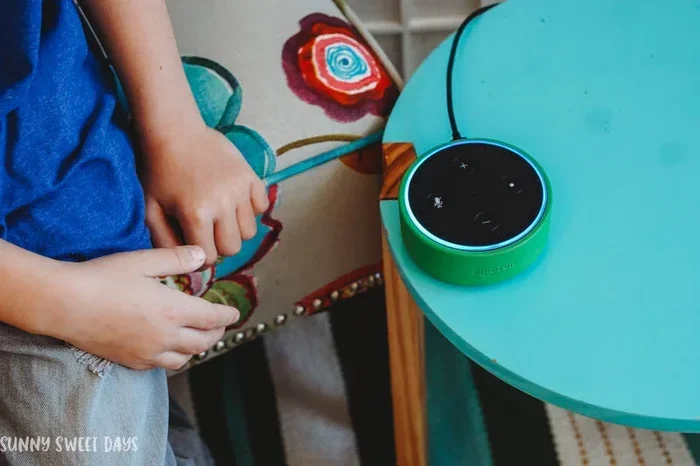
Many smart home devices use Bluetooth low energy to communicate. Smart plugs, sensors, and light bulbs often connect through Bluetooth. You might not even realize these devices are active in your home. A wireless device finder helps you map out everything that’s sending signals around you.
Method 1: Use Your Phone’s Built-In Bluetooth Scanner
The easiest way to start your search is right in your pocket. Every smartphone has a built-in Bluetooth scanner. You don’t need to download anything. This method works for most visible and semi-hidden Bluetooth devices.
On iPhone
Open your Settings app. Tap on Bluetooth. Toggle it on if it’s off. Wait about 30 seconds. Your iPhone will list every Bluetooth device it detects nearby. Look for any device name you don’t recognize. Common names include generic labels like “Unknown Device,” “BT Speaker,” or brand names you don’t own.
On Android
Go to Settings and tap Connections or Bluetooth depending on your phone model. Turn Bluetooth on. Your phone will start scanning for nearby devices. The list shows all discoverable Bluetooth devices in range. Android phones also let you see signal strength, which helps you narrow down the location of a hidden device.
What to Look For
- Unfamiliar device names: Any name you don’t recognize deserves a closer look.
- Devices that keep appearing: A device that shows up repeatedly even after you ignore it is suspicious.
- Strong signals from unexpected locations: A strong Bluetooth signal from a wall or ceiling might mean a device is hidden there.
- Devices with no clear purpose: If you don’t own a Bluetooth speaker or tracker, a new device is worth investigating.
Quick Tip: Walk around your home while watching the Bluetooth list. When you get closer to a hidden device, the signal strength increases. This helps you narrow down the exact location.
Method 2: Download a Bluetooth Scanner App
Your phone’s built-in scanner gives you basic info. But if you want deeper details, a dedicated app is the way to go. Bluetooth scanning apps show you signal strength, device type, MAC addresses, and more. These details help you identify devices that don’t show up on your phone’s default list.
Top Bluetooth Scanner Apps
- BLE Scanner: This app detects Bluetooth Low Energy devices. It shows detailed signal data and lets you log devices over time. Great for finding trackers and sensors.
- LightBlue Explorer: Works on both iOS and Android. It scans for all nearby Bluetooth devices and displays their UUIDs and services.
- nRF Connect: Made by Nordic Semiconductor, this is one of the most powerful free scanner apps. It gives professional-grade data on every Bluetooth signal nearby.
How to Use a Scanner App
- Download a reputable scanner app from your app store.
- Open the app and grant it Bluetooth permissions.
- Start a new scan and wait for results.
- Review the list of devices and note any you don’t recognize.
- Check the signal strength and move around your home to locate the source.
These apps are especially useful for finding devices that use Bluetooth low energy. Some smart home gadgets and trackers use BLE because it uses less power and stays hidden longer. A standard Bluetooth scan might miss these devices entirely.
Expert Insight: According to cybersecurity experts, using a scanner app regularly helps you build a baseline of what’s normal in your home. When something new shows up, you’ll catch it immediately.
Method 3: Check Your Router’s Connected Device List
Here’s a method many people overlook. Your Wi-Fi router keeps track of every device connected to your network. Some hidden Bluetooth devices also connect through Wi-Fi or use Bluetooth to relay data over the internet. Checking your router can reveal devices your phone might miss.
How to Access Your Router
Open a web browser on your computer or phone. Type your router’s IP address into the address bar. Common addresses are 192.168.1.1 or 192.168.0.1. Log in with your admin credentials. If you haven’t changed them, check the sticker on the back of your router.
What to Look For
- Go to the Connected Devices or Device List section.
- Look for any device you don’t recognize.
- Note the MAC address and device name.
- Search the MAC address online to identify the manufacturer.
Some hidden Bluetooth devices use your Wi-Fi network to transmit data. They might appear as an unknown device even if they don’t show up in your Bluetooth scan. This makes checking your router an essential part of the discovery process.
Quick Tip: Many modern routers have companion apps that make this process easier. Download your router’s app and check the device list from your phone. It’s much simpler than typing in an IP address.
Method 4: Use an RF Detector or Spectrum Analyzer
For the most thorough search, an RF detector is your best tool. These devices detect radio frequency signals across a wide range of frequencies. They can find Bluetooth devices that are in non-discoverable mode, meaning they won’t show up on any phone scan.
What Is an RF Detector?
An RF detector picks up electromagnetic signals from wireless devices. It beeps or flashes when it detects a signal. You wave it around your home like a metal detector. When the beeping gets faster, you’re close to a hidden device.
Types of RF Detectors
- Basic RF detectors: Affordable handheld devices that detect signals in the 2.4 GHz range where Bluetooth operates. These cost between $20 and $100.
- Spectrum analyzers: Professional-grade tools that show you the exact frequency and strength of every signal. These are more expensive but provide detailed data.
- Wi-Fi analyzers with Bluetooth detection: Some multi-function tools detect both Wi-Fi and Bluetooth signals. These are versatile and great for home use.
How to Use an RF Detector
- Turn on the detector and let it calibrate.
- Walk slowly through each room in your home.
- Pay attention to changes in beeping or signal strength.
- When you detect a strong signal, narrow down the area.
- Look for any small electronic device that might be the source.
RF detectors are especially useful for finding devices that someone has deliberately hidden. If you suspect a tracking device or hidden camera with Bluetooth capabilities, this method will find it.
Common Mistake: Don’t rely on just one method. Use your phone scanner first, then confirm findings with an RF detector. Multiple approaches give you the most accurate results.
How to Remove or Block a Hidden Bluetooth Device
Finding the device is only half the battle. Once you know what’s there, you need to deal with it. The right approach depends on the type of device and why it’s there.
If It’s an Unwanted Paired Device
Go to your Bluetooth settings and forget or unpair the device. On iPhone, tap the info icon next to the device and select Forget This Device. On Android, tap the gear icon and select Unpair. This stops your phone from connecting to it.
If It’s a Tracker or Hidden Bug
If you found a physical tracking device, remove it carefully. Some trackers are small and stick to surfaces with magnets or adhesive. Check common hiding spots like under seats, inside bags, behind furniture, and inside coat pockets. Once removed, the person tracking you loses access to your location.
If It’s a Smart Home Device You Don’t Recognize
Check your smart home app for any devices you didn’t add. Reset the device to factory settings if needed. Change your Wi-Fi password to prevent it from reconnecting. You can also block the device’s MAC address in your router settings.
Prevent Future Hidden Devices
- Turn off Bluetooth when you’re not using it.
- Regularly scan your Bluetooth devices list.
- Keep your Wi-Fi password secure and change it periodically.
- Use a Bluetooth visibility setting that limits who can see your devices.
- Consider using a Bluetooth signal blocker for sensitive areas.
Taking these steps ensures that your home stays free of unauthorized wireless devices. It also protects your personal data and keeps your smart home running smoothly.
Can Bluetooth Devices Be Completely Hidden?
Some Bluetooth devices can operate in what’s called non-discoverable mode. In this mode, the device doesn’t broadcast its presence. It won’t show up in standard Bluetooth scans. However, it’s still detectable with the right tools.
Bluetooth low energy devices are especially good at staying hidden. They use very little power and transmit small data packets. These signals can be hard to spot without a dedicated scanner. But they’re not invisible. An RF detector or spectrum analyzer will pick up their signals every time.
Some people also use Bluetooth signal jammers or wireless interference devices to mask Bluetooth signals. These are illegal in most countries. If you suspect someone is using one, contact local authorities or a cybersecurity professional.
The bottom line is that no Bluetooth device is truly invisible if you know how to look. The methods in this guide will help you find even the most carefully hidden devices.
When Should You Call a Professional?
Most hidden Bluetooth device searches are something you can handle on your own. But there are times when professional help makes sense. If you suspect serious surveillance or stalking, contact law enforcement. They have access to advanced detection equipment and legal authority to investigate.
If you run a business and are concerned about corporate espionage, hire a professional wireless security consultant. They can perform a full Bluetooth device discovery audit of your entire property. This includes checking for hidden cameras, audio bugs, and tracking devices that use Bluetooth technology.
For everyday home use, the methods in this guide are more than enough. You have everything you need to find and remove hidden Bluetooth devices without spending a fortune.
Key Takeaway: Whether you’re checking for a stray Bluetooth speaker, a hidden tracker, or a potential privacy threat, the tools and techniques in this article give you full control. Finding hidden Bluetooth devices is a straightforward process once you know what to look for and how to look for it.
Conclusion
How can I find a hidden Bluetooth device in my home? Now you have the answer. You can start with your phone’s built-in Bluetooth scanner. You can level up with a dedicated scanner app. You can check your router for connected devices you don’t recognize. And for the most thorough search, an RF detector will find even the stealthiest hidden devices.
Regular scanning is the best habit you can build. Just like checking your locks or your security cameras, checking your Bluetooth environment keeps you safe and informed. Technology makes our lives easier, but it also creates new privacy challenges. Staying aware and taking action is the best defense.
Start today. Scan your home. Find every hidden Bluetooth device. Take control of your wireless space. You’ll feel safer, more secure, and more confident in the technology around you.
Frequently Asked Questions
Can I find a hidden Bluetooth device without any special tools?
Yes, you can start with just your smartphone. Both iPhone and Android have built-in Bluetooth scanners that show nearby devices. For devices in non-discoverable mode, you’ll need a scanner app or an RF detector, but basic finding works without any extra tools.
How far can a Bluetooth device be detected from?
Standard Bluetooth has a range of about 30 feet. Bluetooth Low Energy can reach up to 200 feet in open space. Walls and obstacles reduce the range significantly. If you’re scanning from one room, a device in the next room might still show up depending on the walls and interference.
Is it legal to scan for Bluetooth devices in your home?
Absolutely. Scanning for Bluetooth devices on your own property is perfectly legal. You’re simply checking what wireless signals are present in your space. However, using Bluetooth detection to spy on someone else’s property could be illegal.
Can a hidden Bluetooth device drain my phone battery?
Yes, if your phone keeps trying to connect to an unknown Bluetooth device, it can drain your battery. Unknown devices that send constant signals or attempt connections can cause noticeable battery drain. Removing unwanted Bluetooth pairings helps improve battery life.
What should I do if I find a hidden Bluetooth tracker?
If you find a Bluetooth tracker you don’t recognize, remove it carefully. Note its brand and model if possible. If you believe someone placed it without your consent, document the find and consider contacting law enforcement. Many tracking devices have companion apps that show who registered them.
Are Bluetooth scanner apps free?
Most Bluetooth scanner apps offer free versions with basic features. Apps like nRF Connect and LightBlue Explorer are free to download and use. Some advanced features or detailed analytics might require a paid upgrade, but the free versions work great for home use.