Does Xfinity Wifi Come With Internet Plans and More
Xfinity WiFi is a wireless internet service that comes as part of Xfinity internet plans from Comcast. You cannot get Xfinity WiFi alone without an internet plan — it is bundled with broadband service. This guide breaks down everything you need to know about Xfinity WiFi plans, equipment, speeds, and whether it fits your home or budget.
Does Xfinity WiFi come with internet? This is one of the most common questions people ask when they are shopping for a home internet plan. The short answer is yes — but there is more to it than that. Xfinity WiFi does not exist as a separate product. It comes bundled inside Xfinity internet plans from Comcast. You cannot simply sign up for Xfinity WiFi without also getting an internet connection.
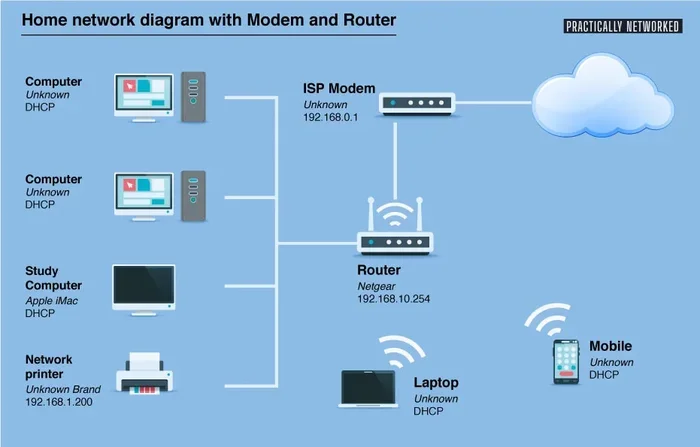
Many people confuse WiFi with internet. They think WiFi is the internet itself. But WiFi is just the way your devices connect wirelessly to the internet. The actual internet connection comes through a modem, and the WiFi router broadcasts that signal so your phones, laptops, and smart home devices can go online without cables. Xfinity combines both of these into one convenient package called the Xfinity xFi Gateway.
In this article, we will walk through everything you need to know about Xfinity WiFi. We will cover how the plans work, what speeds you can expect, whether you can use your own equipment, and how Xfinity WiFi hotspots add extra value. By the end, you will have a clear picture of what you are actually paying for and whether it is the right choice for your home.
Key Takeaways
- Xfinity WiFi comes with internet plans: It is not a standalone WiFi service — you must subscribe to an Xfinity internet plan.
- Xfinity xFi Gateway provides WiFi: The gateway device combines a modem and router to deliver wireless internet throughout your home.
- Multiple speed tiers are available: Xfinity offers plans ranging from basic to ultra-fast gigabit speeds to suit different needs.
- Xfinity WiFi hotspots are a bonus: Subscribers get access to millions of public WiFi hotspots across the country.
- You can buy your own router: If you prefer, you can use your own equipment, though Xfinity may still require a modem.
- Contract terms vary: Some plans require a contract, while others offer month-to-month flexibility.
📑 Table of Contents
- What Is Xfinity WiFi and How Does It Work?
- Xfinity Internet Plans That Include WiFi
- Can You Get Xfinity WiFi Without an Internet Plan?
- Equipment: What Do You Need for Xfinity WiFi?
- Xfinity WiFi Hotspots: A Free Bonus for Subscribers
- Xfinity WiFi Speed and Performance
- Is Xfinity WiFi Worth It?
- Common Mistakes to Avoid with Xfinity WiFi
- Final Thoughts on Does Xfinity WiFi Come With Internet
What Is Xfinity WiFi and How Does It Work?
Xfinity WiFi is the wireless networking service that Comcast provides to its internet subscribers. When you sign up for an Xfinity internet plan, you get a device called the Xfinity xFi Gateway. This device acts as both a modem and a router. It connects to the Comcast network through a cable line and then broadcasts a WiFi signal throughout your home.
The WiFi network name, or SSID, is usually set up for you automatically. You will receive a network name and password when your service is installed. From that point on, any device within range can connect to the internet wirelessly. The gateway also lets you manage your network through the xFi app, where you can see connected devices, set parental controls, and run a speed test.
Xfinity WiFi vs. Regular Internet
Some people wonder if Xfinity WiFi is different from regular internet. The truth is that WiFi is just one part of the internet experience. When you subscribe to Xfinity internet, you are paying for a broadband connection delivered to your home. The WiFi component is simply the method your devices use to access that connection without wires.
Think of it like this. The internet is the water supply that comes into your house through pipes. WiFi is like the faucets that let you access that water in different rooms. Without the pipes, there is no water. Without the internet connection, there is no WiFi. They work together, but they are not the same thing.
Xfinity Internet Plans That Include WiFi
Xfinity offers several internet plans, and every one of them includes WiFi service through the xFi Gateway. The plans differ mainly in speed and price. Here is a closer look at what is available.
Performance Starter
This is the entry-level plan. It offers download speeds starting at around 50 Mbps. It is enough for light browsing, emailing, and streaming on one or two devices at a time. If you live alone or are a light internet user, this plan may be all you need. The price is typically the most affordable option Xfinity offers.
Performance Pro
The Performance Pro plan steps up the speed to around 200 to 300 Mbps. This is a solid choice for families or households with multiple people working from home. You can stream videos, play online games, and video conference all at the same time without noticeable slowdowns.
Gigabit
Gigabit plans offer speeds up to 1,000 Mbps (1 Gbps). These are ideal for heavy users, large households, or anyone who needs top-tier performance. If you download large files regularly, game online competitively, or have many smart home devices, gigabit speeds make a big difference.
Ultrafast
For those who want the fastest speeds available, Xfinity offers ultrafast plans that go beyond gigabit speeds. These plans are designed for power users and large households with demanding internet needs. They come at a higher price point but deliver the best performance Xfinity currently offers.
Can You Get Xfinity WiFi Without an Internet Plan?
The honest answer is no. Xfinity WiFi cannot be purchased as a standalone service. Every Xfinity WiFi plan requires a corresponding internet subscription. If you see someone offering Xfinity WiFi without internet, they are likely referring to the public Xfinity WiFi hotspots that are available in many public places.
Xfinity operates millions of WiFi hotspots across the United States. These are located in apartment buildings, parks, cafes, and other public areas. Xfinity internet subscribers can connect to these hotspots for free as part of their service. However, non-subscribers can also pay a fee to access these hotspots for limited use. This is not the same as having Xfinity WiFi at home.
If you are looking for internet without a traditional provider, there are other options out there. You might want to explore alternatives like fixed wireless internet or satellite services. Just know that Xfinity WiFi by itself, without an internet plan, will not give you home internet access.
Equipment: What Do You Need for Xfinity WiFi?
When you sign up for Xfinity internet, the company provides the equipment you need. This is typically the Xfinity xFi Gateway, which handles both the modem and router functions. Here is what you should know about the equipment.
The Xfinity xFi Gateway
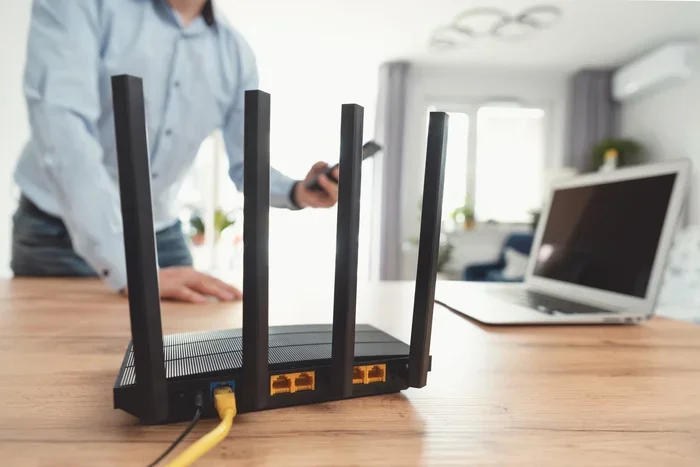
The xFi Gateway is a combined modem-router device. It connects to the Comcast cable network and creates your home WiFi network. The latest models support WiFi 6 technology, which offers faster speeds and better performance in homes with many connected devices. The gateway also includes a built-in firewall and basic security features to help protect your network.
Xfinity charges a monthly fee for the gateway equipment, usually around $14 to $15 per month. Some plans may include the equipment at no extra cost during promotional periods. You can also choose to buy your own compatible modem and router instead of renting from Xfinity. This can save money over time, especially if you plan to stay with the service for several years.
Before purchasing your own equipment, check the Xfinity approved device list. Not every router or modem will work with the Xfinity network. Using an unapproved device can cause connectivity issues and may void your service agreement.
Using Your Own Router
If you prefer better WiFi coverage or advanced features, you can set up your own router alongside the Xfinity gateway. Many users connect the gateway in bridge mode and then attach a high-quality router. This setup gives you more control over your home network and can improve performance in larger homes.
Just keep in mind that Xfinity still requires a compatible modem for the internet connection. You cannot bypass the modem entirely. But once the modem is in place, you have freedom to choose a router that suits your needs and budget.
Xfinity WiFi Hotspots: A Free Bonus for Subscribers
One of the perks of having Xfinity internet is access to the Xfinity WiFi hotspot network. These are public WiFi hotspots that Comcast operates in many cities across the country. As a subscriber, you can connect to these hotspots at no extra charge.
Here is how it works. When you are away from home and need internet access, look for an Xfinity WiFi network. Connect using your Xfinity username and password. The hotspot will authenticate your account and give you access. This is especially useful when you are traveling, working remotely from a cafe, or spending time in public areas.
The hotspot network covers a wide range of locations, including:
- Apartment buildings and condos
- Parks and outdoor spaces
- Transit stations and airports
- Retail stores and shopping centers
- Restaurants and coffee shops
This feature adds real value to your Xfinity subscription. It effectively extends your home internet experience beyond your four walls. However, keep in mind that public hotspots may not be as secure as your home network. Avoid accessing sensitive accounts or entering personal information when connected to any public WiFi, including Xfinity hotspots.
Xfinity WiFi Speed and Performance
The speed you get from Xfinity WiFi depends on several factors. Your plan tier is the biggest one, but your home setup also matters. Here is what affects your WiFi performance.
Plan Speed
Your internet plan sets the maximum speed you can receive. If you are on a 50 Mbps plan, your WiFi speeds will cap around that number. A gigabit plan can deliver much faster speeds, but only if your devices and equipment support those speeds.
Distance from the Gateway
WiFi signals weaken as they travel through walls and furniture. If you are far from the xFi Gateway, your speeds may drop. For best results, place the gateway in a central location in your home. Avoid hiding it in a closet or behind furniture.
Number of Connected Devices
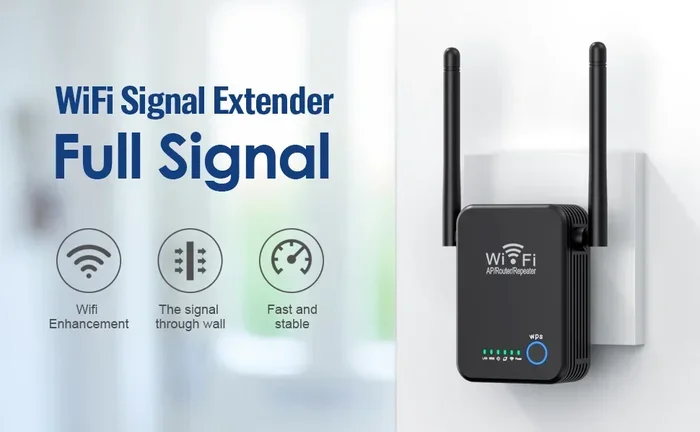
The more devices connected to your WiFi network, the more the bandwidth is shared. A household with ten connected devices will experience slower speeds per device than one with only two. Xfinity gateways handle this reasonably well, but very large households may benefit from adding a mesh WiFi system or additional access points.
Interference
Other electronic devices can interfere with WiFi signals. Microwaves, baby monitors, and even neighboring WiFi networks can cause slowdowns. Using the 5 GHz band instead of the 2.4 GHz band can help reduce interference and improve speeds.
Is Xfinity WiFi Worth It?
Whether Xfinity WiFi is worth it depends on your needs, budget, and location. Xfinity is one of the largest internet providers in the United States, and for good reason. It offers reliable broadband service, fast speeds, and a convenient all-in-one package that includes WiFi equipment.
Here are some reasons Xfinity WiFi works well for many people:
- Wide availability: Xfinity serves millions of homes across the country, especially in urban and suburban areas.
- Fast speeds: Plans go from basic to gigabit, giving you options for every budget.
- Easy setup: The xFi Gateway is simple to install and manage through the app.
- Hotspot access: Free WiFi on the go is a nice bonus for subscribers.
- No phone line required: Xfinity internet does not need a phone line, which is a plus for many households.
On the other hand, there are some downsides to consider. Xfinity equipment rental fees add to your monthly bill. The company has faced criticism for customer service and pricing practices. Some plans also come with data caps, though Xfinity has been moving away from these in many areas. It is always a good idea to read the full terms before signing up.
Before you commit, compare Xfinity with other providers in your area. Look at speed, price, contract terms, and customer reviews. If Xfinity is available at your address and the plan fits your needs, it can be a solid choice for home internet and WiFi.
Common Mistakes to Avoid with Xfinity WiFi
Setting up Xfinity WiFi is straightforward, but some common mistakes can hurt your experience. Here are a few to watch out for.
- Placing the gateway in a bad spot: Corners, closets, and basements can weaken your WiFi signal. Keep the gateway in an open, central area.
- Ignoring the xFi app: The app lets you manage your network, run speed tests, and troubleshoot issues. Not using it means you miss helpful tools.
- Not updating the firmware: Xfinity gateways receive updates that improve performance and security. Make sure your gateway is running the latest firmware.
- Skipping the speed test: After setup, run a speed test to confirm you are getting the speeds you are paying for.
- Assuming all plans are the same: Different plans offer different speeds and prices. Choose the one that matches your actual usage, not just the cheapest option.
Avoiding these mistakes can make a big difference in your daily internet experience. A little effort during setup goes a long way toward reliable, fast WiFi.
Final Thoughts on Does Xfinity WiFi Come With Internet
So, does Xfinity WiFi come with internet? Yes, it absolutely does. Xfinity WiFi is not a separate product — it is built into every Xfinity internet plan. When you subscribe to Xfinity internet, you get the xFi Gateway, which delivers both your internet connection and your wireless WiFi network.
Xfinity offers a range of plans to fit different needs and budgets. From basic 50 Mbps plans to ultrafast gigabit options, there is something for everyone. The added benefit of free WiFi hotspot access makes the service even more valuable for people who are on the go.
Before you sign up, make sure you understand the full picture. Know the speed tier you need, the equipment fees involved, and the contract terms. If you prefer to use your own router, you can explore options like buying your own compatible equipment, but you will still need the Xfinity modem for the internet connection.
Xfinity WiFi is a solid choice for millions of households. With the right plan and a good setup, it delivers reliable wireless internet that keeps your family connected. Just do your homework, compare options, and choose the plan that works best for your home.
Frequently Asked Questions
Can I get Xfinity WiFi without an internet plan?
No, Xfinity WiFi is not available as a standalone service. You must subscribe to an Xfinity internet plan to get WiFi at home. The WiFi is included as part of the internet package you purchase from Comcast.
What equipment do I need for Xfinity WiFi?
Xfinity provides the xFi Gateway, which acts as both a modem and a router. This device delivers your internet connection and broadcasts the WiFi signal. You can also use your own compatible router, but you still need a modem that works with the Xfinity network.
How fast is Xfinity WiFi?
Your WiFi speed depends on the plan you choose. Xfinity offers speeds from around 50 Mbps on entry-level plans up to 1,000 Mbps or more on gigabit plans. Actual wireless speeds may vary based on your home setup, device capabilities, and distance from the gateway.
Are Xfinity WiFi hotspots free for subscribers?
Yes, Xfinity internet subscribers can connect to millions of Xfinity WiFi hotspots across the country at no extra charge. These hotspots are available in public places like parks, transit stations, and shopping areas. They are a great perk for people who need internet access while away from home.
Can I use my own router with Xfinity internet?
Yes, you can use your own router with Xfinity internet. You will still need a compatible Xfinity modem for the internet connection, but you can connect your own router to it. Check the Xfinity approved device list to make sure your router is compatible.
Does Xfinity WiFi require a contract?
Some Xfinity plans require a contract, while others offer no-contract or month-to-month options. The terms vary by plan and location. Before you sign up, review the contract details carefully so you know what to expect. You should also check if there are any early termination fees.