Does Metro Have 5g Hotspot Everything You Need to Know
Yes, Metro by T-Mobile offers 5G hotspot capabilities on select plans. You can turn your Metro phone into a portable hotspot and share blazing-fast 5G internet with your laptops, tablets, and other devices. In this guide, we break down everything you need to know about Metro 5G hotspot speeds, coverage, setup, and pricing.
Let’s cut straight to the chase. If you have been asking yourself does Metro have 5G hotspot, the short answer is yes. Metro by T-Mobile, one of the most popular prepaid wireless brands, brings 5G connectivity to its customers. And that means you can use your phone as a powerful mobile hotspot.
But there is more to it than just a simple yes. Not every Metro plan includes 5G hotspot data. Not every phone supports it. And not every neighborhood has the coverage you need. This guide walks you through all the details so you can make an informed decision. Whether you need a backup internet source for work or want to keep the whole family connected on the road, we have you covered.
Key Takeaways
- Metro by T-Mobile supports 5G hotspot: You can use your phone as a mobile hotspot on 5G networks with eligible plans.
- Hotspot speeds vary by location: 5G speeds range from 50 Mbps to over 300 Mbps depending on your coverage area.
- Setup is simple: Enabling the hotspot feature takes just a few taps in your phone settings.
- Data limits matter: Some Metro plans include hotspot data, while others may throttle speeds after a certain usage threshold.
- Security is essential: Always use strong passwords and consider enabling firewall protection when sharing your connection.
- Coverage depends on T-Mobile’s network: Metro runs on T-Mobile’s infrastructure, so 5G availability follows their coverage map.
📑 Table of Contents
- What Is Metro 5G Hotspot and Why Does It Matter?
- Does Every Metro Plan Include 5G Hotspot?
- How to Set Up Your Metro 5G Hotspot
- Metro 5G Hotspot Speed and Coverage
- Is Metro 5G Hotspot Worth the Cost?
- Tips for Maximizing Your Metro 5G Hotspot Experience
- Metro 5G Hotspot vs. Dedicated Hotspot Devices
- Common Mistakes to Avoid with Metro 5G Hotspot
- Final Thoughts on Metro 5G Hotspot
What Is Metro 5G Hotspot and Why Does It Matter?
A 5G hotspot lets you share your phone’s internet connection with other devices. Think laptops, iPads, gaming consoles, or even smart TVs. With 5G speeds, you get much faster downloads and smoother streaming than older 4G LTE hotspots. This matters because more people than ever work remotely, stream content, and stay connected on the go.
Metro by T-Mobile uses the same network infrastructure as T-Mobile. That means when you access 5G through Metro, you are tapping into one of the largest and fastest wireless networks in the country. The 5G network uses different radio bands to deliver faster speeds and lower latency compared to previous generations.
For many users, a mobile hotspot replaces the need for a home broadband connection entirely. Students, travelers, and rural residents especially benefit from this flexibility. And Metro’s prepaid model means no contracts, no credit checks, and often lower monthly costs than traditional carriers.
How 5G Hotspot Differs from 4G Hotspot
The difference between 4G and 5G hotspot is night and day. Here is a quick breakdown:
- Speed: 5G hotspots can deliver download speeds of 50 Mbps to 300 Mbps or more. 4G LTE typically tops out around 20 to 50 Mbps.
- Latency: 5G reduces lag significantly, making video calls and online gaming much smoother.
- Capacity: 5G handles more connected devices without slowing down, which is great for households with multiple users.
- Reliability: 5G signals are stronger in congested areas like stadiums, airports, and city centers.
If you have ever struggled with a slow 4G hotspot during a video call, you know why 5G makes such a big difference. The experience feels more like home broadband than a mobile connection.
Does Every Metro Plan Include 5G Hotspot?
Here is where things get a little tricky. Not all Metro plans come with 5G hotspot access. Metro offers several tiers of service, and hotspot features vary from plan to plan. Let us look at what you need to know.
Metro Plans That Support 5G Hotspot
Metro’s higher-tier plans generally include hotspot data. These plans are designed for users who need more than just phone data. The most common plans that support 5G hotspot include:
- Metro Unlimited: This plan offers unlimited data with hotspot capabilities. You get high-speed hotspot data up to a certain limit, then speeds may slow down.
- Metro By the Gig: You pay for the data you use. Hotspot access is available, but your data allowance applies to both phone and hotspot usage.
- Metro Flash: Some Flash plans include hotspot features, but always check the fine print for 5G compatibility.
Before you switch or upgrade, log into your Metro account or call customer service. Ask specifically whether your plan includes 5G hotspot data and what the speed cap is. Some plans throttle hotspot speeds after 15 GB or 20 GB of usage, so knowing your limits is critical.
What Happens If Your Plan Does Not Include Hotspot?
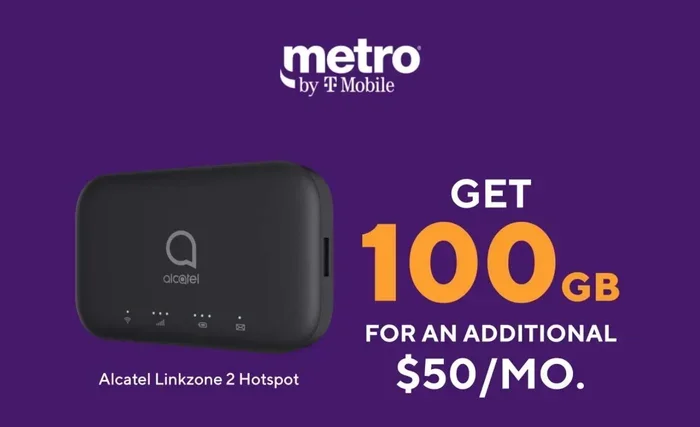
If your current Metro plan does not include hotspot, you have options. You can upgrade to a plan that supports it. Alternatively, some users purchase a separate prepaid hotspot device from Metro or T-Mobile. These dedicated hotspot devices often come with their own data plans and can be more cost-effective for heavy users.
Also worth noting: if you are concerned about network security when using a shared connection, you may want to review your device’s firewall settings. For example, running Microsoft Firewall alongside antivirus software can help protect your device when you are connected to public or shared networks.
How to Set Up Your Metro 5G Hotspot
Setting up your Metro 5G hotspot is straightforward. You do not need any special equipment beyond a compatible Metro phone. Here is how to do it step by step.
Step-by-Step Setup Guide
- Open Settings: On your Metro phone, go to the Settings app.
- Find Network Settings: Look for “Network and Internet” or “Connections,” depending on your phone model.
- Tap Hotspot and Tethering: This option may also be labeled “Mobile Hotspot” or “Portable Hotspot.”
- Enable the Hotspot: Toggle the switch to turn it on.
- Set a Hotspot Name and Password: Choose a unique name and a strong password. This keeps unauthorized users off your connection.
- Select 5G Mode: If your phone supports it, choose the 5G preferred option for the fastest speeds.
Once you complete these steps, other devices can find your hotspot in their Wi-Fi settings. Enter the password, and you are connected.
Quick Tips for a Smooth Setup
- Check your phone model: Not all phones support 5G hotspot. Look up your specific model online to confirm compatibility.
- Keep your phone charged: Using your phone as a hotspot drains battery fast. Keep it plugged in or use a portable charger.
- Place your phone near a window: This improves signal reception and gives you better speeds.
- Avoid metal cases: Some phone cases can interfere with signal strength, especially metal or thick protective ones.
One thing many people overlook is the importance of keeping your connected devices secure. When you share your hotspot, you are opening a door to your network. Just like you would secure your home, you should secure your digital connection. This is especially important when you are on the go and connecting to unfamiliar networks.
Metro 5G Hotspot Speed and Coverage
Speed and coverage are the two biggest factors that determine whether a 5G hotspot is worth it. And here is the good news: Metro’s 5G network delivers impressive performance in most areas where T-Mobile has strong coverage.
What Speeds Can You Expect?
Real-world 5G hotspot speeds vary based on your location, network congestion, and phone model. Here is what most Metro users experience:
- Download speeds: Typically between 50 Mbps and 300 Mbps on 5G.
- Upload speeds: Usually 10 Mbps to 50 Mbps.
- Latency: Around 10 to 30 milliseconds on 5G, much lower than 4G.
These speeds are more than enough for video conferencing, streaming HD content, browsing, and even online gaming. If you have ever tried working from a coffee shop on a slow connection, you understand how valuable these speeds can be.
Coverage Map and Availability
Metro runs on T-Mobile’s network, so 5G coverage follows T-Mobile’s footprint. T-Mobile has invested heavily in 5G infrastructure over the past few years. Today, their 5G network covers a large portion of the US population, including many rural and suburban areas.
To check if 5G is available in your area, visit T-Mobile’s coverage map online. Enter your zip code or address, and the map will show you which network types are available. If 5G is not in your area, your phone will automatically fall back to 4G LTE, which still works well for hotspot use.
Keep in mind that coverage can vary indoors and outdoors. Buildings, walls, and even weather can affect signal strength. If you find your hotspot speeds dropping, try moving to a different location or near a window.
Is Metro 5G Hotspot Worth the Cost?
This is the question most people want answered. And the honest answer is: it depends on your needs. Let us break down the pros and cons to help you decide.
Pros of Metro 5G Hotspot
- No contract required: Metro is a prepaid service, so you are not locked into a long-term agreement.
- Affordable plans: Metro plans are generally cheaper than major postpaid carriers like Verizon or AT&T.
- Fast 5G speeds: On T-Mobile’s network, you get competitive 5G performance.
- Flexible data options: Choose between unlimited or pay-as-you-go plans based on your usage.
- Easy setup: Turn your existing phone into a hotspot without buying extra equipment.
Cons of Metro 5G Hotspot
- Data limits on some plans: Hotspot data may be capped or throttled after a certain amount.
- Coverage gaps: Rural areas may not have 5G coverage yet.
- Phone compatibility: You need a 5G-capable phone to access the fastest speeds.
- Battery drain: Using your phone as a hotspot consumes significant battery life.
If you travel frequently or need reliable internet in areas without home broadband, Metro 5G hotspot is a solid choice. But if you only need internet occasionally, a lower-cost plan or a dedicated hotspot device might serve you better.
For those who are always on the move, staying connected is essential. Whether you are traveling with family or managing a busy schedule, having reliable internet access keeps you productive and entertained. In fact, parents who travel with young children often rely on portable connectivity to keep kids engaged during long trips. If you are wondering about screen time for younger kids on the road, check out our guide on whether a 7-year-old can have a hoverboard for more family-friendly activity ideas.
Tips for Maximizing Your Metro 5G Hotspot Experience
Getting the most out of your Metro 5G hotspot is all about a few smart habits. Here are practical tips that make a real difference.
1. Monitor Your Data Usage
Most Metro plans have a set amount of hotspot data or a speed cap. Keep an eye on your usage through the Metro app or online account. If you regularly run out of hotspot data, consider upgrading your plan or switching to a dedicated hotspot device with a larger data allowance.
2. Optimize Your Phone Settings
Your phone has settings that can improve hotspot performance. Turn off background apps that consume data. Enable data saver mode when you are not actively using the connection. And always set your network mode to 5G preferred for the best speeds.
3. Use a Portable Power Bank
Hotspot usage drains your phone battery quickly. A good portable power bank keeps your phone charged throughout the day. Look for one with at least 10,000 mAh capacity for extended use.
4. Secure Your Connection
Always use a strong, unique password for your hotspot. Change the default password that comes with your phone. You can also disable your hotspot when you are not actively using it to prevent unauthorized access.
Speaking of security, keeping your devices safe extends beyond just passwords. When you are using any portable electronic device regularly, you want to make sure it is protected from the elements too. For instance, if you use portable devices outdoors, having a reliable power source matters. Check out our article on heaters that do not need to be plugged in for tips on portable heating solutions that keep you comfortable anywhere.
5. Position Your Phone Strategically
Place your phone in an open area with minimal obstructions. A windowsill or an elevated surface works well. Avoid placing your phone inside bags or containers, as this can weaken the signal and reduce hotspot speeds for all connected devices.
6. Update Your Phone Software
Regular software updates improve network compatibility and hotspot performance. Metro and phone manufacturers often release updates that enhance 5G connectivity. Keep your phone updated to get the best experience.
Metro 5G Hotspot vs. Dedicated Hotspot Devices
You might be wondering whether a dedicated hotspot device is better than using your phone. Both options have merits. Here is a comparison to help you decide.
| Feature | Metro Phone Hotspot | Dedicated Hotspot Device |
|---|---|---|
| Cost | No extra device needed | Additional device purchase ($50-$200) |
| Battery Life | Drains phone battery | Longer battery life designed for hotspot use |
| Portability | Carry your phone | Extra device to carry |
| Data Plan | Uses your Metro plan data | Separate data plan required |
| Speed | Same 5G speeds as your phone | Same 5G speeds on T-Mobile network |
| Setup | Quick and easy | Requires initial configuration |
| Best For | Occasional hotspot use | Heavy or continuous hotspot use |
For most Metro users, using your phone as a hotspot is the simplest and most cost-effective option. But if you use hotspot daily for work or streaming, a dedicated device might be worth the investment. It keeps your phone battery free for other tasks and often provides better heat management during extended use.
When you are considering connectivity options, it is also worth thinking about the broader ecosystem of devices you use. For instance, if you are building a smart home or office setup, reliable internet is foundational. And speaking of staying connected on the go, having the right tools for your lifestyle makes all the difference.
Common Mistakes to Avoid with Metro 5G Hotspot
Even with a great setup, common mistakes can ruin your hotspot experience. Here are pitfalls to watch out for.
- Ignoring data limits: Going over your hotspot data cap can result in throttled speeds or extra charges. Always monitor usage.
- Using a weak password: Easy passwords invite strangers to hop on your connection, slowing it down and creating security risks.
- Leaving the hotspot on all day: This drains your battery and consumes data even when no one is connected.
- Placing the phone in enclosed spaces: Signal strength drops significantly when your phone is buried in a bag or drawer.
- Not updating software: Outdated software can cause connectivity issues and reduce performance.
- Assuming 5G is everywhere: 5G coverage is expanding but not universal. Always check your area before relying on 5G speeds.
Avoiding these mistakes keeps your Metro 5G hotspot running smoothly and ensures you get the best possible experience every time you connect.
Final Thoughts on Metro 5G Hotspot
So, does Metro have 5G hotspot? Absolutely. Metro by T-Mobile offers solid 5G hotspot functionality on many of its plans, giving you fast and reliable internet wherever T-Mobile’s network reaches. Whether you need a quick connection for work, a way to keep the family online during travel, or a backup internet source at home, Metro 5G hotspot delivers.
The key is choosing the right plan, setting up your hotspot correctly, and following best practices for security and battery management. With the tips in this guide, you are well-equipped to get the most from your Metro 5G hotspot experience.
Stay connected, stay productive, and enjoy the speed that 5G brings to your mobile life. Metro makes it easier than ever to stay online without the hassle of a traditional contract or expensive equipment.
Frequently Asked Questions
Does Metro by T-Mobile support 5G hotspot on all phones?
No, not all phones support 5G hotspot. Your phone must be 5G-capable and compatible with Metro’s network. Check your phone’s specifications or contact Metro support to confirm compatibility before relying on 5G hotspot speeds.
How much hotspot data do Metro plans include?
It varies by plan. Unlimited plans typically include 15 GB to 50 GB of high-speed hotspot data before speeds may be reduced. Pay-per-gig plans apply your data allowance to both phone and hotspot usage. Always check your specific plan details.
Can I use my Metro phone as a hotspot while traveling internationally?
Metro offers some international roaming options, but 5G hotspot may not be available outside the US. Check Metro’s international coverage before traveling. In most cases, you can use 4G LTE hotspot in supported countries.
Why is my Metro 5G hotspot slow?
Several factors can slow down your hotspot. Network congestion, distance from a 5G tower, phone case interference, and outdated software are common culprits. Try moving to an open area, restarting your phone, or checking for software updates to improve speeds.
Is Metro 5G hotspot free to use?
The hotspot feature itself is free, but it uses your plan’s data allowance. If your plan does not include hotspot data, you may need to upgrade or purchase additional data. Some dedicated hotspot plans are available separately for heavy users.
Can I connect multiple devices to my Metro 5G hotspot?
Yes, most Metro phones allow you to connect up to 10 devices simultaneously. However, connecting too many devices can slow down your speeds. For the best performance, limit connections to the devices you actively need.