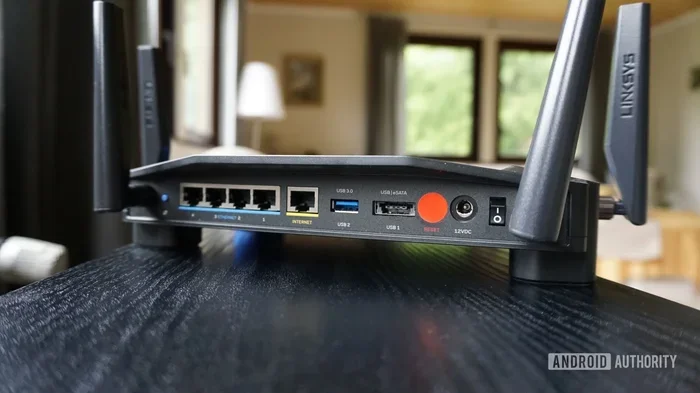
Does Getting A New Router Help Boost Your Wi Fi Today
Yes, getting a new router can significantly boost your Wi-Fi speed, range, and overall performance. An outdated router is often the hidden culprit behind slow internet, dropped connections, and weak signals throughout your home. Whether you switch to a Wi-Fi 6 router or a mesh network system, the right upgrade transforms how you stream, game, and work online.
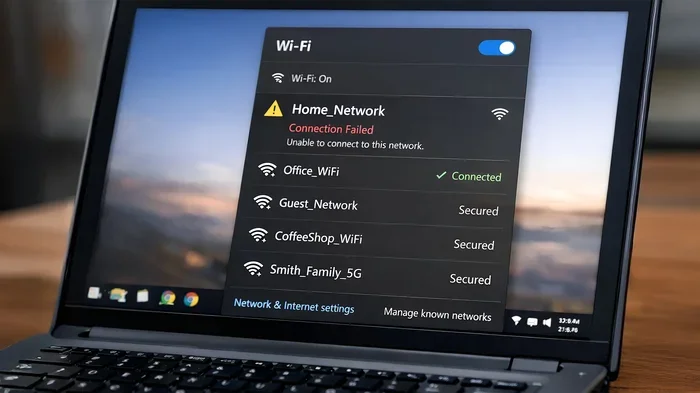
You sit on the couch, ready to binge your favorite show. But the buffering wheel just keeps spinning. Your Wi-Fi feels slow, weak, or unreliable. It happens to all of us. The natural question pops up: does getting a new router help Wi-Fi? The short answer is yes, but the full picture is more interesting than you might think.
A new router can transform your home network. It can bring faster speeds, wider coverage, and fewer frustrating disconnections. But it is not a magic fix for every Wi-Fi problem. Understanding how routers work and when to upgrade saves you money and headache. Let us walk through everything you need to know about whether a new router actually boosts your Wi-Fi.
Key Takeaways
- Old routers slow you down: Aging hardware can’t keep up with modern internet speeds and multiple devices.
- A new router boosts speed and range: Upgrading improves Wi-Fi coverage and reduces dead zones in your home.
- Wi-Fi 6 is the current standard: Newer routers offer better performance, efficiency, and device handling.
- Mesh systems solve coverage issues: They extend Wi-Fi to every corner of larger homes effectively.
- You don’t always need a new router: Sometimes adjusting settings or repositioning your current router helps enough.
- Check your internet plan first: A new router won’t speed up a slow internet plan from your provider.
- Placement matters: Where you put your router affects performance more than people realize.
📑 Table of Contents
How Your Router Affects Wi-Fi Performance
Your router is the brain of your home network. It takes the internet signal from your modem and sends it to every device you own. Phones, laptops, smart TVs, and smart home gadgets all depend on it. When your router gets old, it cannot keep up with modern demands. This directly impacts your Wi-Fi speed and wireless connection quality.
Think of it like a highway. An old router is a two-lane road. A new router is a multi-lane expressway. More lanes mean more traffic can move at once. If you have many devices connected at the same time, your old router might be the bottleneck slowing everything down.
What Happens When a Router Gets Old
Routers age just like any other tech. Here is what happens over time:
- Hardware becomes outdated: Older routers use older Wi-Fi standards like Wi-Fi 4 or Wi-Fi 5. These standards cannot match the speeds of newer technology.
- Firmware stops getting updates: Manufacturers stop supporting older models. This means security vulnerabilities and performance issues go unpatched.
- Heat damage accumulates: Routers run warm. Over years, this heat degrades internal components and weakens performance.
- New devices overwhelm it: Modern smart home gadgets, 4K streaming, and video calls demand more bandwidth than old routers were designed to handle.
If your router is more than five years old, it is worth seriously considering an upgrade. The performance difference can be dramatic.
When Does Getting a New Router Help Wi-Fi
Not every Wi-Fi problem needs a new router. But certain signs clearly point to one. Here is when upgrading makes the biggest difference.
You Have an Outdated Wi-Fi Standard
Wi-Fi technology has evolved significantly. Here is a quick look at the generations:
- Wi-Fi 4 (802.11n): Released around 2009. Max speed around 600 Mbps. This is very outdated now.
- Wi-Fi 5 (802.11ac): Released around 2013. Max speed around 3.5 Gbps. Still decent but showing its age.
- Wi-Fi 6 (802.11ax): Released around 2019. Max speed around 9.6 Gbps. The current sweet spot for most homes.
- Wi-Fi 6E and Wi-Fi 7: The newest standards. They offer even more speed and less congestion.
If your router only supports Wi-Fi 4 or early Wi-Fi 5, a router upgrade will noticeably improve your internet connection. Newer standards handle more devices and deliver faster real-world speeds.
You Have Many Devices Connected
The average household now has over 20 connected devices. Smart speakers, security cameras, phones, laptops, tablets, and smart TVs all compete for bandwidth. Old routers were not built for this kind of load. A modern router uses advanced technology like MU-MIMO and OFDMA to manage multiple connections efficiently.
If your Wi-Fi slows down every evening when everyone is home streaming and browsing, your router is likely struggling. A new one handles the load much better.
You Have Dead Zones in Your Home
A dead zone is an area where your Wi-Fi signal is too weak or nonexistent. This commonly happens in basements, garages, and far rooms. Sometimes the issue is your router’s placement. But often, an old router simply does not have the power to reach every corner of your home.
A new router with better antennas and stronger signal output can fix many dead zones. For larger homes, you might also consider a mesh Wi-Fi system. If you are already using mesh, you can even connect Wi-Fi 6 mesh to a Wi-Fi 5 router to improve coverage without replacing everything.
Benefits of Upgrading to a New Router
So what exactly does a new router do for your Wi-Fi? The benefits go beyond just faster speeds. Here is a closer look.
Faster Speeds
The most obvious benefit is speed. Newer routers support higher bandwidth and faster wireless standards. If your internet plan delivers 200 Mbps but your old router caps out at 50 Mbps, you are leaving speed on the table. A new wireless router unlocks the full potential of your internet plan.
Better Range and Coverage
Modern routers use improved antenna designs and signal processing. They push Wi-Fi farther and more reliably through walls and floors. This means fewer dead zones and stronger connections in every room.
Improved Security
Older routers often lack the latest security features. Newer models support WPA3 encryption and receive regular firmware updates. This keeps your network safe from modern threats. If you have not changed your router in years, your security may be outdated.
Smarter Network Management
New routers come with better apps and dashboards. You can prioritize devices, set parental controls, and monitor network activity. Some even use AI to optimize your network performance automatically. These features make managing your home network much easier.
Lower Latency for Gaming and Video Calls
If you game online or join frequent video calls, latency matters. Newer routers reduce lag and jitter. They process data faster and handle real-time traffic more efficiently. This leads to smoother gameplay and clearer video calls.
Do You Really Need a New Router?
Here is the honest truth. A new router does not fix every problem. Sometimes the issue lies elsewhere. Before you spend money, rule out these common causes first.
Check Your Internet Speed Plan
A new router cannot make your internet plan faster. If your provider gives you 25 Mbps, no router will turn that into 500 Mbps. Run an internet speed test first. If your speeds match what your plan promises, the problem might not be your router.
Try Repositioning Your Current Router
Router placement affects Wi-Fi more than most people realize. Keep your router in a central, open location. Avoid closets, cabinets, and corners. Elevate it off the floor. Sometimes just moving your router solves the problem entirely.
Update Your Router’s Firmware
Firmware updates improve performance and fix bugs. Check your router’s admin panel for available updates. An outdated firmware can cause slow speeds and connection drops. This simple step often helps without buying anything new.
Reduce Network Congestion
Too many devices on one network can slow things down. Disconnect devices you are not using. Switch heavy users to a wired connection when possible. You can also change your Wi-Fi channel to avoid interference from neighbors.
If none of these steps help, it is time to consider a new router. But also think about whether your internet service provider offers a better modem or gateway device. Sometimes the modem is the real bottleneck.
Choosing the Right New Router
Ready to upgrade? Great. But picking the right router matters. Here is what to look for.
Match the Router to Your Needs
Not everyone needs the same router. A small apartment has different needs than a large house with many smart devices. Consider these factors:
- Home size: Small apartments work fine with a single router. Large homes may need a mesh system.
- Number of devices: More devices require a router with better multi-device handling.
- Internet speed: Choose a router that supports your plan’s full speed.
- Usage type: Gaming, 4K streaming, and video conferencing each have different demands.
Wi-Fi 6 vs. Wi-Fi 6E vs. Wi-Fi 7
Wi-Fi 6 is the current mainstream standard and offers excellent value. Wi-Fi 6E adds access to the 6 GHz band for less congestion. Wi-Fi 7 is the newest but still pricey. For most households, Wi-Fi 6 is the best balance of performance and price.
Mesh vs. Traditional Routers
Mesh systems use multiple nodes to spread Wi-Fi throughout your home. They are ideal for larger spaces or homes with thick walls. Traditional routers work well for smaller spaces. If coverage is your main concern, a mesh system is worth the investment.
Also, if you currently rent a router from your provider, check out whether you can change your Wi-Fi router to a model you own. This gives you more control and often better performance.
Common Mistakes That Make Wi-Fi Worse After a New Router
Even with a new router, mistakes can hold back your performance. Avoid these pitfalls.
- Placing the router in a bad spot: Basements and behind TVs kill signal strength. Put it center and elevated.
- Not updating firmware: New routers still need firmware updates for best performance.
- Ignoring the 5 GHz band: Many people stick to the 2.4 GHz band out of habit. The 5 GHz band is faster and less crowded.
- Not restarting the router: A simple restart clears cache and refreshes connections. Do it regularly.
- Expecting miracles from old equipment: A new router helps, but old cables or a slow modem can still hold you back.
If you have tried everything and your signal still struggles outdoors, you can explore options like boosting your Wi-Fi signal outside for better yard or patio coverage.
Expert Insights on Router Upgrades
Network professionals consistently recommend upgrading routers every four to five years. Technology moves fast. Wi-Fi standards improve, device demands grow, and security threats evolve. An aging router becomes a liability, not just a speed bump.
One thing experts emphasize is that a new router alone does not guarantee better performance. Your internet plan, modem quality, and home layout all play roles. The best approach is a holistic one. Check your plan speeds, ensure your modem is modern, position your router well, and then upgrade the router if needed.
Another expert tip is to check if your ISP provides a free or subsidized router upgrade. Some providers will replace your rental unit at no cost. This is an easy way to get newer hardware without spending extra.
Key Takeaways
- An old router limits your Wi-Fi: Outdated hardware cannot deliver modern speeds or handle today’s device loads.
- Upgrading improves speed, range, and security: A new router brings faster standards, better coverage, and stronger protection.
- Wi-Fi 6 is the best value right now: It offers excellent performance for most homes at a reasonable price.
- Fix simple issues first: Repositioning, firmware updates, and reducing congestion can solve problems without a new router.
- Mesh systems help large homes: They extend coverage to every room and eliminate dead zones effectively.
- A new router does not replace a slow internet plan: Make sure your ISP plan matches your usage needs.
- Regular maintenance keeps any router running well: Restarts, updates, and proper placement extend your router’s life.
The bottom line is straightforward. If your router is more than a few years old and you are experiencing slow speeds, weak signals, or frequent disconnections, getting a new router helps Wi-Fi in a big way. It is one of the most impactful upgrades you can make for your home network. A modern router brings faster speeds, wider coverage, better security, and smoother performance for every device you own. Do not let an old router hold you back from the internet experience you deserve.
Start by running a speed test. Check your current router’s age and Wi-Fi standard. Then decide whether a simple repositioning or a full upgrade makes more sense. Either way, taking action is the first step toward better Wi-Fi at home.
Frequently Asked Questions
How do I know if my router is causing slow Wi-Fi?
Run a speed test near your router and then in another room. If speeds drop significantly away from the router, your router may be the problem. Also check the router’s age. If it is more than five years old, it likely uses outdated Wi-Fi standards that cannot keep up with modern demands.
Will a new router increase my internet speed?
A new router can unlock the full speed of your internet plan. However, it cannot make your plan faster than what your ISP provides. If your plan is slow, a new router will help you reach your plan’s maximum speed but will not increase the plan itself.
How often should I replace my router?
Most experts recommend replacing your router every four to five years. Technology advances quickly, and older routers fall behind in speed, security, and device handling. If you notice consistent slow speeds or connection issues, consider an earlier upgrade.
Is Wi-Fi 6 worth the upgrade?
Yes, Wi-Fi 6 is widely considered the best value for most households. It offers faster speeds, better performance with many devices, and improved efficiency. If your current router uses Wi-Fi 5 or older, upgrading to Wi-Fi 6 makes a noticeable difference.
Can a new router fix Wi-Fi dead zones?
A new router with stronger signal output can reduce dead zones. However, for large homes or homes with thick walls, a mesh Wi-Fi system works better. A new router alone may not fully eliminate dead zones in challenging layouts.
Should I buy my own router or use my ISP’s rental?
Buying your own router gives you more control, better performance, and no monthly rental fees. ISP rental routers are often basic models. Check if your ISP offers a free upgrade first, then compare that option with buying a quality router on your own.