Do I Need A Modem And Router And Gateway For Internet
Understanding whether you need a modem, router, or gateway is essential for setting up your home network. A modem connects you to your ISP, a router creates your Wi-Fi network, and a gateway combines both into one device. This guide breaks down exactly what you need based on your internet setup.
Setting up home internet can feel confusing. You hear terms like modem, router, and gateway thrown around constantly. But what do they really mean? And do you actually need all three? The truth is simpler than you think. Let us break it down in plain English so you can make the right choice for your home.
Whether you are moving into a new place or upgrading your current setup, knowing your equipment makes a huge difference. It affects your internet speed, Wi-Fi coverage, and even your monthly bills. This guide covers everything you need to know about modems, routers, and gateways. By the end, you will know exactly what to buy or rent.
Key Takeaways
- Modem vs Router vs Gateway: Each device serves a different purpose in your home network setup.
- Gateway devices combine modem and router functions into a single unit, saving space and simplifying setup.
- Standalone modem and router setups offer better performance and more control for power users.
- Your ISP matters: Some providers require specific equipment or charge rental fees you can avoid.
- Internet speed and coverage needs determine whether a combo device or separate units work best for you.
- Upgrading your equipment can significantly improve Wi-Fi performance and reduce dead zones.
📑 Table of Contents
- What Does Each Device Actually Do?
- Do You Really Need All Three Devices?
- Modem vs Router vs Gateway: Head-to-Head Comparison
- How to Choose the Right Setup for Your Home
- Common Mistakes People Make With Network Equipment
- The Future of Home Networking Equipment
- Do I Need A Modem And Router And Gateway: Final Verdict
- Frequently Asked Questions
- Conclusion
What Does Each Device Actually Do?
Before we answer whether you need all three, let us understand what each one does. Think of it like building a house. You need a foundation, walls, and a roof. Each part has a specific job. The same goes for your internet setup.
The Modem: Your Internet Doorway
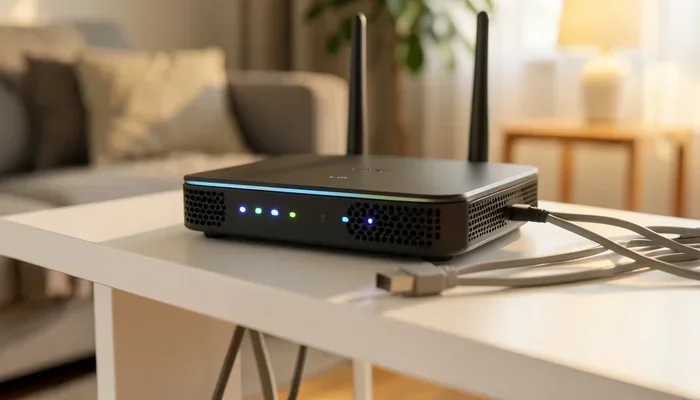
A modem is the device that connects your home to the internet. It talks directly to your Internet Service Provider, or ISP. Without a modem, you have no internet connection at all. It translates the signal from your ISP into something your devices can use.
There are different types of modems depending on your connection type. Cable modems work with coaxial cables from providers like Comcast or Spectrum. DSL modems use phone lines. Fiber optic modems handle light signals from fiber providers. Each modem type matches a specific internet connection technology.
Most ISPs let you rent a modem for around $10 to $15 per month. Over a year, that adds up to $120 to $180. Buying your own modem can save you a lot of money in the long run. Just make sure it is compatible with your ISP.
The Router: Your Wi-Fi Creator
A router takes the internet signal from your modem and shares it with all your devices. It creates a local network inside your home. This is what gives you Wi-Fi. Without a router, you can only connect one device directly to the internet using an Ethernet cable.
Your router also assigns IP addresses to each device. It acts like a traffic cop, directing data to the right place. Modern routers support both 2.4 GHz and 5 GHz bands. The 5 GHz band offers faster speeds over shorter distances. The 2.4 GHz band travels farther but is slower.
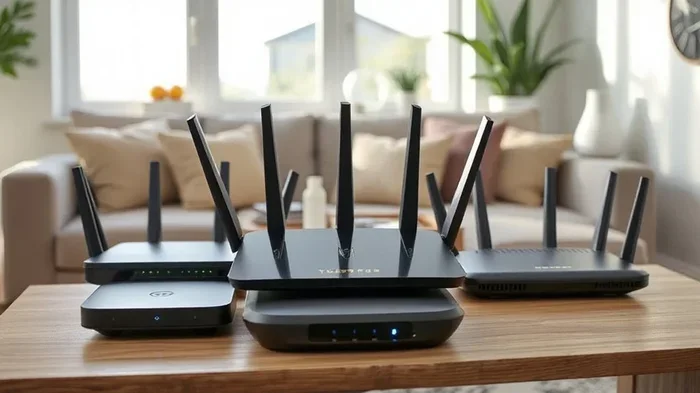
Some routers are basic and affordable. Others are premium with advanced features like beamforming, MU-MIMO, and mesh support. Your choice depends on how many devices you have and how large your home is.
The Gateway: The All-In-One Solution
A gateway is a single device that combines both a modem and a router. It handles the internet connection and creates your Wi-Fi network all in one box. Many ISPs prefer to send gateways because they simplify the setup process for customers.
Gateways go by many names. You might hear them called wireless gateways, modem-router combos, or ISP-provided units. Brands like Motorola, Arris, and Netgear make popular gateway models. They are convenient, but they often come with trade-offs.
Gateways work well for most households. They take up less space and require fewer cables. However, they may not offer the same performance as separate high-end modem and router units. If you are a casual internet user, a gateway is usually perfectly fine.
Do You Really Need All Three Devices?
Here is the short answer: no, you do not need all three. In fact, you never need all three at the same time. You need either a gateway, or a modem plus a router. Let us look at the different scenarios so you can figure out what fits your situation.
Scenario 1: You Use a Gateway
If your ISP gave you a single box and it works fine, stick with it. A gateway handles everything you need for basic internet use. You get Wi-Fi, wired connections, and access to the internet. This setup is perfect for small apartments or homes with light internet usage.
Many families use a gateway without any problems. Streaming videos, browsing the web, and video calls all work well. The key is making sure your gateway supports your internet speed tier. Check with your ISP to confirm compatibility.
Scenario 2: You Use a Separate Modem and Router
This setup gives you the most flexibility and best performance. You connect a standalone modem to your ISP. Then you connect a separate router to the modem. This gives you more control over your network.
Power users love this setup. Gamers, remote workers, and smart home enthusiasts benefit the most. Separate devices often deliver faster speeds and better Wi-Fi coverage. You can upgrade one device without replacing the other. For example, you could keep your modem and just buy a new router when Wi-Fi technology improves.
Scenario 3: You Only Need a Modem
Some people connect their modem directly to a computer using an Ethernet cable. This works for single-device setups. If you only need internet on one laptop or desktop, you might skip the router entirely. This is common in home offices where a wired connection is preferred.
However, this setup limits your mobility. You cannot move around freely with a laptop. You also cannot connect phones, tablets, or smart home devices wirelessly. For most households, adding a router makes sense even if you primarily use wired connections.
Modem vs Router vs Gateway: Head-to-Head Comparison
It helps to see the differences side by side. The table below compares the three options across key factors that matter for your home network.
| Feature | Gateway (Combo) | Modem + Router (Separate) |
|---|---|---|
| Number of Devices | One box | Two boxes |
| Setup Complexity | Simple, one-step | Slightly more involved |
| Wi-Fi Performance | Good for average use | Better, especially with premium routers |
| Upgradability | Replace the whole unit | Upgrade modem or router independently |
| Monthly ISP Rental Cost | Typically $10-$15/month | Varies by device |
| Best For | Casual users, small spaces | Power users, larger homes |
| Coverage Area | Small to medium | Medium to large, with mesh options |
As you can see, each option has its strengths. Your choice depends on your budget, internet habits, and home size. There is no single best answer for everyone.
How to Choose the Right Setup for Your Home
Choosing between a gateway and separate devices comes down to a few key factors. Let us walk through what matters most so you can make a confident decision.
Consider Your Internet Speed Plan
Check the speed tier you pay for. If you have a basic plan under 200 Mbps, a gateway will likely handle it just fine. But if you pay for gigabit internet or higher, separate equipment often performs better. Gateway devices sometimes bottleneck very fast connections because their internal components are not as powerful.
For example, a high-end standalone router with Wi-Fi 6 or Wi-Fi 6E technology can push much more data than a built-in gateway router. If speed is your priority, investing in separate units pays off.
Think About Your Home Size and Layout
Small apartments and condos work great with a single gateway. The Wi-Fi signal does not have to travel far. But larger homes with multiple floors and thick walls need stronger coverage. A separate router with mesh capabilities can fill those gaps much better.
Mesh router systems work by placing nodes around your home. Each node extends the Wi-Fi signal further. This eliminates dead zones where the signal gets weak. Gateways rarely support mesh setups out of the box.
Count Your Connected Devices
How many devices connect to your internet daily? A phone, laptop, smart TV, tablet, and smart speaker add up fast. The average household now has over 15 connected devices. A gateway can handle this load for most families. But if you have many heavy users, a dedicated router manages traffic more efficiently.
Look for routers that support MU-MIMO technology. This feature lets the router talk to multiple devices at the same time instead of one at a time. It makes a noticeable difference in busy households.
Check Your ISP Requirements
Some ISPs lock you into using their equipment. They may not let you use your own modem or router. Others are perfectly fine with third-party devices. Call your ISP or check their website before buying anything.
Also ask about modem compatibility lists. Most ISPs publish a list of approved modems. Buying a modem from this list ensures it will work with your service. Using an unapproved modem can cause connection problems.
Quick Tips
- Always check your ISP’s approved device list before buying a modem or router.
- Calculate how much you spend on ISP rental fees per year. Buying your own often pays for itself in under a year.
- If you choose a gateway, make sure it supports the latest Wi-Fi standard for future-proofing.
- Place your router or gateway in a central location for the best Wi-Fi coverage.
- Restart your equipment regularly to keep your connection running smoothly.
Common Mistakes People Make With Network Equipment
Even with the best intentions, many people make avoidable mistakes when setting up their home network. Here are some pitfalls to watch out for.
Assuming the ISP Provided Device Is the Best Option
ISPs often push their own gateways because it is profitable for them. The rental fees add up over time. These devices are usually mid-range at best. They get the job done but rarely deliver top performance. Many customers do not realize they can buy better equipment for the same price as a few months of rental fees.
Placing the Equipment in a Bad Location
Where you put your modem or router matters more than people think. Hiding it in a closet or behind a TV kills the Wi-Fi signal. Walls, metal objects, and appliances all interfere with wireless signals. The best spot is usually a central, elevated location in your home.
Ignoring Firmware Updates
Router firmware updates fix bugs and improve security. Many people set up their equipment and forget about it. Over time, outdated firmware can slow down your connection or create vulnerabilities. Check for updates every few months to keep your network running at its best.
Buying Incompatible Equipment
Not every modem works with every ISP. Not every router works with every modem. Always verify compatibility before making a purchase. A quick phone call to your ISP or a check of their website saves a lot of frustration later.
Expert Insight
Network specialists recommend buying separate modem and router units for anyone who values performance and long-term savings. A good standalone modem costs around $100 to $200. A solid router adds another $100 to $250. Compared to paying $15 per month in rental fees, you break even within 8 to 12 months. After that, you own your equipment and save money every month going forward.
The Future of Home Networking Equipment
Home networking technology keeps evolving. Understanding where things are headed helps you make smarter buying decisions today.
Wi-Fi 6 and Wi-Fi 7 Are Changing the Game
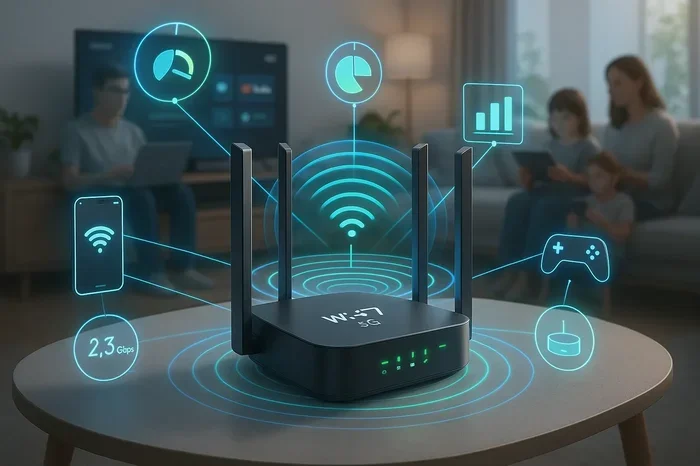
Wi-Fi 6, also known as 802.11ax, offers faster speeds and better performance in crowded environments. Wi-Fi 7, the newest standard, pushes speeds even higher with lower latency. If you buy a router or gateway that supports these standards, your setup stays relevant longer.
Older Wi-Fi standards like Wi-Fi 5 (802.11ac) still work fine for most users. But if you want the best experience, especially with multiple devices, Wi-Fi 6 or Wi-Fi 7 equipment is worth the investment.
Mesh Systems Are Becoming the Norm
Mesh networking is replacing traditional single-router setups for many households. Instead of one router broadcasting from one spot, mesh systems use multiple nodes placed around the home. Each node talks to the others to create seamless coverage everywhere.
Some gateways now include mesh support. Standalone routers also increasingly offer mesh functionality. This trend makes it easier to eliminate dead zones without buying completely new equipment.
ISP Trends Toward Gateway Dominance
Many ISPs now favor gateways over separate equipment. They ship them as the default option. This simplifies their support process and ensures compatibility. However, it also means less choice for the customer. If you want better performance, you may need to push back and request a standalone option or bring your own equipment.
Do I Need A Modem And Router And Gateway: Final Verdict
So, do you need a modem, a router, and a gateway? The answer is no. You need either a gateway, which combines both functions, or a modem paired with a router. You never need all three devices together.
For most casual users, a gateway provided by the ISP or purchased separately works perfectly. It is simple, compact, and easy to manage. For power users, gamers, and large households, a separate modem and router setup delivers superior performance and flexibility.
Take a moment to assess your situation. Consider your internet speed plan, home size, number of devices, and budget. This honest evaluation points you toward the right choice. You do not need the most expensive equipment. You just need the right equipment for your needs.
Once you set up your network, keep it maintained. Update firmware regularly. Restart your equipment weekly. Place devices in optimal locations. These small habits keep your internet running smoothly for years to come.
Understanding your networking equipment gives you confidence. You stop relying on guesswork and start making informed decisions. That knowledge saves money, improves performance, and gives you a better internet experience every single day.
Frequently Asked Questions
Can I use a gateway and a separate router at the same time?
Yes, you can. Some people use a gateway in bridge mode and connect a separate router to it. This gives you the best of both worlds. The gateway handles the internet connection, while the standalone router takes over Wi-Fi duties with better performance and features.
Is it cheaper to buy my own modem and router?
Usually yes. ISP rental fees of $10 to $15 per month add up to $120 to $180 per year. A good modem and router combo costs $200 to $400 upfront. You break even within one to two years and then save money every month after that.
What happens if I only have a modem without a router?
A modem alone gives you internet access, but only to one device via Ethernet cable. You cannot connect phones, tablets, or smart home devices wirelessly. For most households, a router is essential to share the connection across multiple devices.
Do I need a gateway if my ISP provides one for free?
Not necessarily. Free ISP gateways work fine for basic internet use. But if you experience slow speeds, weak Wi-Fi, or frequent disconnections, a separate modem and router setup may be worth it. You also avoid monthly rental fees over time.
What is the difference between a gateway and a modem-router combo?
There is no real difference. Gateway and modem-router combo are two names for the same thing. Both terms describe a single device that combines modem and router functions. ISPs often use the term “gateway” to market their equipment.
How often should I replace my networking equipment?
Modems typically last 4 to 7 years. Routers last 3 to 5 years on average. If you notice slow speeds, frequent disconnections, or lack of support for newer Wi-Fi standards, it is time for an upgrade. Technology evolves fast, and older equipment can become a bottleneck.
Conclusion
Setting up your home internet does not have to be complicated. You now know the difference between a modem, a router, and a gateway. You understand when each option makes sense. And you have practical tips to guide your decision.
The right choice depends on your specific needs. Casual users thrive with a simple gateway. Power users benefit from separate modem and router units. Either way, you are in control of your home network. You do not have to accept whatever your ISP hands you.
Take what you have learned here and apply it. Check your ISP requirements. Evaluate your home and usage patterns. Make a confident choice. Your internet experience will be better for it. You deserve fast, reliable, and affordable connectivity. And now you know exactly how to get it.