Can You Vpn A Wifi Network And Why You Should Try It
A VPN (virtual private network) can absolutely be used on a WiFi network to encrypt your data, hide your IP address, and boost your online privacy. Whether you are connecting to public WiFi or securing your home network, a VPN creates a secure tunnel that keeps your browsing activity private from hackers, ISPs, and third parties. Setting up a VPN on your WiFi router or individual device is straightforward and offers serious benefits for anyone who values secure browsing and online privacy.
Have you ever wondered if you can VPN a WiFi network? The short answer is yes. But the full story is much more interesting. A virtual private network changes the way your device connects to the internet. Instead of sending your data out in the open, a VPN wraps it in encryption. This means nobody on the same network can see what you are doing. Whether you are at home, traveling, or sitting in a crowded café, VPNing your WiFi connection adds a vital shield around your online activity.
People VPN their WiFi networks for many reasons. Some want online privacy. Others need to access content that is blocked in their region. Many simply want peace of mind when using public WiFi safety hotspots. Whatever your reason, this guide covers everything you need to know. We will explain how it works, how to set it up, the benefits you will get, and the mistakes to avoid. Let us dive in.
Key Takeaways
- You can VPN a WiFi network: It works on both public and private WiFi connections to protect your data.
- Two setup methods exist: You can install a VPN on individual devices or configure it directly on your WiFi router.
- Online privacy improves significantly: A VPN encrypts your traffic and masks your IP address from prying eyes.
- Public WiFi becomes much safer: Using a VPN on hotel, café, or airport WiFi prevents data theft and eavesdropping.
- Speed and access improve: A VPN helps you bypass bandwidth throttling and geo-restrictions for smoother streaming.
- Common mistakes exist: Choosing the wrong provider or ignoring settings can reduce your VPN effectiveness.
- Expert consensus supports VPN use: Cybersecurity professionals recommend VPNs as a core tool for wireless network protection.
📑 Table of Contents
What Does It Mean to VPN a WiFi Network?
When you connect your phone, laptop, or tablet to a WiFi network, your data travels through the air to a router. From there, it reaches your internet service provider and then the wider web. Without a VPN, anyone with the right tools can potentially intercept that data. This is especially risky on open networks like those in airports, hotels, and shopping malls.
A VPN changes this completely. It creates a secure, encrypted tunnel between your device and a remote server. All your internet traffic passes through this tunnel. Your internet service provider cannot see what websites you visit. Hackers on the same network cannot steal your passwords or personal details. And websites cannot trace your activity back to your real IP address.
How VPNs Work on WiFi Connections
Here is a simple way to think about it. Imagine you are sending a letter through the mail. Without a VPN, your letter is like a postcard. Anyone who handles it can read what is written inside. With a VPN, your letter goes into a locked box. Only the person with the key at the other end can open it. This is what data encryption does for your internet traffic.
When you turn on a VPN, your device connects to a VPN server run by your VPN provider. That server then connects you to the websites and services you want to reach. The websites see the IP address of the VPN server, not yours. This process is called IP address masking, and it is one of the core benefits of using a VPN on any WiFi network.
The Difference Between VPN on a Device vs. VPN on a Router
There are two main ways to VPN a WiFi network. The first method is installing a VPN app on each device. Your phone, laptop, and tablet each run their own VPN connection. This is the easiest approach for most people. You simply download an app, log in, and tap connect.
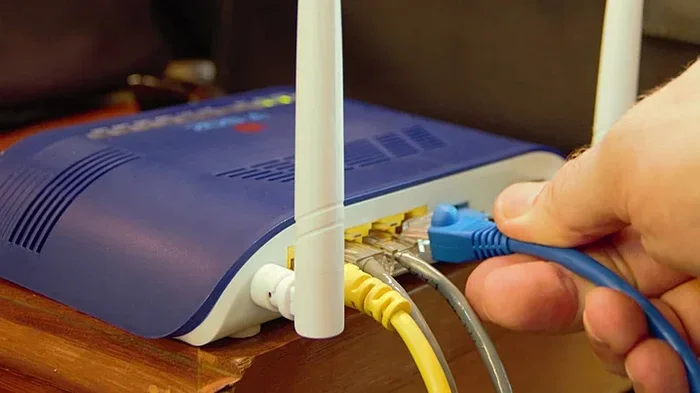
The second method is configuring a VPN router. This means the VPN runs at the router level. Every device that connects to your WiFi network automatically gets VPN protection. This is ideal for households with many devices or for people who want wireless network protection without installing apps on each device. The trade-off is that setting up a VPN router requires more technical knowledge.
Why People VPN Their WiFi Networks
The reasons for VPNing a WiFi network are diverse and compelling. Let us look at the most common motivations that drive millions of people to use a VPN every single day.
Protecting Your Data on Public WiFi
Public WiFi is convenient, but it is also a hunting ground for cybercriminals. When you connect to free WiFi at a coffee shop or airport, you are sharing the network with strangers. Some of those strangers may have malicious intent. They can use simple tools to intercept unencrypted data. This is how cybersecurity breaches happen in public spaces.
A VPN solves this problem entirely. It encrypts all the data leaving your device. Even if someone is sniffing the network traffic, they will only see scrambled, unreadable information. This is why public WiFi safety experts always recommend using a VPN. It is one of the most effective steps you can take to protect yourself when you are away from home.
Bypassing Geo-Restrictions While Connected
Have you ever tried to watch a show on a streaming platform and seen a message saying it is not available in your country? That is a geo-restriction. Websites and streaming services use your IP address to determine your location. They then block or allow content based on that location.
When you use a VPN, your IP address changes to the location of the VPN server. If you connect to a server in the United States, websites think you are browsing from the US. This lets you bypass geo-restrictions and access streaming content that would otherwise be unavailable. Travelers and expats use this trick all the time to stay connected to their favorite shows and services from back home.
Avoiding Bandwidth Throttling
Some internet service providers intentionally slow down your connection when they detect heavy data usage. This is called bandwidth throttling. It is frustrating, especially if you are trying to stream a movie or play an online game. Your internet speed drops suddenly, and your experience suffers.
A VPN prevents your ISP from seeing what you are doing online. Because your traffic is encrypted, they cannot identify high-bandwidth activities like streaming or gaming. This means they are less likely to throttle your connection. Many VPN users report noticeably better speeds when they use a VPN, especially during peak hours.
How to Set Up a VPN on Your WiFi Network
Setting up a VPN is easier than most people think. You have options depending on your technical comfort level and your goals. Let us walk through the two main approaches.
VPN on Your Device: The Simple Method
This is the most popular way to VPN a WiFi network. You install a VPN app on your phone, tablet, or computer. Here is how it works in practice:
- Choose a reputable VPN provider. Look for strong encryption, a no-logs policy, and fast servers.
- Download the app from the official app store or the provider’s website.
- Create an account and subscribe to a plan.
- Open the app and sign in.
- Choose a server location and tap the connect button.
- Your connection is now encrypted and secure.
This method works on all major operating systems including Windows, macOS, Android, and iOS. Most VPN apps are designed for simplicity. You do not need to be a tech expert to use them. The app handles all the technical details in the background.
VPN on Your Router: The Advanced Method
If you want every device on your home network to be protected automatically, configuring a VPN on your router is the way to go. Here are the general steps:
- Check if your router supports VPN configurations. Many modern routers do, but some do not.
- Access your router’s admin panel through your web browser.
- Look for the VPN or security settings section.
- Enter your VPN provider’s server details, username, and password.
- Save the settings and restart your router.
- All devices connected to your WiFi will now be protected.
This approach gives you remote access to your home network from anywhere in the world. It also means you never have to remember to turn on a VPN app. The protection is always on. However, it can slightly reduce your overall network speed because all traffic is routed through the VPN server.
Quick Tips for a Smooth Setup
- Always use a trusted VPN provider with a proven track record.
- Test your connection speed before and after setting up the VPN.
- Enable the kill switch feature if your VPN offers one. This blocks internet access if the VPN drops.
- Check for DNS leak protection to ensure your browsing activity stays private.
- Keep your VPN app updated to benefit from the latest security patches.
Benefits of VPNing Your WiFi Network
The advantages of using a VPN on your WiFi network go beyond simple privacy. Let us explore the key benefits that make VPNs a valuable tool for everyday internet users.
Enhanced Online Privacy
Your internet service provider tracks your browsing history. Advertisers follow you across the web using cookies and tracking pixels. Government agencies in some countries monitor internet activity. When you use a VPN, all of this changes. Your traffic is encrypted, so your ISP cannot see which websites you visit. Advertisers cannot build a profile based on your browsing habits. And your online activity stays private.
This level of online privacy is especially important in today’s digital world. Every click, search, and visit leaves a digital footprint. A VPN helps you control who gets to see that footprint and who does not.
Secure Browsing on Any Network
Whether you are at home, in a hotel, or at a co-working space, a VPN ensures your secure browsing experience. Home WiFi networks are generally safe, but they are not immune to attacks. Neighbors might try to access your network. Malicious actors could exploit vulnerabilities in your router firmware. A VPN adds a second layer of protection that goes beyond what your router alone can provide.
Access to More Content
Because a VPN changes your virtual location, you gain access to content that might be restricted in your actual location. This includes streaming libraries, news websites, social media platforms, and even online shopping deals that vary by region. The ability to bypass geo-restrictions opens up a much wider internet experience.
Protection Against Cyber Threats
Hackers often target users on shared networks. They use techniques like man-in-the-middle attacks to steal sensitive information. A VPN makes these attacks virtually impossible because your data is encrypted. Even if a hacker intercepts your traffic, they cannot read it. This is a core element of wireless network protection that every internet user should have.
Common Mistakes When VPNing WiFi Networks
While VPNs are powerful tools, people sometimes make mistakes that reduce their effectiveness. Being aware of these pitfalls helps you get the most out of your VPN.
Choosing the Wrong VPN Provider
Not all VPNs are created equal. Free VPNs often come with serious drawbacks. They may log your data, sell it to third parties, or bombard you with ads. Some free VPNs even inject malware into your device. Always choose a paid VPN provider with a clear no-logs policy, strong encryption standards, and positive user reviews.
Ignoring Speed and Bandwidth Limits
Some VPN providers limit your data usage or throttle your speeds. Before committing to a VPN, check the provider’s terms carefully. Look for unlimited bandwidth and fast server speeds. Your internet speed should not suffer significantly when using a quality VPN.
Forgetting to Enable Key Security Features
Many VPN apps include features like a kill switch, DNS leak protection, and split tunneling. If you do not enable these features, you may leave gaps in your protection. For example, if your VPN connection drops and you do not have a kill switch enabled, your real IP address could be exposed without you even knowing.
Using the Wrong VPN Protocol
VPNs use different protocols to create the encrypted tunnel. Common protocols include OpenVPN, WireGuard, and IKEv2. Each has its own strengths. WireGuard is known for speed. OpenVPN is known for reliability. Choosing the right protocol for your needs can make a big difference in your experience.
Expert Insights on VPN and WiFi Security
What Network Professionals Say
Cybersecurity experts consistently recommend using a VPN as a fundamental part of your online safety toolkit. According to industry professionals, a VPN is not just for tech-savvy users. It is for everyone who values their privacy and security online. The consensus is clear: in a world where data breaches and surveillance are increasingly common, a VPN is a practical and essential defense.
Network administrators in corporate environments have used VPNs for decades to protect company data. Now, those same tools are available to everyday users. The technology has become more accessible, more affordable, and easier to use than ever before.
The Future of WiFi VPN Technology
The VPN industry is constantly evolving. New protocols like WireGuard are making VPN connections faster and more efficient. Companies are developing smarter ways to detect and block VPN traffic, while VPN providers are finding creative workarounds. Cybersecurity threats are growing more sophisticated, and VPN technology is keeping pace.
We can expect to see even more integration between VPNs and home networking equipment. Future routers may come with built-in VPN support as a standard feature. The day when every WiFi network is protected by default may not be far off.
Key Takeaways
- VPNing a WiFi network is simple and effective: It encrypts your data and hides your online activity from prying eyes.
- Two setup options work for different needs: Device-level VPNs are easy, while router-level VPNs protect all devices automatically.
- Public WiFi safety improves dramatically: A VPN makes it nearly impossible for hackers to intercept your data on shared networks.
- You gain access to more content: Geo-restrictions become a thing of the past when you use a VPN to change your virtual location.
- Your internet speed can improve: A VPN prevents your ISP from throttling your connection based on your activity.
- Avoid common pitfalls: Choose a reputable provider, enable key security features, and pick the right protocol for your needs.
- Expert support is strong: Cybersecurity professionals recommend VPNs as a core tool for anyone who uses the internet.
Conclusion
The answer to the question Can You VPN A WiFi Network is a resounding yes. Whether you want to protect your personal data, access blocked content, or simply browse the web with confidence, a VPN is one of the best investments you can make. The process is straightforward, the benefits are real, and the peace of mind is invaluable.
Start by choosing a reliable VPN provider. Set it up on your device or router. And make it a habit to keep it running whenever you connect to WiFi. Your online security and privacy deserve that level of protection. The internet is a wonderful tool, but it comes with risks. A VPN helps you enjoy the benefits while staying safe. Take the step today and experience the difference for yourself.
Frequently Asked Questions
Can I VPN my home WiFi network?
Yes, you can VPN your home WiFi network in two ways. You can install a VPN app on each device, or you can configure a VPN directly on your WiFi router. The router method is more convenient because it protects every device automatically without needing individual apps.
Will a VPN slow down my WiFi speed?
A VPN may slightly reduce your speed because your data travels through an extra server. However, high-quality VPN providers minimize this impact. In some cases, a VPN can actually improve your speed by preventing your internet service provider from throttling your connection during heavy usage.
Is it legal to VPN a WiFi network?
Yes, using a VPN is legal in most countries around the world. It is a legitimate tool for protecting your online privacy and security. However, some countries have restrictions on VPN usage, so it is always a good idea to check your local laws before using one.
Can I use a free VPN for my WiFi network?
You can, but free VPNs often come with significant drawbacks. They may limit your data, slow your connection, or even collect and sell your browsing data. Paid VPN providers generally offer better security, faster speeds, and more reliable connections for protecting your WiFi network.
Does a VPN protect me from all online threats?
A VPN is a powerful tool, but it is not a complete security solution. It encrypts your traffic and hides your IP address, but it does not protect you from phishing attacks, malware, or weak passwords. For full protection, combine a VPN with good antivirus software, strong passwords, and safe browsing habits.
How do I know if my VPN is working properly?
You can check if your VPN is working by visiting a website that shows your IP address. If the IP address displayed is different from your real one, the VPN is active. You can also run a DNS leak test to make sure your browsing data is not leaking outside the encrypted VPN tunnel.