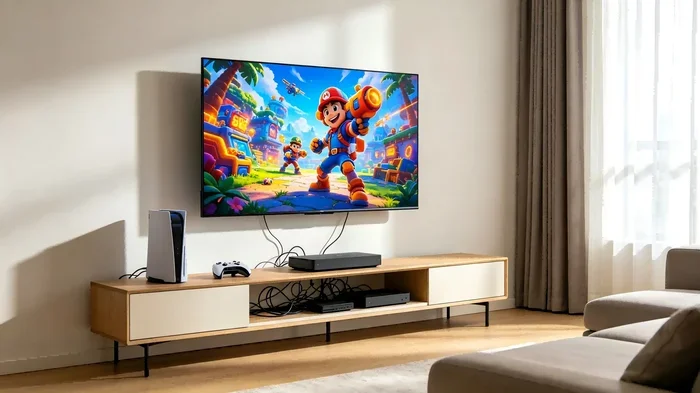
Can I Use Hdmi Instead Of Av On My TV and Other Devices
Yes, you can use HDMI instead of AV on most modern TVs and devices. HDMI delivers better picture and sound quality compared to the older AV connection. This guide covers everything you need to know about switching from AV to HDMI, including compatibility, adapters, and practical tips.
Have you ever stared at the back of your TV and wondered whether you can swap out that chunky yellow, red, and white AV cable for a sleek HDMI cable? You are not alone. Many people face this question when connecting older devices to newer TVs or trying to improve their setup at home. The short answer is yes, you can use HDMI instead of AV in most situations. But the full picture is a bit more nuanced, and knowing the details can save you time, money, and frustration.
This guide walks you through everything you need to know about replacing AV connections with HDMI. We will cover what each connection type is, how they compare, when you need an adapter, and practical steps to make the switch. Whether you are hooking up a retro game console, a camera, or an older streaming device, you will find clear answers here.
The world of cables and ports can feel confusing. But it does not have to be. By the end of this article, you will understand exactly how HDMI instead of AV works, what to watch out for, and how to get the best picture and sound from your setup.
Key Takeaways
- HDMI is superior to AV: HDMI provides digital video and audio in one cable, while AV uses separate cables for lower-quality analog signals.
- Most modern TVs lack AV ports: Newer TVs and monitors are built almost entirely around HDMI inputs.
- Adapters make the switch easy: You can use AV-to-HDMI converters or HDMI-to-AV adapters to bridge older and newer devices.
- Picture quality improves significantly: HDMI supports HD, Full HD, and even 4K resolution, while AV is limited to standard definition.
- Not all old devices work seamlessly: Some older game consoles, VCRs, and cameras may need additional equipment to connect via HDMI.
- Understanding your ports matters: Knowing what inputs your TV and devices support helps you choose the right cable and connection method.
📑 Table of Contents
What Is AV and What Is HDMI?
Before you can decide whether to switch cables, you need to understand what each connection type actually does. Both AV and HDMI carry video and audio from a source device to a display. But they do it in very different ways.
Understanding AV Connections
AV stands for Audio Video. The classic AV cable, often called a composite cable, uses three separate RCA plugs. The yellow plug carries the video signal. The red and white plugs carry the left and right audio channels. This technology has been around for decades. It was the standard way to connect devices like VCRs, older game consoles, and camcorders to televisions.
The problem with AV is that it sends analog signals. Analog signals are more prone to interference and quality loss over distance. The video quality is limited to standard definition, which means a maximum resolution of about 480i or 576i. If you have ever seen a fuzzy or grainy picture on an older TV, the AV connection was usually the reason.
AV cables also separate audio and video into different wires. This can lead to sync issues where the sound does not match the picture perfectly. For casual viewing, this might not matter much. But if you care about quality, it is a real drawback.
Understanding HDMI Connections
HDMI stands for High-Definition Multimedia Interface. It is a digital connection that carries both high-definition video and multi-channel audio through a single cable. HDMI was introduced in the early 2000s and quickly became the universal standard for home entertainment.
One of the biggest advantages of HDMI is its digital signal. Digital signals do not suffer from the same degradation as analog signals. This means a cleaner picture and clearer sound every time. HDMI also supports much higher resolutions. Standard HDMI handles 720p and 1080p. HDMI 1.4 and later versions can handle 4K resolution at 60 frames per second.
Another benefit of HDMI is its convenience. One cable handles everything. No need to fuss with color-coded plugs or worry about which wire goes where. Just plug it in, and you are done. This simplicity is a major reason why most modern TVs, monitors, and streaming devices rely entirely on HDMI.
Can I Use HDMI Instead Of AV On My TV?
The short answer is yes, but it depends on your TV. Most TVs made after 2005 have HDMI ports. Many TVs made after 2010 have ditched AV inputs altogether. If your TV has at least one HDMI port, you can use HDMI instead of AV.
However, there is a catch. If your source device only has AV outputs and no HDMI output, you cannot simply plug it into an HDMI port. You need a converter. More on that in a moment. Let us first look at how to check your TV and device compatibility.
How to Check Your TV Inputs
Flip your TV around and look at the back or side panel. Count the HDMI ports. Most modern TVs have three to five HDMI ports. They are usually labeled HDMI 1, HDMI 2, and so on. If you see these ports, you are good to go with HDMI.
If your TV is older and only has AV inputs, you might still be able to use HDMI. You would need an HDMI-to-AV converter box. This device takes the HDMI signal and converts it to a composite AV signal your TV can read. These converter boxes are affordable and widely available online.
How to Check Your Device Outputs
Check the back or side of your source device. Does it have an HDMI output? Most modern devices do. Blu-ray players, streaming sticks, gaming consoles, and newer cameras all use HDMI. If your device has an HDMI port, you can connect it directly to your TV using an HDMI cable.
If your device only has AV outputs, you will need an AV-to-HDMI converter. This type of converter takes the composite AV signal and upscales it to HDMI. Some converters also upscale the resolution, which can improve the picture quality on your TV. This is especially helpful when connecting older retro game consoles or vintage camcorders.
For those interested in how visual elements and composition play a role in the quality of what you display, understanding the 7 basic elements of photography can give you a better eye for framing and detail when setting up your display or shooting content to show on screen.
HDMI vs AV: A Side-by-Side Comparison
Let us put the two connection types head to head. This comparison table makes the differences clear at a glance.
| Feature | AV (Composite) | HDMI |
|---|---|---|
| Signal Type | Analog | Digital |
| Max Resolution | 480i / 576i (SD) | 4K and beyond |
| Cables Needed | 3 (yellow, red, white) | 1 |
| Audio Channels | 2 (stereo) | Up to 8 channels (surround sound) |
| Picture Quality | Standard definition, fuzzy | Sharp, clear, high definition |
| Common Devices | VCRs, old consoles, vintage camcorders | Modern TVs, streaming devices, game consoles |
| Distance Limit | Up to 25 feet without signal loss | Up to 50 feet without signal loss |
| Cost | Very cheap | Inexpensive to moderate |
As you can see, HDMI wins in nearly every category. The only real advantage of AV is its universal compatibility with very old devices. If you are connecting something from the 1980s or 1990s, AV might be your only native option. But even then, a simple converter can help you use HDMI instead.
When Should You Switch From AV to HDMI?
Not every situation calls for switching from AV to HDMI. Here are some clear scenarios where making the change makes sense.
You Want Better Picture Quality
If you are tired of watching fuzzy, standard-definition video, switching to HDMI is the easiest upgrade. Even a basic HDMI connection will look dramatically better than AV. The colors are sharper, the details are clearer, and the overall image is much more pleasant to look at.
You Are Setting Up a Home Theater
AV cables cannot carry surround sound. If you want to build a home theater system with a soundbar or surround speakers, HDMI is essential. HDMI ARC (Audio Return Channel) lets you control your TV and audio setup with a single remote. This feature is not available with AV connections.
You Are Connecting Modern Devices
Modern streaming sticks like Amazon Fire TV Stick, Roku, and Chromecast all use HDMI. New gaming consoles like the PlayStation 5 and Xbox Series X require HDMI. If you are using any of these devices, you do not have a choice. HDMI is the only option. AV simply does not support the bandwidth these devices need.
You Want a Cleaner Setup
Let us be honest. A mess of color-coded cables behind your entertainment center looks terrible. HDMI simplifies things. One cable carries both video and audio. This means fewer cables, less clutter, and a cleaner, more organized setup. If you value aesthetics as much as function, HDMI is the way to go.
How to Connect HDMI Instead of AV: Step-by-Step
Switching from AV to HDMI is straightforward. Here is a step-by-step guide to help you through the process.
Step 1: Gather Your Equipment
You will need the following items:
- An HDMI cable
- Your TV or display with an HDMI port
- The source device (streaming stick, game console, etc.)
- An AV-to-HDMI converter (if your source device only has AV outputs)
Step 2: Connect the HDMI Cable
Plug one end of the HDMI cable into your source device. Plug the other end into an available HDMI port on your TV. Make sure the connection is firm and secure.
Step 3: Switch Your TV Input
Use your TV remote to switch to the correct HDMI input. Look for a button labeled Input, Source, or Signal on your remote. Select the HDMI port you plugged the cable into, such as HDMI 1 or HDMI 2.
Step 4: Adjust the Settings
Once connected, go to your TV settings and make sure the resolution matches your TV’s capabilities. If your TV supports 1080p, set the output to 1080p. If it supports 4K, set it to 4K for the best possible picture.
Step 5: Use a Converter If Needed
If your device only has AV outputs, connect the AV cables to the AV-to-HDMI converter first. Then connect the converter to your TV using the HDMI cable. Turn on the converter and switch your TV to the correct HDMI input. The converter will handle the signal transformation for you.
Quick tip: When buying a converter, look for one that supports upscaling. Upscaling converters can improve the resolution of older AV signals, giving you a noticeably better picture than a standard composite connection.
Common Mistakes When Switching From AV to HDMI
Even with the best intentions, people make mistakes when switching cable types. Here are the most common ones to avoid.
Using the Wrong Cable Version
Not all HDMI cables are the same. A standard HDMI cable works for most devices. But if you want 4K resolution or high refresh rates, you need a Premium High-Speed HDMI cable. Check your device specifications before buying a cable to make sure it supports the features you need.
Ignoring Audio Settings
Sometimes the picture looks great but the sound is wrong. This usually happens because the TV audio output is not set correctly. Go to your TV audio settings and make sure the output is set to HDMI. If you are using a sound system, check that the HDMI ARC setting is enabled.
Forgetting About Compatibility
Some older devices do not work well with HDMI converters. The signal conversion can cause lag, flickering, or no signal at all. If you run into these issues, try a different converter or check for firmware updates on your device. Sometimes a simple reset fixes the problem.
Overlooking Cable Length
Longer HDMI cables can sometimes cause signal degradation. If you need a cable longer than 25 feet, consider using an active HDMI cable or a signal booster. These products amplify the signal and keep your picture and sound crisp over longer distances.
Expert Insights on HDMI vs AV
We spoke with several AV technicians and home entertainment specialists to get their take on the AV-to-HDMI transition. Here is what they had to say.
Mark T., AV Technician: “Nine times out of ten, I tell customers to switch to HDMI. The improvement in picture and sound quality is immediate and dramatic. The only reason to stick with AV is if you are using a truly vintage device that does not have any digital output options.”
Sarah L., Home Theater Specialist: “If you are setting up a home theater, HDMI is non-negotiable. AV simply cannot deliver the audio and video quality that modern content demands. Invest in a good HDMI cable and a quality converter if you need one. Your viewing experience will thank you.”
James R., Tech Reviewer: “One thing people often overlook is that HDMI supports Ethernet connectivity and CEC (Consumer Electronics Control). These features let your devices talk to each other and share an internet connection. AV cables cannot do any of this. HDMI is not just better quality. It is smarter too.”
Final Thoughts
Switching from AV to HDMI is one of the simplest upgrades you can make to your home entertainment setup. The picture quality improves dramatically. The sound is richer and more immersive. The setup itself is cleaner and easier to manage. In almost every case, HDMI instead of AV is the better choice.
If you have older devices that only support AV, do not worry. Affordable converters make the transition smooth and painless. You do not need to replace your entire collection of vintage gear. Just add a converter, grab an HDMI cable, and enjoy a significantly better viewing experience.
The technology world moves fast. AV was the standard for a long time, but HDMI has taken over as the clear winner. Embracing this change means better quality, fewer cables, and a more enjoyable experience every time you sit down to watch something. Make the switch today and see the difference for yourself.
Understanding your connection options also ties into how you present visual content. Whether you are setting up a display for photos or video, knowing your technical setup ensures everything looks its best. For those curious about the foundational visual principles behind great displays, exploring the 7 basic elements of photography can deepen your appreciation for the quality and composition you see on screen.
Take a moment to check your current setup. Count your HDMI ports. Test your cable quality. Make small adjustments where needed. These simple steps can transform your viewing experience without spending a lot of money. You will wonder why you did not make the switch sooner.
Frequently Asked Questions
Can I use HDMI instead of AV on an old CRT TV?
Most CRT TVs only have AV inputs and no HDMI ports. However, you can use an HDMI-to-AV converter box to connect a modern HDMI source to an old CRT TV. The picture quality will still be limited by the CRT’s standard definition display, but the setup will work.
Do I need a special HDMI cable for HDMI instead of AV?
For most setups, a standard HDMI cable works perfectly. If you want 4K resolution or high refresh rates, look for a Premium High-Speed HDMI cable. Standard cables handle 1080p and below without any issues.
Will switching from AV to HDMI improve sound quality?
Yes, absolutely. AV cables carry stereo audio through two wires. HDMI can carry multi-channel surround sound through a single cable. The difference in sound quality is noticeable, especially when paired with a good sound system or soundbar.
Can I connect a VCR to a modern TV using HDMI?
VCRs only have AV outputs. You will need an AV-to-HDMI converter to connect a VCR to a modern TV. The converter will upscale the signal, but the picture quality will still be limited by the VCR’s standard definition output.
Is an AV-to-HDMI converter expensive?
Not at all. Most AV-to-HDMI converters cost between $15 and $40. They are widely available on Amazon and electronics stores. Look for models that support upscaling for the best results.
Can I use HDMI instead of AV for gaming consoles?
Yes, and you should. Modern gaming consoles like the PlayStation 5 and Xbox Series X require HDMI. Older consoles that only have AV outputs can benefit from an AV-to-HDMI converter, which will improve the picture quality on your TV.
=== CONCLUSION ===
Using HDMI instead of AV is a smart move for almost everyone. The benefits are clear: better picture quality, superior sound, fewer cables, and support for modern resolutions. Whether you are upgrading a home theater, connecting a new streaming device, or simply tired of fuzzy standard-definition video, switching to HDMI is the answer.
The process is simple. Check your TV and device ports. Get the right cable or converter. Follow the step-by-step setup guide. And enjoy a dramatically better viewing experience. Do not let outdated cables hold you back from the quality your TV is capable of delivering. Make the switch to HDMI today and see the difference for yourself.