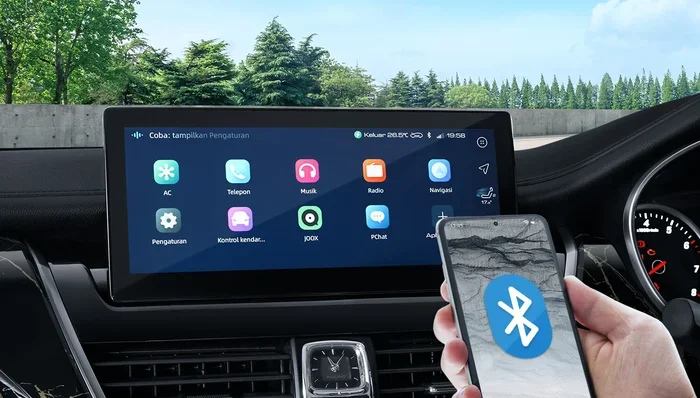
How Can I Connect My Phone To My Car Without Bluetooth
Connecting your phone to your car without Bluetooth is easier than you think. Whether you use a USB cable, an FM transmitter, or an AUX connection, you can enjoy hands-free calling and music streaming on the road. This guide walks you through every method step by step.
Have you ever climbed into your car and realized your phone does not have Bluetooth, or your car stereo does not support it? It is a frustrating moment, especially when you just want to play your favorite playlist or take a hands-free call. The good news is that connecting your phone to your car without Bluetooth is totally doable. You have several options that work just as well, and most of them are simple to set up.
In this guide, we will walk you through every method you can use. From USB cables to FM transmitters, each approach has its own benefits. Whether you drive an older car or a newer model, you will find a solution that fits. Let us dive in and get your phone connected to your car stereo in no time.
Key Takeaways
- Multiple options exist: You can connect your phone to your car using USB, AUX, FM transmitter, or Wi-Fi methods without needing Bluetooth.
- USB connections offer charging and audio: A simple USB cable can handle both power and audio streaming in most modern vehicles.
- FM transmitters are affordable and easy: These small devices plug into your car’s cigarette lighter and broadcast audio over an open FM frequency.
- AUX cables provide reliable sound: A classic 3.5mm AUX cable delivers steady audio quality without any setup hassle.
- Wireless alternatives work too: Wi-Fi-based solutions and Bluetooth adapters give you flexibility if you want a cable-free experience.
- Compatibility matters: Check your car’s features before choosing a method to ensure the best results.
📑 Table of Contents
- Why You Might Need to Connect Your Phone Without Bluetooth
- Method 1: Use a USB Cable Connection
- Method 2: Try an FM Transmitter
- Method 3: Use an AUX Cable
- Method 4: Explore Wireless Alternatives Like Wi-Fi
- Method 5: Use a Bluetooth Adapter or Receiver
- Which Method Should You Choose?
- Common Mistakes to Avoid
- Expert Insights on Car Phone Connectivity
- Final Thoughts
Why You Might Need to Connect Your Phone Without Bluetooth
Bluetooth is convenient, but it is not always available. Maybe your car stereo is older and does not have it. Perhaps your phone’s Bluetooth chip is malfunctioning. Or maybe you simply prefer a wired connection for better audio quality. Whatever the reason, knowing your alternatives is important.
Here are some common situations where you might need a different connection method:
- Your car stereo lacks Bluetooth: Older vehicles often come with basic stereos that do not support wireless connections.
- Bluetooth is unreliable in your car: Some cars have weak Bluetooth signals, especially in certain areas of the vehicle.
- You want better audio quality: Wired connections can sometimes deliver cleaner sound than wireless ones.
- Your phone Bluetooth is broken: If your phone’s Bluetooth hardware has issues, you need a backup plan.
- You want to charge your phone while listening: USB connections let you power your device and stream audio at the same time.
No matter which situation applies to you, the methods below will help you stay connected on the road. Each one is reliable and widely used by drivers every day.
Method 1: Use a USB Cable Connection
Why USB Works Well
A USB cable is one of the simplest ways to connect your phone to your car. Most modern vehicles have USB ports built into the dashboard. These ports do more than just charge your phone. They can also transmit audio directly to your car stereo.
To use this method, you simply need a compatible USB cable. Plug one end into your phone and the other into your car’s USB port. Your car stereo should recognize the device automatically. From there, you can browse your music library and play songs through your car speakers.
Steps to Connect via USB
- Grab a USB cable that fits your phone. Most phones use either USB-C or Lightning cables.
- Locate the USB port in your car. It is usually found on the center console, dashboard, or armrest.
- Plug the cable into your phone first, then into the car.
- On your car stereo, select the USB input source.
- Your phone should appear on the car screen. Navigate to your music app and start playing.
One great thing about USB connections is that they charge your phone at the same time. This means you do not have to worry about your battery draining during a long drive. If you want to learn more about other ways to connect devices without traditional methods, check out how to pair my phone to a projector for similar wireless and wired options.
Tips for the Best USB Experience
- Use a high-quality cable to avoid connection drops.
- If your car does not recognize your phone, try a different USB port.
- Some cars only support certain file formats. MP3 and AAC files work best in most cases.
- Keep your phone updated for better compatibility with car systems.
Method 2: Try an FM Transmitter
What Is an FM Transmitter?
An FM transmitter is a small device that plugs into your car’s cigarette lighter or power outlet. It sends audio from your phone to an open FM radio frequency on your car stereo. This is a popular choice for cars that do not have Bluetooth or USB audio capabilities.
FM transmitters are affordable and easy to find. You can pick one up at most electronics stores or online for under $30. They work with virtually any phone and any car stereo that has an FM radio.
How to Set Up an FM Transmitter
- Plug the FM transmitter into your car’s power outlet.
- Set your car stereo to an empty FM frequency. A blank or static-heavy channel works best.
- Match the FM transmitter to the same frequency on your stereo.
- On your phone, connect to the FM transmitter’s Wi-Fi hotspot or pair it via Bluetooth (yes, some transmitters use Bluetooth to receive audio from your phone, but the transmitter itself sends it to the car via FM radio).
- Start playing music on your phone. It will broadcast through your car speakers.
FM transmitters are a great Bluetooth alternative for older cars. They are simple, portable, and require no installation. However, the audio quality may not be as crisp as a wired connection. If you live in an area with crowded FM radio bands, you might experience some interference.
When to Choose an FM Transmitter
- Your car has no USB or AUX inputs.
- You need a quick, no-hassle solution.
- You want a portable option you can use in multiple vehicles.
- Budget is a concern and you want an inexpensive fix.
If you are looking for ways to extend your connectivity options, similar to how you can extend your wifi range with a wired connection, FM transmitters give you wireless audio reach without complex setup.
Method 3: Use an AUX Cable
The Simple and Reliable AUX Connection
An AUX cable is one of the oldest and most reliable ways to connect your phone to your car stereo. It uses a standard 3.5mm headphone jack to send audio directly from your phone to your car’s input. Almost every car stereo made in the last 20 years has an AUX port.
The setup is straightforward. You plug one end of the AUX cable into your phone’s headphone jack or adapter, and the other end into the AUX input on your car stereo. Select the AUX source on your car, and you are ready to go. No apps, no pairing, no fuss.
Why Choose an AUX Cable?
- Simple setup: No configuration needed. Plug and play.
- Stable connection: A wired connection does not drop or interfere.
- Good audio quality: A quality AUX cable delivers clear, consistent sound.
- No power needed: The cable carries audio signal without needing batteries or charging.
- Works with any phone: Even phones without Bluetooth can use an AUX cable.
The main downside is that you need a headphone jack on your phone. Many newer phones have removed this port. If that is the case, you can buy a USB-C to 3.5mm adapter for a few dollars. This small accessory opens up the AUX option for modern phones.
AUX vs. Bluetooth: Which Is Better?
Both AUX and Bluetooth have their strengths. AUX cables offer a more stable and consistent connection. Bluetooth offers more convenience and freedom from wires. Here is a quick comparison:
- AUX cable: Wired, stable, no pairing, consistent audio quality.
- Bluetooth: Wireless, convenient, requires pairing, occasional connection drops.
If audio quality and reliability matter most to you, an AUX cable is hard to beat. It is also a great option if you want to avoid Bluetooth altogether. For more on connecting audio devices, you might also enjoy learning how to plug speakers into your laptop using similar wired methods.
Method 4: Explore Wireless Alternatives Like Wi-Fi
Can You Use Wi-Fi to Connect Your Phone to Your Car?
Yes, you can! Many modern cars support Wi-Fi connectivity for audio streaming. Some vehicles come with built-in Wi-Fi hotspots that allow your phone to connect directly to the car’s infotainment system. This works similarly to Bluetooth but uses a Wi-Fi connection instead.
To use this method, your car needs to have Wi-Fi capability. Check your car’s manual or settings menu to see if this feature is available. If it is, you can connect your phone to the car’s Wi-Fi network and stream music or use navigation apps through the car speakers.
How to Connect via Wi-Fi
- Turn on your car’s Wi-Fi hotspot feature. This is usually found in the car’s settings or infotainment menu.
- On your phone, go to Wi-Fi settings and look for your car’s network name.
- Connect to the car’s Wi-Fi network.
- Open your music app or any app that plays audio.
- The sound should now come through your car speakers.
Wi-Fi connections tend to be faster and more stable than Bluetooth. They also support higher-quality audio streaming. Some car systems even allow screen mirroring, so you can see your phone’s display on the car’s screen.
Just like you can use Bluetooth on a hearing aid to explore alternative connectivity, Wi-Fi in your car opens up a world of wireless possibilities without relying on traditional Bluetooth pairing.
Other Wireless Options to Consider
- CarPlay and Android Auto: These systems use Wi-Fi or USB to mirror your phone on your car’s screen. They work even if your car does not have built-in Bluetooth.
- Wi-Fi Direct: Some newer phones and car stereos support Wi-Fi Direct, which creates a direct connection between devices without needing a router.
- Smartphone mirroring apps: Apps like Spotify, Pandora, and others can stream through your car’s Wi-Fi connection.
Method 5: Use a Bluetooth Adapter or Receiver
Add Bluetooth to Your Car with a Receiver
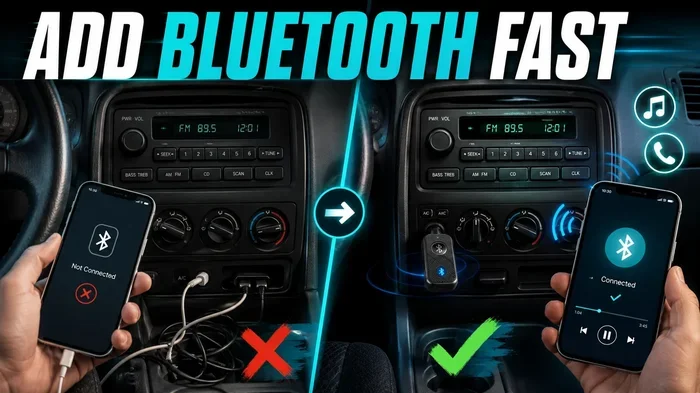
If your car stereo does not have Bluetooth but you still want wireless convenience, a Bluetooth adapter is the perfect solution. These small devices plug into your car’s AUX port or USB port and create a Bluetooth receiver. Your phone connects to the adapter wirelessly, and the adapter sends the audio to your car stereo.
Bluetooth adapters are compact and easy to install. Most of them are plug-and-play, meaning you do not need any technical skills. Just insert the device, pair your phone, and you are good to go.
Best Bluetooth Adapters for Cars
- Simple plug-and-play adapters: These connect to your AUX port and pair with your phone instantly.
- USB Bluetooth adapters: These plug into your car’s USB port and work with the car’s power system.
- Built-in Bluetooth car kits: These replace your car’s existing stereo and add full Bluetooth support.
Bluetooth adapters are a fantastic middle-ground solution. They give you the wireless freedom of Bluetooth without needing to replace your entire car stereo. They are also useful if your car’s built-in Bluetooth is outdated or malfunctioning.
Much like how you can make an old Bose Wave radio Bluetooth with a simple adapter, you can bring modern wireless capabilities to any car stereo with the right receiver.
Which Method Should You Choose?
Each method has its own strengths. Here is a quick guide to help you decide:
- USB cable: Best for charging and audio together. Ideal for modern cars with USB ports.
- FM transmitter: Best for older cars with no AUX or USB. Affordable and portable.
- AUX cable: Best for simple, reliable audio. Works with almost any car.
- Wi-Fi connection: Best for modern cars with Wi-Fi capability. Supports high-quality streaming.
- Bluetooth adapter: Best for adding wireless capability to any car stereo. Versatile and easy to use.
Think about what your car has available and what matters most to you. If you want the simplest setup, go with an AUX cable. If you want wireless freedom, try an FM transmitter or Bluetooth adapter. If your car supports Wi-Fi, that is a great modern option.
The key is to experiment and find what works best for your setup. Most of these methods cost very little and can be set up in minutes. You will be enjoying your phone’s audio in your car in no time.
Common Mistakes to Avoid
When trying to connect your phone to your car without Bluetooth, people often make a few common mistakes. Here is what to watch out for:
- Using a low-quality cable: Cheap cables can cause audio dropouts and poor sound quality. Invest in a good one.
- Forgetting to select the right input source: Your car stereo needs to be set to the correct input for the audio to play.
- Ignoring phone settings: Make sure your phone is not on silent or do not disturb mode. Also check that media audio is turned on.
- Overlooking compatibility: Not all cables and adapters work with all phones. Check compatibility before buying.
- Skipping firmware updates: Some car stereos need firmware updates to work properly with newer phones.
Avoiding these mistakes will save you time and frustration. A little preparation goes a long way toward a smooth connection.
Expert Insights on Car Phone Connectivity
According to automotive technology experts, the future of car connectivity is moving away from Bluetooth toward Wi-Fi and wireless charging. Many new car models now support wireless Apple CarPlay and Android Auto, which use Wi-Fi instead of Bluetooth for a faster and more stable connection.
Industry analysts also note that USB-C is becoming the standard for car audio connections. As phones move away from headphone jacks and adopt USB-C, the role of wired connections in car audio is evolving. Having a USB-C to AUX adapter or a USB-C car adapter is becoming increasingly important.
Experts also recommend keeping your phone and car software updated. Updates often improve compatibility and fix connection issues. A simple update can solve many of the problems people face when trying to connect their devices.
Final Thoughts
Connecting your phone to your car without Bluetooth is not just possible. It is simple and accessible. You have USB cables, FM transmitters, AUX cables, Wi-Fi connections, and Bluetooth adapters at your disposal. Each method offers a reliable way to enjoy your phone’s audio through your car speakers.
Take a moment to look at what your car supports. Then pick the method that fits your needs and budget. With the right setup, you will be streaming music, taking calls, and using navigation apps with ease. The road ahead is connected, and you do not need Bluetooth to be part of it.
Start with one method today and see how it works for you. Most options are affordable and take only a few minutes to set up. Once you experience the convenience of a connected car, you will wonder how you ever drove without it.
Frequently Asked Questions
Can I connect my phone to my car without Bluetooth using just a cable?
Yes, you can use a USB cable or an AUX cable to connect your phone to your car without Bluetooth. A USB cable sends both power and audio, while an AUX cable sends audio only. Both methods are simple and reliable.
Is an FM transmitter a good alternative to Bluetooth in a car?
An FM transmitter is a great alternative to Bluetooth. It plugs into your car’s power outlet and broadcasts your phone’s audio over an FM frequency. It is affordable, portable, and works with almost any car that has a radio.
Do I need any special equipment to connect my phone without Bluetooth?
It depends on the method you choose. USB and AUX cables are usually all you need. FM transmitters are inexpensive and easy to find. Bluetooth adapters are also affordable and add wireless capability to any car stereo.
Can I use Wi-Fi instead of Bluetooth to connect my phone to my car?
Yes, many modern cars support Wi-Fi connectivity for audio streaming. You can connect your phone to your car’s Wi-Fi network and stream music or use apps through your car speakers. This is often faster and more stable than Bluetooth.
Will connecting my phone without Bluetooth affect audio quality?
Wired connections like USB and AUX often provide better audio quality than Bluetooth. FM transmitters may have slight static, but overall audio quality is good. Wi-Fi connections support high-quality streaming and deliver excellent sound.
Can I charge my phone while using these alternative methods?
USB connections charge your phone while streaming audio. AUX and FM transmitters do not charge your phone but provide reliable audio. Bluetooth adapters also do not charge your phone, so keep that in mind when choosing your method.