Do Qr Codes Work On Projectors Here Is The Full Answer
Yes, QR codes can work on projectors, but success depends on several key factors like screen size, resolution, brightness, and distance. Many people wonder if projected QR codes are scannable, and the answer is yes — when done right. This guide covers everything you need to know about using QR codes on projectors reliably.
Key Takeaways
- QR codes work on projectors: Projected QR codes can be scanned successfully under the right conditions.
- Screen brightness matters: A brighter projector makes QR codes easier to scan and read.
- Size and distance are critical: The QR code must be large enough and close enough for phone cameras to focus.
- Resolution affects scannability: Higher resolution projectors produce sharper codes that scan more reliably.
- Lighting conditions play a role: Dim rooms make projected QR codes much easier to scan than bright ones.
- Test before presenting: Always test your projected QR code before an audience to avoid issues.
📑 Table of Contents
- Do Qr Codes Work On Projectors
- How QR Codes Work On Projected Screens
- What Affects QR Code Readability On Projectors
- Common Problems With QR Codes On Projectors
- Tips For Making QR Codes Work Perfectly On Projectors
- Comparing Printed QR Codes vs Projected QR Codes
- Expert Tips For Perfect QR Code Projection
- Can You Use QR Codes For Interactive Projector Experiences
- Final Thoughts
Do Qr Codes Work On Projectors
Have you ever wondered whether QR codes work on projectors? Maybe you are setting up for a presentation, a classroom lesson, or a marketing event. You want to display a QR code on the big screen. But you are not sure if people can actually scan it from the wall or screen.
The short answer is yes. QR codes on projectors do work in most situations. But the full answer is a bit more detailed. Several factors determine whether a projected QR code will be scannable. These include projector brightness, screen size, room lighting, and the resolution of the image you are projecting.
In this article, we will walk through everything you need to know. We will cover how projected QR codes work, what makes them successful or fail, and practical tips to ensure your QR code projection works every single time. Whether you are a teacher, a business presenter, or someone setting up an event, this guide has you covered.
Let us dive right in and explore the world of scannable codes on projectors.
How QR Codes Work On Projected Screens
To understand whether QR codes work on projectors, it helps to know how QR codes and projectors each function. A QR code is a two-dimensional barcode. It stores information in a grid of black and white squares. A phone camera reads this grid and decodes the data inside.
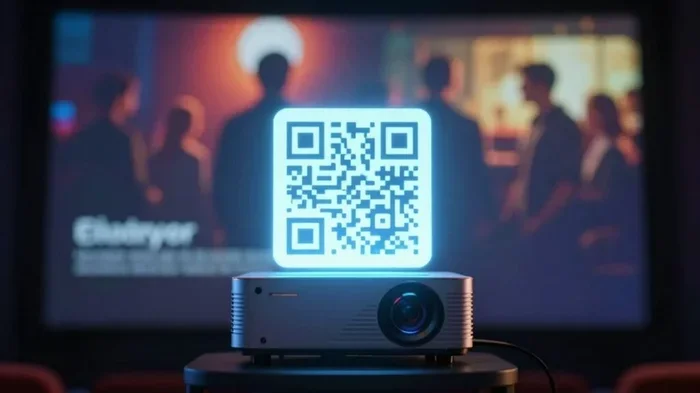
A projector takes an image from a source, like a laptop or phone, and displays it on a wall or screen. When you project a QR code, you are essentially displaying that grid of squares on a larger surface. The phone camera then reads the projected image just like it would read a printed QR code.
However, there is a catch. The projected image is not as crisp as a printed QR code. Light spreads out on the screen. Edges can become blurry. This can confuse the phone camera. That is why understanding the factors that affect readability is so important.
The Science Behind Scanning Projected Codes
When you scan a QR code, the phone camera looks for the three large square patterns in the corners. These help the camera orient itself. Then it reads the smaller squares inside to decode the data. When the image is projected, the camera has to focus on a surface that is being lit by a light beam. This is different from scanning a physical printout.
The camera also has to deal with the brightness of the projected light competing with ambient room light. If the room is too bright, the contrast of the QR code drops. The camera struggles to distinguish the dark squares from the light background. This is the most common reason why projected QR codes fail to scan.
What Affects QR Code Readability On Projectors
Not all projector QR code setups are created equal. Several key factors determine whether your audience can successfully scan the code. Let us break them down.
Projector Brightness
Projector brightness is measured in lumens. A brighter projector produces a more vivid image. This means the contrast between the dark and light squares of the QR code is stronger. Higher contrast makes it easier for phone cameras to read the code.
A projector with at least 2,000 lumens is a good starting point. For rooms with windows or lots of ambient light, aim for 3,000 lumens or more. If your projector is dim, the projected QR code will look washed out. Phones will struggle to scan it.
Screen Size And QR Code Dimensions
The size of the projected QR code matters a lot. A tiny QR code on a small screen might work fine up close. But when you project that same code onto a large wall, it becomes harder to scan. The squares need to be large enough for the phone camera to distinguish them clearly.
As a rule of thumb, make the QR code at least 2 to 3 feet wide when projected. This gives phone cameras enough detail to read the code from a reasonable distance. If you are projecting in a large auditorium, you may need an even bigger code.
Room Lighting Conditions
This is one of the biggest factors people overlook. Room lighting directly impacts QR code readability on a projected screen. In a dark room, the projected QR code pops. The contrast is high. Scanning is easy.
In a bright room with windows or overhead lights, the projected image competes with all that ambient light. The QR code loses contrast. It becomes harder to scan. If you can control the lighting, dim the room as much as possible. Close the blinds. Turn off unnecessary lights. Your audience will thank you for it.
Projector Resolution
Resolution matters more than most people think. A low-resolution projector produces a pixelated image. Those pixels can blur the edges of the QR code squares. The phone camera gets confused and fails to read the code.
A projector with at least 1080p resolution is ideal for displaying QR codes. Higher resolution means sharper edges and cleaner squares. If you are using an older projector with lower resolution, you may need to make the QR code larger to compensate.
Common Problems With QR Codes On Projectors
Even when you follow all the best practices, things can go wrong. Here are the most common issues people face when using QR codes on projectors and how to fix them.
The QR Code Won Scan At All
This is the most frustrating problem. You stand in front of the audience. You point to the QR code on the screen. Nobody can scan it. Why does this happen?
Usually, it comes down to one of these issues. The projected image is too dim. The QR code is too small on the screen. The room is too bright. Or the image source has a low-resolution version of the QR code. Check each of these factors and adjust accordingly.
The QR Code Works Intermittently
Sometimes the code works for some people but not others. This usually happens because of viewing angle and distance. People sitting far to the side of the screen may not be able to scan the code. The angle of the projected image changes from different viewing positions.
To fix this, make the QR code larger. Move the projector so the image is as flat and straight as possible. Ask the audience to move closer or center themselves in front of the screen.
The QR Code Appears Distorted
If the projected image is skewed or distorted, the QR code will not scan. This happens when the projector is not aligned properly. The image becomes a trapezoid instead of a rectangle. The squares of the QR code stretch unevenly.
Use the projector keystone correction feature to fix this. Most modern projectors have this built in. Adjust the projector angle or use a projector mount to keep the image square and true.
Slow Scanning Or Timeout
Sometimes the QR code does scan, but it takes a long time. Or the phone keeps trying and eventually gives up. This is often a contrast issue. The projected QR code does not have enough contrast between the dark and light areas.
Increase the contrast settings on your projector. Make sure the QR code uses pure black and pure white. Avoid using colors or gradients in the QR code design if scannability is your goal.
Tips For Making QR Codes Work Perfectly On Projectors
Now that you know the challenges, here are practical tips to make sure your projected QR codes work flawlessly every time.
Use A High-Quality QR Code Image
Start with the best possible QR code image. Use a QR code generator that lets you export in high resolution. Avoid taking screenshots of QR codes. Screenshots compress the image and reduce quality. Instead, export the QR code as a PNG or SVG file at the highest resolution possible.
If you need a reliable generator, check out Google QR code generator options for easy-to-use tools that produce clean, scannable codes.
Test Before You Present
Always test your projected QR code before the audience arrives. Stand at the back of the room. Try to scan it with your phone. Walk to the sides. Check from different distances. If it does not scan from the farthest seat, make the code bigger or adjust the projector settings.
Testing takes two minutes. It saves you from an embarrassing moment in front of a live audience. Do not skip this step.
Optimize Your Projector Settings
Go into your projector settings and adjust brightness, contrast, and sharpness. Increase contrast to make the QR code stand out. Boost sharpness to sharpen the edges of the squares. These small adjustments can make a big difference in scannability.
Also, make sure your projector is set to its native resolution. Running a projector at a non-native resolution can soften the image and make QR codes harder to read.
Consider The Projection Surface
The surface you project onto matters. A white wall works fine in most cases. A dedicated projection screen is even better because it is designed to reflect light evenly. But avoid projecting onto textured or colored surfaces. These can distort the QR code and reduce contrast.
If you are projecting onto a wall and the surface is not perfectly flat, the QR code may appear wavy. This makes scanning difficult. Try to find the flattest surface available.
Use A Larger QR Code Than You Think You Need
When in doubt, go bigger. A larger QR code is easier to scan from a distance. It gives phone cameras more detail to work with. Do not try to squeeze a small QR code into a corner of your slide. Give it plenty of space on the screen.
A good rule is to make the QR code at least 10% of the screen width. This ensures it is large enough to be read from most seating positions in the room.
Keep The Room As Dark As Possible
We mentioned this earlier, but it bears repeating. Darkness is your friend when projecting QR codes. Dim the lights. Close the curtains. Reduce any competing light sources. The darker the room, the better the projected QR code will look to phone cameras.
If you cannot dim the room, consider using a projector with very high brightness. This helps compensate for the ambient light and keeps the QR code visible and scannable.
Avoid Color QR Codes For Projected Displays
It can be tempting to make your QR code match your brand colors. But colored QR codes are harder to scan from projected images. The color variation can confuse phone cameras. Stick with black and white for projected QR codes. Save the colorful designs for printed materials where the scanning conditions are controlled.
If you must use color, ensure there is maximum contrast between the foreground and background squares. And always test the colored version before presenting.
Comparing Printed QR Codes vs Projected QR Codes
How do projected QR codes compare to printed ones? Here is a quick look at the key differences.
| Factor | Printed QR Code | Projected QR Code |
|---|---|---|
| Contrast | High and consistent | Depends on projector brightness and room lighting |
| Size Control | Fixed and precise | Adjustable but can be distorted by projection angle |
| Resolution | Printed at full quality | Dependent on projector resolution and image source |
| Scanning Distance | Very reliable at any distance | Limited by screen size and projector brightness |
| Convenience | Requires physical printing | Easy to change and update digitally |
| Cost | Requires paper and ink | No material cost, requires projector |
As you can see, printed QR codes are more reliable in terms of consistency. But projected QR codes offer flexibility and convenience. You can update the content instantly without printing anything new. For presentations and events, the trade-off is usually worth it.
When To Use Printed QR Codes Instead
There are times when printed QR codes are the better choice. If you need 100% reliability and cannot control the room lighting, print the codes. If the audience will be moving around and scanning from different angles, a printed handout works better. And if the QR code contains sensitive information that needs to be perfectly read the first time, printing is the safer option.
For most presentation and event scenarios though, projected QR codes work great when you follow the tips in this guide.
Expert Tips For Perfect QR Code Projection
Here are some expert-level tips that can take your QR code projection setup to the next level.
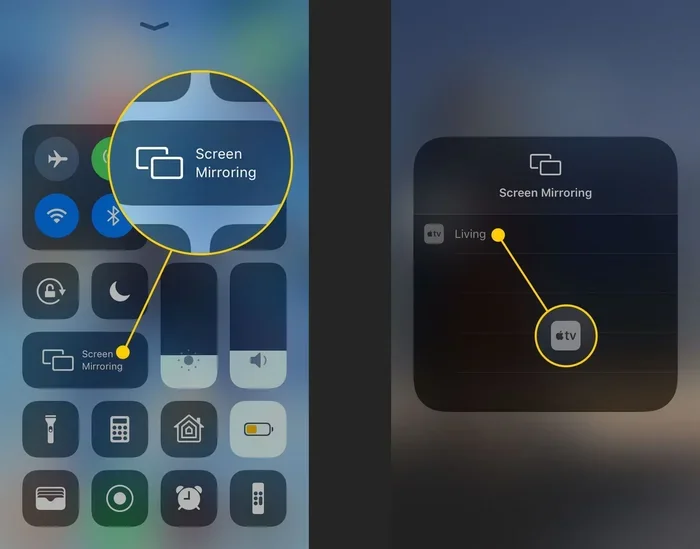
First, use a wired connection between your source device and the projector. Wireless connections like casting or mirroring can introduce lag or compression artifacts. These can distort the QR code image slightly. A direct HDMI cable gives you the sharpest possible image.
Second, if you are using a projector with lower brightness, try projecting on a matte white screen rather than a wall. Matte screens reflect light more evenly and maintain better contrast. This can be the difference between a scannable code and a failed scan.
Third, position the projector at the correct distance and angle. An overly stretched or compressed image will distort the QR code. Use the projector manual or online calculator to determine the right throw distance for your screen size.
Fourth, consider the phone cameras your audience uses. Older phone cameras have lower resolution and struggle more with projected images. Newer phones handle projected QR codes much better. If your audience is likely to have older devices, make the QR code even larger than you normally would.
Fifth, if you are doing a live demonstration, have a backup plan. Print a few copies of the QR code just in case the projected version fails. This way, you are always prepared and your audience stays engaged.
Can You Use QR Codes For Interactive Projector Experiences
QR codes on projectors are not just for sharing links. They can create interactive experiences. Imagine a classroom where students scan a projected QR code to access a quiz. Or a marketing event where attendees scan a code to receive a special offer right on their phones.
The possibilities are exciting. But they all depend on one thing: the projected QR code must work reliably. This is why following the tips in this guide is so important. A failed scan kills the excitement and disrupts the flow of your event.
For more tips on using projectors effectively, check out our guide on using a projector on your wall for setup and placement advice.
Also, if you are connecting your projector to other devices, make sure your connections are solid. For example, if you are using an HDMI cable, check out our article on using a 4K HDMI cable on a non-4K TV for tips on getting the best image quality from your cable connections.
Final Thoughts
So, do QR codes work on projectors? The answer is a clear yes. QR codes on projectors are effective when you pay attention to the key factors that affect readability. Brightness, size, contrast, resolution, and room lighting all play a role in whether your audience can successfully scan the code.
The beauty of projected QR codes is their convenience. You can change the content instantly. You do not need to print anything. You can update the destination URL at any time. For presentations, classrooms, and events, this flexibility is incredibly valuable.
Just remember to test before you present. Use high-quality images. Make the code large enough. Control the room lighting. And always have a backup plan. Follow these simple steps and your projected QR codes will work like a charm.
Whether you are sharing a website, a video, a contact card, or a download link, a projected QR code makes it easy for your audience to connect with you. Embrace this simple technology and make your presentations more interactive and engaging.
Now you have the full answer to the question of whether QR codes work on projectors. Go ahead and try it at your next event. You will be amazed at how well it works when you get the setup right.
Frequently Asked Questions
Can you scan a QR code from a projector screen?
Yes, you can scan a QR code from a projector screen as long as the image is bright enough, large enough, and the room lighting is controlled. Phone cameras can read projected QR codes just like printed ones when the conditions are right.
Why won my phone scan a QR code from a projector?
The most common reasons are low projector brightness, a QR code that is too small on the screen, too much ambient room light, or a low-resolution source image. Adjust these factors and try scanning again from a closer position.
What kind of projector works best for displaying QR codes?
A projector with at least 2,000 lumens and 1080p resolution works best for displaying QR codes. Higher brightness and resolution produce sharper images with better contrast, making the codes easier for phone cameras to read.
Should I use a colored QR code when projecting?
It is best to use black and white QR codes when projecting. Colored codes can confuse phone cameras because of reduced contrast. If you must use color, ensure there is strong contrast between the foreground and background squares.
How big should a QR code be when projected?
A projected QR code should be at least 2 to 3 feet wide for reliable scanning. In larger rooms or auditoriums, make it even bigger. The general rule is to make it at least 10% of the screen width for optimal readability.
Can I use wireless projection for QR codes?
Yes, you can use wireless projection methods like screen mirroring or casting. However, wired connections through HDMI tend to produce sharper images with less compression. For the best QR code scanning experience, use a direct wired connection whenever possible.
=== CONCLUSION ===
QR codes on projectors work well when you understand what makes them successful. Brightness, size, contrast, and room lighting are the four pillars of a scannable projected QR code. Follow the tips in this guide and you will have no trouble engaging your audience with a simple scan.
Remember to always test before your presentation. Keep the code large and high resolution. Control the lighting. And have a backup plan ready. With these practices, your projected QR codes will be a seamless part of your events and presentations.
Now go ahead and try it out. Your next presentation will be more interactive and memorable thanks to the power of projected QR codes.