How Do I Connect My Bluetooth To My Plane Step By Step
Connecting Bluetooth to your plane lets you enjoy wireless headphones and audio during flights. This guide walks you through every step, from enabling Bluetooth on your device to pairing with the airplane’s entertainment system. You’ll learn troubleshooting tips, airline-specific rules, and how to get the best wireless audio experience at 30,000 feet.
This is a comprehensive guide about How Do I Connect My Bluetooth To My Plane.
Key Takeaways
- Bluetooth works on most modern flights: Many airlines now support Bluetooth connectivity for wireless headphones and audio streaming during your trip.
- Airplane mode is key: You must enable airplane mode first, then turn Bluetooth back on separately to connect safely.
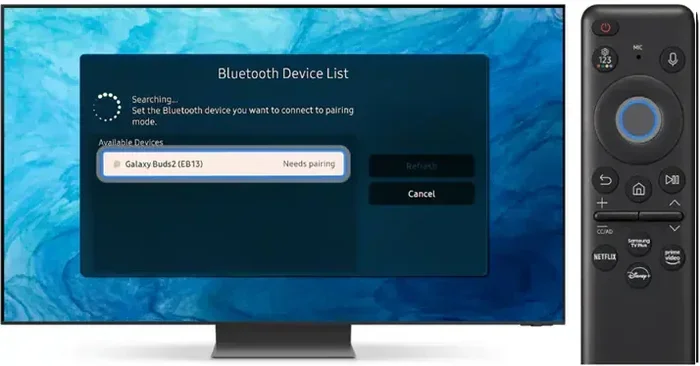
- Pairing is similar to home devices: The process mirrors how you pair Bluetooth headphones to your LG TV or other devices at home.
- Not all airlines support Bluetooth: Some carriers still require wired headphones or offer only their own wireless systems.
- Troubleshooting is straightforward: Most connection issues can be fixed by restarting your device, checking distance, or updating firmware.
[FEATURED_IMAGE_PLACEHOLDER]
There’s nothing quite like settling into your airplane seat and wanting to tune out the world. Whether it’s a long-haul flight across the ocean or a short hop to visit family, wireless audio makes the journey so much better. But figuring out how to get your Bluetooth working on a plane can feel confusing. Airlines have different rules, different systems, and different expectations.
This guide breaks it all down. You’ll learn exactly how to connect your Bluetooth to your plane step by step. We’ll cover everything from basic pairing to advanced troubleshooting. By the end, you’ll feel confident using wireless audio on any flight. No more fumbling with cables or guessing what works.
The good news is that Bluetooth technology on airplanes has come a long way. Most major airlines now support wireless connections in some form. Whether you’re using Bluetooth headphones, a portable speaker, or another device, the process is simpler than you might think. Let’s dive in and get you connected.
Why Connect Bluetooth on a Plane?
You might wonder why Bluetooth on a plane even matters. After all, most airlines still offer seatback screens with wired headphone jacks. But wireless audio has become a game-changer for travelers. Here’s why it’s worth learning how to set up.
First, wireless headphones offer freedom of movement. You’re not tethered to your seat by a cord. You can stretch, walk to the lavatory, or grab a snack without pulling your headphones out. This alone makes a long flight much more comfortable.
Second, Bluetooth audio quality has improved dramatically. Modern Bluetooth codecs deliver crisp, clear sound that rivals wired connections. You get rich bass, detailed highs, and no cable noise to interfere with your music or movie.
Third, fewer cables means less hassle. You don’t need to carry extra adapters or worry about tangled cords in your carry-on. Just pair your device once and you’re good to go for the entire flight.
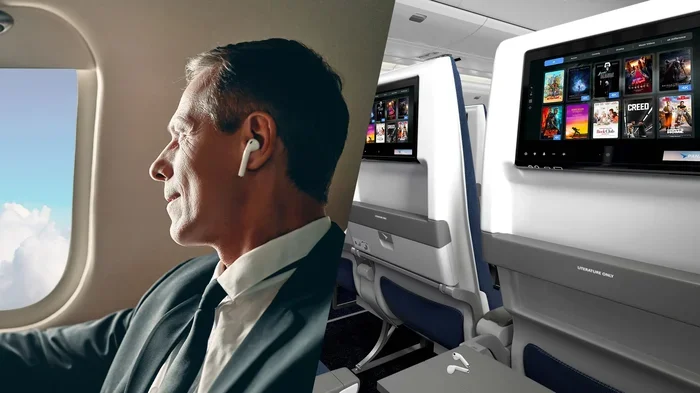
Finally, many newer aircraft come equipped with their own Bluetooth systems. These integrated setups let you stream audio directly from your phone or tablet to the seatback screen. It’s a seamless experience that makes inflight entertainment feel modern and intuitive.
Understanding Bluetooth on Airplanes
Before you start connecting, it helps to understand how Bluetooth works in the sky. The basics are the same as on the ground, but there are a few important differences you should know about.
How Bluetooth Works at Altitude
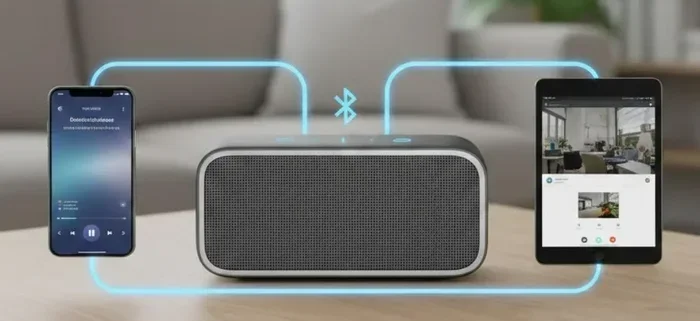
Bluetooth uses short-range radio waves to transmit data between devices. On a plane, these waves travel between your phone or tablet and the airplane’s Bluetooth receiver. The distance is short, usually within a few meters of your seat. This is the same principle as when you use Bluetooth headphones with a Roku at home.
The airplane’s Bluetooth system receives your audio signal and sends it to the seatback entertainment screen or a shared speaker system. Some airlines use a personal Bluetooth receiver that plugs into the seatback jack. Others have built-in Bluetooth antennas throughout the cabin.
One key thing to remember is that Bluetooth operates on a different frequency than cellular signals. This is why airlines ask you to enable airplane mode but then allow Bluetooth separately. The Bluetooth signal doesn’t interfere with the plane’s navigation or communication systems.
Airline Policies on Bluetooth
Not all airlines have the same Bluetooth policies. Some fully support wireless audio throughout the flight. Others only allow Bluetooth during certain phases. And a few still restrict all wireless connections.
Here’s a quick look at how different airlines handle Bluetooth:
- Airlines with full Bluetooth support: Delta, American Airlines, United, and Alaska Airlines generally allow Bluetooth audio on most of their fleets.
- Airlines with limited support: Some budget carriers only support Bluetooth on certain aircraft types or routes.
- Airlines with no Bluetooth: A few older carriers or regional airlines may not offer Bluetooth at all and rely solely on wired connections.
Always check your airline’s website or app before your flight. Look for their inflight entertainment policies. This saves you from disappointment at 35,000 feet.
Airplane Mode and Bluetooth
This is the most important concept to understand. Airplane mode disables all wireless transmitters on your device, including Bluetooth. But you can turn Bluetooth back on while airplane mode is active.
On most phones and tablets, you swipe down from the top of the screen to access quick settings. Tap airplane mode to turn it on. Then tap Bluetooth to turn it back on. The airplane icon stays in your status bar, but Bluetooth is now active.
This dual setting is perfectly safe and approved by all major airlines and aviation authorities worldwide. Your Bluetooth signal is low-power and operates on a frequency that doesn’t interfere with aircraft systems.
Step-by-Step Guide to Connecting Bluetooth on a Plane
Now for the part you’ve been waiting for. Here’s exactly how to connect your Bluetooth device on an airplane, step by step.
Step 1: Enable Airplane Mode
Before anything else, turn on airplane mode. This is non-negotiable. Even if you’re not making calls or sending messages, your device’s cellular radio can still transmit. Airplane mode shuts all of that down for safety.
On an iPhone, swipe down from the top right corner and tap the airplane icon. On Android, swipe down from the top and tap the same icon. On a laptop, find airplane mode in your system settings or function keys.
Step 2: Turn Bluetooth Back On
With airplane mode active, go to your Bluetooth settings and turn it on. On most devices, you can do this from the quick settings panel. On iPhone, swipe down and long-press the Bluetooth icon. On Android, do the same from the top panel.
You should see the Bluetooth icon appear in your status bar. Your device is now scanning for nearby Bluetooth devices. This is the same process you’d follow when you pair Bluetooth headphones to your LG TV at home.
Step 3: Put Your Bluetooth Device in Pairing Mode
Your headphones, speaker, or other device needs to be discoverable. Most Bluetooth devices have a dedicated pairing button or a specific sequence to enter pairing mode.
For wireless earbuds, this usually means holding down the power button or the button on the charging case until the LED light flashes. For over-ear headphones, look for a Bluetooth or pairing button on the ear cup. The flashing light indicates the device is ready to be found.
If you’re not sure how to enter pairing mode for your specific device, check the manufacturer’s instructions. Most modern devices make this process very intuitive.
Step 4: Find and Select Your Device
Go back to your phone or tablet’s Bluetooth settings. You should see a list of available devices. Look for your headphones or speaker by name and tap on it.
Wait a moment for the connection to establish. You might hear a confirmation tone or see a checkmark next to the device name. Some devices also show a battery level indicator once paired.
Once connected, your audio will route through the Bluetooth device. You can now play music, watch movies, or listen to audiobooks through your wireless headphones.
Step 5: Test the Connection
Before the flight takes off, play a short audio clip to make sure everything works. Try a song, a video, or the airline’s entertainment app. Check that the audio is clear and there’s no delay or cutting out.
If you hear audio but it’s choppy or delayed, move closer to your seat’s Bluetooth receiver. Some airplane systems have a limited range. Being within a few rows of the receiver helps maintain a stable connection.
Step 6: Enjoy Your Flight
Once everything is working, sit back and enjoy. Your Bluetooth connection should stay stable throughout the flight. If it drops, you can always reconnect by going back to your Bluetooth settings and tapping the device name.
Remember that you’ll need to keep your device in airplane mode for the entire flight. You can toggle Bluetooth off and on as needed, but don’t turn off airplane mode unless the airline specifically allows it.
Troubleshooting Common Bluetooth Connection Issues
Even with the best preparation, things don’t always go smoothly. Here are the most common problems and how to fix them.
Bluetooth Won’t Turn On
If Bluetooth won’t activate while airplane mode is on, try restarting your device first. A simple reboot often clears up software glitches. On an iPhone, press and hold the power button and volume button, then slide to power off. Turn it back on and try again.
Also check that your device isn’t low on battery. Bluetooth performance drops significantly when battery levels fall below 20%. Plug in your device if you can during the flight.
Device Won’t Pair
If your phone finds the device but won’t connect, try forgetting the device and pairing again. Go to your Bluetooth settings, find the device name, and select “Forget This Device.” Then put your headphones back in pairing mode and try connecting fresh.
Another common issue is that the device is already connected to another source. Make sure your headphones aren’t still paired with your phone from before the flight. Some devices auto-connect to previously paired sources, which can cause conflicts.
Audio Keeps Cutting Out
Intermittent audio is frustrating but common on planes. The culprit is usually distance from the Bluetooth receiver. Try moving to a seat closer to the front of the cabin or near the entertainment system hub.
Physical obstacles also matter. If your seatback screen is between your device and the receiver, the signal might weaken. Adjusting your seat or the position of your device can help.
Finally, interference from other passengers’ devices can sometimes cause issues. This is rare, but in a full cabin with dozens of Bluetooth devices, the signal environment gets crowded.
No Sound After Pairing
If your device connects but you hear nothing, check your volume settings. Make sure both your phone’s volume and your Bluetooth device’s volume are turned up. Some Bluetooth headphones have independent volume controls that need to be adjusted separately.
Also check that your audio output is set to Bluetooth. On most devices, you can swipe down and tap the audio output icon to select your Bluetooth device as the output source. This is a quick fix that many people overlook.
Bluetooth vs. Wired Connections on Planes
Bluetooth isn’t the only option for inflight audio. Let’s compare wireless and wired connections so you can decide what works best for you.
| Feature | Bluetooth | Wired Headphones |
|---|---|---|
| Convenience | No cables needed | Cable management required |
| Audio Quality | Good to excellent with modern codecs | Consistent and reliable |
| Compatibility | Works with most modern airlines | Works with virtually all airlines |
| Battery Dependence | Requires charged device | No battery needed |
| Freedom of Movement | Full freedom | Limited by cable length |
| Connection Stability | Good, but can fluctuate | Very stable |
Both options have their place. Bluetooth gives you freedom and modern convenience. Wired connections give you reliability and don’t depend on battery life. Many frequent travelers carry both, just in case.
If your airline doesn’t support Bluetooth, you can still use wireless headphones with a Bluetooth adapter. These small dongles plug into the seatback headphone jack and create a Bluetooth bridge between your wireless headphones and the airplane’s audio system. They’re compact, affordable, and a great backup option.
Tips for the Best Bluetooth Experience on a Plane
A few extra tips can make your Bluetooth experience on a plane much better. Here’s what the frequent flyers know.
- Charge everything before you fly: Make sure your headphones, phone, and any other Bluetooth devices are fully charged. You don’t want to run out of power mid-flight.
- Bring a backup: Carry a pair of wired headphones just in case. They’re lightweight and take up almost no space in your bag.
- Update your device firmware: Before your trip, check for software updates on your phone, tablet, and headphones. Updated firmware often improves Bluetooth stability.
- Keep your device close: Stay within a few rows of the airplane’s Bluetooth receiver for the strongest signal.
- Use noise-canceling headphones: Airplane cabins are loud. Noise-canceling Bluetooth headphones make a huge difference in audio quality and comfort.
You might also want to check if your airline offers a dedicated Bluetooth receiver. Some carriers provide these at the seat or for free upon request. They simplify the pairing process and often deliver a more reliable connection than using your personal device directly.
Can You Use Bluetooth on All Types of Flights?
The short answer is no, but the longer answer is more nuanced. Domestic flights on major airlines in the US and Europe generally support Bluetooth. International flights on the same carriers usually do too.
However, smaller regional carriers and budget airlines may not offer Bluetooth at all. Some older aircraft simply don’t have the equipment. And flights on certain routes, particularly very short ones, might not have any inflight entertainment system.
If you’re flying with a lesser-known carrier, do a quick check before your trip. Look at their inflight amenities page or call customer service. A few minutes of research can save you from a silent, frustrating flight.
Also keep in mind that Bluetooth policies can change. Airlines upgrade their fleets and update their systems regularly. What wasn’t supported last year might be available now. Always check the current policy for your specific airline and aircraft type.
Expert Insights on Bluetooth and Air Travel
Aviation experts consistently say that Bluetooth is safe to use on airplanes. The Federal Aviation Administration in the US and equivalent bodies worldwide have approved Bluetooth for use throughout all phases of flight.
Bluetooth operates on the 2.4 GHz frequency band, which is separate from the frequencies used by aircraft communication and navigation systems. The low power output of Bluetooth devices means they pose no risk to airplane electronics. This is why you can use Bluetooth while keeping your phone in airplane mode.
Technology reviewers also note that the experience varies by airline and aircraft. Newer planes tend to have better Bluetooth systems with wider coverage and more stable connections. Older planes might have spotty coverage or limited range. This is something to keep in mind when booking flights, especially if wireless audio is important to you.
For the best experience, consider bringing a Bluetooth transmitter. These small devices plug into the seatback audio jack and broadcast Bluetooth to your headphones. They work on any airline, even those without built-in Bluetooth support. They’re a game-changer for travelers who prefer wireless audio but fly with carriers that don’t natively support it.
Final Thoughts
Connecting Bluetooth to your plane is easier than most people think. Once you understand the process, it becomes second nature. Enable airplane mode, turn Bluetooth back on, pair your device, and you’re ready to enjoy wireless audio at cruising altitude.
The key is preparation. Know your airline’s Bluetooth policy, bring your devices charged, and have a backup plan. With these steps, you’ll have a smooth, connected, and enjoyable flight every time.
Wireless audio on airplanes has transformed the travel experience. No more tangled wires, no more sharing earphones, no more struggling with uncomfortable earbuds. Just clean, crisp sound that makes your flight time feel shorter and more pleasant.
So the next time you board a plane, don’t stress about staying connected. Follow these steps, enjoy your favorite music or movies, and make your flight time truly your time. Safe travels and happy listening.
Frequently Asked Questions
Can I use Bluetooth on a plane during takeoff and landing?
Yes, Bluetooth is allowed during all phases of flight on most airlines. You just need to keep your device in airplane mode with Bluetooth turned on separately. Aviation authorities worldwide have approved Bluetooth for use throughout the entire flight.
Why won’t my Bluetooth connect on an airplane?
The most common reason is that your device isn’t in airplane mode first. You must enable airplane mode and then turn Bluetooth back on. If that doesn’t work, restart your device, check that your headphones are in pairing mode, and move closer to the seatback entertainment system.
Do all airlines support Bluetooth for inflight entertainment?
No, not all airlines support Bluetooth. Major carriers like Delta, United, and American Airlines generally do, but some budget airlines and regional carriers may not. Always check your airline’s inflight entertainment policy before your trip.
Can I use Bluetooth headphones on a plane without Wi-Fi?
Yes, Bluetooth works independently of Wi-Fi on airplanes. You don’t need an internet connection to use Bluetooth audio. The Bluetooth signal connects directly to the airplane’s entertainment system or a seatback receiver.
Is it safe to keep Bluetooth on during the entire flight?
Absolutely. Bluetooth is a low-power wireless technology that doesn’t interfere with aircraft systems. Keeping it on for the entire flight is safe and approved by all major aviation authorities. Just make sure airplane mode remains active.
What’s the best Bluetooth device for airplane use?
Noise-canceling wireless headphones are the best choice for planes. They block out engine noise and deliver high-quality audio. Popular options include brands like Sony, Bose, and Apple AirPods Max. If you prefer a budget option, any Bluetooth headphones that support the standard Bluetooth 5.0 or higher will work well.