How Close Does A Wifi Booster Need To Be To The Router
A wifi booster works best when placed halfway between your router and the dead zone. Too close wastes its potential, while too far causes signal loss. The sweet spot depends on your home layout, router type, and the wireless signal range you need.
This is a comprehensive guide about How Close Does A Wifi Booster Need To Be To The Router.
Key Takeaways
- Halfway placement is key: Position the booster midway between your router and the weak signal area for optimal coverage.
- Distance matters more than you think: Even a few extra feet can cause significant signal degradation and slow speeds.
- Obstacles kill wifi signals: Walls, metal objects, and appliances between the router and booster reduce performance.
- 2.4GHz reaches farther: If range is your priority, a dual band router on 2.4GHz gives better coverage than 5GHz.
- Ethernet backhaul is superior: Wired connections between the booster and router deliver the strongest, most stable signal.
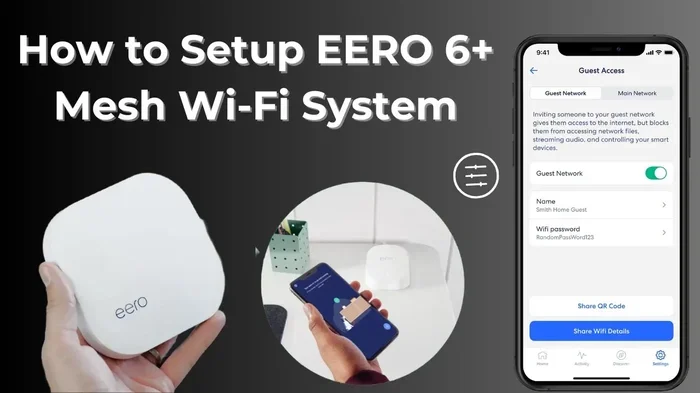
- Mesh systems solve placement headaches: A mesh wifi system offers more flexible coverage without strict distance rules.
[FEATURED_IMAGE_PLACEHOLDER]
So you bought a wifi booster and now you are staring at the box wondering where to put it. You are not alone. Thousands of people struggle with weak wifi signals every single day, and the answer to their problem often comes down to one simple question: how close does this thing need to be to the router?
The truth is there is no one-size-fits-all answer. But dont worry. I am going to walk you through everything you need to know about wifi booster placement, signal strength, and how to get the best performance from your wireless setup. Whether you live in a small apartment or a large house with thick walls, this guide has you covered.
By the end of this article, you will know exactly where to place your booster, what mistakes to avoid, and how to troubleshoot common problems. Let us dive in.
What Is A Wifi Booster And How Does It Work
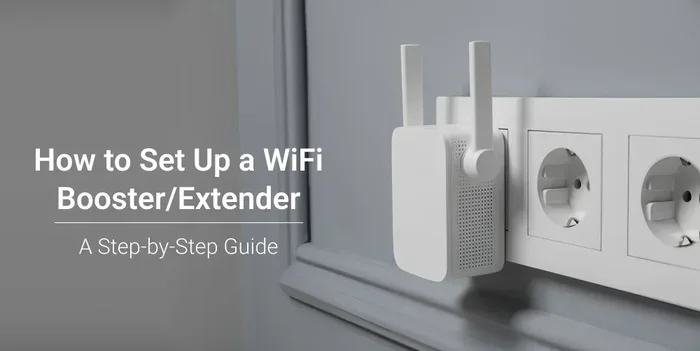
A wifi booster is a device that takes the signal from your existing router and repeats it to areas where the wireless signal is weak or nonexistent. Think of it like a relay runner. The router passes the baton to the booster, and the booster passes it along to your devices in the far corners of your home.
Most boosters work by receiving your routers signal, amplifying it, and then broadcasting it again. This process is called signal repetition. The booster creates a new access point that extends your network coverage area beyond what the router alone can handle.
There are three main types of wifi boosters you should know about:
- Wifi repeaters: The simplest and most affordable option. They rebroadcast the existing signal with minimal setup.
- Wifi extenders: Similar to repeaters but often connect directly to your router via a wired connection for better performance.
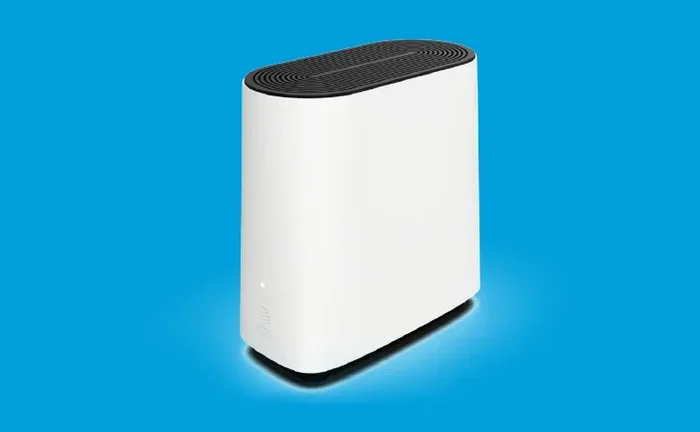
- Mesh wifi nodes: Smart devices that work together as a single unified network. They communicate with each other and adapt to provide seamless coverage.
Each type has different placement requirements, which brings us to the most important part of this guide.
How Close Should A Wifi Booster Be To The Router
The golden rule of wifi booster placement is simple: place it halfway between your router and the area with poor coverage. This gives the booster enough signal strength from the router to effectively rebroadcast to the weak zone.
But “halfway” is not always a precise measurement. Several factors influence the ideal distance.
The Halfway Rule Explained
Imagine your router is in the living room and your bedroom at the end of the hall has terrible wifi. You would want to place the booster somewhere in the hallway, roughly equidistant from both locations. This ensures the booster receives a strong enough signal from the router while still reaching the dead zone in the bedroom.
If you place the booster too close to the router, it has nothing to fix. The area that needs coverage is already getting a decent signal, so the booster becomes redundant. On the other hand, if you place it too far from the router, it cannot receive a strong enough signal to rebroadcast effectively. The result is slow speeds and frustrating signal degradation.
A good starting point is to measure the distance from your router to the problem area and place the booster at roughly 50% of that distance. For most homes, this means 15 to 30 feet from the router.
Factors That Affect Placement Distance
Not all homes are created equal. Several variables determine how far or close your booster should be to the router:
- Wall thickness and material: Brick, concrete, and metal studs block wifi signals much more than drywall or wood frames. If your home has thick walls between the router and the booster area, you may need to place the booster closer to the router.
- Router power output: A high-powered router with external antennas can reach farther, giving you more flexibility in booster placement. A weaker router demands a closer booster.
- Frequency band: 2.4GHz signals travel farther and penetrate walls better than 5GHz signals. If your router supports both bands, the booster placement rules differ for each one.
- Home layout: Open floor plans allow signals to travel farther, while multi-story homes create more obstacles and require strategic placement on each floor.
Keep in mind that signal interference from other electronic devices also plays a role. Microwaves, baby monitors, and even cordless phones can weaken your wifi signal and affect how well the booster performs.
Common Placement Mistakes To Avoid
Placing your wifi booster is not just about distance. Where you position it within a room matters just as much. Here are the most common mistakes people make and how to fix them.
Placing It Too Close To The Router
This is the number one mistake. People often place the booster right next to the router because it is easy and convenient. But doing this defeats the entire purpose. If the area you are trying to cover already has a decent signal, the booster is just wasting electricity and creating network congestion.
Instead, move the booster far enough away that it is actually helping. You want it at the edge of the routers effective range, not in the middle of it.
Hiding It Behind Furniture Or In Closets
We get it. Nobody wants to look at a blinking box sitting on their bookshelf. But hiding your booster behind a TV, inside a cabinet, or in a closet kills its performance. Wifi signals radiate outward in all directions, and obstacles block them.
Place your booster in an open, elevated location. A shelf or tabletop works great. The higher the placement, the better the signal distribution throughout your home.
Placing It Near Interference Sources
Keep your booster away from microwaves, cordless phone bases, baby monitors, and large metal objects. These items create signal interference that weakens the wifi signal before it even reaches the booster or the devices trying to connect.
Wifi Booster Distance: A Practical Guide
Let us talk about real numbers. Here is a practical guide to help you figure out the right distance for your specific situation.
Small Homes And Apartments
For homes under 1,000 square feet, your router might already cover most of the space. In these cases, a booster only needs to be 10 to 15 feet from the router. The goal is to push the signal into one or two rooms that the router struggles to reach.
Medium Homes (1,000 to 2,500 Square Feet)
This is the most common scenario. Place the booster 20 to 40 feet from the router, depending on wall obstacles. If your router is in the basement and you need coverage on the second floor, the booster might need to be closer to the top of the stairs where the signal naturally travels upward.
Large Homes (2,500 Square Feet And Above)
For larger homes, a single booster often is not enough. You may need multiple boosters or a mesh wifi system instead. If you use multiple boosters, each one should be placed at the halfway point between the previous access point and the next weak zone.
In very large homes, you might also consider whether can i extend my wifi to my shed or detached garage. These structures are especially challenging because of the distance and building materials involved.
Wifi Booster Vs Mesh System: Which Placement Is Easier
Traditional wifi boosters and mesh systems handle placement very differently. Understanding these differences helps you make the right choice for your home.
| Feature | Traditional Booster | Mesh System |
|---|---|---|
| Placement flexibility | Must be within router range | Nodes can be placed farther apart |
| Number of units | One per weak zone | 2 to 5 nodes for whole-home coverage |
| Network name | Separate network often | Single seamless network |
| Backhaul type | Wireless or wired | Dedicated wireless or wired |
| Setup complexity | Simple | Moderate |
| Price range | $20 to $80 | $100 to $400+ |
Traditional boosters require careful distance management. You need to stay within the routers wireless range while still reaching the dead zone. Mesh systems are more forgiving because the nodes communicate with each other and can relay signals across longer distances.
If you already have a router and are considering upgrading, you might wonder can I connect Wi Fi 6 mesh to wifi 5 router. The answer depends on compatibility, but many mesh systems work with older routers to improve coverage without a full replacement.
How To Test If Your Booster Placement Is Working
Once you have placed your booster, how do you know it is working correctly? You need to test the signal in the areas that previously had poor coverage.
Speed Testing
Run a speed test in the problem area with and without the booster. Use a free app like Speedtest.net or Fast.com. Compare the results. You should see improved download and upload speeds after adding the booster.
Signal Strength Checking
Most smartphones show wifi signal strength in the settings menu. Walk around your home and note where the signal drops. A well-placed booster should eliminate or significantly reduce dead zones.
Checking For Interference
Use a wifi analyzer app to check for channel congestion. If your booster is placed too close to other networks or electronic devices, you may see high interference levels that reduce performance even at the correct distance.
Sometimes the simplest solution is the best one. Moving the booster just a few feet can make a dramatic difference in signal quality and speed.
Expert Tips For Optimal Wifi Booster Performance
Here are some expert-level tips that go beyond basic placement advice. These insights will help you squeeze every bit of performance out of your setup.
Use The 2.4GHz Band For Range
If your router supports dual band, use the 2.4GHz frequency for your booster connection. The 2.4GHz band has a longer range and better wall penetration than 5GHz. This means the booster can be placed farther from the router while still maintaining a strong connection.
If you want to add specific frequency support, you might ask can I add a 2.4Ghz to my router. Most modern routers already support both bands, but older models might need a firmware update or hardware change.
Consider Wired Backhaul
If possible, connect your booster to the router using an ethernet cable. This is called wired backhaul, and it eliminates wireless signal loss between the router and the booster. The result is faster speeds and more reliable connections throughout your home.
Update Your Router Firmware
Router manufacturers regularly release firmware updates that improve signal strength, range, and compatibility with boosters. Check your router settings or app periodically to make sure you are running the latest firmware.
Restart Your Equipment Regularly
A simple reboot of your router and booster can resolve many connectivity issues. Schedule a restart every few weeks to keep everything running smoothly. This clears the cache, refreshes connections, and helps the devices find the optimal channel.
When A Wifi Booster Is Not The Right Solution
Sometimes a booster is not the best fix for poor wifi coverage. Here are situations where you should consider alternatives:
- Your router is outdated: If your router is more than five years old, upgrading to a newer model might solve your coverage issues without needing a booster at all.
- You have a very large home: A single booster cannot cover a 3,000+ square foot home effectively. A mesh system is a better investment in this case.
- Your internet speed is slow to begin with: A booster cannot make your internet faster than what your ISP provides. If your base speed is slow, no amount of boosting will help.
- You have thick concrete walls: Some building materials block wifi signals so effectively that even a booster cannot penetrate them. In these cases, wired access points may be the only reliable solution.
Understanding when a booster works and when it does not saves you time, money, and frustration. Be honest about your home layout and internet plan before investing in additional equipment.
Final Thoughts On Wifi Booster Placement
Getting your wifi booster placement right is one of the simplest and most cost-effective ways to improve your home network. The key takeaway is to place the booster halfway between your router and the weak signal area, keep it in an open location, and avoid interference sources.
Remember that every home is different. What works perfectly for your neighbor might not work for you. Experiment with different positions, test your signal, and adjust until you find the sweet spot. The process takes a little patience, but the results are well worth it.
A well-placed booster transforms frustrating dead zones into strong, reliable connections. You will notice faster streaming, smoother video calls, and better overall performance on all your wireless devices. Take the time to get it right, and your home network will thank you for it.
Frequently Asked Questions
How far can a wifi booster be from the router?
Most wifi boosters should be placed within 30 to 50 feet of the router for optimal performance. If the booster is too far away, it cannot receive a strong enough signal to rebroadcast effectively. The exact distance depends on your router power, home layout, and wall materials.
Can I place a wifi booster in another room?
Yes, but the room should be within the routers wireless range. Walls, doors, and distance all weaken the signal. If the booster is in a room that already has a weak signal from the router, it will not perform well. Place it where it can still receive a strong signal from the router.
Do wifi boosters reduce internet speed?
They can, but usually only if placed poorly. A booster that is too far from the router or blocked by obstacles will repeat a weak signal, resulting in slower speeds for connected devices. Proper placement minimizes speed loss and keeps your network running smoothly.
Should I turn off my wifi booster when not in use?
No, you should leave your booster on at all times if you need coverage in the area it serves. Turning it off and on frequently can disrupt connected devices and cause temporary network instability. The power consumption is minimal, so leaving it on is the better choice.
How many wifi boosters do I need for my home?
This depends on your home size and layout. Small homes may only need one booster. Medium homes might require two, and large homes often benefit from a mesh system instead. Start with one booster, test the coverage, and add more if needed.
Can a wifi booster work without being connected to the router?
No, a wifi booster must connect to your existing router to extend the network. It receives the signal from the router, amplifies it, and broadcasts it to a wider area. Without a connection to the router, the booster has no signal to boost and cannot function.