Do Wifi Boosters Really Work Heres What Experts Say
Do wifi boosters really work? The short answer is yes, but with important caveats. Many homeowners struggle with weak signals and dead zones, and wifi boosters promise a simple fix. Experts confirm that the right booster can improve wireless coverage and internet speed in specific areas. However, choosing the wrong type or placing it poorly can waste money and frustration. This guide breaks down what actually works and what doesnt.
Have you ever stood in your backyard trying to stream a game and watched the buffer wheel spin endlessly? Or maybe you have a home office in the garage where the signal drops every time you take a phone call. These frustrating moments make millions of people ask the same question: do wifi boosters really work?
The truth is more nuanced than a simple yes or no. Wifi boosters can genuinely improve your wireless coverage and help eliminate those annoying dead zones. But they are not magic wands. A poorly chosen or badly placed booster can leave you scratching your head and wondering where you went wrong.
In this guide, we will walk through exactly how wifi boosters work, what the experts say, and how you can get real results from your setup. Whether you are dealing with a weak signal in the basement or trying to cover a large property, this article has you covered. Let us dig in.
Key Takeaways
- Wifi boosters do work: They can extend your wireless signal to areas with poor coverage.
- Placement matters enormously: A badly placed booster can make problems worse instead of better.
- Not all boosters are equal: WiFi extenders, repeaters, and mesh systems each serve different needs.
- Expect realistic speed gains: Boosters improve coverage but may not match your original router speed.
- Mesh networks often outperform traditional boosters: They offer smoother roaming and better performance.
- Check your internet plan first: A booster cannot fix slow internet caused by your ISP or plan limitations.
📑 Table of Contents
- What Are Wifi Boosters?
- How Do Wifi Boosters Work?
- Do Wifi Boosters Really Work?
- Types of Wifi Boosters Compared
- How to Set Up Your Wifi Booster for Best Results
- Common Mistakes People Make With Wifi Boosters
- Expert Tips for Maximizing Your Wifi Coverage
- Do Wifi Boosters Really Work: The Final Verdict
What Are Wifi Boosters?
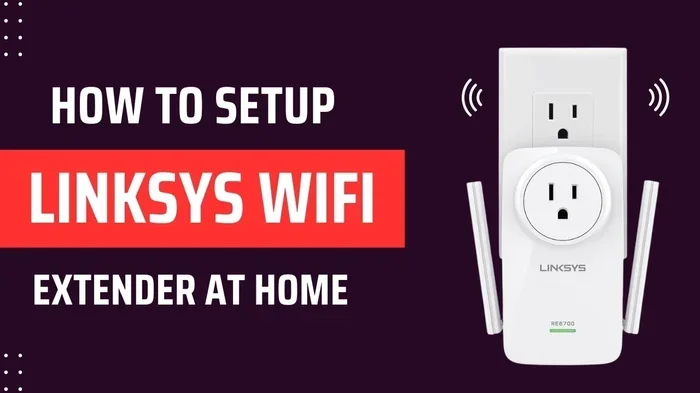
A wifi booster is a device that helps extend your existing wireless network. It picks up the signal from your router and rebroadcasts it to areas where the signal is weak or nonexistent. Think of it like a megaphone for your routers signal.
People use boosters for many reasons. Maybe your house is older and the walls block the signal. Perhaps you live on a large lot and the back porch gets nothing. Some people have home offices in the garage or workshop, and the signal strength just is not there. Whatever the reason, wifi boosters aim to fill in the gaps.
The market is full of different products. You have basic WiFi extenders, more advanced repeaters, and modern mesh systems. Each one works a little differently, and understanding those differences matters a lot. We will cover that in detail later.
How Do Wifi Boosters Work?
Understanding how a wifi booster works helps you set realistic expectations. The basic idea is simple. Your router sends out a wireless signal. The booster receives that signal, amplifies it, and sends it back out to a wider area.
Here is a closer look at the process:
- Signal Reception: The booster catches the wireless signal from your router.
- Amplification: The device boosts the signal strength.
- Rebroadcasting: The enhanced signal is sent to the coverage area.
Sounds easy, right? Well, there is a catch. Most traditional boosters use the same radio channel to receive and send data. This means they cut your bandwidth in half. It is like trying to have a conversation where you have to listen and speak on the same channel at the same time. The result is slower speeds compared to a direct connection from your router.
Modern mesh systems handle this differently. They use dedicated backhaul channels, which means the booster does not slow down your connection as much. If you are looking at upgrading your setup, you might want to check whether you can connect Deco mesh wifi to your existing router before buying a whole new system.
Do Wifi Boosters Really Work?
So, do wifi boosters really work? The expert consensus is clear: yes, they do, but with conditions. A wifi booster will improve your wireless coverage and help eliminate dead zones. However, the degree of improvement depends on several factors.
What Experts Say About Wifi Boosters
Networking professionals agree that boosters solve a real problem. According to the Institute of Electrical and Electronics Engineers (IEEE), extending wireless coverage through repeaters and boosters is a proven technology. The key is setting up the right system for your environment.
Experts also stress that a booster cannot create speed that does not exist. If your internet plan only delivers 25 Mbps, a booster will not turn it into 200 Mbps. What it can do is deliver that 25 Mbps more reliably to areas where you currently get zero or one bar.
Many people confuse signal coverage with internet speed. A booster improves coverage. It reaches further. But the speed you get at the edge of that coverage will always be less than what you get right next to the router. This is physics, not a product flaw.
When Wifi Boosters Work Best
Wifi boosters shine in specific situations. Here are the scenarios where they deliver the best results:
- Single-story homes with dead zones: A booster in the hallway can push signal into the backyard or a far bedroom.
- Older homes with thick walls: Brick and plaster block signals. A booster placed strategically can get around this.
- Multi-story homes: Placing a booster one floor above or below the router helps cover stairs and upper levels.
- Workshops and sheds: If you have a detached workspace, a booster can extend your network coverage to that area.
For those dealing with outbuildings, you might also consider whether you can extend your wifi to a shed using a booster or dedicated outdoor access point.
When Wifi Boosters Do Not Work Well
There are also situations where boosters fall short. Understanding these helps you avoid wasting money.
- Very large properties: A single booster cannot cover several acres. You need a mesh system or multiple access points.
- Severe interference: If your neighborhood has dozens of overlapping networks, a booster amplifies the noise too.
- Slow ISP plans: A booster does not fix slow internet from your provider.
- Old or outdated routers: If your router itself is ancient, a booster will just spread a weak signal further.
Experts recommend upgrading your router first if it is more than five years old. A modern router paired with a booster gives you the best foundation for strong network performance.
Types of Wifi Boosters Compared
Not all wifi boosters are the same. Choosing the right type makes a huge difference in your results. Here is a breakdown of the three main categories.
| Type | How It Works | Best For | Speed Impact |
|---|---|---|---|
| WiFi Extender | Receives and rebroadcasts signal on same channel | Small dead zones | Moderate speed loss |
| WiFi Repeater | Amplifies and retransmits the signal | Medium coverage gaps | Moderate speed loss |
| Mesh System | Multiple nodes create seamless coverage | Large homes and multi-story | Minimal speed loss |
Traditional extenders and repeaters are affordable and easy to set up. They plug into a wall outlet and extend your signal. However, they share the same wireless channel, which cuts bandwidth. Mesh systems use multiple nodes that communicate with each other intelligently, giving you much better signal strength throughout your home.
If you are considering a mesh setup, many people wonder whether they can use a Deco unit as a wifi extender alongside their existing router. The answer depends on your specific model and setup, but many newer mesh systems offer flexible configuration options.
WiFi Extenders vs. Mesh Systems
This is the big comparison that most people face. Extenders are cheaper and simpler. Mesh systems cost more but deliver a much smoother experience. With an extender, your phone might switch between the router signal and the extender signal, causing brief disconnects. A mesh system uses one network name, and your devices switch seamlessly between nodes.
For most modern households, experts lean toward mesh systems. They handle bandwidth better, support more devices, and provide a more consistent experience. If you want to learn more about mesh compatibility, check out whether you can connect WiFi 6 mesh to a WiFi 5 router for backward compatibility options.
Dual Band vs. Single Band Boosters
Another important distinction is between dual band and single band boosters. A single band booster operates on the 2.4 GHz frequency only. It penetrates walls better but offers slower speeds. A dual band booster uses both 2.4 GHz and 5 GHz frequencies, giving you faster speeds in open areas and better range through walls.
For most homes, a dual band booster is the smarter choice. It gives you flexibility and better overall network coverage. If you live in a densely populated area with lots of wireless interference, the dual band option helps reduce congestion on the 2.4 GHz band.
How to Set Up Your Wifi Booster for Best Results
Getting the most from your booster comes down to proper setup. Even the best device will disappoint if you place it poorly. Here are the steps that networking experts recommend.
Step 1: Find the Right Location
The most important factor is placement. Place your booster halfway between your router and the dead zone. It needs to receive a strong signal from the router in order to amplify it effectively.
If you place the booster too far from the router, it will amplify a weak signal and broadcast an equally weak signal. That defeats the entire purpose. Think of it like a relay race. The runner in the middle needs a strong handoff to pass the baton effectively.
Step 2: Check Your Current Speed First
Before you set up a booster, run a speed test near your router and in the problem area. This gives you a baseline. After you install the booster, run the same test to measure improvement.
Use a reliable internet speed test tool. Many routers have built-in speed testing features. You can also use free online tools or mobile apps. Record your results so you can compare before and after.
Step 3: Update Your Router Firmware
Old firmware can cause connection drops and poor performance. Before adding a booster, make sure your router software is up to date. Most modern routers have an auto-update feature. Check your routers admin panel to confirm.
Step 4: Reduce Interference
Other electronic devices can interfere with your wireless signal. Microwaves, baby monitors, cordless phones, and even Bluetooth devices can cause problems. Move your router and booster away from these devices for the best signal strength.
Step 5: Reboot Regularly
Just like any tech device, boosters benefit from a fresh restart. Reboot your booster every few weeks. This clears the cache, refreshes the connection, and often fixes minor performance issues.
Common Mistakes People Make With Wifi Boosters
Even with the best intentions, people make mistakes that undermine their booster setup. Here are the most common ones and how to avoid them.
Placing the Booster Too Far From the Router
This is the number one mistake. People place the booster in the dead zone and wonder why it does not work. The booster needs a strong signal from the router to amplify. Place it where it still gets at least two to three bars from your router.
Buying the Wrong Type of Booster
Not every booster fits every home. A small apartment does not need a high-end mesh system. A large multi-story house will struggle with a single cheap extender. Match the booster to your home size and needs.
Ignoring the 5 GHz Band
Many people stick with the 2.4 GHz band because it reaches further. But the 5 GHz band delivers much faster speeds in areas with a clear line of sight. Use both bands wisely for the best wireless performance.
Expecting a Magic Fix
A booster is not a substitute for a good internet plan or a modern router. If your ISP delivers slow speeds, no booster will fix that. Address the root cause first, then use a booster to extend the improved signal.
Expert Tips for Maximizing Your Wifi Coverage
Beyond boosters, there are other steps you can take to improve your home network. Experts recommend combining several strategies for the best results.
- Optimize router placement: Put your router in a central, elevated location. Avoid closets and cabinets.
- Use ethernet for stationary devices: Smart TVs, gaming consoles, and desktop computers benefit from a wired connection.
- Change your wifi channel: Congested channels slow everyone down. Use your routers settings to switch to a less crowded channel.
- Consider powerline adapters: These use your homes electrical wiring to carry the network signal. They are a great alternative to wireless boosters in some cases.
- Check your ISP plan: If your speeds are consistently slow, contact your provider. You may need a faster plan or a better modem.
Sometimes the best solution is not a booster at all but a combination of better router placement and a wired backhaul. If you are exploring options for your whole-home network, you might also want to check whether you can cancel your wifi plan and switch to a different provider or plan that better suits your needs.
Do Wifi Boosters Really Work: The Final Verdict
So, do wifi boosters really work? The answer is a confident yes, with the right expectations and setup. A well-chosen booster placed correctly can transform your wireless coverage and eliminate frustrating dead zones. It will not turn a slow internet plan into a lightning-fast connection, but it will deliver the speed you already have to areas that previously had none.
Experts agree that the technology works. The difference between success and frustration comes down to three things: choosing the right type of booster, placing it in the optimal location, and having a solid foundation with your router and internet plan.
If you have a small to medium home with a few weak spots, a basic WiFi extender or repeater will likely solve your problem. If you have a large home with multiple floors and many devices, invest in a mesh system. The extra cost pays for itself in consistent performance and fewer headaches.
The bottom line is this: wifi boosters are a proven, effective tool for improving your home network. Do your research, set realistic expectations, and follow the placement tips outlined here. You will be streaming, video calling, and browsing without interruption in no time.
Frequently Asked Questions
Can a wifi booster increase my internet speed?
A booster improves coverage and signal strength, which can help you get closer to your plan’s advertised speeds in weak areas. However, it cannot create speed that your internet plan does not provide. If your ISP gives you 50 Mbps, a booster will not turn that into 200 Mbps.
Do wifi boosters work with any router?
Most wifi boosters work with any standard router, regardless of brand. They connect to your existing wireless network and extend the signal. However, for the best results, make sure your booster supports the same frequency bands and standards as your router, such as WiFi 5 or WiFi 6.
How many wifi boosters do I need for my home?
It depends on your home size and the number of dead zones. A small apartment might only need one booster. A large multi-story home could benefit from two or more boosters or a full mesh system. Start by identifying the areas with the weakest signal and add boosters one at a time until coverage is consistent.
Is a mesh wifi system better than a traditional booster?
Most experts agree that mesh systems offer a superior experience for most homes. They provide seamless roaming, better speed retention, and easier management. Traditional boosters are cheaper but often come with more speed loss and connection drops during device handoffs.
Can I use a wifi booster outdoors?
Standard indoor boosters are not designed for outdoor use. Weather, temperature extremes, and moisture can damage them. If you need coverage outside, look for outdoor-rated access points or weatherproof mesh nodes designed for exterior use.
Why does my wifi booster slow down my network?
Traditional boosters cut bandwidth because they use the same radio to receive and transmit data. This is called half-duplex communication. Dual-band boosters and mesh systems minimize this slowdown by using dedicated backhaul channels, which keeps more of your original speed intact.
=== CONCLUSION ===
Do wifi boosters really work? Yes, they absolutely do, when you choose the right one and set it up correctly. A wifi booster can extend your wireless coverage, eliminate dead zones, and improve your daily internet experience. The key is understanding what boosters can and cannot do, setting realistic expectations, and following best practices for placement and setup.
Start by identifying your problem areas. Choose a booster type that fits your home size and needs. Place it strategically, check your speeds before and after, and combine your booster with good router habits. Whether you go with a simple extender or invest in a full mesh system, the right setup will make a noticeable difference in your network performance.
Take action today. Your home network deserves better coverage, and a well-chosen booster is one of the simplest and most affordable ways to get it.