How Can I Speak To A Human At Optimum Quickly And Easily
Speaking to a human at Optimum can feel impossible, but it does not have to be. This guide shows you the fastest ways to reach Optimum customer service, including direct phone numbers, live chat, and social media tricks. You will learn how to bypass automated menus and get connected to a real Optimum representative in minutes.
Trying to reach a real person at Optimum can turn into a frustrating experience. You call the number, hear the automated voice, press a bunch of buttons, and somehow end up right back where you started. It is enough to make anyone want to throw their phone across the room.
But here is the good news. Speaking to a human at Optimum is totally possible, and you do not need to be a tech expert to make it happen. Whether you are dealing with a billing issue, a service outage, or just need answers about your plan, there are real ways to cut through the phone tree and get the help you deserve. This guide walks you through every method that actually works in 2024 and beyond.
We will cover the best phone numbers, the fastest digital options, and insider tips that most people never know about. By the end, you will know exactly how to reach a real Optimum representative without wasting hours of your day. Let us get into it.
Key Takeaways
- Multiple contact paths exist: Optimum offers phone, live chat, email, and social media options to reach a human.
- Timing matters: Calling during off-peak hours dramatically reduces your wait time.
- Prepare before you call: Having your account details ready speeds up the process significantly.
- Social media works: Tweeting or messaging Optimum on X or Facebook often gets faster results than calling.
- The 0 trick still works: Pressing zero or saying “agent” can sometimes bypass automated menus.
- Know your options: Different Optimum departments handle billing, technical support, and general inquiries.
📑 Table of Contents
- Why Is It So Hard To Reach Optimum Customer Service?
- The Best Ways To Contact Optimum And Reach A Real Person
- How To Get Through To A Human At Optimum The Fastest Way
- Optimum Support Options Compared
- What To Do If You Still Cannot Reach A Human
- Common Mistakes People Make When Trying To Reach Optimum Support
- Expert Tips For A Smooth Support Experience
- Final Thoughts On Reaching Optimum Customer Service
Why Is It So Hard To Reach Optimum Customer Service?
Before we dive into solutions, it helps to understand why reaching a human at Optimum feels so difficult. Most large cable and internet companies use automated phone systems for a few reasons. They handle high call volumes, reduce staffing costs, and try to route you to the right department quickly.
But these systems often feel broken from the customer side. You press 1 for billing, 2 for technical support, and 3 for something else, only to end up in a loop. The Optimum customer service system is designed to handle as many calls as possible without human intervention. That means you need a strategy to get past it.
The key is knowing which buttons to press, which words to say, and which alternative channels to use. Once you understand how the system works, you can work around it instead of fighting against it.
The Automated Phone Menu Problem
Optimum uses an Interactive Voice Response, or IVR, system. This is the automated phone menu that greets you when you call. It asks you to choose from a list of options, usually by pressing numbers on your keypad or speaking commands.
The problem? These menus are often confusing. The options may not match what you actually need. And even if you pick the “right” one, you might still end up in a long queue or get bounced to another automated system. This is why so many people search for ways to speak to a human at Optimum directly.
The Best Ways To Contact Optimum And Reach A Real Person
There are several ways to contact Optimum and get connected to a human. Some methods are faster than others, and some work better for specific types of issues. Let us break down each option so you can pick the one that fits your situation.
Calling The Optimum Phone Number Directly
The most traditional way to reach Optimum is by phone. The main customer service number is 1-888-742-5837. This number connects you to the general support line, where you can discuss billing, service issues, and account questions.
For technical support specifically, try calling 1-866-501-7624. This line is dedicated to helping with internet, TV, and phone service problems. When you call, here are some tips to get through faster:
- Call early in the morning, around 7 or 8 AM, when lines are shortest.
- Avoid Monday mornings and Friday afternoons, which are the busiest times.
- Have your account number and address ready before you dial.
- Press 0 or say “agent” if the menu gives you that option.
If you are also wondering about other Optimum services, like getting a free router, check out our guide on Can I Get A Free Router From Optimum for helpful details.
Using Optimum Live Chat Online
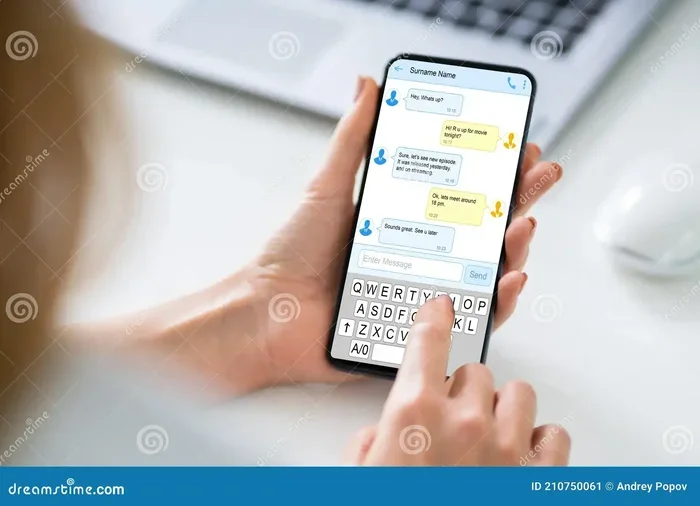
Did you know you can chat with an Optimum agent online? The live chat feature is available on the Optimum website and the My Optimum app. This is often faster than calling, especially for simple questions.
To access live chat, go to the Optimum website and look for the chat icon, usually in the bottom right corner. You will be connected to a virtual assistant first, but you can usually type “human” or “speak to a representative” to get escalated to a real person.
Live chat is great for:
- Quick billing questions
- Checking your service status
- Getting help with online account management
- Asking about new plans or promotions
One major advantage of live chat is that you do not have to wait on hold. You can type your message and keep browsing the web while you wait for a response. It is a much more relaxed way to handle customer service issues.
Reaching Optimum Through Social Media
This might surprise you, but social media is one of the fastest ways to reach a human at Optimum. Companies take public messages seriously because they do not want negative posts visible to everyone.
You can try messaging Optimum on X (formerly Twitter) or Facebook. Send a direct message explaining your issue. Most people report getting a response within a few hours, sometimes even minutes. Social media works especially well for urgent problems like service outages or billing errors.
Here is a quick example of what to write:
“Hi @Optimum, I am having trouble with my internet connection and cannot resolve it through the app. Can someone please help me? My account number is [your number]. Thank you!”
Keep your message polite and concise. Include your account number so the team can pull up your information quickly. This method is especially useful if you have been stuck in phone menus for too long.
Email And Contact Form Options
If your issue is not urgent, you can reach out to Optimum through email or their online contact form. This is the slowest option, but it does create a written record of your issue.
You can find the contact form on the Optimum website under the “Contact Us” section. Fill out the form with your details, select the topic that best matches your issue, and describe your problem clearly. You should expect a response within 24 to 48 hours.
Email works best for:
- Complaints that need documentation
- Questions about future service changes
- Feedback about your experience
- Non-urgent technical questions
How To Get Through To A Human At Optimum The Fastest Way
Now that you know the different contact methods, let us talk about the fastest path to a real person. Time is precious, and nobody wants to spend their afternoon stuck in a phone queue.
The “Say Agent” Trick
Many automated phone systems respond to voice commands. When you call Optimum and hear the menu options, try saying “agent” or “representative” out loud. Some systems are programmed to recognize these words and route you directly to a human.
This trick does not always work, but it is worth trying. It takes just a few seconds and could save you 20 minutes of pressing buttons. If it does not work the first time, try saying “human” or “speak to a person” instead.
Call During Off-Peak Hours
Timing is everything when calling customer service. The best times to reach a real Optimum representative are early mornings, typically between 7 and 9 AM, and late evenings after 8 PM. Weekdays tend to be busier than weekends.
Here is a quick breakdown of the best times to call:
- Best: Tuesday through Thursday, 7 to 9 AM
- Good: Saturday mornings, 9 to 11 AM
- Avoid: Monday mornings and Sunday evenings
During off-peak hours, the lines are shorter, and the agents you reach tend to have more time to help you with your issue. It is a simple change that can make a huge difference.
Have Your Account Ready
Nothing slows down a support call faster than searching for your account number while the agent waits. Before you dial, gather these pieces of information:
- Your Optimum account number
- The address associated with your account
- The name on the account
- Your billing ZIP code
- A description of the issue you are experiencing
Having all of this ready means the agent can pull up your account immediately and start working on your problem. It shows them you are organized, and they will appreciate it. Plus, it gets you through the verification process much faster.
Optimum Support Options Compared
Not all contact methods are created equal. Some are faster, some are better for certain types of issues, and some give you a written record. Here is a quick comparison to help you choose the right method.
| Method | Speed | Best For | Wait Time |
|---|---|---|---|
| Phone Call | Medium | Urgent issues, technical problems | 10-30 minutes |
| Live Chat | Fast | Quick questions, billing | 2-10 minutes |
| Social Media | Fast | Urgent issues, complaints | 1-4 hours |
| Slow | Non-urgent, documentation | 24-48 hours | |
| Contact Form | Slow | General inquiries, feedback | 24-72 hours |
As you can see, live chat and social media are the fastest options for most situations. Phone calls are still the best choice for complex technical issues that need real-time troubleshooting. Email and contact forms are fine for non-urgent matters where you want a paper trail.
For more tips on getting the most out of your Optimum services, you might also want to check out how to connect your Wi-Fi directly to your TV for seamless streaming without support calls.
What To Do If You Still Cannot Reach A Human
Sometimes, despite your best efforts, you still cannot get through to a real person at Optimum. This can be incredibly frustrating, but you have options. Here is what to do when the standard methods fail.
Try The Optimum Mobile App
The My Optimum app is more than just a way to check your bill. It has a built-in support feature that lets you chat with agents, report outages, and get help with technical issues. Many users find the app faster than calling because it uses a digital queue system.
Download the app from the App Store or Google Play, sign in with your Optimum account, and look for the “Help” or “Support” section. You can also use the app to report an outage, which often triggers a faster response from the support team.
File A Complaint With The FCC
If you have tried everything and Optimum is not helping, you can file a complaint with the Federal Communications Commission, or FCC. The FCC takes consumer complaints seriously and often intervenes when companies are not resolving issues.
You can file a complaint at consumercomplaints.fcc.gov. Be sure to include all the details of your experience, including dates, times, and the names of any agents you spoke with. This is a powerful tool for getting attention when nothing else works.
Visit A Local Optimum Store
If you live near an Optimum retail store, visiting in person can be incredibly effective. Store representatives can handle many of the same issues as phone agents, and you do not have to deal with hold music at all.
Use the Optimum store locator on their website to find the nearest location. Bring your account information and a clear description of your issue. In-person visits work best for new service sign-ups, equipment returns, and account changes.
Common Mistakes People Make When Trying To Reach Optimum Support
There are a few common mistakes that make it even harder to reach a human at Optimum. Avoiding these pitfalls can save you a lot of time and frustration.
Calling Without Preparation
One of the biggest mistakes is calling without having your account details ready. This leads to long verification processes and sometimes being disconnected and having to start over. Always have your account number and address handy before you dial.
Using The Wrong Department
Optimum has different departments for different types of issues. Calling the billing line for a technical problem, or vice versa, will only slow you down. Make sure you know which department handles your specific issue before you call.
Giving Up Too Soon
It is tempting to hang up after 10 minutes of hold music, but sometimes the next person in line gets through much faster. If the wait is long, stay on the line or try calling back during off-peak hours. Persistence pays off.
Ignoring Digital Channels
Many people default to calling without trying live chat or social media first. These digital channels are often faster and more convenient. Make it a habit to try the easiest option before resorting to a phone call.
Expert Tips For A Smooth Support Experience
Here are some insider tips from people who deal with customer service regularly. These small changes can make a big difference in how quickly and smoothly your support experience goes.
Be polite but firm. Agents are more willing to help people who are respectful. At the same time, do not let them brush you off. If you are not getting the help you need, politely ask to be escalated to a supervisor.
Take notes during the call. Write down the agent’s name, the time of the call, and any reference numbers they give you. This is incredibly helpful if you need to follow up or file a complaint later.
Use the opt-out phrase. When the automated system starts talking, many people have found success by saying “I want to speak to a human” right away. This sometimes triggers the system to skip the menu entirely.
Check for outages first. Before calling about a service issue, check if there is a known outage in your area. You can do this on the Optimum website or through the mobile app. If there is a widespread outage, your issue might already be on their radar.
For those who are also managing home internet setups, you might find our article on getting internet without a phone line helpful for understanding your connectivity options better.
Final Thoughts On Reaching Optimum Customer Service
Reaching a human at Optimum does not have to be a battle. With the right approach, you can skip the frustrating phone menus and get connected to a real person who can actually help. Whether you prefer calling, chatting, or messaging on social media, there is a method that works for you.
Remember to call during off-peak hours, have your account ready, and try digital channels first. If all else fails, social media and the FCC complaint process are powerful backup options. Speaking to a human at Optimum is absolutely achievable when you know the right steps to take.
The next time you need help with your Optimum service, you will be fully prepared. You will know exactly which number to call, which chat to open, or which tweet to send. No more wasted hours on hold. No more going in circles. Just fast, effective support that gets your problem solved.
Keep this guide bookmarked for the next time you need help. And share it with friends and family who are still stuck trying to navigate Optimum’s phone system. Everyone deserves easy access to customer service, and now you know exactly how to get it.
Frequently Asked Questions
What Is The Best Phone Number To Speak To A Human At Optimum?
The main Optimum customer service number is 1-888-742-5837. For technical support, try 1-866-501-7624. Calling during early morning hours, between 7 and 9 AM, gives you the best chance of reaching a real person quickly without long hold times.
Can I Use Live Chat To Talk To A Real Person At Optimum?
Yes, you can. Visit the Optimum website and click the chat icon in the bottom right corner. When the virtual assistant appears, type “human” or “speak to a representative” to get escalated to a live agent. Live chat is one of the fastest ways to get help with billing and general questions.
How Long Does It Usually Take To Reach Optimum Support?
Wait times vary depending on when you call and which method you use. Live chat and social media typically respond within minutes to a few hours. Phone calls during off-peak hours usually take 10 to 30 minutes, while peak hours can extend wait times significantly.
Does Optimum Have A Mobile App For Customer Support?
Yes, Optimum offers the My Optimum app for both iOS and Android. The app includes a built-in support feature that lets you chat with agents, report outages, manage your account, and get help with technical issues without ever making a phone call.
What Should I Do If Optimum Customer Service Cannot Solve My Problem?
If you are not getting the help you need, ask to be escalated to a supervisor. You can also file a complaint with the FCC at consumercomplaints.fcc.gov. Visiting a local Optimum store in person is another effective option for resolving unresolved issues.
Is It Faster To Contact Optimum Through Social Media?
For many people, yes. Messaging Optimum on X or Facebook often gets faster responses than calling, especially for urgent issues. Companies prioritize social media messages because they are public and visible to other customers. Keep your message short, polite, and include your account number for the best results.
=== CONCLUSION ===
How Can I Speak To A Human At Optimum Quickly And Easily is a question many customers ask, and now you have all the answers. You know the direct phone numbers, the live chat options, the social media tricks, and the insider tips that make all the difference. The next time you need help, you will not waste a single minute stuck in automated menus.
Remember to prepare before you call, choose the right channel for your issue, and stay persistent. Optimum customer service is there to help you, and with the right approach, you will get connected to a real person faster than you think. Keep these strategies in your back pocket and never struggle through another support call again.