How Can I Get Free Wifi At Home Without Internet Service
You can get free wifi at home without an internet service provider by using several practical methods. From leveraging open public networks and mobile tethering to repurposing old equipment, multiple paths exist to stay online at no cost. This guide walks you through each option step by step.
Need internet but don’t want to pay for a service plan? You are not alone. Many people search for ways to get free wifi at home without internet service every single day. The good news is that several real options work today. You just need to know where to look and what tools to use.
Staying connected should not cost you a fortune. Whether you are between plans, saving money, or just exploring options, this guide covers everything. We will walk through simple methods that anyone can try at home. No tech degree required. Just follow along and pick what works for you.
The idea of having free wifi at home without internet service might sound too good to be true. But it is not. People do this all the time. Some use their phones. Others pick up signals from nearby sources. A few even build their own low-cost setups. By the end of this article, you will have a clear plan to get online without paying a monthly bill.
Key Takeaways
- Free wifi options exist: You can access wireless internet at home without paying a monthly bill to an ISP.
- Mobile hotspot tethering works: Your smartphone can double as a wifi source for other devices.
- Public and community networks are nearby: Many neighborhoods offer free wireless signals you can tap into.
- Old routers and equipment help: You can reuse existing gear to capture free signals.
- Signal boosters improve range: Simple tools extend your free wifi coverage across your home.
- Avoid common pitfalls: Know the risks of unsecured networks and data limits.
📑 Table of Contents
- Why People Look For Free Wifi Without Internet Service
- Methods To Get Free Wifi At Home Without Internet Service
- How To Set Up A Free Wifi Connection At Home
- Tips To Improve Your Free Wifi Signal And Speed
- Common Mistakes People Make With Free Wifi
- Is Free Wifi Without Internet Service A Long Term Solution
- Final Thoughts On Getting Free Wifi At Home
Why People Look For Free Wifi Without Internet Service
There are many reasons someone wants free wifi at home without internet from a provider. Understanding your “why” helps you pick the right method. Let us look at the most common reasons people make this choice.
Saving Money On Monthly Bills
Internet bills add up fast. The average family pays over 60 dollars a month for a basic plan. That adds to more than 700 dollars a year. Cutting that cost frees up money for other needs. Many households look for alternatives to keep their budgets in check.
Temporary Or Short Term Needs
Maybe you just need internet for a few weeks. Perhaps you are between moves or waiting for a new plan to start. In these cases, paying for a full service makes little sense. Free wifi options fill the gap perfectly.
Living In Areas With Limited Provider Options
Some neighborhoods have only one or two ISPs. The plans they offer may be too expensive or too slow. In rural areas, this problem is even worse. People in these spots often turn to free alternatives out of necessity.
Methods To Get Free Wifi At Home Without Internet Service
Now let us get into the meat of the topic. Here are the most effective ways to get free wifi at home without internet from a paid provider. Each method has pros and cons. We will break them all down.
Method 1: Use Your Smartphone As A Mobile Hotspot
Your phone is one of the easiest tools for free wifi at home without internet service. Most modern smartphones can share their data connection with other devices. This process is called tethering. You turn on a hotspot setting, and other devices connect just like they would to a router.
To do this, go to your phone settings. Look for “Hotspot” or “Mobile Hotspot.” Turn it on and set a password. Then on your laptop or tablet, scan for wifi networks. Your phone should show up. Connect using the password you set.
Quick Tips:
- Check your phone data plan first. Some plans limit hotspot data.
- Keep your phone plugged in while using it as a hotspot. It drains battery fast.
- Place your phone near the center of your home for better coverage.
This method works well for light browsing and emails. Streaming video may eat through your data quickly. So use it wisely.
Method 2: Connect To Open Public Networks
Many communities offer free wifi zones that reach into nearby homes. Public libraries, community centers, and even some parks broadcast free signals. If you live close enough, your device may pick up these networks.
To find open networks, go to your wifi settings on any device. Look for networks that do not require a password. These are open networks. You can connect to them just like any other wifi signal.
Quick Tips:
- Always use a VPN when connecting to open networks. This keeps your data safe.
- Avoid entering passwords or banking info on public connections.
- Check if your local library offers free wifi access to residents.
Some cities have built entire municipal wifi networks. These cover whole neighborhoods for free. Check with your local government to see if your area has one.
Method 3: Capture Nearby Neighbor Signals
Some people live close enough to pick up a neighbor’s wifi signal. Connecting to a neighbor’s network is possible if the signal reaches your home. This is not the most reliable option, but it works in a pinch.
You will need a wifi adapter with a strong antenna. These adapters can pick up weak signals from far away. Place the adapter near a window facing your neighbor’s home. Scan for available networks and try to connect.
Quick Tips:
- Only use this method if the network is open or you have permission.
- Signal boosters can help strengthen weak connections.
- This works best in dense neighborhoods with close-proximity homes.
Keep in mind that this approach has ethical and legal gray areas. Always respect others’ property and network settings.
Method 4: Repurpose Old Routers And Equipment
Old routers lying around your house can still be useful. You can set up a free wifi receiver using some basic steps. Even without an active internet plan, a router can help you capture and share signals.
To repurpose an old router, connect it to a device that has internet. This could be your phone via USB tethering. The router then broadcasts that connection as a wifi network. Other devices in your home can connect to it.
Quick Tips:
- Reset old routers to factory settings before reusing them.
- Update the firmware if possible for better performance.
- Place the router in a central location for the best signal spread.
If you do not have an old router, check thrift stores or online marketplaces. People give away working routers all the time. You might find one for free or very cheap.
Method 5: Use Community And Library Networks
Public libraries are treasure troves for free wifi at home without internet access. Many libraries offer free wifi that extends beyond their walls. Some even loan out mobile hotspots to patrons.
Contact your local library and ask about their wifi services. Many libraries also offer free computer access. You can use their internet on-site and even borrow equipment to take home.
Quick Tips:
- Ask if your library offers hotspot lending programs.
- Some libraries extend their signal to nearby parking areas.
- Community centers and schools sometimes offer similar services.
This method works great for people who need internet only for basic tasks. Checking email, doing homework, or browsing the web all work well on library networks.
How To Set Up A Free Wifi Connection At Home
Once you have chosen a method, you need to set it up properly. A good setup makes your free connection more reliable and faster. Here is how to do it step by step.
Step 1: Gather Your Equipment
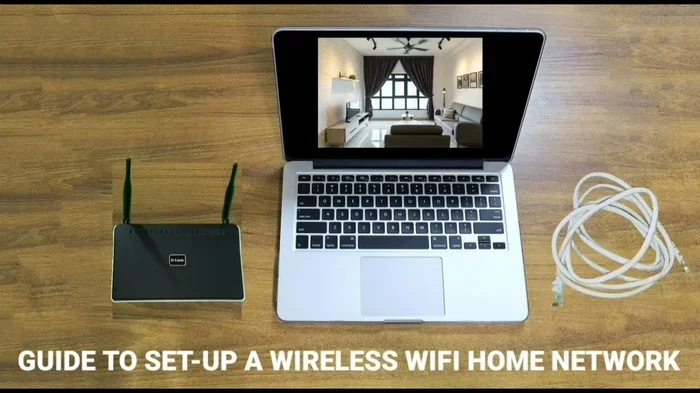
You will need a few basic items. A smartphone with data is the most important. An old router helps too. A wifi adapter can boost your range. You might also need an ethernet cable to connect devices directly.
Quick Tips:
- Use a smartphone with at least 5GB of data per month for hotspot use.
- An old router from 2015 or newer works well for this purpose.
- A USB wifi adapter costs under 20 dollars and works wonders.
Step 2: Position Your Devices Correctly
Placement matters a lot for free wifi at home setups. Put your phone or hotspot device in a central spot. Keep it elevated and away from walls. This helps the signal reach all corners of your home.
For external signals, place your receiver near a window. Face it toward the source of the free network. Walls and furniture block wifi signals. So the fewer obstacles between your device and the source, the better.
Step 3: Secure Your Connection
Even free connections should be secure. Set a strong password on any network you create. Use WPA2 or WPA3 encryption if your router supports it. This keeps strangers from using your connection and protects your data.
When using public or open networks, avoid typing in sensitive information. Use HTTPS websites whenever possible. A VPN adds an extra layer of protection on any connection.
Tips To Improve Your Free Wifi Signal And Speed
Free wifi connections can sometimes be slow or weak. A few simple tweaks can make a big difference. Here are proven ways to boost your signal and get better speeds.
Use A Signal Booster Or Extender
A wifi extender picks up a weak signal and sends it further. These devices cost between 15 and 50 dollars. They plug into any wall outlet and instantly extend your range. This is one of the cheapest ways to improve free wifi at home without internet service.
If you want a more advanced setup, consider a mesh system. These use multiple nodes to blanket your home with signal. However, mesh systems usually require a paid plan. So stick with a simple extender for free setups.
Change Your Wifi Channel
Wifi signals travel on different channels. If your channel is crowded, your speed drops. You can change your channel in your router settings. Look for a less crowded channel and switch to it.
Quick Tips:
- Use a free wifi analyzer app to find the best channel.
- Channels 1, 6, and 11 are usually the least crowded on 2.4GHz networks.
- Restart your router after changing channels for the best results.
Keep Your Devices Updated
Old software can slow down your connection. Keep your phone, router, and computer updated. Updates often include performance improvements and bug fixes. A simple update can sometimes double your wifi speed.
Common Mistakes People Make With Free Wifi
Many people run into problems when trying to get free wifi at home without internet service. Avoiding these common mistakes saves you time and frustration.
Ignoring Data Limits
Mobile hotspot data is not unlimited. Most plans cap hotspot data at 5 to 15GB per month. If you go over, your speeds drop or you get charged extra. Keep track of your usage carefully.
Quick Tips:
- Monitor your data usage in your phone settings.
- Set a data warning alert so you know when you are close to your limit.
- Use free wifi for heavy tasks like streaming when possible.
Using Unsecured Networks Without Protection
Open networks are convenient but risky. Hackers can intercept data on unsecured connections. Always use a VPN when connecting to networks you do not trust. This encrypts your data and keeps you safe.
Placing Equipment In Poor Locations
Putting your router or phone in a closet kills your signal. Walls, metal objects, and appliances all block wifi. Keep your equipment in open, central locations for the best results.
Is Free Wifi Without Internet Service A Long Term Solution
The honest answer is: it depends. Free wifi methods work great for temporary needs. They also work well for light internet users. But if you need fast, reliable internet every day, a paid plan might still be the best choice.
Some people combine free methods to create a workable long term setup. They use a mobile hotspot for backup and public networks for heavy downloads. This hybrid approach keeps costs low while staying connected.
If you want more permanent solutions, look into buying your own router and pairing it with free or low-cost internet options. Some ISPs offer cheap basic plans that cost under 30 dollars a month. These can pair well with free methods to give you solid coverage.
Also check if getting wifi without an internet provider is possible in your area. Some regions have community networks or government programs that provide free or subsidized internet access.
Final Thoughts On Getting Free Wifi At Home
Getting free wifi at home without internet service is absolutely doable. You have many options at your fingertips. From mobile hotspots to public networks, each method offers a real path to staying connected. The key is finding the method that fits your needs and your situation.
Start with the simplest option. Try your phone as a hotspot. See how it works for your daily needs. Then explore other methods if you need more coverage or speed. Mix and match approaches until you find your perfect setup.
Remember to stay safe online. Use strong passwords. Use a VPN on public networks. And always respect the networks and property of others. With the right approach, you can enjoy free wifi at home without internet service and keep your costs at zero.
Technology gives us many tools to stay connected without breaking the bank. Use them wisely and you will never need to pay for expensive internet again. The power is in your hands. Start today and explore the options that work best for you.
Frequently Asked Questions
Can I really get free wifi at home without any internet service?
Yes, you can. Methods like mobile hotspot tethering, public network connections, and repurposing old equipment all let you access wifi without paying for an internet service plan. Each method has its own limitations, but they all work.
Is using a phone hotspot the best free wifi option?
For most people, a phone hotspot is the easiest and most reliable free option. It gives you personal wifi coverage anywhere in your home. The main limitation is data usage, so keep an eye on your plan limits.
Can I use free wifi for streaming and video calls?
It depends on the method and your data plan. Mobile hotspots work for light streaming if you have enough data. Public networks can handle video calls but may be slower. Free connections are best for browsing, emails, and light tasks.
Are there any risks to using free wifi at home?
Yes, security is the main concern. Open networks can expose your data to hackers. Always use a VPN and avoid entering sensitive information on free connections. Securing your own created networks with strong passwords is also important.
How can I improve the speed of my free wifi connection?
Use a wifi extender to boost signal strength. Change your wifi channel to avoid congestion. Keep your devices updated and place your equipment in a central, open location. These steps can significantly improve free wifi performance.
Do I need any special equipment to get free wifi at home?
Not really. A smartphone with data is all you need for a hotspot setup. An old router and a USB wifi adapter can help with other methods. Most of these items cost little to nothing if you already have them at home.
=== CONCLUSION ===
Getting free wifi at home without internet service is easier than most people think. You have multiple paths to choose from. Mobile hotspots, public networks, and community resources all offer real solutions. The key is to start simple and build from there.
Pick the method that fits your lifestyle. Try it out. Adjust as needed. With the tips and tricks in this guide, you can stay connected without spending a dime on internet service. Take action today and enjoy your free wifi at home without internet setup.