Does Mcdonalds Wi Fi Have A Password In 2024
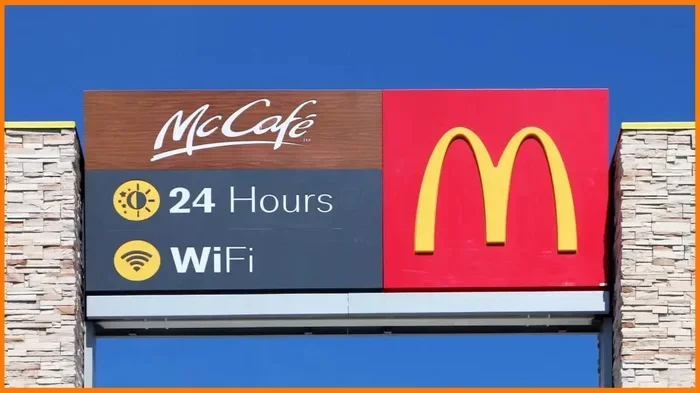
Yes, McDonald’s Wi-Fi typically has a password, but it is free and easy to get. You can connect to the McDonald’s wifi network without making a purchase in most locations. This guide covers everything you need to know about McDonald’s wifi password and free wifi at McDonald’s in 2024.
McDonald’s is one of the most popular places to sit down and get work done. People go there to study, work remotely, and even attend online meetings. But one question keeps coming up again and again: does McDonald’s Wi-Fi have a password?
The short answer is yes. McDonald’s Wi-Fi does have a password in most locations. But here is the good news. You can get that password for free, and the process is super simple. Whether you are a regular customer or just stopping by for a drink, you can hop online without spending a dime.
In this guide, we will walk you through everything you need to know about McDonald’s wifi password in 2024. We will cover how to connect, what you need, and a few tips to make your experience better. Let us dive right in.
Key Takeaways
- McDonald’s Wi-Fi is free: You do not need to pay for internet access at McDonald’s.
- Passwords vary by location: Each McDonald’s restaurant may have a different McDonald’s wifi password.
- No purchase required: You can connect to McDonald’s free wifi without buying anything.
- The McDonald’s app helps: Using the app is one of the easiest ways to find and connect to the network.
- Speed is decent: McDonald’s wifi speed is good enough for browsing, streaming, and video calls.
- Security matters: Always use a VPN when connecting to any public McDonald’s wifi hotspot.
- Troubleshooting is simple: Most connection issues have easy fixes you can do yourself.
📑 Table of Contents
- What Is McDonald’s Wi-Fi Like in 2024?
- How to Connect to McDonald’s Wi-Fi
- Do You Need to Buy Something to Use McDonald’s Wi-Fi?
- McDonald’s Wi-Fi Password: What You Need to Know
- Is McDonald’s Wi-Fi Safe to Use?
- Troubleshooting McDonald’s Wi-Fi Connection Issues
- McDonald’s Wi-Fi vs Other Free Wi-Fi Options
- Tips for Getting the Best Experience at McDonald’s Wi-Fi
- Can You Use McDonald’s Wi-Fi From Outside the Restaurant?
- Frequently Asked Questions
- Final Thoughts
What Is McDonald’s Wi-Fi Like in 2024?
McDonald’s has been offering free Wi-Fi for many years now. The company partnered with a company called Yotta to bring free internet at McDonald’s to customers across the United States. This partnership changed how people think about McDonald’s wireless internet.
In 2024, the McDonald’s wifi network is more reliable than ever before. The connection is faster, and the setup process is much simpler. You no longer need to deal with confusing login pages or complicated steps.
How Fast Is McDonald’s Wi-Fi?
The McDonald’s wifi speed is decent for most tasks. You can browse the web, check your email, and scroll through social media without any problems. Streaming videos works well too, though you might notice some buffering during peak hours.
Here is a quick look at what you can expect:
- Browsing and email: Fast and smooth
- Social media: No lag or delays
- Video streaming: Works well at lower quality
- Video calls: Good enough for casual meetings
- Downloading large files: Slower but doable
Keep in mind that speeds vary from one location to another. A busy McDonald’s in a city center might have slower speeds than a quiet location in the suburbs. The number of people connected at the same time also plays a big role.
How to Connect to McDonald’s Wi-Fi
Connecting to McDonald’s free wifi is straightforward. You do not need to be a tech expert. Follow these simple steps, and you will be online in no time.
Step-by-Step Connection Guide
- Turn on your device’s Wi-Fi. Go to your settings and make sure Wi-Fi is enabled.
- Look for the McDonald’s network. The network name is usually “McDonald’s Wi-Fi” or something similar.
- Tap or click on the network. Your device will try to connect automatically.
- Open your web browser. A login page should appear. This is called a captive portal.
- Accept the terms. Read through the terms of service and click accept or connect.
- Start browsing. You are now connected to McDonald’s internet!
That is really all there is to it. The entire process takes less than a minute. No need to ask the staff for a password in most cases.
Using the McDonald’s App for Wi-Fi Access
The McDonald’s app makes things even easier. When you open the app and connect to the Wi-Fi, it often handles the login for you automatically. The app also lets you order food, collect rewards, and find the nearest McDonald’s location.
Some people wonder if you need to download the app to get online. The answer is no. The app is optional. You can connect to the Wi-Fi without it. But having the app does make the process smoother.
If you want to learn more about finding and connecting to Wi-Fi networks, check out our guide on Can I Find My Wi Fi Password In Settings. It has helpful tips that work for any Wi-Fi network, not just McDonald’s.
Do You Need to Buy Something to Use McDonald’s Wi-Fi?
This is one of the most common questions people ask. The answer is no. You do not need to make a purchase to use McDonald’s free wifi. The Wi-Fi is available to everyone who walks in.
However, there are a few things to keep in mind:
- Some locations may ask you to make a purchase: This is rare, but it can happen at certain restaurants.
- You may need to visit the counter: In some cases, staff may ask you to buy something before giving you the password.
- Time limits may apply: A few locations limit how long you can stay connected.
Overall, these situations are the exception, not the rule. Most McDonald’s restaurants welcome people who just want to use the Wi-Fi. The company wants you to feel comfortable staying and using their McDonald’s wifi hotspot.
McDonald’s Wi-Fi Password: What You Need to Know
So what is the McDonald’s wifi password in 2024? The truth is, there is no single universal password. Each restaurant may use a different password, or they may not require one at all.
Why Is There No Universal Password?
McDonald’s uses a system called a captive portal for most of its locations. This means you connect to the network, and then a web page pops up asking you to agree to terms or enter a code. The password changes based on the location and even the time of day.
This setup helps McDonald’s manage the number of people using the network. It also keeps things secure without making it hard for customers to get online.
Common Passwords You Might Encounter
While passwords vary, some common ones you might see include:
- mcdonalds (all lowercase)
- mcdonalds wifi
- mcd
- A code printed on your receipt
- A code given by staff at the counter
If none of these work, do not worry. Just open your browser after connecting to the network. The login page will guide you through the process. You do not always need a traditional password to get online.
For more information about managing Wi-Fi networks and passwords, you might want to read our article on Can I Delete Unwanted Wi Fi Networks. It covers useful tips for keeping your Wi-Fi connections organized.
Is McDonald’s Wi-Fi Safe to Use?
Security is a big concern when using any public Wi-Fi network. The truth is that McDonald’s wifi security is not as strong as your home network. Anyone else in the restaurant is on the same network.
Risks of Using Public Wi-Fi
When you connect to a public network, your data is more exposed. Other people on the same network could potentially see what you are doing online. This is especially risky when you are logging into bank accounts or entering personal information.
Here are some risks to be aware of:
- Data interception: Others on the network could intercept your data.
- Man-in-the-middle attacks: Hackers could position themselves between you and the websites you visit.
- Malware exposure: Public networks can sometimes expose your device to malware.
How to Stay Safe on McDonald’s Wi-Fi
You can take simple steps to protect yourself. Here are some quick tips:
- Use a VPN: A virtual private network encrypts your data and keeps you safe.
- Avoid banking: Do not log into your bank account on public Wi-Fi.
- Use HTTPS websites: Look for the padlock icon in your browser’s address bar.
- Turn off file sharing: Make sure your device is not sharing files with others on the network.
- Forget the network after: Once you leave, go to your Wi-Fi settings and forget the network.
Following these tips will keep you much safer while enjoying McDonald’s wireless internet. A little caution goes a long way.
Troubleshooting McDonald’s Wi-Fi Connection Issues
Sometimes things do not work as smoothly as they should. If you are having trouble connecting to McDonald’s wifi, do not panic. Most issues have simple solutions.
Common Problems and Fixes
Problem 1: The network does not show up. Make sure Wi-Fi is turned on. Try restarting your device. You can also try moving closer to the front of the restaurant where the router is likely located.
Problem 2: The login page will not load. This is a common issue. Try typing “mcdonalds.com” or “captive.apple.com” into your browser. This forces the login page to appear.
Problem 3: Connected but no internet. Try forgetting the network and reconnecting. You can also restart your Wi-Fi and try again.
Problem 4: Slow speeds. Move to a different spot in the restaurant. Avoid using the Wi-Fi during busy hours when everyone is connected at once.
If you are dealing with Wi-Fi signal issues in general, our article on Can I Boost My Wi Fi Signal Outside has great tips that can help improve your connection in any public space.
When to Ask for Help
If you have tried everything and still cannot connect, ask the staff. They deal with Wi-Fi questions all the time. They can give you the current password or help troubleshoot the issue. Most McDonald’s employees are happy to help.
McDonald’s Wi-Fi vs Other Free Wi-Fi Options
McDonald’s is not the only place offering free Wi-Fi. Many restaurants, coffee shops, and stores do the same. But how does McDonald’s wifi compare?
| Feature | McDonald’s Wi-Fi | Coffee Shop Wi-Fi | Library Wi-Fi |
|---|---|---|---|
| Password Required | Usually no | Sometimes | Often yes |
| Speed | Moderate | Moderate | Good |
| Time Limit | Rare | Sometimes | Sometimes |
| Purchase Required | No | Sometimes | No |
| Availability | Widespread | Varies | Limited hours |
McDonald’s Wi-Fi stands out for its convenience and wide availability. You can find a McDonald’s in almost every neighborhood. The fact that you do not need to buy anything to connect is a huge advantage.
If you are interested in portable internet options for when you are on the go, check out our article on Can I Get Portable Wi Fi. It covers alternatives to public Wi-Fi that might work even better for your needs.
Tips for Getting the Best Experience at McDonald’s Wi-Fi
A few simple tips can make a big difference when using McDonald’s internet. Here is what works best:
- Go during off-peak hours: Early mornings and late afternoons are usually less crowded.
- Bring your own charger: You might be there for a while, and outlets can be limited.
- Use headphones: Be respectful of other customers who are also trying to work or relax.
- Keep your device updated: Updates help keep your device secure on public networks.
- Have a backup plan: Consider using your phone’s hotspot if the Wi-Fi is not working well.
These small steps can turn a quick McDonald’s visit into a productive workspace. Many people swear by McDonald’s wifi as their go-to option for working outside the home.
Can You Use McDonald’s Wi-Fi From Outside the Restaurant?
This is an interesting question. Some people wonder if they can connect to McDonald’s wifi from the parking lot or sidewalk. The answer depends on the location and the strength of the router.
In most cases, the Wi-Fi signal does not reach far outside the building. The signal is designed for people inside the restaurant. However, if you are sitting in the outdoor seating area, you should be fine.
Some people have had success connecting from nearby cars or sidewalks, but this is not guaranteed. If you need strong internet from outside, you might want to look into a mobile hotspot or a signal booster.
Frequently Asked Questions
Can I Use McDonald’s Wi-Fi Without Making a Purchase?
Yes, you can use McDonald’s free wifi without buying anything. The Wi-Fi is available to everyone who walks into the restaurant. However, some locations may ask you to buy something, but this is rare.
What Is the McDonald’s Wi-Fi Password in 2024?
There is no single universal McDonald’s wifi password. Most locations use a captive portal system where you connect and then accept terms through a web page. If a password is needed, it varies by restaurant.
Is McDonald’s Wi-Fi Safe for Online Banking?
It is not recommended to do online banking on any public Wi-Fi, including McDonald’s wifi. Use a VPN if you need to access sensitive accounts, or wait until you are on a secure home network.
How Fast Is McDonald’s Wi-Fi?
The McDonald’s wifi speed is moderate and works well for browsing, email, and social media. Streaming and video calls work too, though speeds may slow down during busy hours when many people are connected.
Do I Need the McDonald’s App to Connect to Wi-Fi?
No, the app is optional. You can connect to McDonald’s wireless internet without downloading the app. The app does make the process smoother, but it is not required.
Can I Stay at McDonald’s All Day Using Their Wi-Fi?
Most McDonald’s locations do not enforce strict time limits for Wi-Fi use. However, it is polite to be mindful of other customers. If you plan to stay for several hours, consider making a purchase or two to be a good guest.
Final Thoughts
So, does McDonald’s Wi-Fi have a password? Yes, but getting online is easier than you might think. The McDonald’s wifi network is free, widely available, and simple to use. Whether you are working, studying, or just browsing, you can count on McDonald’s internet to keep you connected.
Remember to stay safe by using a VPN and avoiding sensitive transactions on public networks. Follow the tips in this guide, and you will have a smooth and enjoyable experience every time you connect to McDonald’s free wifi.
Next time you are near a McDonald’s, do not hesitate to hop on the Wi-Fi. It is one of the best free internet options available, and it is always ready when you need it. Stay connected, stay productive, and enjoy your time at McDonald’s!