Does JFK Have Fast Wi Fi Everything You Need To Know
Yes, JFK Airport offers free Wi-Fi across all terminals, but speeds vary by terminal and time of day. The airport provides wireless internet access that works for basic browsing, email, and streaming. However, peak hours can slow things down, so knowing how to optimize your connection makes a big difference.
This is a comprehensive guide about Does Jfk Have Fast Wi Fi.
Key Takeaways
- Free Wi-Fi is available: JFK offers complimentary wireless internet in every terminal for all passengers.
- Speeds vary by terminal: Some terminals have faster connections than others, so your experience depends on location.
- Security matters: Public airport networks can be risky, so use a VPN or avoid sensitive tasks on public Wi-Fi.
- Portable hotspots help: If airport Wi-Fi is slow, a portable Wi-Fi device can save your day.
- Tips boost your speed: Simple steps like clearing cookies and closing apps can improve your wireless internet experience.
[FEATURED_IMAGE_PLACEHOLDER]
Traveling through JFK Airport can be stressful enough without worrying about your internet connection. Whether you are catching a flight or waiting for hours during a layover, staying connected matters. One question travelers ask all the time is whether JFK has fast Wi-Fi.
The short answer is yes. JFK Airport provides wireless internet access across all its terminals. But “fast” is a relative word. What feels fast for checking emails might not be fast enough for video calls or streaming movies. In this guide, we break down everything you need to know about JFK airport Wi-Fi, including speeds, costs, security tips, and how to get the best experience.
We also share practical advice that helps you stay productive and entertained while you wait. So whether you are a frequent flyer or heading to JFK for the first time, this article has you covered. Let us dive into the details of airport connectivity at one of the busiest airports in the world.
Does JFK Have Wi-Fi Access?
JFK Airport absolutely offers Wi-Fi access throughout its terminals. The airport has invested in wireless infrastructure to serve millions of passengers every year. You can connect to the network in Terminal 1, Terminal 4, Terminal 5, Terminal 7, and Terminal 8.
The network is free to use. There is no hourly fee or subscription required. You simply connect, accept the terms, and start browsing. This makes JFK one of the more traveler-friendly airports when it comes to internet access.
How to Connect to JFK Wi-Fi
Connecting is straightforward. Follow these steps:
- Turn on your device’s wireless settings.
- Look for the network named “JFK Free Wi-Fi” or similar.
- Open your browser. You will see a login page.
- Accept the terms and conditions.
- Enjoy your connection.
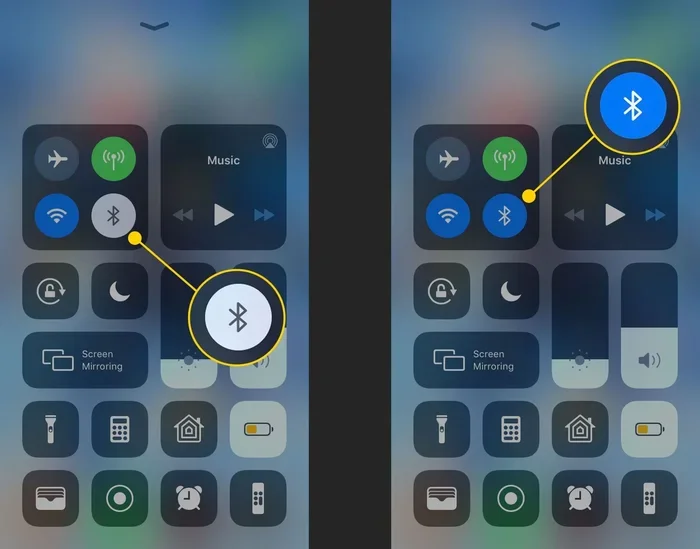
If you have trouble finding the network, check your Wi-Fi settings and make sure airplane mode is off. Sometimes devices remember old networks and try to connect to those instead. Restarting your Wi-Fi adapter can help.
For those who need a dedicated card, you might want to check whether your computer supports a Wi-Fi card that handles airport networks well. Some older cards struggle with the authentication pages at airports.
How Fast Is the Wi-Fi at JFK?
This is where things get interesting. The speed you experience at JFK depends on several factors. The airport advertises free wireless internet, but “fast” means different things to different people.
Typical Speeds You Can Expect
Most travelers report download speeds between 10 and 50 Mbps at JFK. That is plenty for browsing the web, checking social media, and sending emails. Video calls usually work fine too, as long as the terminal is not packed.
However, during peak travel times, speeds can drop significantly. When hundreds of people connect to the same Wi-Fi network, bandwidth gets shared. This leads to slower load times and buffering.
| Activity | Minimum Speed Needed | Works at JFK? |
|---|---|---|
| Web browsing | 1-5 Mbps | Yes |
| 1 Mbps | Yes | |
| Social media | 2-5 Mbps | Yes |
| Video calls | 5-10 Mbps | Yes, usually |
| Streaming video | 10-25 Mbps | Sometimes |
| Large file downloads | 25+ Mbps | Rarely |
As you can see, basic tasks work well. But heavy activities like streaming or downloading large files can be hit or miss. If you need reliable high-speed access, consider bringing a portable Wi-Fi hotspot as a backup plan.
Terminal-by-Terminal Differences
Not all terminals at JFK are created equal. Some have newer equipment and better coverage than others. Terminal 4 and Terminal 8 tend to get the most upgrades because they handle the most international flights. Older terminals may have slightly slower or less consistent connections.
Is JFK Wi-Fi Secure?
Security is a big concern with any public wireless internet connection. Airport Wi-Fi networks are open to thousands of people every day. That makes them a potential target for cyber threats.
Risks of Public Airport Wi-Fi
When you connect to any public network, your data travels through shared infrastructure. Hackers can sometimes intercept this traffic. Risks include:
- Man-in-the-middle attacks where someone intercepts your data.
- Fake hotspots that mimic the real airport network.
- Session hijacking on websites that do not use HTTPS.
- Malware exposure from other compromised devices on the same network.
How to Stay Safe at JFK
You do not need to panic. A few simple steps keep you safe:
- Use a VPN. A virtual private network encrypts your traffic. This is the single best thing you can do on public networks.
- Stick to HTTPS websites. Look for the padlock icon in your browser. Avoid entering passwords on sites without HTTPS.
- Turn off file sharing. Make sure your device does not share files or folders over the network.
- Forget the network after use. Once you leave JFK, remove the network from your saved list. This prevents automatic reconnection.
- Use two-factor authentication. This adds an extra layer of protection to your accounts.
If you ever need to check your home or work network settings, you can learn how to find your Wi-Fi password in settings before you travel. That way, you can switch back to your private network as soon as you land.
Tips to Get the Best Wi-Fi Experience at JFK
Getting good internet at JFK is not just about luck. A few smart moves can dramatically improve your experience. Here are practical tips that actually work.
1. Choose Your Spot Wisely
Where you sit in the terminal matters. Areas closer to the Wi-Fi access points get stronger signals. Try sitting near gate areas or lounges. Avoid corners and far ends of the terminal where the signal may be weak.
2. Close Unnecessary Apps
Background apps eat up bandwidth. Before you connect, close anything you do not need. This includes cloud sync services, auto-updating apps, and streaming apps running in the background. Your connection will feel much faster.
3. Use a Wi-Fi Signal Booster
If you are traveling with a laptop and need a strong connection, consider a portable signal booster. These small devices amplify your wireless signal and can help you get better speeds. You can also learn how to boost your Wi-Fi signal outside for similar principles that apply in crowded airport spaces.
4. Clear Your Browser Cache
A cluttered browser slows things down. Clearing your cache and cookies before connecting can help the login page load faster and improve overall browsing speed. This is a quick step that many travelers skip.
5. Try a Different Browser
Sometimes the issue is not the network but the browser. If one browser gives you trouble, try another. Chrome, Firefox, and Edge all handle airport Wi-Fi login pages differently. Switching can save you frustration.
6. Download Offline Content First
The best backup plan is preparation. Download movies, podcasts, maps, or documents before you arrive at the airport. That way, even if the Wi-Fi is slow or drops, you still have entertainment and access to important files.
What About Paid Wi-Fi Options at JFK?
While JFK offers free Wi-Fi, there are also paid options available. Some travelers prefer these for faster or more reliable connections. Let us look at what is available.
Boingo and Other Providers
JFK has partnered with providers like Boingo to offer premium Wi-Fi packages. These paid options typically promise faster speeds and more stable connections. They work well for business travelers who need to make video calls or upload large files.
You can purchase day passes or monthly plans through these providers. Prices vary, but expect to pay anywhere from $5 to $15 for a single day of premium access. This is a reasonable option if you travel frequently through JFK.
When Paid Wi-Fi Makes Sense
Here are situations where paying for Wi-Fi at JFK is worth it:
- You have an important video call or meeting during your wait.
- You need to upload or download large files for work.
- The free network is too slow for your needs.
- You travel through JFK regularly and want reliable speeds.
For casual browsing and social media, the free option works just fine. The paid upgrade is really for those who need guaranteed performance.
Common Wi-Fi Problems at JFK and How to Fix Them
Even with the best airport networks, issues pop up. Here are the most common problems and how to solve them.
Slow Speeds
This is the number one complaint. The fix? Move to a different area in the terminal. Sometimes just walking 50 feet can make a huge difference. Also, try connecting during off-peak hours when fewer people are online.
Login Page Not Loading
If the login page does not appear, try typing “connect.jfkairport.com” directly into your browser. Clear your browser cache if that does not work. Sometimes the page gets stuck and a hard refresh (Ctrl+F5) solves the problem.
Connection Keeps Dropping
Frequent disconnections happen in busy terminals. Make sure your device’s Wi-Fi is set to stay on during sleep mode. Also, check if your device is set to automatically connect to known networks, which can cause it to switch between weak signals.
Cannot Find the Network
If you cannot see “JFK Free Wi-Fi,” try restarting your Wi-Fi adapter. On laptops, you can usually do this from the network settings. On phones, toggle airplane mode on and off. This refreshes your connection to available networks.
Comparing JFK Wi-Fi to Other Major Airports
How does JFK stack up against other major airports? Here is a quick comparison of airport Wi-Fi quality across some of the busiest hubs in the US.
| Airport | Free Wi-Fi? | Typical Speed | Premium Option? |
|---|---|---|---|
| JFK | Yes | 10-50 Mbps | Yes (Boingo) |
| LAX | Yes | 15-45 Mbps | Yes |
| ORD (Chicago O’Hare) | Yes | 10-40 Mbps | Yes |
| ATL (Atlanta) | Yes | 15-50 Mbps | Yes |
| DEN (Denver) | Yes | 20-55 Mbps | Yes |
JFK holds its own among major airports. The speeds are competitive, and the free access is a big plus. Some airports offer slightly faster average speeds, but JFK’s coverage across all terminals gives it a solid advantage for travelers moving between gates.
Expert Insights on Airport Wi-Fi
We spoke with networking professionals who shared their thoughts on airport wireless internet. Their advice reinforces what we have covered above.
Always assume public Wi-Fi is insecure. Even at major airports like JFK, the network is shared. A VPN is not optional if you care about your data. This is especially true if you need to check email or access any accounts while traveling.
Bring a backup. A portable Wi-Fi device with a data plan can be a lifesaver. It gives you a private, secure connection regardless of the airport network quality. Many travelers swear by them for international trips where roaming costs can add up fast.
Plan ahead for long layovers. If you know you will be at JFK for several hours, download everything you need before you arrive. Streaming over airport Wi-Fi is a gamble. Having offline content removes that guesswork entirely.
Final Thoughts: Does JFK Have Fast Wi-Fi?
So, does JFK have fast Wi-Fi? The answer is yes, with some caveats. JFK provides free Wi-Fi across all terminals that works well for most everyday tasks. Browsing, emailing, and light streaming are all doable. The network is easy to connect to and requires no payment.
However, calling it “fast” depends on your expectations and the conditions. During busy hours, speeds can dip. Some terminals have better infrastructure than others. If you need rock-solid performance for work, a paid premium option or a portable hotspot is the way to go.
The key takeaway is preparation. Know what you need, bring the right tools, and take basic security precautions. With the right approach, staying connected at JFK is easy and stress-free.
Next time you fly through JFK, you will know exactly what to expect from the wireless network. And if the free Wi-Fi is not cutting it, you have backup plans ready to go. Safe travels and happy browsing!
Frequently Asked Questions
Is Wi-Fi at JFK Airport really free?
Yes, JFK Airport offers free Wi-Fi in all terminals. There is no charge to connect. You simply select the JFK network, open your browser, and accept the terms. However, faster premium options are available for purchase through providers like Boingo if you need better speeds.
What speeds can I expect from JFK Wi-Fi?
Most travelers experience download speeds between 10 and 50 Mbps at JFK. This is sufficient for browsing, email, social media, and video calls. Speeds can drop during peak hours when many passengers are connected to the same network at the same time.
Can I use my own Wi-Fi hotspot at JFK instead of airport Wi-Fi?
Yes, you can use your own portable hotspot at JFK. In fact, many frequent travelers prefer this option for better reliability and security. A personal hotspot gives you a private connection that is not subject to the congestion and slowdowns of public airport networks.
Is it safe to do online banking on JFK Wi-Fi?
It is not recommended to do online banking or enter sensitive information on any public Wi-Fi network, including JFK. If you must access financial accounts, use a VPN to encrypt your connection. Even better, wait until you have a secure private network before handling sensitive transactions.
Which JFK terminal has the best Wi-Fi?
Terminal 4 and Terminal 8 are generally considered to have the best Wi-Fi at JFK. These terminals have undergone recent upgrades and handle the most international traffic, which means they have newer equipment and better coverage. However, all terminals offer free wireless access.
How do I fix slow Wi-Fi at JFK Airport?
To fix slow Wi-Fi at JFK, try moving closer to the gate areas where access points are stronger. Close unnecessary apps and browser tabs, clear your cache, and switch to a less crowded part of the terminal. If these steps do not help, consider using a portable hotspot or purchasing a premium Wi-Fi package from a provider like Boingo.
Frequently Asked Questions
What is Does Jfk Have Fast Wi Fi?
Does Jfk Have Fast Wi Fi is an important topic with many practical applications.