Do United International Flights Have Wi Fi Access
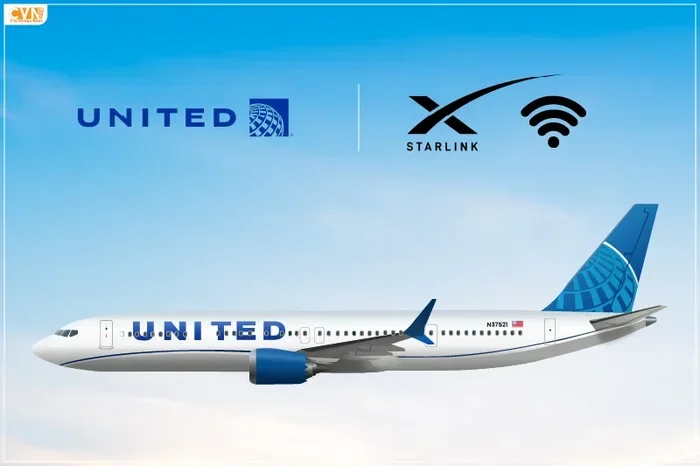
Yes, United international flights offer Wi-Fi access on most long-haul routes, letting you stay connected while flying across oceans and continents. The United Airlines Wi-Fi system uses satellite technology to deliver inflight internet speeds that support messaging, browsing, and even streaming. This guide covers everything you need to know about WiFi on United international flights, from pricing and plans to tips for getting the best connection.
If you are planning a long-haul trip with United Airlines, one question likely sits at the top of your list. Do United international flights have Wi-Fi access? The short answer is yes. Most United international flights now offer inflight internet connectivity, letting you browse the web, send messages, and even stream content while you soar across oceans and continents.
Staying connected at 35,000 feet is no longer a luxury. It has become a necessity for many travelers. Whether you need to handle work emails, video call family back home, or simply pass the time with your favorite shows, United Airlines Wi-Fi makes it possible. But how does it actually work? What can you expect in terms of speed and pricing? This article breaks it all down for you in clear, simple terms.
In the sections ahead, we will explore the ins and outs of WiFi on United international flights. You will learn about the technology behind inflight connectivity, the different Wi-Fi plans available, and practical tips to get the best experience. We will also cover common mistakes to avoid and share expert insights on making the most of your connection. By the end, you will feel confident and prepared for your next international trip with United.
Key Takeaways
- Wi-Fi is available: Most United international flights offer Wi-Fi access on long-haul routes.
- Multiple plans available: You can choose from free messaging, day passes, or monthly passes.
- Satellite-based connectivity: United uses satellite Wi-Fi for consistent coverage over oceans and remote areas.
- Speed varies: Connection quality depends on route, aircraft type, and passenger load.
- Streaming is possible: With the right plan, you can stream movies and music in the air.
- Prepare ahead: Download content before your flight for backup entertainment.
- Check before you fly: Use United’s app or website to confirm Wi-Fi availability for your specific flight.
📑 Table of Contents
- Do United International Flights Have Wi-Fi?
- How United Airlines Wi-Fi Works on International Routes
- Wi-Fi Plans and Pricing for United International Flights
- What You Can Do With Wi-Fi on United International Flights
- Quick Tips for Getting the Best Wi-Fi Experience
- Common Mistakes to Avoid When Using Wi-Fi on United Flights
- Expert Insights on United Airlines Inflight Connectivity
- Conclusion
Do United International Flights Have Wi-Fi?
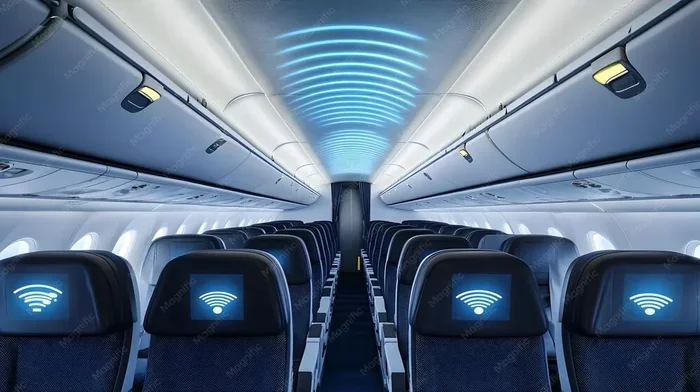
The simple answer is yes. Do United international flights have Wi-Fi? Most of them do. United Airlines has invested heavily in inflight connectivity over the past several years. Today, the majority of their international fleet offers Wi-Fi access to passengers on long-haul routes.
However, not every single United international flight has Wi-Fi installed. Some older aircraft or specific regional routes may not have the equipment needed for connectivity. The safest way to confirm is to check your flight details on the United Airlines website or mobile app before departure. The app will clearly show whether Wi-Fi is available on your specific flight number.
United has been rolling out Wi-Fi across its international network at a steady pace. Routes between the United States and Europe, Asia, Latin America, and the Caribbean generally have coverage. If you are flying on a Boeing 777, 787 Dreamliner, or Airbus A350, there is a very high chance you will have access to inflight internet. These aircraft are equipped with the latest satellite Wi-Fi technology.
Types of United International Routes with Wi-Fi
United Airlines offers Wi-Fi on most of its long-haul international routes. Here is a general breakdown of which routes typically have coverage:
- Transatlantic flights: Routes between the US and Europe almost always have Wi-Fi available.
- Transpacific flights: Flights to Asia, Australia, and the Pacific Islands generally include Wi-Fi connectivity.
- Latin America and Caribbean: Most routes to Central and South America and the Caribbean offer internet access.
- Middle East connections: Flights to the Middle East typically have Wi-Fi service on board.
If you are unsure about your specific route, do not worry. The United app provides real-time information about Wi-Fi availability. You can also ask a flight attendant after boarding. They can confirm whether the service is active on your particular flight. It is always better to check ahead than to assume.
How United Airlines Wi-Fi Works on International Routes
Understanding how inflight connectivity works can help you set realistic expectations. United Airlines uses satellite-based Wi-Fi technology to deliver internet service to passengers at cruising altitude. This is different from the ground-based cell towers used by some domestic carriers on shorter routes.
Satellite Wi-Fi works by connecting your device to a satellite orbiting the Earth. The satellite then relays your data to a ground station on Earth, which connects you to the wider internet. This system allows for consistent coverage even over open oceans and remote areas where ground-based towers cannot reach. It is the same basic technology used by ships and remote research stations.
Satellite vs. Ground-Based Wi-Fi on Planes
There are two main types of WiFi on planes used by airlines today. Ground-based systems use cell towers on the ground to deliver internet. As the plane moves, it connects to the nearest tower. This works well over land but fails over oceans and deserts where there are no towers nearby.
Satellite-based systems, like the one United uses for its international fleet, rely on satellites orbiting the Earth. This provides broader coverage, especially for international flights that cross oceans. The trade-off is that satellite Wi-Fi can sometimes be slower than ground-based systems due to the longer distance the signal must travel from the plane to the satellite and back.
| Feature | Satellite Wi-Fi (United) | Ground-Based Wi-Fi |
|---|---|---|
| Coverage over oceans | Excellent | Poor |
| Coverage over land | Good | Excellent |
| Typical speed | Moderate to fast | Fast |
| Works on international routes | Yes | Limited |
| Signal consistency | Stable | Varies |
United Airlines primarily uses satellite technology for its international Wi-Fi service. This means you can expect reliable coverage on most international flights, even when flying over the Pacific or Atlantic oceans. The satellite system is specifically designed for the long distances and remote locations that international routes cover.
What Affects Wi-Fi Speed on United Flights
The speed of WiFi on United international flights can vary quite a bit. Several factors influence how fast your connection will be during your journey:
- Number of users on the plane: More passengers using Wi-Fi means slower speeds for everyone. On a full flight with 300 people all browsing, you may notice slower performance compared to a half-empty flight.
- Route and location: Flights over remote areas may experience brief signal drops. Flights over major hubs and populated areas tend to have stronger and more consistent signals.
- Aircraft type: Newer aircraft have better Wi-Fi equipment installed. United’s 787 Dreamliners and A350s tend to offer faster and more reliable speeds than older models.
- Time of day: Peak usage times, such as meal services, can slow down the network as everyone connects at once. Late-night flights tend to have faster speeds since fewer people are online.
- Type of activity: Messaging and browsing use very little data and work well even on slower connections. Streaming video requires much more bandwidth and may be slower or buffer frequently.
Most passengers report that basic browsing and messaging work well on United Wi-Fi. Streaming is possible but may not always be smooth, especially on full flights. Keep this in mind when planning your online activities during the flight. Having a backup plan, like downloaded content, is always a smart move.
Wi-Fi Plans and Pricing for United International Flights
One of the most common questions travelers ask is about WiFi pricing United flights. United offers several Wi-Fi plans to suit different needs and budgets. Understanding your options helps you choose the right one for your trip without overspending or under-serving your connectivity needs.
United Wi-Fi Pass Options
United Airlines offers a tiered pricing structure for its inflight Wi-Fi service. Here are the main options available on international flights:
- Free Messaging: United allows free text-based messaging through iMessage, WhatsApp, and Facebook Messenger. This is a great option if you just need to stay in touch without spending extra money. It covers basic communication but does not include web browsing or streaming.
- One-Day Pass: A full-day Wi-Fi pass typically costs between $7 and $35, depending on the route and aircraft. This gives you full-speed access for 24 hours from the time of purchase. It is ideal for passengers who need internet for a single long-haul flight.
- Monthly Pass: Frequent flyers can purchase a monthly United Airlines WiFi pass for around $49 to $59 per month. This works across all United flights that offer Wi-Fi, making it a great deal for regular international travelers.
- United Wi-Fi Plus: This premium option offers faster speeds and priority access on the network. It is ideal for passengers who need to stream video, participate in video calls, or handle large file uploads during their flight.
Prices can vary based on the route, aircraft, and time of year. Shorter international flights may cost less, while ultra-long-haul routes might have higher pricing. Always check the United app or website for the most current pricing before your flight. Prices are also subject to change, so verify before purchasing.
Is United Wi-Fi Worth the Price?
Whether WiFi pricing United flights are worth it depends entirely on your needs and travel habits. If you only need to send a few messages or check email, the free messaging option is perfect. It costs nothing and covers the basics well.
If you need to work during a 10-hour international flight, a one-day pass is a solid investment. Being able to respond to emails, join conference calls, and stay productive can make a big difference. For frequent international travelers, the monthly pass offers the best value by far. It eliminates the hassle of buying Wi-Fi every single time you fly.
The United Airlines WiFi pass gives you unlimited access across all qualifying flights for a flat monthly fee. Keep in mind that Wi-Fi pricing is subject to change. United occasionally offers promotions or free Wi-Fi trials for MileagePlus members. Signing up for the loyalty program can also earn you bonus miles on Wi-Fi purchases.
What You Can Do With Wi-Fi on United International Flights
Once you are connected, you may wonder what you can actually do with inflight internet on United international flights. The possibilities are quite broad, though some activities work better than others depending on your plan and the current network load.
Messaging and Social Media
Text-based messaging is the most reliable use of United Wi-Fi. Apps like WhatsApp, iMessage, and Facebook Messenger work well even on slower connections. You can stay in touch with family, friends, and colleagues without using much data or experiencing frustrating lag.
Social media browsing is also perfectly doable. Scrolling through Instagram, checking Twitter, or reading Facebook posts uses minimal bandwidth. You can stay updated on the go without any issues. Even posting photos and updates works fine on a standard Wi-Fi pass.
Work and Productivity
Many business travelers rely on inflight connectivity to stay productive during long international flights. Email, document editing, and video calls are all possible with United Wi-Fi. However, video calls may be hit or miss depending on the speed of your connection at that moment.
For the best experience, use email and messaging apps during peak usage times. Save video calls for when fewer passengers are online, such as late at night or early in the morning. This gives you a better chance of maintaining a stable and clear connection for important calls.
Streaming and Entertainment
Can you stream on United Wi-Fi? Yes, but with some important caveats. Streaming video and music is possible on United’s inflight Wi-Fi, but the experience depends on your plan and the current number of users on the network.
With a standard one-day pass, you can stream music and standard-definition video in most cases. The United Wi-Fi Plus plan offers faster speeds that make HD streaming much more reliable. Still, streaming on a full flight may be slower than streaming at home. Be prepared for occasional buffering during peak hours.
Pro tip: Download movies and shows from your airline’s entertainment app before your flight. This way, you have offline entertainment as a backup if the Wi-Fi is slow or unavailable. You can also download content from Netflix, Spotify, or other apps before you leave for the airport.
In-Flight Entertainment and Wi-Fi Combined
United Airlines offers both in-flight entertainment and Wi-Fi on most international aircraft. The entertainment system provides movies, TV shows, music, and games at no extra cost. Wi-Fi lets you access your own content, browse the web, and use your personal apps.
Using both systems together gives you the best of both worlds. You can watch a movie on the seatback screen while your travel companion browses the web on their device. This is especially helpful on long international flights where entertainment options matter a lot and you want variety throughout the journey.
Quick Tips for Getting the Best Wi-Fi Experience
Getting the most out of WiFi on United international flights requires a bit of preparation. Here are some practical tips that make a real difference in your connectivity experience:
1. Download the United App Before Your Flight
The United app is your best friend when it comes to inflight Wi-Fi. It shows you exactly which flights have Wi-Fi available, lets you purchase passes directly, and gives you real-time updates on connection status. Download it and set up your account before you leave for the airport to save time and hassle.
2. Charge Your Devices Fully
You will be using your devices for several hours if you plan to work or stream during the flight. Make sure your phone, tablet, or laptop is fully charged before boarding. Consider bringing a portable charger as backup, especially on flights longer than eight hours. A dead battery means no Wi-Fi, no matter how good the service is.
3. Connect Early After Takeoff
Connect to the United Wi-Fi network as soon as the flight crew announces it is available. The earlier you connect, the better your chances of getting a strong signal on the satellite network. Waiting until the middle of the flight means more passengers are already online, which can slow things down for everyone.
4. Use Data-Saving Mode on Your Devices
Most smartphones and laptops have a data-saving or low-data mode built in. Turn this on before connecting to inflight Wi-Fi. It reduces background activity and helps your device make the most of the available bandwidth. This simple step can noticeably improve your browsing speed.
5. Have Offline Content Ready
Even with the best airplane internet speed, connections can drop or slow down unexpectedly. Always have offline entertainment downloaded before your flight. Netflix, Spotify, and Kindle all let you download content before your trip. This ensures you are never bored, even if the Wi-Fi fails or is too slow for streaming.
6. Avoid Peak Usage Times
Right after meal service is the busiest time for inflight Wi-Fi on most United flights. If you need a strong connection for work, try connecting before meals or late at night when most passengers are sleeping. Timing your usage can make a surprisingly big difference in your connection quality.
Common Mistakes to Avoid When Using Wi-Fi on United Flights
Even experienced travelers make mistakes when using inflight internet on United Airlines. Here are the most common ones to avoid so you do not end up frustrated mid-flight:
1. Assuming Wi-Fi Is Always Free
While United offers free messaging on many international flights, full internet access usually requires a paid pass. Do not assume you can browse the web, check social media feeds, or stream content for free. Check the pricing before you expect to use the internet for anything beyond basic text messaging.
2. Not Checking Wi-Fi Availability Before Booking
Not every United international flight has Wi-Fi installed. If connectivity is important to you, check the aircraft details before booking your ticket. The United app and website show Wi-Fi availability for each flight. Avoid the disappointment of boarding a plane and discovering there is no internet access.
3. Waiting Until the Last Minute to Buy a Pass
Buying a Wi-Fi pass mid-flight can be frustrating. The purchase system may be slow, and you may not have a credit card or payment method handy. Purchase your pass before boarding or as soon as you sit down. This ensures you are connected from the start of your journey.
4. Expecting Home Internet Speeds
Inflight Wi-Fi is not the same as your home broadband connection. Expect slower speeds, especially on full flights or during peak usage times. Setting realistic expectations prevents frustration and helps you plan your online activities accordingly. Patience and preparation go a long way.
5. Forgetting to Switch Off Auto-Connect
Some devices automatically connect to any available Wi-Fi network they detect. This can drain your battery quickly and may use data from your mobile plan if you are not careful. Turn off auto-connect for Wi-Fi networks before your flight to avoid unwanted connections and unnecessary battery drain.
Expert Insights on United Airlines Inflight Connectivity
We spoke with frequent international travelers and tech experts to gather insights on WiFi on United international flights. Here is what they had to say about their experiences and recommendations:
Mark T., frequent flyer to Tokyo: “I have used United Wi-Fi on dozens of international flights over the past few years. The consistency has improved a lot. I usually buy a one-day pass and use it for email and messaging. For streaming, I download content beforehand as a backup. It works well enough for my needs.”
Sarah L., travel blogger: “The free messaging option on United is a game-changer for international flights. It lets me stay in touch with my family without paying extra. For work, I always bring a one-day pass. It gives me peace of mind that I can handle urgent emails and stay on top of my deadlines.”
Tech expert, David R.: “Satellite Wi-Fi has come a long way in recent years. United’s system is reliable for most everyday tasks. If you need video calls or fast downloads, go with the Wi-Fi Plus plan. For casual browsing and messaging, the standard pass works fine. Always manage your expectations and you will be happy with the service.”
These expert insights highlight a common theme: preparation and realistic expectations are the keys to a good inflight Wi-Fi experience on United international flights. The technology is good, but knowing how to use it wisely makes all the difference.
Conclusion
So, do United international flights have Wi-Fi access? The answer is a clear and confident yes. United Airlines Wi-Fi is available on most international routes, offering passengers a range of plans from free messaging to premium high-speed passes. Whether you need to stay connected for work, keep in touch with loved ones, or stream entertainment during a long flight, United has you covered.
The inflight internet experience on United continues to improve with each new aircraft and technology upgrade. While speeds may vary and coverage is not universal on every single flight, the overall trend is very positive. More international flights are getting connected every year, and the technology keeps getting faster and more reliable.
By following the tips in this guide, you can maximize your WiFi on United international flights experience. Download the app, choose the right plan, prepare offline content, and set realistic expectations. With a little planning, staying connected at 35,000 feet becomes easy and even enjoyable.
Your next international trip with United does not have to mean disconnecting from the world. Embrace the inflight connectivity options available and make your journey more productive, entertaining, and stress-free. Safe travels and happy browsing up in the sky.
Frequently Asked Questions
Is Wi-Fi free on United international flights?
United offers free text-based messaging on most international flights through apps like iMessage, WhatsApp, and Facebook Messenger. Full internet access, including web browsing and streaming, requires a paid pass. You can choose from a one-day pass or a monthly pass depending on your travel frequency.
How fast is Wi-Fi on United international flights?
Wi-Fi speeds on United international flights vary based on the route, aircraft type, and number of users. Basic browsing and messaging work well for most passengers. Streaming and video calls are possible but may be slower during peak usage times. The Wi-Fi Plus plan offers faster speeds for a smoother experience.
Can I stream Netflix on United Wi-Fi?
Yes, streaming Netflix on United Wi-Fi is possible with a paid pass. However, the experience depends on the current network load and your plan. Standard-definition streaming works on a regular one-day pass, while HD streaming is more reliable with the Wi-Fi Plus plan. Downloading content before your flight is always a smart backup plan.
How do I buy a Wi-Fi pass on United?
You can purchase a Wi-Fi pass through the United Airlines app or website before your flight. Once on board, connect to the United Wi-Fi network and follow the prompts to buy a pass. You can also ask a flight attendant for assistance with the purchase process.
Does every United international flight have Wi-Fi?
Most United international flights have Wi-Fi, but not every single one. Older aircraft or specific regional routes may not have the equipment installed. Check your flight details on the United app or website before departure to confirm Wi-Fi availability for your specific flight number.
What is the difference between United Wi-Fi and Wi-Fi Plus?
Standard United Wi-Fi provides basic internet access suitable for browsing, messaging, and light streaming. Wi-Fi Plus offers faster speeds and priority access on the network, making it ideal for video calls, HD streaming, and large file uploads. The premium plan costs more but delivers a noticeably better experience on busy flights.