Does Ethernet Boost Wifi Speed Here Is Everything You Need
Does ethernet boost wifi speed? The short answer is yes — connecting a device via an ethernet cable can free up bandwidth and improve your overall network performance. A wired connection reduces interference, lowers latency, and helps your wifi router focus on serving wireless devices more efficiently. This guide covers everything you need to know about how ethernet impacts your wifi speed and when it makes sense to use a wired setup.
Have you ever noticed your wifi slows down when too many devices are connected? You are not alone. Millions of people deal with sluggish internet every day. One question that comes up a lot is whether plugging in an ethernet cable can actually make your wifi faster. The answer might surprise you.
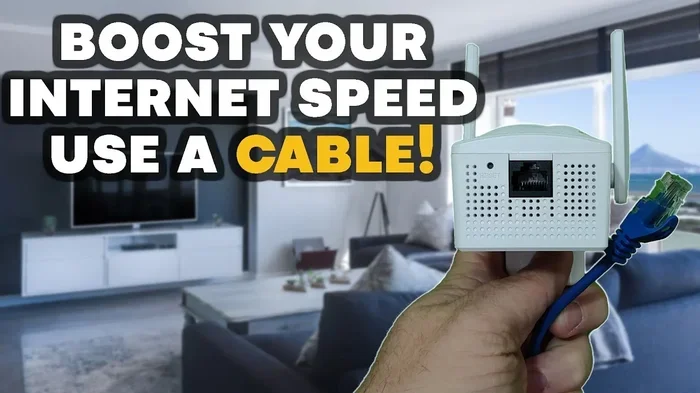
Does ethernet boost wifi speed? Yes, it can — but not in the way most people think. Ethernet does not magically make your wireless signal stronger. Instead, it takes the load off your wifi network. When one device uses a wired connection, it stops competing for bandwidth with your other wireless gadgets. This means your remaining wifi-connected devices can run faster and smoother.
In this article, we will break down exactly how ethernet affects your wifi speed. We will look at the science behind it, share practical tips, and help you decide if a wired setup is right for you. Whether you are a gamer, a remote worker, or just someone who loves streaming movies, this guide has you covered.
Key Takeaways
- Ethernet frees up bandwidth: A wired connection takes traffic off your wifi network, allowing wireless devices to perform better.
- Lower latency and ping: Ethernet provides a more stable and faster response time compared to wireless connections.
- Not all ethernet cables are equal: Cat5e, Cat6, and Cat6a cables offer different speed and performance levels.
- Your router matters: A quality router determines how much benefit ethernet can bring to your overall network.
- Wired and wireless can coexist: You do not need to choose one over the other — a hybrid setup gives you the best of both worlds.
📑 Table of Contents
- What Is Ethernet and How Does It Work
- How Ethernet Affects Your Wifi Network
- When Should You Use Ethernet to Improve Wifi
- Can You Use Ethernet and Wifi Together
- Common Mistakes That Hurt Your Network Speed
- Expert Tips to Maximize Your Network Speed
- Ethernet vs Wifi: A Quick Comparison
- Does Ethernet Boost Wifi Speed Final Verdict
What Is Ethernet and How Does It Work
Ethernet is a wired networking technology that connects devices to the internet through a physical cable. Think of it as a direct highway from your router to your device. Unlike wifi, which sends data through the air, ethernet uses a cable plugged straight into your network adapter or router.
Here is how it works in simple terms. Your router connects to your modem. The modem brings internet into your home. When you plug an ethernet cable from your router to your device, data travels through that cable. This creates a direct, dedicated path for your information. There is no air interference, no shared signals, and no waiting in line with other devices.
Most homes use what is called a local area network, or LAN. This is just a fancy way of saying your devices are connected together in one place. Ethernet is the backbone of most LANs. It has been around since the 1970s and remains one of the most reliable ways to connect to the internet.
Types of Ethernet Cables
Not all ethernet cables are the same. The cable you choose affects your speed and performance. Here are the most common types you will see:
- Cat5e: Supports speeds up to 1 Gbps. This is the most common cable found in homes today. It works well for most everyday tasks.
- Cat6: Supports speeds up to 10 Gbps over short distances. It has better shielding against interference than Cat5e.
- Cat6a: Supports 10 Gbps over longer distances. It is thicker and offers the best protection from signal loss.
- Cat7 and Cat8: These are newer and faster. They are mostly used in business environments or serious gaming setups.
If you want to get the most out of your network performance, at least go with Cat5e or Cat6. These cables are affordable and easy to find at any electronics store.
How Ethernet Affects Your Wifi Network
Now let us get to the heart of the matter. How does plugging in one device with a cable actually help your other wireless devices? The answer comes down to how your router manages traffic.
Your wifi router has a limited amount of bandwidth to share. Think of bandwidth like a pie. Every device that connects to your wifi takes a slice. The more devices you have, the smaller each slice becomes. When you connect a device with ethernet, that device takes its slice off the table. The remaining wireless devices get bigger slices.
This is especially helpful in homes where many devices are online at the same time. Smart TVs, phones, tablets, laptops, and smart home gadgets all compete for the same wifi signal. By moving even one heavy-use device to a wired connection, you can see a noticeable improvement across your entire network.
Does Ethernet Boost Wifi Speed Directly
Here is an important distinction. Ethernet does not boost the raw speed of your wifi signal itself. What it does is reduce congestion on the network. When fewer devices are fighting for wireless bandwidth, your wifi router can deliver faster speeds to the devices that remain connected wirelessly.
For example, let us say your internet plan gives you 100 Mbps. You have four devices on wifi and one device on ethernet. The ethernet device gets a full, direct connection. The four wifi devices share the remaining bandwidth more evenly. Each device may get closer to 25 Mbps instead of struggling with interference and congestion.
If you want to test your current speeds, try running a wifi speed test before and after connecting a device via ethernet. You might be surprised by the difference.
The Role of Bandwidth and Latency
Two key terms come up when talking about network performance: bandwidth and latency. Let us break them down simply.
Bandwidth is the amount of data your connection can handle at one time. Think of it as the width of a highway. A wider highway allows more cars to travel at once. More bandwidth means faster downloads and smoother streaming.
Latency, also called ping, is the time it takes for data to travel from your device to a server and back. Lower latency means less delay. This is critical for online gaming and video calls. Ethernet connections almost always have lower latency than wireless ones.
When you reduce latency and improve bandwidth for your wired device, your router can focus better on serving your wireless devices. The result is a snappier, more responsive network overall.
When Should You Use Ethernet to Improve Wifi
Not every situation calls for an ethernet connection. But there are specific cases where it makes a big difference. Here are the best times to consider plugging in.
Home Offices and Remote Work
If you work from home, a stable connection is non-negotiable. Video calls, file uploads, and cloud-based tools all demand a reliable connection. Dropping a call because of a weak wifi signal is frustrating and unprofessional. Using an ethernet cable for your work computer ensures a steady, fast connection. Your other devices on wifi will also benefit from the reduced load.
Gaming Setups
Gamers know that every millisecond counts. A high ping can mean the difference between winning and losing a match. Ethernet provides the lowest possible latency. It also eliminates the random lag spikes that happen with wireless connections. If you are serious about gaming, plug in your console or PC with an ethernet cable.
Pro tip: use a Cat6 or Cat6a cable for your gaming setup. These cables handle high-speed data transfer with minimal interference.
Streaming and Smart TVs
Streaming 4K video uses a lot of bandwidth. When your smart TV competes with other devices on wifi, you may experience buffering or lower picture quality. Connecting your TV directly to your router with an ethernet cable takes that load off the wireless network. Your other devices will stream more smoothly as a result.
Heavy Downloaders and Backups
If you regularly download large files or back up data to the cloud, ethernet is your best friend. These activities eat up bandwidth. By moving them to a wired connection, you keep your wifi network free for everyday browsing and streaming on other devices.
Can You Use Ethernet and Wifi Together
Absolutely. In fact, the best home networks use both. A hybrid setup gives you the speed and stability of ethernet where you need it and the convenience of wifi everywhere else.
Here is how a hybrid setup works in real life. You plug your desktop computer and smart TV into the router with ethernet cables. Your phone, tablet, and laptop stay on wifi. Your router balances the traffic efficiently. Everyone gets a good experience.
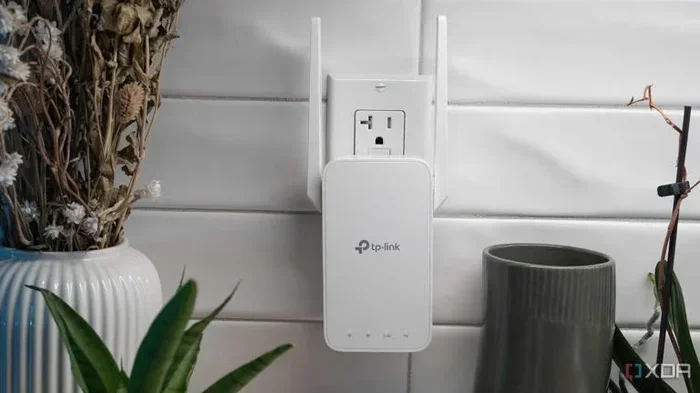
If you have a larger home, you might consider adding a wifi extender or mesh system alongside your wired connections. Some people also look into whether they can extend their wifi to a shed or outbuilding using a combination of ethernet and wireless repeaters. This is a great way to bring strong internet to areas that wifi alone cannot reach.
Another option worth exploring is using a mesh wifi system that supports wired backhaul. This means your mesh nodes connect to each other through ethernet cables, creating a faster and more reliable wireless network throughout your home.
Common Mistakes That Hurt Your Network Speed
Even if you use ethernet, some common mistakes can still slow down your network. Here is what to watch out for.
- Using old or damaged cables: A worn-out ethernet cable can limit your speeds. Replace cables that are frayed or bent.
- Ignoring your router placement: Even with ethernet for some devices, a poorly placed router hurts your wifi signal. Keep it in a central, open location.
- Not updating router firmware: Manufacturers release updates that improve performance and fix bugs. Check for updates regularly.
- Overloading one network band: Many routers have both 2.4 GHz and 5 GHz bands. Make sure your devices are on the right band for their needs.
- Skipping speed tests: Without testing, you will never know if your changes are actually helping. Run a speed test after making adjustments.
One mistake people often make is assuming that buying a better cable will fix everything. While a good cable helps, your internet service provider and the quality of your modem also play huge roles. If your base internet speed is slow, no amount of ethernet will fix that. You may want to check if you can cancel or change your wifi plan if you are paying for speeds you are not getting.
Expert Tips to Maximize Your Network Speed
Want to get the most out of your setup? Here are some expert-backed tips that actually work.
- Use the shortest cable possible. Longer cables can cause signal loss. Keep your ethernet runs as short as your setup allows.
- Label your cables. If you have multiple devices wired up, labels help you troubleshoot faster.
- Upgrade your router. If your router is more than five years old, consider a newer model that supports wifi 6 or wifi 6E. You can also connect a wifi 6 mesh to an older wifi 5 router to boost coverage and speed without replacing everything.
- Use a network switch. If your router does not have enough ethernet ports, a cheap network switch gives you more wired connections.
- Turn off unused devices. Every connected device uses a small amount of bandwidth. Disconnecting devices you are not using can help your network run smoother.
These small changes add up. Many users report noticeable speed improvements just by moving one or two devices to ethernet and following these tips.
Ethernet vs Wifi: A Quick Comparison
| Feature | Ethernet | Wifi |
|---|---|---|
| Speed | Faster and more consistent | Good but varies with interference |
| Latency | Very low | Higher than ethernet |
| Convenience | Requires a cable | Wireless and portable |
| Interference | None | Susceptible to walls, devices, and distance |
| Device Limit | One device per cable | Supports many devices at once |
| Setup | Simple plug-and-play | Easy but may need configuration |
As you can see, ethernet wins on speed and stability. Wifi wins on convenience. The best approach is to use both strategically based on what each device needs.
Does Ethernet Boost Wifi Speed Final Verdict
So, does ethernet boost wifi speed? The answer is a clear yes — but with a caveat. Ethernet does not directly increase your wireless signal strength. What it does is reduce network congestion, lower latency for the wired device, and free up bandwidth for your other wireless devices. The result is a faster, more responsive network overall.
If you have been struggling with slow wifi, adding even one ethernet connection can make a real difference. Start with the device that uses the most bandwidth. A smart TV, a gaming console, or a work computer are all great candidates. Once you see the improvement, you may want to expand your wired setup further.
Remember, your home network is only as strong as its weakest link. By combining ethernet and wifi wisely, you create a setup that serves everyone well. Take action today. Plug in a cable, run a speed test, and feel the difference for yourself.
For more tips on improving your home network, check out how you can boost your wifi signal outside or learn whether your Deco unit can work as a wifi extender to expand coverage throughout your home.
Frequently Asked Questions
Does plugging in ethernet slow down wifi for other devices?
No, it actually has the opposite effect. When a device uses ethernet, it stops using wifi bandwidth. This frees up capacity for your wireless devices, which can result in faster speeds for them.
What type of ethernet cable is best for boosting network speed?
Cat6 or Cat6a cables are the best choices for most homes. They support speeds up to 10 Gbps and offer good protection against interference. For most everyday uses, Cat5e also works well and costs less.
Can I use ethernet and wifi at the same time on the same device?
Most devices will prioritize the wired ethernet connection when both are active. The wifi connection stays on but handles less traffic. This is a great setup for devices that need a reliable primary connection.
How much of a speed boost can I expect from using ethernet?
The boost depends on your network conditions. If you have many devices competing for bandwidth, you may see a significant improvement. In lightly loaded networks, the difference may be smaller. Running a speed test before and after gives you the clearest picture.
Does ethernet help with wifi signal strength in other rooms?
Ethernet does not directly improve wifi signal strength in other rooms. However, by reducing the load on your router, it can help your wifi perform more efficiently throughout the house. For better coverage in distant rooms, consider using a mesh system or an extender.
Is ethernet better than wifi for gaming?
Yes, ethernet is significantly better for gaming. It provides lower latency, fewer disconnections, and a more stable connection. Competitive gamers almost always prefer a wired connection for the best performance.