Do Kasa Switches Require Internet or Can They Work Offline
Do Kasa Switches Require Internet? The short answer is no — many Kasa smart switches can work offline using local control. However, certain features like remote access and voice assistant integration need an active Wi-Fi connection. This guide explains exactly how Kasa switches behave with and without internet access.
Do Kasa switches require internet to function? If you are considering adding TP-Link Kasa smart switches to your home, this is one of the first questions that probably comes to mind. The good news is that the answer is not a simple yes or no. It depends on what you want your switches to do.
Many people assume that smart home devices need a constant Wi-Fi connection to work at all. That is not always true. Kasa switches are designed with flexibility in mind. They can operate locally within your home network even when the broader internet goes down. This makes them a reliable choice for smart home automation.
In this guide, we will break down everything you need to know about how Kasa switches behave with and without internet access. We will cover setup, offline features, limitations, and tips to get the most out of your devices. Whether you are dealing with frequent Wi-Fi outages or just curious about local control, you will find clear answers here.
Key Takeaways
- Kasa switches do not need internet for basic on/off control: You can still operate them locally through your home network or direct control.
- Remote access requires internet: Without a Wi-Fi connection, you cannot control your switches from outside your home.
- Voice assistants need internet too: Commands through Alexa or Google Home will not work offline.
- Schedules and timers can work locally: Some Kasa smart switches store automation rules on the device itself.
- Initial setup always requires internet: You must connect to the internet the first time you pair a Kasa switch with the app.
- Kasa switches work within your local network: They communicate with your router even when the broader internet is down.
- Offline mode has clear limitations: You lose cloud-based features but keep core switching functionality.
📑 Table of Contents
- What Are Kasa Switches and How Do They Work?
- Do Kasa Switches Require Internet to Work?
- What Happens When Kasa Switches Lose Internet?
- How to Set Up Kasa Switches for Offline Use
- Kasa Switches vs. Other Smart Switches: Internet Requirements
- Common Mistakes People Make With Kasa Switches and Internet
- Expert Insights on Kasa Switches and Internet Dependency
- Key Takeaways
- Conclusion
What Are Kasa Switches and How Do They Work?
Understanding TP-Link Kasa Smart Switches
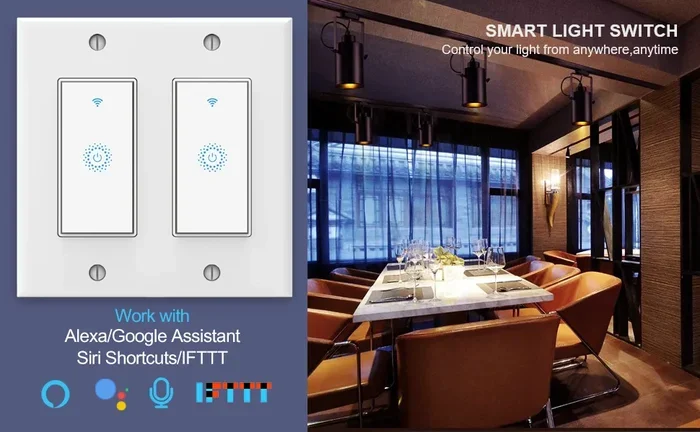
Kasa switches are smart wall switches made by TP-Link. They let you control lights, fans, and other devices remotely using the Kasa app. You can turn things on or off from your phone, set automation schedules, and even group devices together for easy control.
These switches replace your existing light switches. They fit standard wall boxes and work with most LED bulbs and traditional fixtures. The setup process is straightforward, and the Kasa app walks you through it step by step.
How Kasa Switches Connect to Your Network
Kasa switches connect to your home Wi-Fi network using a 2.4 GHz band. Some newer models also support 5 GHz connections. Once paired, they communicate with your router and the Kasa cloud servers.
Here is how the connection typically works:
- Step 1: You install the switch and restore power.
- Step 2: You open the Kasa app on your phone.
- Step 3: The app searches for nearby devices.
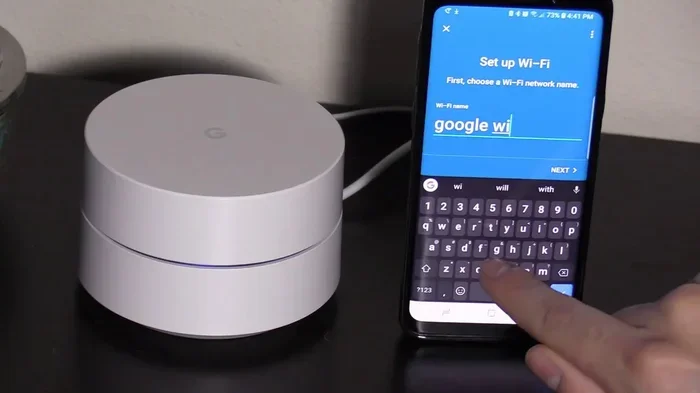
- Step 4: You enter your Wi-Fi credentials to pair the switch.
- Step 5: The switch connects to your home network and the Kasa cloud.
Once this device pairing is complete, the switch is ready to use. But here is where things get interesting when it comes to internet dependency.
Do Kasa Switches Require Internet to Work?
The Short Answer: It Depends on Your Needs
Do Kasa switches require internet? For basic on/off control within your home, the answer is no. You do not need an active internet connection to flip a Kasa switch on or off from your phone if your phone is on the same local network.
However, if you want to control your switches from outside your home, use voice commands, or access cloud-based automations, then yes, you need internet access. The distinction is between local control and remote access.
What Works Without Internet
When your Wi-Fi router loses its connection to the wider internet but is still powered on, your Kasa switches can still do quite a bit:
- Local on/off control through the Kasa app if your phone is connected to the same network.
- Physical switch control — you can always use the wall switch itself.
- Scheduled timers that were programmed locally on the device.
- Local automation rules that do not depend on cloud processing.
- Direct device-to-device communication within your home network.
This is a huge advantage for smart home automation. Many competing smart switches lose all functionality when the internet drops. Kasa switches are built to be more resilient.
What Requires Internet
On the other hand, several features of Kasa smart switches do need a working internet connection:
- Remote access — controlling switches from outside your home.
- Voice assistant commands through Alexa or Google Home.
- Cloud-based scheduling and automation syncing.
- Firmware updates pushed from TP-Link servers.
- Sharing device control with family members remotely.
- Real-time notifications about device status.
So while Kasa switches can work without internet, they are at their best when connected to the web. The offline mode is a safety net, not the full experience.
What Happens When Kasa Switches Lose Internet?
Understanding Local Network vs. Internet Connection
It helps to understand the difference between your local network and the internet. Your Wi-Fi router creates a local network inside your home. Devices on this network can talk to each other without needing the outside world.
The internet is the broader connection that links your router to the world beyond your home. When people say they “lost internet,” it usually means the router can no longer reach the outside world. But the local network often stays alive.
Kasa switches sit on your local network. So even when the internet goes down, they can still communicate with devices on the same network. This is why you can still turn lights on and off using the Kasa app during an outage — as long as your phone is connected to your home Wi-Fi.
Common Scenarios of Internet Loss
Let us look at a few real-world situations:
Scenario 1: Your ISP goes down. Your router still works. Your Kasa switches stay on the local network. You can control them from your phone as long as the phone is connected to your home Wi-Fi. Physical switches still work too.
Scenario 2: Your router loses power. Without the router, there is no local network. Your Kasa switches revert to being regular switches. You can still use the physical toggle on the wall. But you lose all smart features until the router comes back online.
Scenario 3: Cloud servers are down. Sometimes TP-Link servers go offline for maintenance. In this case, remote access and voice control may not work. But local control through the Kasa app usually continues fine.
How to Set Up Kasa Switches for Offline Use
Initial Setup Requires Internet
You cannot skip the internet during the first-time smart switch setup. The Kasa app needs to connect to TP-Link servers to register your device and download the necessary configuration. So make sure you have a stable Wi-Fi connection before you start pairing.
Here is a quick setup checklist:
- Install the switch in your wall box.
- Download the Kasa app on your phone.
- Create a TP-Link account.
- Make sure your phone is connected to a 2.4 GHz Wi-Fi network.
- Follow the in-app prompts to pair the device.
- Wait for the confirmation that the switch is online.
Once the switch is set up, it stores its configuration locally. This means it can continue to work even if you later lose internet access.
Tips for Maximizing Offline Reliability
Want your Kasa switches to work smoothly even during internet outages? Follow these tips:
- Use a quality router: A reliable Wi-Fi router keeps your local network stable even when the internet drops.
- Set up local schedules: Configure automation schedules inside the Kasa app while you have internet. Many of these will continue working offline.
- Keep your phone on the home network: For local control, make sure your phone connects to your home Wi-Fi and not your mobile data.
- Update firmware regularly: When you have internet access, check for firmware updates to keep your switch running smoothly.
- Use a UPS for your router: An uninterruptible power supply keeps your router alive during power outages, preserving your local network.
Can You Use Kasa Switches Without the App?
Yes and no. The Kasa app is the primary way to set up and manage your switches. However, once a switch is configured, you can control it using the physical wall switch. You can also use voice commands if you have set up Alexa or Google Home — but those require internet.
For fully offline control without a phone, the physical switch is your best friend. It always works, no matter what.
Kasa Switches vs. Other Smart Switches: Internet Requirements
How Kasa Compares to Competitors
Not all smart switches are created equal when it comes to internet dependency. Here is how Kasa switches stack up against some popular alternatives:
| Feature | Kasa Smart Switch | Z-Wave Switch | Zigbee Switch |
|---|---|---|---|
| Internet needed for basic control? | No (local network only) | No (requires hub) | No (requires hub) |
| Remote access without internet? | No | No | No |
| Voice control without internet? | No | No | No |
| Works during internet outage? | Yes (local control) | Yes (via hub) | Yes (via hub) |
| Initial setup needs internet? | Yes | Yes (for hub setup) | Yes (for hub setup) |
| Cloud dependency level | Moderate | Low | Low |
As you can see, Kasa switches offer a good balance. They are not as independent as Z-Wave or Zigbee switches that use a dedicated hub, but they do not require constant cloud connectivity either.
When to Choose Kasa vs. Other Protocols
Kasa switches are a great choice if you already use TP-Link equipment and prefer a simple Wi-Fi-based setup. You do not need an extra hub or bridge. Just connect to your existing Wi-Fi network and you are good to go.
If you live in an area with frequent internet outages and want maximum independence, you might consider Z-Wave or Zigbee switches. These use a dedicated smart hub to communicate, which means they can keep working even when your Wi-Fi router loses its internet connection entirely.
That said, for most households, Kasa switches provide more than enough reliability. The local network typically stays up even when the internet goes down.
Common Mistakes People Make With Kasa Switches and Internet
Assuming Offline Means Fully Offline
One of the biggest mistakes is thinking that “offline” means the switch works completely independently. In reality, Kasa switches still rely on your local network. If your router is off, the switch is just a dumb switch. It does not have built-in intelligence that works in total isolation.
Not Checking Wi-Fi Band Compatibility
Many Kasa switches only support the 2.4 GHz band. If your router uses a single combined 2.4/5 GHz network name, some phones might connect to the 5 GHz band by default. This can cause device pairing issues and make it seem like your switch is not working.
Forgetting to Set Up Local Schedules
Some users set up all their automation schedules using cloud-based features. When the internet goes down, these schedules stop working. To avoid this, always check whether your Kasa app allows local scheduling and set that up ahead of time.
Ignoring Firmware Updates
TP-Link regularly releases firmware updates that improve offline functionality and fix bugs. Skipping updates means you might miss out on performance improvements that make your switches more reliable during internet outages.
Expert Insights on Kasa Switches and Internet Dependency
What Networking Experts Say
Smart home experts generally agree that Kasa switches are among the more internet-resilient options on the market. Because they handle local control well, they are a solid choice for homes that experience occasional Wi-Fi disruptions.
Experts also point out that the Kasa app has been improving its offline capabilities over time. Recent firmware updates have made it possible to control switches locally without routing commands through TP-Link servers. This reduces latency and improves reliability.
The Future of Offline Smart Switch Functionality
The trend in smart home automation is moving toward more local processing. Companies are realizing that users want devices that work even when the internet is down. Kasa switches are already ahead of many competitors in this area, and future updates will likely strengthen their offline capabilities even further.
As Matter and Thread protocols gain adoption, we can expect even more seamless offline operation from smart switches. These new standards are designed with local control at their core.
Key Takeaways
- Kasa switches do not need internet for basic on/off control: You can still operate them locally through your home network or direct control.
- Remote access requires internet: Without a Wi-Fi connection, you cannot control your switches from outside your home.
- Voice assistants need internet too: Commands through Alexa or Google Home will not work offline.
- Schedules and timers can work locally: Some Kasa smart switches store automation rules on the device itself.
- Initial setup always requires internet: You must connect to the internet the first time you pair a Kasa switch with the app.
- Kasa switches work within your local network: They communicate with your router even when the broader internet is down.
- Offline mode has clear limitations: You lose cloud-based features but keep core switching functionality.
Conclusion
Do Kasa switches require internet? The answer is nuanced. For basic on/off control within your home, Kasa switches work perfectly fine without internet access. They communicate through your local Wi-Fi network and can be controlled using the Kasa app as long as your phone is connected to the same network.
However, if you rely on remote access, voice control through Alexa or Google Home, or cloud-based automations, you will need a working internet connection. These features are what make Kasa smart switches truly powerful and convenient.
The bottom line is that Kasa switches are designed to be reliable. They give you the best of both worlds — smart features when the internet is available and basic functionality when it is not. This makes them a strong choice for anyone building a smart home setup that needs to handle real-world network disruptions.
If you are on the fence about adding Kasa switches to your home, go for it. They are easy to set up, affordable, and surprisingly resilient when the internet goes down. Just make sure you set up your local schedules and automations while you have a stable connection, and you will be well prepared for any Wi-Fi outage that comes your way.
Frequently Asked Questions
Can I control my Kasa switch if the internet goes out?
Yes, you can still control your Kasa switch using the Kasa app as long as your phone is connected to your home Wi-Fi network. The physical wall switch also continues to work normally. You just lose the ability to control it remotely or use voice commands.
Do Kasa switches work without a Wi-Fi router?
No, Kasa switches need a Wi-Fi router to function as smart switches. Without a router, they revert to being regular manual switches. The router provides the local network that allows the switch to communicate with your phone and other devices.
Can I use Kasa switches with Alexa or Google Home without internet?
No, voice assistant integration with Alexa or Google Home requires an active internet connection. Both voice assistants process commands through the cloud, so they cannot function when your Wi-Fi loses its internet access.
Do Kasa switches store automation schedules locally?
Many Kasa smart switches can store automation schedules locally on the device. This means your timers and schedules can continue to work even when the internet is down. However, it is always a good idea to check this setting in the Kasa app and configure it while you have internet access.
What is the difference between local control and remote control for Kasa switches?
Local control means operating your switch through your home Wi-Fi network without sending data to the cloud. Remote control means accessing your switch from outside your home using the internet. Kasa switches support both, but remote control requires a working internet connection.
Do I need internet to initially set up a Kasa switch?
Yes, you absolutely need internet access for the first-time setup of a Kasa switch. The Kasa app must connect to TP-Link servers to register your device, download configuration data, and complete the device pairing process. After that, the switch can work offline for basic functions.
=== CONCLUSION ===
Do Kasa switches require internet? Now you know the full answer. They do not need internet for basic local control, but they do need it for remote access, voice commands, and cloud features. With proper setup, your Kasa smart switches will keep your lights and appliances running smoothly — even when the Wi-Fi goes down. Take advantage of their offline capabilities, set up local automations, and enjoy a reliable smart home experience that works with or without the web.