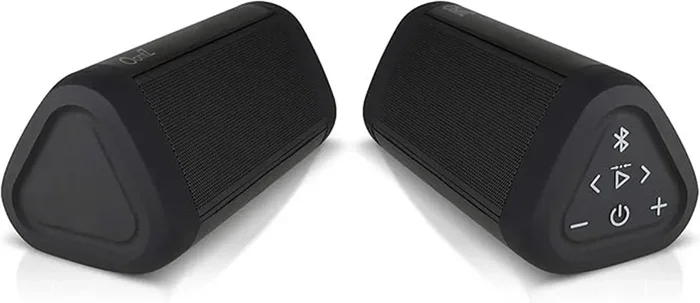
Do I Need 2 Bluetooth Speakers to Upgrade My Sound
Do you need two Bluetooth speakers to truly upgrade your sound? The short answer is: it depends on your setup and goals. Using dual Bluetooth speakers can deliver stereo sound, richer audio, and a more immersive wireless audio experience. However, a single high-quality speaker may be all you need for casual listening or small rooms.
You love your music. You love your movies. But something feels off with the sound coming from your single Bluetooth speaker. Maybe it sounds flat. Maybe it lacks depth. Maybe you just want that rich, room-filling audio you hear in movie theaters and high-end setups.
So you start wondering: do I need 2 Bluetooth speakers to get the upgrade I am looking for? It is a fair question. And the answer might surprise you.
The world of wireless audio has exploded in recent years. Bluetooth speakers come in all shapes, sizes, and price ranges. Some are tiny and pocket-sized. Others fill entire rooms with deep, booming sound. But when it comes to upgrading your audio experience, the number of speakers you use plays a huge role.
In this guide, we will walk through everything you need to know about using one versus two Bluetooth speakers. We will cover stereo sound, speaker pairing, placement tips, and when a single speaker is actually the better choice. By the end, you will know exactly what setup works best for your needs and budget.
Key Takeaways
- Dual speakers create stereo sound: Two Bluetooth speakers give you left and right channels for a wider soundstage.
- One speaker can still be enough: If you only need background music or sound for a small space, one quality speaker works great.
- Speaker pairing matters: Not all Bluetooth speakers support pairing, so check compatibility before buying a second unit.
- Placement is key: Where you position your speakers affects sound quality more than the number of speakers.
- Cost vs. benefit: Buying two speakers costs more, so weigh the audio upgrade against your budget.
- Alternative options exist: Soundbars and smart speakers like Alexa can also boost your audio without needing two Bluetooth units.
📑 Table of Contents
- What Happens When You Use Two Bluetooth Speakers
- When One Bluetooth Speaker Is Enough
- How to Pair Two Bluetooth Speakers Together
- Speaker Placement Tips for the Best Sound
- Alternatives to Using Two Bluetooth Speakers
- Common Mistakes People Make With Multiple Bluetooth Speakers
- Expert Insights on Upgrading Your Audio Setup
- Frequently Asked Questions
What Happens When You Use Two Bluetooth Speakers
Using two Bluetooth speakers changes the audio game completely. But how exactly does it work? Let us break it down.
Stereo Sound and Wider Soundstage
The biggest benefit of using dual Bluetooth speakers is stereo sound. Stereo means you get two separate audio channels: left and right. When each speaker handles one channel, your brain perceives sound coming from different directions. This creates a wider, more natural soundstage.
Think about it this way. When you listen to music through one speaker, all the sounds come from a single point. It can feel flat and one-dimensional. But with two speakers placed apart, instruments, vocals, and effects spread across the room. You feel like you are inside the music.
This is especially noticeable with music streaming content. Songs with complex mixes, layered instruments, and background vocals truly shine in a stereo setup. The separation between left and right channels brings out details you might never notice with a single speaker.
Louder Volume and Better Coverage
Two speakers are naturally louder than one. Each speaker adds its own output to the room. This means you can play music at higher volumes without straining a single unit.
Better coverage is another perk. One speaker might struggle to fill a large living room evenly. But two speakers placed on opposite sides of the room distribute sound more uniformly. Every seat in the room gets a balanced audio experience.
If you host gatherings or enjoy outdoor events, dual speakers make a big difference. They fill open spaces with consistent wireless audio that sounds great from every angle.
Richer Bass and Deeper Audio
Many Bluetooth speakers handle bass poorly on their own. They distort at high volumes or simply cannot produce deep low-end frequencies. But when you use two speakers, the combined bass output improves noticeably.
You do not get true subwoofer-level bass from most portable speakers. But the difference between one speaker and two is significant. The audio feels fuller, warmer, and more balanced. Bass notes hit harder without cracking or distorting.
When One Bluetooth Speaker Is Enough
Here is the thing about upgrading your sound: more speakers are not always better. Sometimes, one well-placed speaker does the job perfectly.
Small Rooms and Personal Spaces
If you are listening to music in a bedroom, office, or small kitchen, one Bluetooth speaker is usually plenty. Small rooms do not need stereo separation to sound good. The sound bounces off walls and fills the space naturally.
A single high-quality speaker can deliver clear vocals, solid midrange, and surprisingly good bass for its size. Brands have improved Bluetooth technology a lot in recent years. Even budget speakers now offer clean, enjoyable sound for everyday use.
Casual Listening and Background Music
Do you just want something playing in the background while you cook or clean? A single speaker works perfectly for this. You do not need stereo separation or room-filling volume for casual listening.
Save your money. Buy one great speaker and enjoy the music without overthinking the setup. Sometimes simple is better.
Portability Matters
One of the biggest advantages of Bluetooth speakers is portability. Carrying one speaker to the beach, the park, or a camping trip is easy. Carrying two? That adds weight and bulk.
If you value portability, stick with one speaker. Choose a model with good battery life, solid build quality, and reliable Bluetooth connectivity. You will get great sound without the hassle of managing two units.
How to Pair Two Bluetooth Speakers Together
If you decide that two speakers are right for you, the next step is pairing them. Not all speakers support this feature, so let us walk through how it works.
Built-In Speaker Pairing
Many modern Bluetooth speakers come with a built-in pairing feature. This lets you connect two identical speakers wirelessly. The process is usually simple.
First, turn on both speakers. Then, press and hold the Bluetooth or pairing button on one speaker until it enters pairing mode. Next, do the same on the second speaker. The two units should connect automatically and sync up.
Some brands call this feature by different names. Sony calls it “Extra Bass.” JBL uses “PartyBoost.” Ultimate Ears uses “Double Up.” Check your speaker manual to find the right option for your brand.
Using Your Phone or Tablet as a Bridge
Not all speakers support direct pairing. In that case, you can use your phone or tablet as a bridge. Connect one speaker to your device via Bluetooth. Then connect the second speaker the same way.
Both speakers will play the same audio. However, this method does not give you true stereo separation. Both speakers play the exact same signal, which is called mono output. It sounds louder but not wider.
If you want true stereo, look for speakers that explicitly support left-right channel splitting. This feature sends the left channel to one speaker and the right channel to the other.
Can You Pair Different Brands Together?
Most speaker pairing features only work with matching models from the same brand. You cannot pair a JBL speaker with an Ultimate Ears speaker using built-in features. The Bluetooth technology protocols differ between brands.
That said, you can still play audio from your phone to both speakers using the multi-device connection feature some phones support. It is not true stereo, but it does boost volume and coverage.
Speaker Placement Tips for the Best Sound
Buying two speakers is only half the battle. Where you place them matters just as much as the speakers themselves.
Create an Equilateral Triangle
The best stereo setup forms an equilateral triangle. Place your listening position at one corner. Put each speaker at the other two corners. This ensures both speakers deliver sound to your ears at equal distances and angles.
For example, if you are sitting on your couch, place one speaker to your left and one to your right. Both should be roughly the same distance from you and angled slightly inward toward your listening position.
Keep Speakers Away from Walls
Placing speakers too close to walls causes bass to muddy up. The sound bounces off the wall and interferes with the direct audio output. This creates a boomy, unclear listening experience.
Try to position your speakers at least 1 to 2 feet away from walls. This gives the bass room to breathe and keeps the overall sound quality clean and balanced.
Height Matters Too
Do not just place speakers flat on the ground. Elevating them slightly improves the audio dispersion. Bookshelves, speaker stands, or even a stack of books work great.
The speaker drivers should be at roughly ear level when you are seated. This ensures the best direct sound path and the clearest audio experience possible.
Avoid Obstacles Between Speakers
Large furniture, curtains, and even people can block or absorb sound waves. Try to keep the path between your two speakers clear of major obstacles. This lets the wireless audio travel freely and blend together naturally at the listening position.
Alternatives to Using Two Bluetooth Speakers
Before you rush out to buy a second speaker, consider these alternatives. They might solve your sound problems without doubling your cost.
Upgrade to a Single Better Speaker
Sometimes the fix is not adding a second speaker. It is replacing your current one with a higher-quality model. A single premium speaker can outperform two budget speakers in both clarity and bass response.
Look for speakers with larger drivers, better battery life, and advanced Bluetooth connectivity features. Brands like Bose, Sonos, and JBL offer models that deliver impressive sound from a single unit.
Try a Soundbar
If your goal is to improve TV audio, a soundbar might be the better choice. Soundbars are designed specifically for home entertainment. They often include built-in subwoofers and surround sound processing.
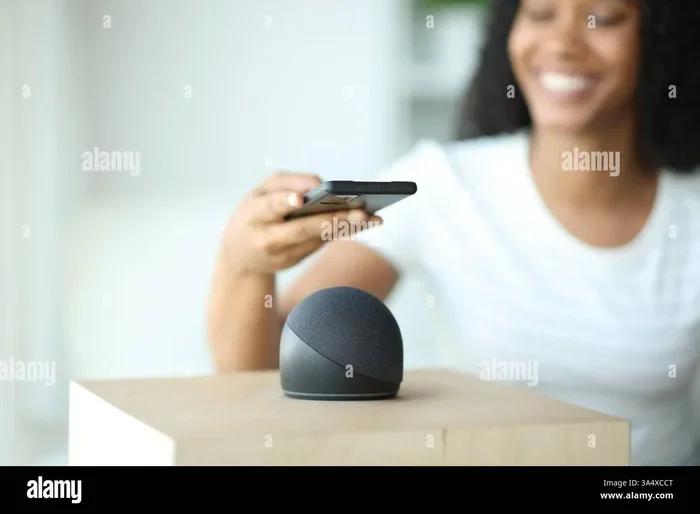
Some smart speakers, like Alexa-enabled devices, can even serve as a soundbar alternative. You can use Alexa as a Bluetooth speaker for your TV and get surprisingly good audio from a single device.
Connect Speakers via Wired Options
Bluetooth is not the only way to connect speakers. If your speaker has an AUX input or RCA ports, you can use a wired connection for better audio quality. Wired connections eliminate Bluetooth compression and latency issues.
You can also look into speaker cables and adapters that let you daisy-chain multiple speakers together. This gives you more control over the audio signal and often produces cleaner sound than wireless pairing.
Make Your Existing Speaker Bluetooth-Ready
If you have a great non-Bluetooth speaker at home, you do not need to replace it. You can add a Bluetooth receiver to make it wireless. These small adapters plug into your speaker’s audio input and pair with your phone or tablet.
This is a cost-effective way to upgrade your setup without buying new gear. It also lets you keep the quality of your existing speaker while gaining the convenience of wireless audio.
Common Mistakes People Make With Multiple Bluetooth Speakers
Even with the best intentions, people often make mistakes when setting up dual speakers. Here are the most common ones to avoid.
Assuming All Speakers Can Pair
Not every Bluetooth speaker supports pairing with another unit. Before you buy a second speaker, check the product specs. Look for terms like “stereo pairing,” “dual mode,” or “speaker link” in the description.
If you buy two incompatible speakers, you will end up playing the same audio in mono from both units. It will not give you the stereo upgrade you are hoping for.
Ignoring Speaker Compatibility
Mixing different brands or models can cause issues. Even if both speakers are Bluetooth-enabled, they may not communicate properly when paired together. The audio delay, volume imbalance, and connection drops can ruin the experience.
Stick with matching models from the same brand for the best results. If you must mix brands, use your device as the audio source and connect both speakers separately.
Poor Placement Ruins Everything
Even the best speakers sound terrible if placed poorly. Do not shove both speakers into the same corner of the room. Do not point them directly at each other. Do not hide them behind furniture or fabric.
Take the time to find the right spots. Walk around the room and listen from different positions. Good placement makes a bigger difference than expensive speakers.
Overlooking Battery Drain
Running two speakers at the same time drains batteries faster. If you are using portable speakers, plan for shorter play times. Bring charging cables or a portable power bank for longer listening sessions.
Some speakers also reduce volume or audio quality when battery levels drop. Keep an eye on your battery indicators and recharge as needed.
Expert Insights on Upgrading Your Audio Setup
Audio engineers and sound specialists agree on a few key principles when it comes to upgrading with Bluetooth speakers.
First, room size matters more than speaker count. A large, open room benefits greatly from dual speakers. A small apartment might sound better with just one well-placed unit.
Second, the source quality matters. If you are streaming low-quality audio files, even the best speakers cannot improve the source material. Use high-quality streaming services or lossless audio files whenever possible for the best sound quality.
Third, do not underestimate the impact of speaker placement. Moving your speakers just a few inches can dramatically change how the sound fills the room. Experiment with different positions before deciding your setup is wrong.
Finally, consider your actual use case. Are you upgrading for music listening, movie nights, or outdoor gatherings? Each scenario has different requirements. Match your setup to your primary use and you will be happy with the results.
Frequently Asked Questions
Can I pair two different Bluetooth speakers together?
Most built-in pairing features only work with matching models from the same brand. However, you can connect two different speakers to your phone simultaneously if your device supports dual Bluetooth connections. The result is mono audio rather than true stereo, but it does increase volume and coverage.
Do I need special speakers for stereo pairing?
Yes, you need speakers that explicitly support stereo pairing or dual mode. Check the product specifications before buying a second unit. Look for terms like “stereo mode,” “left/right channel,” or “speaker pairing” in the manual or product listing.
Can I use Bluetooth speakers for a home theater setup?
Bluetooth speakers can enhance your home audio, but they are not a full replacement for a dedicated home theater system. For the best movie experience, consider a soundbar or a proper surround sound setup. You can also check if you can make your existing TV Bluetooth-compatible to improve connectivity options.
How far apart should I place two Bluetooth speakers?
Place your two speakers about 6 to 10 feet apart, forming an equilateral triangle with your listening position. This spacing creates the best stereo separation and balanced sound coverage throughout the room.
Does using two Bluetooth speakers drain battery faster?
Yes, running two speakers simultaneously drains both batteries faster than using a single unit. Plan for shorter play times and keep charging cables handy. Some speakers also reduce performance when battery levels drop below 20 percent.
Can I use my old Bluetooth speaker as a second unit?
Absolutely. You can pair an older speaker with a newer one if both support the same pairing protocol. Even if the models differ, you can connect both to your device for increased volume. Just keep in mind that the audio quality of the older speaker may limit the overall experience.