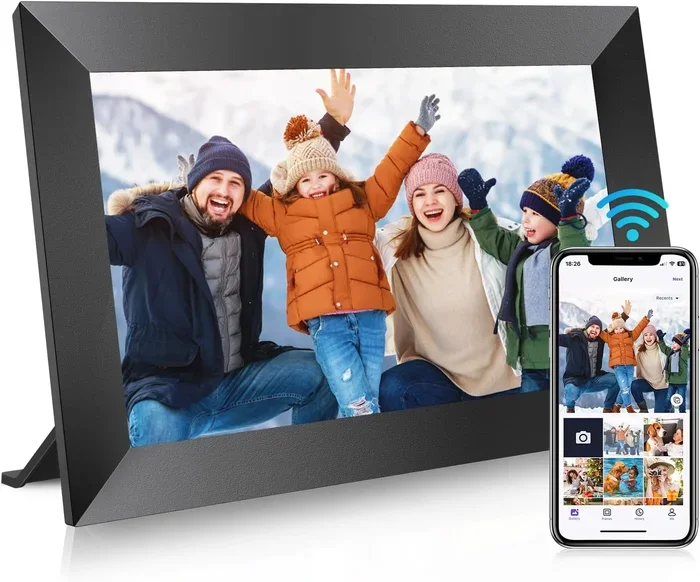
Can You Send Pictures To A Digital Frame Without Wi Fi
Yes, you can send pictures to a digital frame without Wi-Fi. You can easily use methods like a USB cable, an SD card, or Bluetooth to load your photos onto an offline photo frame. This guide will show you exactly how to share your favorite memories without needing an internet connection.
Key Takeaways
- Offline transfers work great: You can use USB cables or SD cards to add photos without any internet.
- USB is the most reliable: Plugging your frame directly into a computer ensures fast and error-free transfers.
- SD cards offer flexibility: You can remove the card, load it on another device, and swap it easily.
- Bluetooth is a wireless option: Some frames let you connect directly to your phone without Wi-Fi.
- Avoid common mistakes: Always check file formats and storage limits before sending pictures.
- Wi-Fi is not always needed: Many modern digital frames work perfectly fine without a wireless connection.
📑 Table of Contents
- Why You Don’t Need Wi-Fi for Your Digital Photo Frame
- How to Can You Send Pictures To A Digital Frame Without Wi Fi
- How to Send Pictures Using a USB Cable
- Using an SD Card or Memory Card for Easy Transfers
- Bluetooth and Alternative Offline Connection Methods
- Comparing Wi-Fi vs. Wi-Fi Free Frame Options
- Common Mistakes to Avoid When Transferring Photos Offline
- Expert Tips for Creating the Best Slideshows
- Final Thoughts
Why You Don’t Need Wi-Fi for Your Digital Photo Frame
Many people assume that a smart frame needs the internet to work. But that is not true at all. You can use a digital photo frame offline. In fact, a Wi-Fi free frame can be just as good as a connected one. The main job of a frame is to show pictures. It does not need the web to do that. You just need a way to get the images onto the device. This is great news for folks who want privacy. It is also good for homes with bad internet. You can set up a slideshow without Wi-Fi and still enjoy your favorite memories. Let us look at why going offline is a smart choice.
First, it keeps your data safe. You do not have to worry about cloud hacks. Second, it saves your internet bandwidth. Third, it works during power outages or internet drops. An offline photo frame gives you peace of mind. You control the photos, not the router. Many people love the simplicity of a frame that just works. You plug it in, and it shows your pictures. No apps to update. No passwords to remember. No connection drops in the middle of a family slideshow. A photo frame without internet is very reliable. It just does its job. This is why so many people still choose the non-wireless option today. Older family members also find them much easier to use. They do not need to understand routers or passwords. They just enjoy the photos.
How to Can You Send Pictures To A Digital Frame Without Wi Fi
The answer is a big yes. There are several simple ways to load your images. You do not need any special equipment either. Most methods use things you already own. A computer, a USB cable, or an SD card are all you need. Let us walk through the most popular options. Each method has its own benefits. You can pick the one that fits your life best. Whether you are a tech beginner or a pro, these steps will work for you. We will cover USB cables, memory cards, and Bluetooth connections. By the end, you will know exactly how to get your photos on the wall. A wireless digital frame is not the only way to share memories anymore.
How to Send Pictures Using a USB Cable
The USB cable method is the most common way to transfer files. It works with almost every digital photo frame. You just need a standard USB cord and a computer. This is a simple way to send photos via USB to your offline photo frame. It is fast, easy, and very reliable.
Step-by-Step Guide to USB Transfers
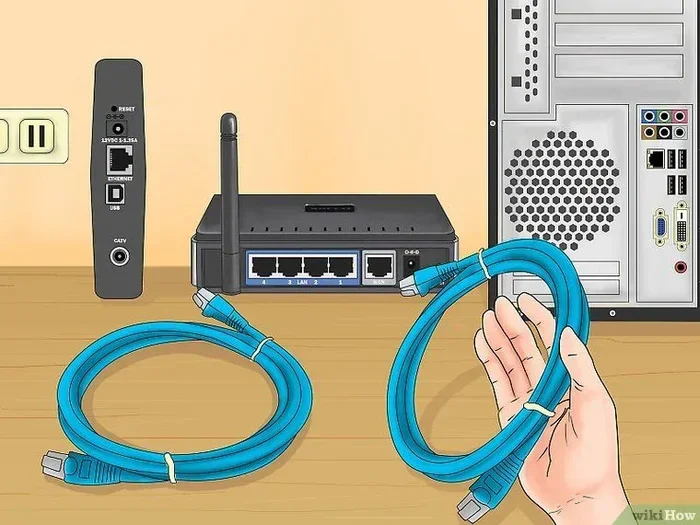
First, plug the USB cable into your computer. Next, connect the other end to your frame. Most frames will show up as a drive on your PC. You can then drag and drop images right into the folder. Make sure your photos are in a supported format. JPG and PNG are the most common types. You do not need special software for this. Just copy the pictures like you would to a USB stick. Once the transfer is done, unplug the frame safely. Your slideshow without Wi-Fi will start right away. This method is fast and very reliable. It does not rely on any network at all.
Tips for USB File Management
Keep your photos organized before you send them. Create a folder just for the frame. Resize large images if the frame has limited memory. A 10-megapixel photo takes up more space than a 2-megapixel one. Also, avoid sending too many photos at once. A slow transfer can sometimes cause errors. If the frame freezes, just unplug it and try again. Using a high-quality USB cable helps too. Cheap cables can cause connection drops. Always check your cable for damage before you start. A broken wire will ruin your transfer experience. You should also check the USB port on the frame. Sometimes dust can block the connection. A quick blow or a soft brush can fix that easily.
Using an SD Card or Memory Card for Easy Transfers
Another great option is the SD card method. Many digital photo frame models have a built-in card reader. You can take the card out, put it in your camera or phone, and load the photos there. This is perfect for a Wi-Fi free frame setup. It also lets you share photos with friends easily. You do not even need a computer if you have a card reader for your phone.
How to Use an SD Card with Your Frame
First, find the SD card slot on your frame. If the frame does not have one built-in, you can buy a USB card reader. Put the SD card into the reader. Then, plug the reader into your computer. You will see the card as a separate drive. Now, copy your photos to the card. Make sure you put them in the right folder. Some frames look for a specific folder name like “DCIM.” Once the photos are on the card, take it out. Slide it into your memory card digital frame. Turn the frame on, and your images will appear. This method is very hands-on. It gives you full control over what you display.
Benefits of the SD Card Approach
The SD card method is very flexible. You can carry the card around easily. You can also update the photos whenever you want. Just swap out the old pictures for new ones. It is also very safe. You do not need to connect to the internet. This makes it a top choice for privacy lovers. If you are traveling, you can take the card out of the frame. Put it in your laptop, add new shots, and put it back. It is a simple way to keep your memories fresh. You can also buy multiple cards. One for holidays, one for family trips. It keeps your photos organized without any cloud storage. Formatting the card in the frame first is also a smart move. This ensures the file system matches what the frame expects.
Bluetooth and Alternative Offline Connection Methods
Not everyone wants to deal with cables or cards. That is where Bluetooth comes in. Some modern frames have Bluetooth built right in. You can connect your phone to the frame directly. This lets you send pictures to a digital frame without Wi-Fi in a snap. It is a neat trick for a wireless digital frame that does not need the web.
How Bluetooth Transfer Works
First, make sure your frame supports Bluetooth. Turn on the Bluetooth on your phone. Then, pair it with the frame. The frame will show up in your phone’s Bluetooth settings. Once paired, you can select photos from your gallery. Hit the share button and choose the frame. The photo will send directly to the device. This is a great way to update a photo frame without internet. You do not need any cables at all. Just stand near the frame and send the picture. The process is quick and very easy. It feels like magic to beam a photo right to the wall. Keep in mind that Bluetooth has a short range. You usually need to be within 30 feet of the frame. This is perfect for sending a single photo quickly.
Other Offline Methods to Explore
Besides Bluetooth, there are a few other tricks. Some frames come with a mobile app. Even if the frame does not have Wi-Fi, the app might let you manage photos via a local connection. You can also use a USB OTG adapter. This lets you plug a USB drive directly into the frame. You load the drive on your computer, then plug it into the frame. Another cool method is the email-to-frame feature. Some older smart frames allow you to send photos via email to a local address. The frame downloads them automatically. This is a neat way to keep a digital signage display running. It shows you that you have many choices. You are never stuck without a way to add photos. A cloud sync frame is different, but these offline methods give you more control.
Comparing Wi-Fi vs. Wi-Fi Free Frame Options
It helps to compare the two main types of frames. A Wi-Fi frame connects to your home network. A Wi-Fi free frame works all on its own. Both have their place. Let us look at the differences in detail to help you choose.
Wi-Fi Frames vs. Offline Frames
A Wi-Fi frame can pull photos from the cloud. You can send a picture from your phone, and it appears on the wall. It also lets you update the frame from far away. You can change the slideshow settings while you are at work. But it needs a strong internet connection. If your Wi-Fi goes down, the frame goes blank. An offline photo frame does not have this problem. It works even if the internet is out. You have to physically add the photos, though. You use a USB cable or an SD card. The setup is a bit more hands-on. But it is also more secure. No one can hack your frame through the internet. A smart photo frame with Wi-Fi is convenient, but an offline frame is dependable.
Which One is Right for You?
Think about what you need most. If you want remote updates, go with a Wi-Fi frame. If you want privacy and reliability, pick an offline photo frame. If you live in an area with spotty internet, a Wi-Fi free frame is a lifesaver. You also save money. Wi-Fi frames cost more because of the smart tech. A basic offline frame is much cheaper. For many families, the offline choice is just fine. You get to enjoy a slideshow without Wi-Fi every day. A wireless digital frame might sound better, but simple often works best. Think about your daily routine. If you are always on the go, Wi-Fi is nice. If you prefer a set-it-and-forget-it approach, go offline.
| Feature | Wi-Fi Frame | Offline Frame |
|---|---|---|
| Internet Needed | Yes | No |
| Remote Updates | Yes | No |
| Price | Higher | Lower |
| Privacy | Lower | Higher |
| Setup | Easy via app | Manual USB/SD |
| Power Use | Higher | Lower |
| Internet Outage Impact | Frame stops | No effect |
Common Mistakes to Avoid When Transferring Photos Offline
Transferring photos without Wi-Fi is usually easy. But people still make mistakes that cause frustration. Here are a few to watch out for. First, check your file format. Not all frames support HEIC or RAW files. They mostly like JPGs. Sending the wrong format will result in blank screens. Second, do not ignore the storage limit. Every frame has a memory size. If you try to add too many photos, it will freeze. Count your storage space before you start. Third, always safely eject your USB drive. Pulling the cord out too fast can corrupt the files. Fourth, resize your images. Huge 4K photos take up too much space. They also slow down the slideshow. Make them match the frame’s screen size. Fifth, pay attention to the aspect ratio. Most frames are 16:9, but some are 4:3. If you send a 4:3 photo to a 16:9 frame, it will have black bars on the sides. This can look a bit odd. Try to crop your photos to match the frame’s shape. Sixth, check the color profile. Some frames display colors differently than your phone screen. What looks bright on your phone might look dull on the frame. You can adjust the brightness and contrast settings right on the frame. Taking five minutes to tweak these settings makes a huge difference. Your offline photo frame will look much better with a little fine-tuning.
Expert Tips for Creating the Best Slideshows
Once you know how to send photos, you want them to look great. A good slideshow makes a room feel warm and inviting. Start by picking your best photos. Do not just dump thousands of pictures onto the frame. Choose the ones that make you smile. Next, set the right transition time. A slow fade looks elegant. A fast flip can be annoying. Most frames let you adjust the speed. You should also mix up the orientations. Use both portrait and landscape photos. This keeps the display looking natural and interesting. If your frame has a memory card, format it regularly. This clears out junk files and keeps it fast. You can also create themed albums. One card for holidays, another for family. It makes it easy to switch moods. These small touches turn a simple offline photo frame into a real home centerpiece.
You can also add music to your slideshow if your frame supports it. Soft background music makes the viewing experience much more emotional. Just make sure the music files are in a compatible format like MP3. Another pro tip is to clean your screen often. Dust and fingerprints can make the photos look blurry. A microfiber cloth works perfectly for this. You should also place the frame at eye level. This makes it easy for everyone in the room to enjoy. Rotating the physical frame seasonally is a nice touch too. It keeps your decor fresh. With these simple steps, your photo frame without internet will look like a professional display.
Final Thoughts
So, can you send pictures to a digital frame without Wi-Fi? Absolutely. You have many great options. You can use a simple USB cable or an SD card. Bluetooth also works well for many modern frames. A Wi-Fi free frame gives you freedom and privacy. You do not need to worry about internet drops or cloud security. Just pick the method that fits your needs. Whether you use a USB transfer or a memory card, the process is easy. You can enjoy a beautiful slideshow without Wi-Fi in no time. Try these tips today and bring your favorite photos back to life on your wall. Your family will love seeing the new pictures every day.
Frequently Asked Questions
Can I send photos to a digital frame using my phone without Wi-Fi?
Yes, you can if your frame supports Bluetooth. You can pair your phone directly with the frame and send pictures that way. This works great for a wireless digital frame that does not need the internet. Just make sure Bluetooth is turned on on both devices.
What file format works best for offline photo frames?
JPG is the most widely supported format for any digital photo frame. It works perfectly for USB transfers and SD cards. Avoid sending HEIC or RAW files unless you know your frame supports them. Sticking to JPG ensures your images show up without any problems.
Do I need a computer to load photos onto a Wi-Fi free frame?
You do not always need a computer. You can use an SD card with a phone that has a card reader. You can also use a USB OTG adapter to connect a USB drive directly to the frame. A computer just makes the process a bit easier and faster.
Why is my offline photo frame not showing the new photos?
This usually happens if the photos are in the wrong file format. It can also mean the frame’s memory is full. Check that your images are saved as JPGs. You should also make sure they are in the correct folder, like DCIM, on your SD card or USB drive.
Is it safe to use a digital frame without an internet connection?
Yes, it is very safe. An offline photo frame cannot be hacked through the internet. You have full control over the photos you display. This makes it a great choice for private family photos that you do not want stored in the cloud.
Can I use a digital frame as a digital signage screen without Wi-Fi?
Yes, you can use a frame for digital signage without Wi-Fi. You just load your images or slides onto a USB drive or SD card. Then plug it into the frame. This is a common way to run a media player frame in a store or office where internet is not available.