Can You Get 300 Mbps Over Wi Fi And Why It Matters
Yes, you can get 300 Mbps over Wi-Fi, but several factors determine whether you actually reach that speed. Your wireless router, frequency band, distance from the router, and interference all play a role. This guide explains everything you need to know about achieving top wireless performance at 300 Mbps.
Have you ever wondered can you get 300 Mbps over Wi-Fi? It is a fair question. Most of us rely on wireless connections for everything. We stream movies, play games, and work from home. All of that needs a fast and stable connection.
The good news is that getting 300 Mbps over Wi-Fi is absolutely possible. But it depends on a few key things. Your router type, your wireless adapter, and even where you place your router all matter. In this guide, we will break it all down for you.
By the end, you will know exactly what it takes to hit that 300 Mbps mark. You will also learn how to troubleshoot slow speeds. Let us dive in.
Key Takeaways
- 300 Mbps over Wi-Fi is achievable: With the right gear and setup, you can reach this speed wirelessly.
- Your router matters most: Older routers may not support speeds anywhere near 300 Mbps.
- Frequency band choice is critical: The 5GHz band delivers faster speeds than the 2.4GHz band.
- Distance and obstacles slow you down: Walls, floors, and furniture weaken your Wi-Fi signal.
- Regular speed tests help: Testing your network speed tells you if your setup is working properly.
- Wired connections are faster: For the best results, use an Ethernet cable when possible.
- Small changes make a big difference: Router placement and firmware updates can boost your broadband connection significantly.
- What Does 300 Mbps Actually Mean?
- Can You Get 300 Mbps Over Wi-Fi? The Short Answer
- Factors That Affect Your Wi-Fi Speed
- How to Test Your Wi-Fi Speed
- Tips to Get the Best Wi-Fi Speeds
- When to Consider a Wired Connection
- Common Mistakes That Slow Down Your Wi-Fi
- Expert Insights on Achieving 300 Mbps Over Wi-Fi
- Conclusion
📑 Table of Contents
What Does 300 Mbps Actually Mean?
Before we answer the big question, let us understand what 300 Mbps means. Mbps stands for megabits per second. It measures how fast data moves through your broadband connection.
At 300 Mbps, you can do a lot. You can stream 4K videos on multiple devices at once. You can download large files in seconds. You can video call in high quality without any lag. That is a lot of bandwidth to work with.
But here is the catch. The number 300 Mbps is what your internet plan promises. It is the speed coming into your home. Getting that same speed over Wi-Fi is a different story. The wireless connection between your router and your device can slow things down.
Think of it like a highway. Your internet plan is the highway. It can handle a lot of traffic. But your Wi-Fi is the on-ramp. If the on-ramp is narrow or crowded, you will not get the full speed of the highway.
Why 300 Mbps Is a Sweet Spot
300 Mbps is a popular speed tier for a reason. It is fast enough for most households. A family of four can all be online at once. Each person can stream, browse, or game without issues.
It is also affordable. Many internet service providers offer plans around this speed. You do not need to pay for the fastest tier to get great performance. 300 Mbps gives you plenty of room to grow.
Can You Get 300 Mbps Over Wi-Fi? The Short Answer
So, can you get 300 Mbps over Wi-Fi? Yes, you can. But it is not automatic. You need the right equipment and setup. Let us look at what makes this possible.
The short answer is yes. A modern wireless router can deliver 300 Mbps or more. But the real answer is more nuanced. Several factors determine your actual wireless performance.
If you have a brand-new router and you are standing close to it, you will likely hit 300 Mbps. If your router is old or you are in another room, you might only get 100 Mbps or less. The gap between the best case and the worst case can be huge.
What You Need to Hit 300 Mbps
Here is what you need to get 300 Mbps over Wi-Fi:
- A modern wireless router: Look for routers that support Wi-Fi 5 or Wi-Fi 6 standards.
- A capable wireless adapter: Your device needs to support fast wireless speeds.
- A strong Wi-Fi signal: You need to be within good range of the router.
- A clean frequency band: Less interference means better speeds.
- The right internet plan: Your plan must actually provide 300 Mbps or more.
Missing any one of these can drop your speed. That is why many people wonder if 300 Mbps over Wi-Fi is even realistic. It is realistic, but it takes effort to set up correctly.
Factors That Affect Your Wi-Fi Speed
Many things influence how fast your wireless connection really is. Understanding these factors helps you troubleshoot slow speeds. Let us go through the biggest ones.
Your Router’s Capabilities
Your router is the heart of your home network. An old router simply cannot deliver modern speeds. If you are using a router from five or more years ago, it may cap you at much lower speeds.
Modern routers use newer Wi-Fi standards like 802.11ac (Wi-Fi 5) and 802.11ax (Wi-Fi 6). These standards were built for speed. They can handle 300 Mbps and way beyond.
When shopping for a router, check the maximum wireless speed on the box. If it says 300 Mbps or higher, it can handle that speed. If it says 150 Mbps or less, you will need an upgrade.
Wireless Frequency Bands
Most routers use two frequency bands. The 2.4GHz band and the 5GHz band. These two bands behave very differently.
The 2.4GHz band travels farther. It can go through walls better. But it is slower and more crowded. Many devices use this band, which causes wireless interference.
The 5GHz band is faster. It handles more data with less congestion. But it has a shorter range. It struggles with thick walls and long distances.
To get 300 Mbps, you almost always need the 5GHz band. The 2.4GHz band usually tops out around 100 to 150 Mbps in real-world use.
Distance and Physical Obstacles
Distance kills Wi-Fi signal strength. The farther you are from your router, the slower your speeds get. This is simple physics.
Walls, floors, and furniture also block signals. A concrete wall can cut your speed in half. Metal objects and water tanks are even worse.
If your device is in the same room as the router, you will get the best speeds. If you are in the basement or the backyard, expect a big drop.
Network Congestion
Too many devices on your network slows things down. Every device shares the available bandwidth. If ten devices are streaming at once, each one gets less speed.
This is called congestion. It is like traffic on a busy road. The more cars there are, the slower everyone moves.
Interference From Other Devices
Other electronics can interfere with your Wi-Fi signal. Microwaves, baby monitors, and Bluetooth devices all use the 2.4GHz band. They create noise that slows your connection.
Your neighbor’s router can also cause interference. If they are on the same channel, your speeds will suffer. This is very common in apartments and dense neighborhoods.
How to Test Your Wi-Fi Speed
You cannot improve what you do not measure. Testing your network speed is the first step. It tells you exactly where you stand.
Here is how to do it right:
- Connect your device to your Wi-Fi network.
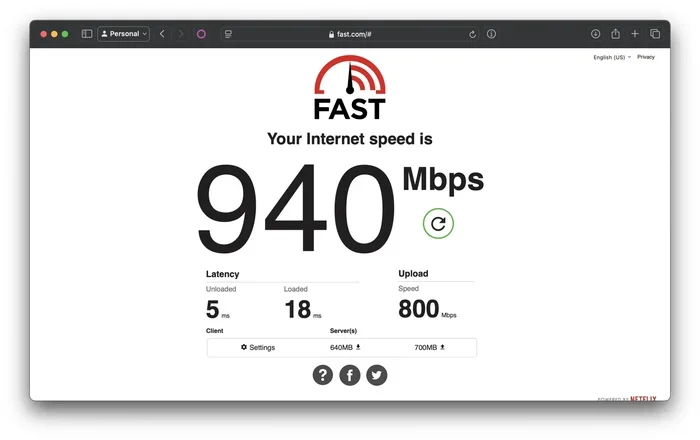
- Go to a speed test website like Speedtest.net.
- Run the test with no other devices streaming.
- Note your download and upload speeds.
- Repeat the test in different rooms.
If your results are close to 300 Mbps, you are in great shape. If they are much lower, something needs fixing. The test results will guide your next steps.
What to Look For in Your Results
When you run an internet speed test, focus on the download speed. That is the number that matters most for streaming and browsing.
Your upload speed matters too, especially if you video call or upload files. But for most users, download speed is the main concern.
Also pay attention to latency or ping. Low latency means a more responsive connection. This matters a lot for gaming and video calls.
Tips to Get the Best Wi-Fi Speeds
Want to maximize your wireless performance? Here are practical tips that make a real difference. Most of these are free and easy to do.
1. Place Your Router in a Central Location
Where you put your router matters a lot. Put it in the center of your home. Keep it up high, like on a shelf. Avoid hiding it in a closet or behind furniture.
A central location gives the best Wi-Fi range to all parts of your home. Walls and doors between you and the router reduce signal strength.
2. Use the 5GHz Band
If your router supports it, always connect to the 5GHz band. This band delivers faster speeds with less interference. Look for a network name that includes “5G” or “5GHz.”
Some routers split the two bands into separate network names. This makes it easy to choose the right one. If yours does not, you can still find the 5GHz option in your settings.
3. Update Your Router Firmware
Router manufacturers release updates that improve performance. Check your router’s admin panel for firmware updates. This simple step can boost your wireless speeds significantly.
Firmware updates fix bugs and improve how your router handles network traffic. They can also add new features that enhance your connection.
4. Reduce Interference
Keep your router away from other electronics. Move it at least a few feet from microwaves, cordless phones, and Bluetooth speakers. This reduces wireless interference and keeps your signal clean.
You can also change your router’s channel. Most routers auto-select a channel, but manually choosing a less crowded one can help. There are free apps that scan for the best channel.
5. Upgrade Your Equipment
If your router is more than a few years old, consider an upgrade. A modern Wi-Fi 6 router can deliver incredible speeds. It handles multiple devices better than older models.
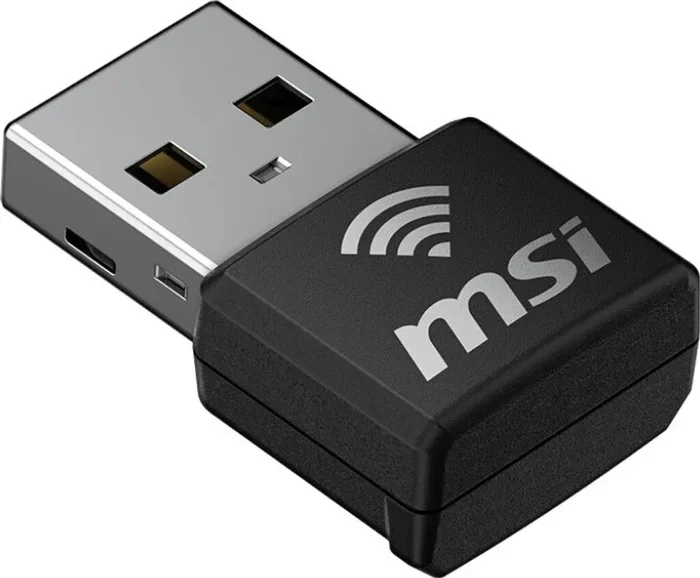
Also check your wireless adapter. If your laptop or phone has an old adapter, it may not support fast speeds. A USB wireless adapter can solve this problem cheaply.
6. Limit Connected Devices
Disconnect devices you are not using. Fewer devices on the network means more bandwidth for each one. This is especially helpful during peak usage hours.
You can also use Quality of Service (QoS) settings on your router. QoS lets you prioritize certain devices or activities. For example, you can give your gaming console top priority.
When to Consider a Wired Connection
Wi-Fi is convenient, but it is not always the fastest option. A wired Ethernet connection will almost always beat Wi-Fi. If you need the most stable and fastest speeds, a cable is the way to go.
With an Ethernet cable, you get the full speed of your broadband connection. There is no signal loss. There is no interference. Your network speed will be as fast as your internet plan allows.
Wired connections are perfect for desktop computers, gaming consoles, and smart TVs. You can use Wi-Fi for mobile devices and laptops that need to move around.
The Best of Both Worlds
You do not have to choose one or the other. Many people use both. They plug in devices that need speed and reliability. They use Wi-Fi for devices that need flexibility.
This hybrid approach gives you the best of both worlds. You get fast speeds where you need them and convenience everywhere else.
Common Mistakes That Slow Down Your Wi-Fi
Avoid these common mistakes to keep your Wi-Fi speed at its best:
- Placing the router near walls or corners: This limits the signal spread.
- Using an old router: Older models cannot handle modern speeds.
- Ignoring firmware updates: Updates fix performance issues.
- Connecting to the 2.4GHz band by mistake: This band is slower and more crowded.
- Overloading the network: Too many devices will slow everyone down.
- Not restarting your router: A simple reboot can fix many connection issues.
These small mistakes add up. Fixing them can make a noticeable difference in your daily wireless performance.
Expert Insights on Achieving 300 Mbps Over Wi-Fi
Networking experts agree on a few key principles. First, your router is the foundation. Invest in a quality modern router. It pays off in speed and reliability.
Second, placement is everything. A great router in a bad spot will underperform. A decent router in a great spot can surprise you. Always put your router in the most central, open location possible.
Third, test regularly. Your network speed can change over time. New neighbors, new devices, and even weather can affect your connection. A monthly speed test keeps you informed.
Finally, do not be afraid to upgrade. Technology moves fast. A router that was great three years ago may not handle today’s demands. Keep your equipment current for the best wireless speeds.
Conclusion
So, can you get 300 Mbps over Wi-Fi? Absolutely yes. With the right router, the right setup, and a little care, you can hit that speed wirelessly. It takes a modern wireless router, a strong Wi-Fi signal, and the right frequency band.
Remember that many factors affect your wireless performance. Distance, obstacles, interference, and network congestion all play a role. But with the tips in this guide, you can troubleshoot and optimize your setup.
Start by testing your current speed. Then work through the tips one by one. You will likely see a big improvement. And if you want the absolute fastest connection, consider a wired setup for your most demanding devices.
A fast broadband connection is worth the effort. It makes streaming smoother. It makes gaming more responsive. It makes work from home easier. Take control of your home network today and enjoy the speeds you are paying for.
Frequently Asked Questions
Can I get 300 Mbps over Wi-Fi with any router?
Not all routers can deliver 300 Mbps. You need a modern router that supports at least the 802.11n standard or newer. Look for routers rated at 300 Mbps or higher on the box to be sure your wireless connection can handle that speed.
Why is my Wi-Fi speed lower than 300 Mbps?
Several factors can slow you down. Distance from the router, physical obstacles, and wireless interference are the most common culprits. An older router or device adapter can also limit your speed. Running a speed test helps you pinpoint the issue.
Does the 5GHz band help me get 300 Mbps over Wi-Fi?
Yes, the 5GHz band is much faster than the 2.4GHz band. It has less congestion and supports higher network speeds. To achieve 300 Mbps, connecting to the 5GHz band is almost always necessary.
How far can I be from my router and still get 300 Mbps?
In ideal conditions, you can be about 30 to 50 feet away and still hit 300 Mbps. Walls, floors, and other obstacles reduce that distance significantly. For the best wireless performance, stay as close to the router as possible during speed-heavy tasks.
Do I need a special internet plan to get 300 Mbps over Wi-Fi?
Yes, your internet plan must provide at least 300 Mbps. If your plan only offers 100 Mbps, your Wi-Fi cannot go faster than that. Check with your internet service provider to confirm your plan speed.
Is Wi-Fi 6 better for getting 300 Mbps?
Wi-Fi 6 is excellent for achieving and maintaining high speeds. It handles multiple devices better and reduces congestion. While you do not need Wi-Fi 6 specifically for 300 Mbps, it makes getting and keeping that speed much easier and more reliable.