Can My Neighbor And I Share Wi Fi Without Any Worries
Sharing Wi-Fi with your neighbor is possible, but it comes with real risks and rewards. You can save money and help your neighbor stay connected, yet you must protect your network from security threats and speed loss. This guide covers everything you need to know about neighbor wifi sharing the safe way.
Have you ever wondered if you can share your internet with the neighbor next door? Maybe they are struggling with a weak signal, or perhaps you both want to split the cost of a better internet plan. The idea of neighbor wifi sharing sounds simple on the surface. But underneath that friendly gesture, there are real questions about security, speed, and legality.
The good news is that you can absolutely share your wireless network with a neighbor. The better news is that you can do it without putting your own data or connection at risk. In this guide, we will walk through every angle of shared wifi. You will learn how it works, what the risks are, and exactly how to set things up the right way. Whether you are looking to save a few dollars or just be a good neighbor, this article has you covered.
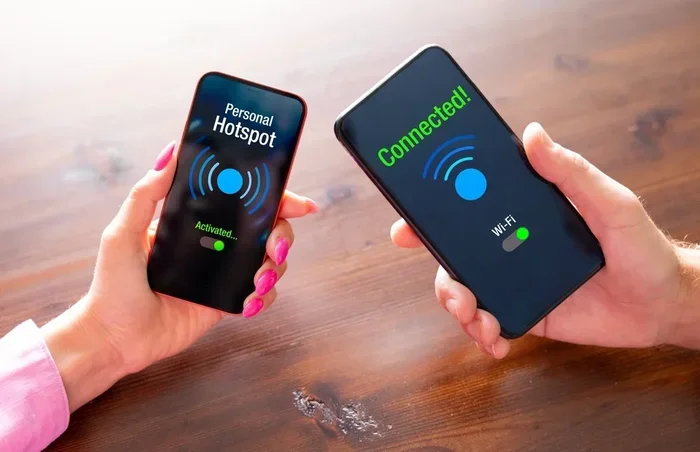
Let us start with the basics. Sharing your wifi router connection means allowing another device to tap into your internet connection. This can happen through a shared password, a guest network, or even a dedicated access point. Each method has its pros and cons. And the choice you make will determine how safe and fast your network stays.
Key Takeaways
- Sharing is possible: You can share your wireless network with a neighbor using a guest network or shared password setup.
- Security comes first: Always use a guest network and strong passwords to keep your personal data safe.
- Check your ISP agreement: Some internet providers restrict network sharing, so review your terms first.
- Bandwidth matters: Sharing can slow down your connection, so set limits to protect your speed.
- Legal awareness is key: Understand local laws and your provider’s policy before sharing your wifi router connection.
- Alternatives exist: Wi-Fi extenders and mesh systems offer better options than sharing a single network.
📑 Table of Contents
- Understanding How Wi-Fi Sharing Works
- Benefits of Sharing Wi-Fi With Your Neighbor
- Potential Risks and Concerns
- How to Share Wi-Fi Safely
- Legal and ISP Considerations
- Alternatives to Sharing Your Main Wi-Fi
- Common Mistakes People Make When Sharing Wi-Fi
- Expert Insights on Neighbor Network Sharing
- How to End a Wi-Fi Sharing Arrangement
- Conclusion
Understanding How Wi-Fi Sharing Works
How Wi-Fi Networks Connect Devices
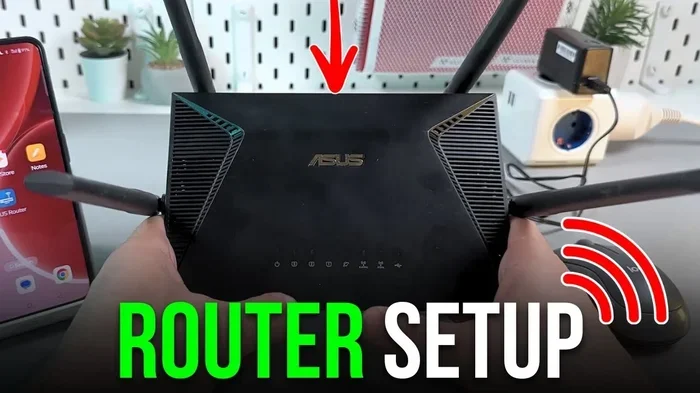
A wireless network works by broadcasting a signal from your router to devices in range. Your wifi router acts like a traffic controller. It sends data to your phone, laptop, smart TV, and any other connected device. When you share that network, you are essentially letting another person’s devices connect to the same signal.
The process is straightforward. Your neighbor simply needs the network name and the network password. Once they enter those details on their device, they are online. But here is where things get tricky. Every device connected to your network uses a portion of your bandwidth. Bandwidth is the amount of data your connection can handle at one time. More devices means less speed for everyone.
The Basics of Sharing Your Connection
There are two main ways to share your connection. The first is through your main network. This means giving your neighbor the same wifi password you use for your own devices. The second method is through a guest network. A guest network is a separate network that your router creates. It gives your neighbor access to the internet without letting them see your personal devices.
Most modern routers support guest networks. You can usually find this option in your router settings. Look for a tab labeled “Guest Network” or “Guest Access.” From there, you can set a separate name and password. This is the safest and most recommended way to share your wireless network sharing setup.
Benefits of Sharing Wi-Fi With Your Neighbor
Cost Savings and Convenience
One of the biggest reasons people consider neighbor wifi sharing is cost savings. Internet bills can be expensive. By splitting the cost of a better plan, both households can enjoy faster speeds for a lower price. If you already have a strong internet plan with plenty of data, adding one more user may not cost you anything extra.
Convenience is another major benefit. Think about it. If your neighbor has a weak signal in their home, sharing your network means they can stream movies, work from home, or video call family without interruptions. You also get the satisfaction of helping someone in your community. Small acts like this build trust and strengthen neighborhood bonds.
Building Community Connections
Sharing your network can spark a real connection with your neighbor. It opens the door to conversations, mutual help, and a sense of shared responsibility. When you share something as essential as internet access, it creates a bond. Many people who share networks end up looking out for each other in other ways too.
Of course, this only works when both sides communicate openly. Set clear expectations from the start. Talk about how long the sharing will last, what each person can use the network for, and what happens if something goes wrong. Clear communication prevents most problems before they start.
Potential Risks and Concerns
Security Threats You Need to Know
This is the most important part of the entire discussion. When you share your network password, you are opening your door to the internet. But you are also potentially opening your door to threats. If your neighbor’s device has a virus or malware, it could spread to your network. Even if you trust your neighbor completely, their devices may not be as secure.
Here are the main security risks of shared wifi:
- Unauthorized access: Someone else could use your network for illegal activities without your knowledge.
- Data theft: Hackers can exploit shared networks to intercept personal data from your devices.
- Malware spread: An infected device on your network can compromise your computer or phone.
- Network slowdown: A neighbor downloading large files can eat up your bandwidth and slow your speed.
These risks sound scary, but they are manageable. The key is to take the right precautions before you share anything. Never give out your main network password without protection in place.
Speed and Bandwidth Issues
Your network speed depends on how much bandwidth your internet provider gives you. When you add another user, that bandwidth gets split. If you have a 100 Mbps plan and your neighbor is streaming 4K video, you might notice a drop in your own speed. Online gaming, video calls, and large downloads all suffer when the network is crowded.
This is why setting limits is so important. Most routers let you set data caps or speed limits per device. You can also schedule usage times. For example, you might allow your neighbor to use the network during off-peak hours when your own usage is low. These small steps make a big difference in keeping your connection fast and stable.
How to Share Wi-Fi Safely
Setting Up a Guest Network
The single best thing you can do is set up a guest network. This creates a completely separate network for your neighbor. Your personal devices, files, and data stay isolated and protected. Here is how to do it in simple steps:
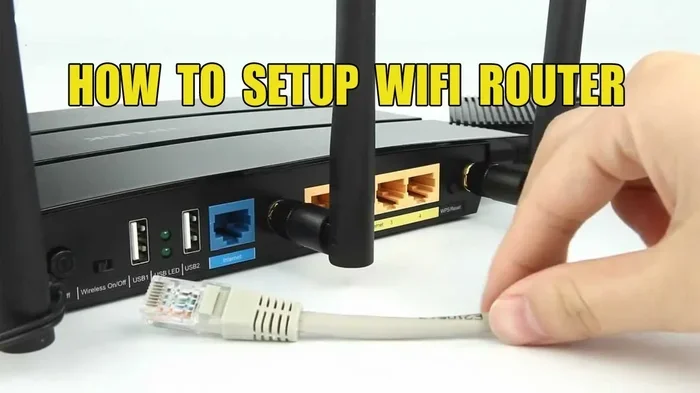
- Log in to your router’s admin panel. You can usually do this by typing 192.168.1.1 or 192.168.0.1 into your browser.
- Find the “Guest Network” section in the settings menu.
- Enable the guest network and give it a unique name.
- Set a strong password that is different from your main network.
- Save your settings and connect your neighbor’s device to the guest network.
That is it. Your neighbor gets internet access, and your main network stays private. You can also turn off guest network access at any time if you decide to stop sharing. This gives you full control over your wireless network at all times.
Configuring Router Settings for Safety
Beyond the guest network, there are a few more router settings you should check. First, make sure your main network uses WPA3 or WPA2 encryption. These are the strongest security protocols available. If your router still uses WEP, upgrade it immediately. WEP is outdated and easy to crack.
Second, disable WPS (Wi-Fi Protected Setup). WPS makes it easy to connect devices, but it also creates a security hole. Hackers can exploit WPS to gain access to your network. Turn it off in your router settings and use a strong manual password instead.
Third, enable your router’s firewall. The firewall protection built into most routers blocks unauthorized access attempts. Keep it turned on at all times. You can also check for firmware updates regularly. Router manufacturers release updates that fix security vulnerabilities. Keeping your firmware current is one of the simplest and most effective steps you can take.
Quick Tip: Change your router admin password from the default setting. Many people leave it as “admin” or “password.” A simple change makes a huge difference in your network security.
Legal and ISP Considerations
Checking Your Internet Service Agreement
Before you share your connection, read your internet provider agreement carefully. Some ISPs explicitly forbid sharing your network with anyone outside your household. Others allow it as long as you do not exceed a certain number of connected devices. Violating your ISP agreement can lead to warnings, fines, or even service termination.
Call your provider or check your online account to review the terms. If sharing is not allowed, ask about adding a second user or upgrading to a plan that permits it. Many providers now offer plans designed for multi-device households. These plans often come with better speeds and higher data caps.
What the Law Says About Shared Networks
The legal landscape around shared networks varies by location. In most places, sharing your network with a neighbor is not illegal. However, if someone uses your shared network for illegal activity, you could be held responsible. This is because the network is registered under your name and your internet service account.
To protect yourself, make sure your guest network has a strong password and a clear name. Avoid naming your guest network in a way that suggests it is open or unrestricted. A name like “Neighbor Guest” with a password requirement shows that access is intentional and controlled. Keep records of who has access and when. This simple step can save you a lot of trouble if any issues arise later.
Alternatives to Sharing Your Main Wi-Fi
Using a Wi-Fi Extender
If your neighbor has a weak signal but you do not want to share your network, a wifi extender is a great option. A wifi extender picks up your signal and boosts it to areas with poor coverage. You can place the extender closer to your neighbor’s home. This way, they get a stronger signal from your network without connecting directly to it.
Wifi extenders are affordable and easy to set up. Most cost between $20 and $50. They plug directly into a wall outlet and require minimal configuration. This option gives your neighbor better coverage while keeping your main network private and secure.
Setting Up a Separate Network
Another option is to set up a completely separate network for your neighbor. This requires a second router or a dual-band router. Your neighbor connects to the second router, which is isolated from your main network. This gives them full internet access while keeping your personal devices and data completely separate.
This approach takes a bit more setup, but it offers the highest level of security. You control the second router’s settings, password, and bandwidth allocation independently. It is the best solution if you want to help your neighbor without any risk to your own network.
Common Mistakes People Make When Sharing Wi-Fi
Even with the best intentions, people make mistakes when they share their network. Here are the most common ones to avoid:
- Sharing your main password: Never give out your primary network password. Always use a guest network instead.
- Ignoring bandwidth limits: Without limits, your neighbor’s heavy usage can kill your own internet speed.
- Skipping router updates: Outdated firmware leaves your network vulnerable to attacks.
- Not setting a time limit: Open-ended sharing arrangements often lead to disputes. Set a clear end date.
- Forgetting to change default settings: Default router settings are easy targets for hackers. Always customize your configuration.
- Assuming trust equals safety: Even if you trust your neighbor, their devices may still pose a risk to your network.
Avoiding these mistakes keeps your network safe and your relationship with your neighbor strong. A little preparation goes a long way toward worry-free shared wifi arrangements.
Expert Insights on Neighbor Network Sharing
Networking professionals agree that guest networks are the gold standard for sharing your connection. According to cybersecurity experts, a properly configured guest network isolates all traffic from your main devices. This means even if your neighbor’s laptop is compromised, your personal files and smart home devices remain safe.
Experts also recommend using a separate bandwidth allocation for guest networks. Many modern routers let you set a maximum speed for each connected device. This prevents any single user from hogging your entire connection. If your router does not support this feature, consider upgrading to a model that does. The investment pays off in peace of mind and better performance.
One more expert tip: monitor your network regularly. Most routers have a connected devices list in their admin panel. Check this list weekly to make sure only authorized devices are using your network. If you see an unfamiliar device, change your password immediately. Staying vigilant is the best defense against network troubleshooting headaches down the road.
How to End a Wi-Fi Sharing Arrangement
Sometimes sharing arrangements need to end. Maybe your neighbor moves out, or perhaps you are not happy with the arrangement. Whatever the reason, ending it should be simple. Change your guest network password and remove your neighbor’s device from the connected devices list.
If you set up a separate network for your neighbor, you can simply unplug the second router. Make sure to reset any bandwidth limits or access rules you put in place. It is also a good idea to update your main network password if you shared it at any point during the arrangement.
Communicate openly with your neighbor when ending the arrangement. A polite conversation goes a long way in maintaining a good relationship. Most neighbors will understand and appreciate the honesty.
Conclusion
So, can my neighbor and I share Wi-Fi without any worries? The answer is yes, but only if you take the right steps. Neighbor wifi sharing can save money, build community, and help someone in need. But it requires careful planning and smart security practices. Set up a guest network, protect your router settings, check your ISP agreement, and monitor your network speed regularly.
Sharing your internet connection does not have to be risky. With a guest network, proper router configuration, and clear boundaries, you can help your neighbor while keeping your own data and devices safe. The key is preparation and communication. Do your homework before you share, and you will enjoy all the benefits without the worries.
Take action today. Check your router settings, set up a guest network, and have an honest conversation with your neighbor. A simple step now can lead to a better connection and a stronger neighborhood for everyone involved.
Frequently Asked Questions
Is it legal to share Wi-Fi with my neighbor?
In most areas, sharing your Wi-Fi with a neighbor is legal. However, you should check your ISP agreement first. Some providers restrict network sharing to household members only. Also, you could be held responsible for any illegal activity that occurs on your shared network, so always use a guest network with a strong password.
Will sharing Wi-Fi slow down my internet speed?
Yes, sharing your network can reduce your speed because bandwidth is split between devices. To minimize this impact, set up a guest network and use bandwidth limits on your router. You can also schedule usage times to ensure your own devices get priority during peak hours.
What is the safest way to share Wi-Fi with a neighbor?
The safest method is to enable a guest network on your router. A guest network gives your neighbor internet access without exposing your personal devices or files. Make sure the guest network uses WPA3 or WPA2 encryption and has a strong, unique password that differs from your main network password.
Can my neighbor see my devices if I share my Wi-Fi?
If you share your main network password, your neighbor could potentially see your connected devices. This is why a guest network is essential. A guest network isolates all traffic, so your neighbor only has access to the internet and not to your personal devices or data on your main network.
Do I need special equipment to share Wi-Fi with my neighbor?
No special equipment is required. Most modern routers have a built-in guest network feature that you can enable through the router settings. If you want extra isolation, you can use a second router or a Wi-Fi extender. These are affordable and easy to set up without any technical expertise.
What should I do if my neighbor is using too much bandwidth?
First, check your router settings for bandwidth controls. Many routers allow you to set speed limits per device or per network. You can also schedule times when the guest network is active. If the problem continues, have an honest conversation with your neighbor or consider temporarily pausing the guest network until usage normalizes.