Can I Use Wifi Extender With Mesh And Why It Matters
Yes, you can use a wifi extender with a mesh network in most cases. Adding a range extender to your mesh setup can boost wireless coverage in stubborn dead zones and improve overall signal strength. However, mixing devices may reduce seamless roaming and create a slightly more complex home network. Understanding how both technologies work together helps you avoid common setup mistakes and get the best network performance. This guide walks you through every step, from compatibility checks to expert tips that actually work.
You bought a mesh wifi system to fix your home network problems. But after setting it up, you still notice a weak signal in the back bedroom or the garage. So you wonder, can I use wifi extender with mesh? The short answer is yes. The longer answer involves a few important details that can make or break your internet experience. This article breaks down everything you need to know about pairing a range extender with your mesh network. You will learn how they work together, what to watch out for, and how to set things up the right way.
Many homeowners face the same frustration. A mesh system handles most of the house, but that one corner still drops calls or buffers during movie night. A wifi extender seems like an easy fix. But mixing two different technologies comes with trade-offs. Let us walk through the details so you can make a smart decision for your home network setup.
Key Takeaways
- Compatibility is key: Not all wifi extenders work well with mesh systems, so check specs first.
- Setup is straightforward: You can connect an extender to a mesh node via wireless or wired backhaul.
- Performance may vary: Using an extender can reduce bandwidth and add slight latency compared to native mesh nodes.
- Placement matters a lot: Position your extender halfway between the mesh node and the dead zone for the best signal strength.
- Avoid common mistakes: Don’t daisy-chain multiple extenders or place them too far from the mesh router.
- Expert insight: A wired ethernet cable backhaul delivers the most stable results when extending a mesh network.
- Know when to skip it: If your mesh system already covers your home well, an extra extender may not be worth the added complexity.
📑 Table of Contents
- What Is a Mesh Wifi System and How Does It Work?
- Can You Use a Wifi Extender With a Mesh Network?
- How to Connect a Wifi Extender to a Mesh Network
- Pros and Cons of Using a Wifi Extender With Mesh
- Common Mistakes to Avoid When Using an Extender With Mesh
- Expert Tips for Getting the Best Results
- Comparison: Native Mesh Node vs. Wifi Extender
- Conclusion
What Is a Mesh Wifi System and How Does It Work?
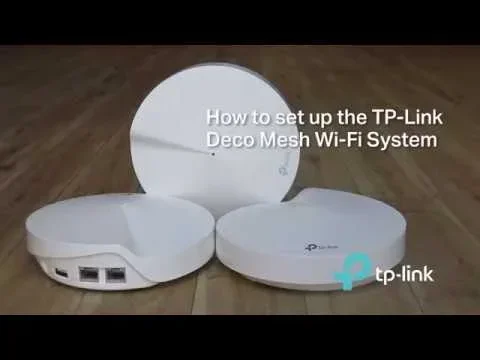
A mesh wifi system is a type of home network setup that uses multiple devices called mesh nodes to spread internet coverage evenly. Unlike a traditional single router, a mesh network creates one unified wireless network across your entire home. Each node talks to the others, forming a web of connectivity that eliminates dead zones and keeps your internet speed consistent.
Here is how it works in simple terms. Your main mesh router connects to your modem. That router then talks to satellite nodes placed around your home. These nodes share the wireless signal with each other, a process known as mesh topology. Your phone or laptop connects to the nearest node and stays on the same network name as you move from room to room. This is called seamless roaming, and it is one of the biggest advantages of a mesh network over a regular router.
Most modern mesh systems use dual band or tri-band mesh frequencies to handle traffic efficiently. Dual band means the system uses two frequency bands, usually 2.4 GHz and 5 GHz. Tri-band adds a third dedicated band for backhaul, which is the connection between mesh nodes. This helps maintain strong network performance even when many devices are connected at once.
Can You Use a Wifi Extender With a Mesh Network?
So, can I use wifi extender with mesh? Yes, you generally can. A wifi extender, also called a wifi repeater or range extender, picks up the existing wireless signal from your mesh node and rebroadcasts it to areas with weak coverage. This can help fill in gaps that your mesh system alone cannot reach.
However, there are important things to understand before you add an extender to a mesh setup. The mesh nodes in your system were designed to work together as a team. They share information, manage channels, and optimize signal strength automatically. When you introduce a third-party range extender, it does not always communicate the same way. It may create a separate network name or reduce your overall bandwidth.
Here is what happens under the hood. A mesh node uses intelligent routing to send data through the best path available. An extender typically receives a signal and retransmits it on the same channel. This can cut your available bandwidth in half because the device uses the same radio to both receive and send data. In a dual band setup, this is even more noticeable. Your internet speed may drop, and latency can increase.
That said, many people still find value in adding an extender to their mesh network. If you have a large home with thick walls or multiple floors, one extra extender can make a big difference. The key is to set it up correctly and manage your expectations about network performance.
When Does It Make Sense to Add an Extender?
There are specific situations where using a wifi extender with mesh makes a lot of sense. If you have a dead zone that the mesh system cannot reach, an extender can fill that gap. If you live in an older home with plaster walls or metal lath, signal strength can drop fast. An extra extender placed strategically can restore your wireless coverage in those tough spots.
Another good reason is a temporary fix. Maybe you are renting and do not want to invest in extra mesh nodes yet. An affordable range extender can get you through until you upgrade. Or perhaps you have a detached garage or a backyard office that needs a stronger signal. An extender can reach those spaces that even the best mesh system struggles with.
When Should You Skip the Extender?
On the other hand, there are times when adding an extender is not the best move. If your mesh system already covers your home well, an extra device adds unnecessary complexity. It can also create confusion for devices trying to connect, especially if the extender broadcasts a different network name. In these cases, it is better to add another mesh node from the same brand. A native mesh node communicates with the rest of the system far more efficiently than a third-party wifi repeater ever could.
How to Connect a Wifi Extender to a Mesh Network
Setting up a wifi extender with your mesh system is not hard, but it does require some planning. The way you connect the extender affects your network coverage and overall performance. There are two main methods: wireless backhaul and wired backhaul.
Wireless Backhaul Setup
Wireless backhaul means the extender connects to your mesh node over the air. This is the easiest method because you do not need any cables. Most extenders support this by default. You simply plug the extender into a wall outlet, follow the setup instructions, and it pairs with your mesh network.
Here is a simple step-by-step process:
- Plug the extender into an outlet halfway between your mesh node and the weak coverage area.
- Power on the extender and wait for the indicator light to show it is ready.
- Use the extender’s app or web interface to scan for available networks.
- Select your mesh network name and enter the password.
- Wait for the connection to establish and test your signal strength in the dead zone.
Keep in mind that wireless backhaul can reduce your bandwidth. The extender receives the signal and sends it out again on the same radio. This creates a bottleneck, especially on dual band systems. If you need the best possible speed, consider the wired option.
Wired Backhaul Setup
Wired backhaul uses an ethernet cable to connect the extender directly to your mesh node or router. This is the most stable and fastest method. It eliminates the wireless bottleneck and gives your extender a direct, high-speed connection to the network.
To set this up, you need an ethernet cable long enough to reach from your mesh node to the extender’s location. Plug one end into the mesh node’s LAN port and the other into the extender’s ethernet input. Then configure the extender through its app or web panel. Many extenders detect the wired connection and switch to a more efficient mode automatically.
This approach works especially well for home network setups where you can run a cable along a baseboard or through a doorway. The result is much better network performance compared to wireless backhaul. You get full bandwidth, lower latency, and more reliable signal strength in the extended area.
Quick Tips for a Smooth Setup
- Always update your extender’s firmware before first use. This fixes bugs and improves compatibility.
- Place the extender where it still gets a strong signal from the mesh node. If the extender receives a weak signal, it will rebroadcast a weak signal too.
- Avoid placing the extender near microwaves, cordless phones, or baby monitors. These devices cause interference on the 2.4 GHz band.
- Use the extender’s app to run a speed test after setup. Compare results with and without the extender to see the real impact.
- If your mesh system supports access point mode, enable it on the extender for the best integration.
Pros and Cons of Using a Wifi Extender With Mesh
Every networking decision has trade-offs. Using a wifi extender with a mesh system has clear advantages and some downsides. Understanding both sides helps you make the right choice for your home network.
The Pros
- Extends wireless coverage: An extender reaches areas your mesh system cannot, eliminating stubborn dead zones.
- Affordable solution: Range extenders cost much less than buying extra mesh nodes from the same brand.
- Easy to set up: Most modern extenders have simple apps that guide you through the process in minutes.
- Works with existing devices: You do not need to replace any equipment. Your current mesh router and nodes stay in place.
- Flexible placement: You can move the extender around until you find the sweet spot for best signal strength.
The Cons
- Reduced bandwidth: Wireless repeaters cut your available internet speed, sometimes by half, because they use the same radio to receive and transmit.
- Increased latency: The extra hop between the mesh node and the extender adds delay, which can affect online gaming and video calls.
- Separate network names: Some extenders create a different network name, which confuses devices and breaks seamless roaming.
- Compatibility issues: Not all extenders work well with all mesh systems. Some may not support the latest wifi standards like wifi 6 or wifi 6E.
- Added complexity: Managing two different types of devices means more things to troubleshoot when problems arise.
When you weigh these pros and cons, the decision comes down to your specific situation. If you have a small gap in coverage and a tight budget, an extender makes sense. If you want the best possible performance and seamless experience, adding another native mesh node is the better long-term choice.
Common Mistakes to Avoid When Using an Extender With Mesh
Many people make avoidable mistakes when they add a wifi extender to a mesh network. These errors can hurt your network performance and make the setup feel worse than before. Knowing what to avoid saves you time and frustration.
Placing the Extender Too Far From the Mesh Node
This is the number one mistake. If you place the extender too far from the nearest mesh node, it receives a weak signal. It then rebroadcasts that weak signal, giving you poor coverage in the extended area. The golden rule is to place the extender where it still gets a strong, reliable signal from the mesh node. A good test is to walk between the node and the extender. If your phone shows full bars at the extender’s location, you have placed it correctly.
Daisy-Chaining Multiple Extenders
Some people connect one extender to another, creating a chain of repeaters. This is called daisy-chaining, and it destroys network performance. Each extender in the chain cuts the bandwidth further and adds more latency. If you need more coverage, add one extender at a time and test the results before adding another.
Ignoring the 2.4 GHz and 5 GHz Bands
Many extenders default to the 2.4 GHz band, which has longer range but slower speeds. If your mesh system supports 5 GHz, make sure your extender uses that band too. Check the extender settings and switch to 5 GHz for better bandwidth and less congestion. Some extenders allow you to use both bands simultaneously, which gives you the best of both worlds.
Not Updating Firmware
Outdated firmware on your extender can cause compatibility problems with your mesh system. Always check for firmware updates after setup and periodically afterward. Most extender apps have a built-in update feature that makes this easy.
Expert Tips for Getting the Best Results
Networking professionals have a few tricks up their sleeves when it comes to mixing a wifi extender with a mesh network. These tips can help you squeeze the most out of your setup.
First, use an ethernet cable whenever possible. A wired connection between the mesh node and the extender gives you the most stable and fastest results. Even a long ethernet cable run through your house will outperform a wireless connection in most cases. This is called wired backhaul, and it is the secret weapon of well-designed home networks.
Second, enable the same network name and password on your extender as your mesh system. This allows your devices to switch between the mesh node and the extender without dropping the connection. Look for a setting called “same SSID” or “unified network” in the extender’s configuration panel.
Third, restart your mesh system and extender together once a month. This clears the memory, refreshes connections, and keeps everything running smoothly. Think of it like restarting your phone. It is a small step that makes a big difference in network performance.
Fourth, monitor your network coverage with a wifi heatmap app. These apps show you exactly where your signal is strong and where it is weak. You can use this data to move your extender to the perfect spot. Many free apps are available for both Android and iOS devices.
Fifth, consider using your extender as an access point rather than a repeater. Some extenders have an access point mode that connects via ethernet and creates a dedicated wifi hotspot. This mode avoids the wireless repeating bottleneck and delivers full-speed coverage to the extended area.
Comparison: Native Mesh Node vs. Wifi Extender
To help you decide between adding a mesh node or a wifi extender, here is a quick comparison table.
| Feature | Native Mesh Node | Wifi Extender |
|---|---|---|
| Compatibility | Designed for the same system | Works with most mesh systems |
| Setup Difficulty | Very easy, app-guided | Easy, but may need manual config |
| Bandwidth Impact | Minimal, optimized routing | Can cut bandwidth by up to 50% |
| Seamless Roaming | Yes, full support | Sometimes, depends on model |
| Cost | Higher, brand-specific | Lower, widely available |
| Network Coverage | Excellent, optimized handoff | Good, but may have gaps |
| Latency Impact | Very low | Slightly higher |
| Backhaul Options | Wired and wireless | Wired and wireless |
As you can see, a native mesh node offers the best overall experience. But a wifi extender is a solid budget-friendly option that gets the job done in many situations. Your choice depends on your budget, your home size, and how much you value seamless network performance.
Conclusion
So, can I use wifi extender with mesh? Yes, and it can be a practical solution for improving your home network coverage. Whether you have a stubborn dead zone in the basement or a weak signal in the backyard, adding a range extender to your mesh system can make a real difference. Just remember that this approach comes with trade-offs, including potential bandwidth loss and slightly more complex setup.
The best results come from thoughtful placement, wired backhaul when possible, and keeping your firmware up to date. If your budget allows, a native mesh node from the same brand will always deliver a smoother experience. But for many homeowners, a wifi extender paired with a mesh system hits the sweet spot between coverage and cost.
Take the time to test your setup, move the extender around if needed, and monitor your network performance. A little effort goes a long way toward a faster, more reliable home network. You deserve strong, consistent wifi everywhere in your home, and with the right approach, you can make it happen.
Frequently Asked Questions
Will using a wifi extender with my mesh system slow down my internet speed?
It can, but the impact depends on how you set it up. Wireless backhaul, where the extender connects to the mesh node over the air, can reduce your bandwidth by up to 50 percent. Using a wired ethernet cable connection greatly reduces this speed loss and keeps your network performance close to full speed.
Do I need to buy a mesh-compatible wifi extender?
Not necessarily. Most standard range extenders work with any wifi network, including mesh systems. However, mesh-compatible extenders or access points from the same brand tend to integrate better and offer smoother seamless roaming between devices.
Can I use a wifi repeater from a different brand with my mesh router?
Yes, you can. A wifi repeater from a different brand will still pick up and rebroadcast your mesh network signal. The trade-off is that it may not support advanced features like intelligent roaming or band steering that native mesh devices offer.
How many extenders can I use with one mesh system?
There is no strict limit, but using more than one or two extenders is not recommended. Each extender adds latency and can reduce bandwidth. If you need more coverage, it is usually better to add another native mesh node to your system instead of stacking multiple extenders.
Should I keep the extender on 2.4 GHz or 5 GHz when using it with mesh?
Use 5 GHz whenever possible for better speed and less interference. The 2.4 GHz band travels farther and penetrates walls better, but it is slower and more crowded. If your extender supports dual band, connect to the 5 GHz band for the best network coverage and speed balance.
What is the difference between a wifi extender and a mesh node from the same brand?
A mesh node from the same brand is designed to communicate seamlessly with your existing mesh router and other nodes. It supports features like smart roaming, automatic channel selection, and unified network management. A wifi extender is a more generic device that simply repeats the signal it receives, without the same level of intelligent coordination.