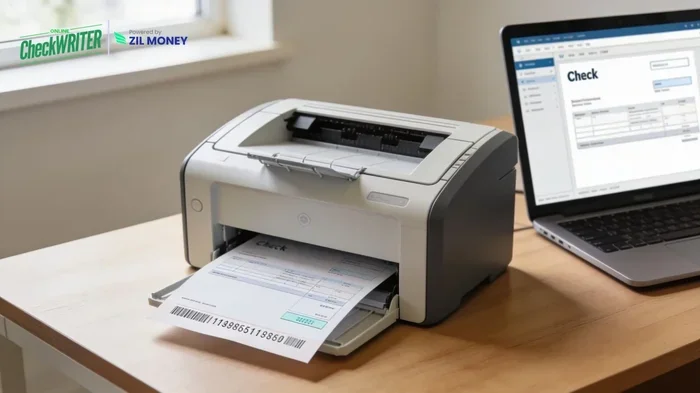
Can I Print My Own Checks At Home Yes You Absolutely Can
Yes, you absolutely can print your own checks at home, and it is easier than you think. With the right blank check paper, a compatible printer, and simple software, you can create professional-looking home printed checks in minutes. This guide covers everything from supplies and software to security tips and step-by-step instructions so you can start printing checks at home with confidence.
Have you ever stared at a stack of expensive checks from your bank and thought there had to be a better way? Good news. You can print your own checks at home, and thousands of people do it every single day. It is not complicated, it is not illegal, and it can save you a surprising amount of money over time.
Whether you need personal checks for everyday spending or business checks for paying vendors and contractors, home check printing gives you full control. You choose the design, you pick the quantity, and you pay a fraction of what banks charge. This guide walks you through everything you need to know to get started safely and confidently.
The process is simpler than most people expect. With a few key supplies and basic software, you can produce checks that look professional and work just as well as anything from a bank branch. Let us dive into how it all works.
Key Takeaways
- Printing checks at home is legal and practical: You can produce personal and business checks from your own printer with the correct supplies.
- You need specific materials: Blank check stock, MICR toner or ink, and check design software are essential for safe and functional checks.
- Home printed checks save money: Reordering checks through banks can cost significantly more than doing it yourself at home.
- Security matters: Using MICR-compliant paper and toner helps prevent fraud and ensures your checks are accepted by banks.
- Both laser and inkjet printers work: But laser printers with MICR toner generally produce more reliable and bank-accepted results.
- Customization is a major perk: You can design your own check layout, add logos, and personalize every detail.
📑 Table of Contents
- What Does It Mean to Print Checks at Home?
- What Supplies Do You Need for Check Printing?
- Is It Safe and Legal to Print Your Own Checks?
- Step-by-Step: How to Print Your Own Checks
- Common Mistakes to Avoid When Printing Checks at Home
- How Much Money Can You Really Save?
- Expert Tips for Best Results
- Final Thoughts on Printing Checks at Home
What Does It Mean to Print Checks at Home?
Printing checks at home means creating your own checks using a printer and special check paper instead of ordering pre-printed checks from a bank or a third-party supplier. You design the layout, enter your banking details, and print individual checks whenever you need them.
This approach has become increasingly popular as printers have improved and check printing supplies have become more affordable. People who do it regularly say it feels empowering. You are no longer at the mercy of bank pricing or slow shipping times when you run out of checks.
Why People Choose Home Printed Checks
There are several compelling reasons people switch to self-printing checks. Here are the most common ones:
- Cost savings: Home check printing costs pennies per check compared to $20 to $40 for a box of 100 from a bank.
- Convenience: You print checks on demand instead of waiting for reorders to arrive.
- Customization: You can add logos, choose colors, and design every element of the check.
- Control: You decide how many checks to print at a time, reducing waste.
- Speed: Need a check right now? Just print it.
What Supplies Do You Need for Check Printing?
Getting started with printing checks at home requires a few specific supplies. You cannot just use regular paper and any printer ink. Here is what you need to know.
Blank Check Paper
Blank check stock is the foundation of home check printing. This is specially manufactured paper that is designed to work with printers and meet banking standards. It comes in different sizes and formats depending on your printer type.
There are two main types of blank check paper:
- Laser check paper: Designed for laser printers. It has a special coating that bonds with toner for a clean, professional finish.
- Inkjet check paper: Designed for inkjet printers. It absorbs ink properly and prevents smearing.
You can buy blank check paper in sheets or in continuous feed packs. Most suppliers sell it in boxes of 100 to 200 sheets, and each sheet typically prints one check. The cost is usually between $20 and $40 per box, which works out to just a few cents per check.
MICR Toner and Ink
MICR toner is a special magnetic ink used for the numbers at the bottom of checks. Banks use MICR readers to process checks, and using the right toner ensures your checks are read correctly and accepted without issues.
For the best results with home printed checks, use genuine MICR toner cartridges. Some people try to use regular toner, but this can cause rejection or delays at the bank. The small extra cost of MICR toner is well worth the peace of mind.
If you use an inkjet printer, look for MICR-compatible ink cartridges. These are specifically formulated to meet banking standards for the routing and account numbers printed at the bottom of checks.
Check Printing Software
Check printing software is what ties everything together. This software lets you design your check layout, enter your banking information, and print checks from your computer. Some options are free, while others require a one-time purchase or a small subscription.
Popular choices include:
- CheckBook Pro: A straightforward option for personal check printing with an easy-to-use interface.
- HomeBank: A free, open-source financial tool that includes check printing features.
- QBM Check Writer: Works well with QuickBooks and other accounting software for business use.
- PrintBoss: A more advanced solution for businesses that need high-volume check printing.
Many of these programs also help you track your check numbers, manage your check reorder schedule, and keep records of payments you have sent.
Your Printer
Most modern printers can handle check stock if you use the right paper type. Here is a quick comparison:
| Feature | Laser Printer | Inkjet Printer |
|---|---|---|
| Best for | Professional-looking checks | Budget-friendly home use |
| Print quality | Sharp, smudge-proof | Good, but can smudge if wet |
| Cost per check | Slightly higher for toner | Lower upfront, ink costs add up |
| Speed | Faster printing | Slower printing |
| Bank acceptance | Excellent with MICR toner | Good with MICR ink |
For the most reliable results, a laser printer with MICR toner is the gold standard for printing checks at home. But an inkjet printer works well too, especially if you are printing only a few checks at a time.
Is It Safe and Legal to Print Your Own Checks?
This is one of the most common questions people ask before they start self-printing checks. The short answer is yes. It is completely legal to print your own checks at home, as long as you include all the required information and follow banking regulations.
However, safety is a real concern. Because checks contain sensitive financial information, you need to take precautions to protect yourself from fraud and unauthorized use.
Security Features to Look For
When you buy blank check stock, look for products that include built-in security features. These may include:
- Microprinting: Tiny text printed on the check that is difficult to reproduce with standard scanners or printers.
- Security screens: Background patterns that are embedded into the paper during manufacturing.
- Heat-sensitive ink: Ink that changes color when exposed to heat, making photocopying very difficult.
- Watermarks: Visible patterns embedded in the paper that help verify authenticity.
Using check paper with these features adds a layer of protection to your home printed checks. It makes it much harder for someone to copy or alter your checks.
Tips to Keep Your Checks Safe
Beyond using secure paper, follow these practices to keep your financial documents safe:
- Store blank check stock in a locked drawer or cabinet.
- Print checks in a private, secure location.
- Do not leave printed checks unattended on your desk or printer.
- Use a secure printer connection and keep your computer protected with antivirus software.
- Monitor your bank account regularly for any unauthorized transactions.
Taking these simple steps dramatically reduces the risk of check fraud and keeps your banking information safe.
Step-by-Step: How to Print Your Own Checks
Now that you know what supplies you need and why safety matters, let us walk through the actual process of printing checks at home. It is straightforward and takes less time than you might think.
Step 1: Gather Your Supplies
Before you start, make sure you have everything ready:
- Blank check paper (matched to your printer type)
- A compatible printer with fresh toner or ink
- Check printing software installed on your computer
- Your banking details (routing number, account number, and check number)
Step 2: Set Up Your Software
Open your check printing software and enter your banking information. Most programs guide you through this process with a setup wizard. You will input your routing number, account number, and starting check number.
Next, choose your check design. Many programs offer dozens of templates ranging from simple and classic to colorful and personalized. Pick one that suits your style.
Step 3: Load the Check Paper
This step is important. Load your check stock into the printer tray according to the manufacturer’s instructions. Pay attention to which side of the paper faces up or down, because printing on the wrong side can waste a sheet.
Most blank check paper comes with printing guidelines printed right on the sheet. Use these as a reference to align your printer correctly.
Step 4: Print a Test Check
Before printing a full batch, print a single test check. Check that the alignment is correct, the text is legible, and the numbers print clearly at the bottom.
This is also a great time to verify that your MICR toner or ink is working properly. If anything looks off, adjust your printer settings and try again.
Step 5: Print Your Checks
Once the test check looks perfect, you are ready to print the rest. Enter the payee name, amount, and date in your software, and hit print. Repeat for each check you need.
After printing, let the checks dry for a minute or two if you used an inkjet printer. Then store them in a safe place until you are ready to use them.
Common Mistakes to Avoid When Printing Checks at Home
Even though printing checks at home is simple, there are a few common mistakes that can cause problems. Avoiding these will save you frustration and protect your banking information.
Using the Wrong Paper
One of the biggest mistakes is using regular printer paper instead of proper check stock. Regular paper does not have the security features or the proper thickness that banks expect. It can also jam your printer or produce poor-quality prints.
Skipping MICR Toner
Some people try to save money by using regular toner for the bottom of the check where the routing and account numbers go. This is a mistake. Banks use specialized machines to read this information, and non-MICR toner can cause reading failures or delays in processing your payments.
Ignoring Alignment
If your checks are misaligned, they may not be accepted by banks or may look unprofessional. Always run a test print and adjust your printer settings before printing a full batch. Most software includes alignment tools to help you get it right.
Forgetting to Update Check Numbers
Each check needs a unique, sequential number. Forgetting to update the check number in your software can create duplicate check numbers, which can cause confusion and accounting problems. Good check printing software handles this automatically, but you should still double-check.
Poor Record Keeping
When you print your own checks, it is easy to lose track of which checks you have used. Keep a check register or use your software’s tracking features to record every check you print, who it was written to, and the amount. This helps you avoid duplicate payments and keeps your finances organized.
How Much Money Can You Really Save?
Let us talk numbers because this is where home printed checks really shine. The average cost of a box of 100 personal checks from a bank ranges from $20 to $40. That is $0.20 to $0.40 per check.
When you print at home, your costs break down like this:
- Blank check paper: About $20 to $35 for 100 sheets
- MICR toner cartridge: About $30 to $50, which can print 500 to 1,000 checks
- Software: Many options are free or under $50 for a one-time purchase
When you spread those costs out, your per-check cost drops to just a few cents. If you write checks regularly, the savings add up quickly over the course of a year.
For small businesses, the savings are even more significant. A business that prints 500 checks a year could save $100 or more annually by switching to self-printing checks at home.
Expert Tips for Best Results
Expert Insights: We spoke with several small business owners and home-office users who have been printing their own checks for years. Here is what they recommend:
- Buy quality supplies: Cheap check paper and off-brand toner may seem like a bargain, but they often cause printing problems and bank rejections. Invest in reputable brands.
- Keep backup supplies: Always have an extra box of check stock and a spare toner cartridge on hand so you never run out unexpectedly.
- Update your printer regularly: Clean your print heads and run alignment tests periodically to ensure consistent print quality.
- Use a dedicated printer: If possible, designate one printer for check printing. This reduces the risk of cross-contamination from other documents and keeps your supplies organized.
- Store checks properly: Keep printed checks in a cool, dry place away from direct sunlight to prevent ink fading or paper deterioration.
Final Thoughts on Printing Checks at Home
Printing checks at home is a smart, practical, and cost-effective solution for anyone who still uses paper checks in their daily life or business. With the right supplies, a compatible printer, and reliable software, you can produce professional-quality home printed checks whenever you need them.
The process is straightforward, the savings are real, and the customization options are a nice bonus. You are not locked into bank pricing, you are not waiting for shipping, and you have complete control over the design and quantity of every check you produce.
Start with the basics, follow the safety tips outlined in this guide, and you will be printing your own checks with confidence in no time. Once you make the switch, you will wonder why you ever paid full price at the bank for pre-printed checks in the first place.
Give it a try. Your wallet will thank you.
Frequently Asked Questions
Is it legal to print your own checks at home?
Yes, it is completely legal to print your own checks at home as long as you include all required banking information and follow standard banking regulations. There are no laws prohibiting home check printing, and millions of people do it safely every day.
What kind of printer do I need to print checks at home?
You can use either a laser printer or an inkjet printer, but a laser printer with MICR toner is recommended for the best results. Laser prints are smudge-proof and are more reliably accepted by banks. Inkjet printers work well too, especially for occasional use, as long as you use MICR-compatible ink.
Where can I buy blank check paper for home printing?
Blank check stock is available online from office supply retailers, check printing suppliers, and major marketplaces like Amazon. Look for paper that matches your printer type (laser or inkjet) and includes security features like microprinting and watermarks for added protection.
Do banks accept home-printed checks?
Yes, banks accept home-printed checks as long as they are printed on proper check stock with MICR-compliant toner or ink. The check must include all required elements such as the routing number, account number, and check number printed at the bottom in the correct format.
How much does it cost to print checks at home?
The initial setup cost is typically between $50 and $100, which includes check paper, a toner cartridge, and software. After that, the cost per check drops to just a few cents, making home check printing significantly cheaper than ordering checks from a bank or check printing company.
Can I use my own check design when printing at home?
Absolutely. One of the best advantages of printing your own checks is full customization. Most check printing software offers dozens of templates, and some even let you upload your own logo, choose custom colors, and design a completely unique check layout that reflects your personal or business style.
=== CONCLUSION ===
Printing checks at home is easier, cheaper, and more convenient than most people realize. With the right supplies, software, and a little bit of practice, you can produce professional-quality checks that your bank will accept without any issues. The savings alone make it worth considering, especially if you write checks regularly for personal or business purposes.
Remember to invest in quality check stock and MICR toner, follow the security best practices, and keep good records of every check you print. These simple habits will keep your home printed checks safe, functional, and cost-effective for years to come.
Start small, print a test check, and build your confidence from there. Once you see how easy and rewarding it is, you will never go back to paying bank prices for checks again. You can absolutely print your own checks at home, and now you have everything you need to do it right.