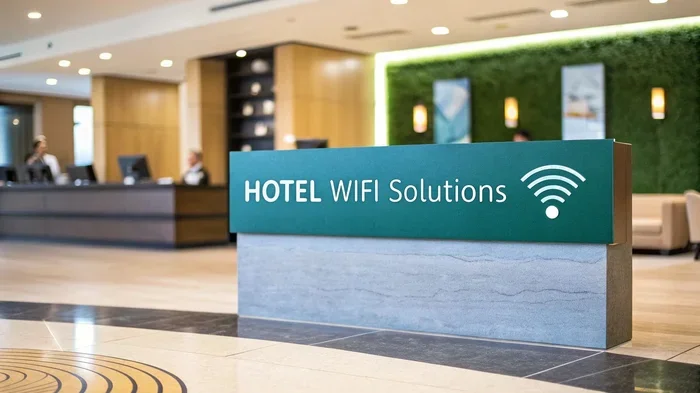
Can Hotel Wifi See Your Browsing History and Track You
Can Hotel Wifi See Your Browsing History? The short answer is yes, hotel wifi networks can see a surprising amount of your online activity. When you connect to a hotel wifi network, the network administrator can view your browsing history, DNS requests, and the websites you visit. This means your hotel wifi privacy is at risk every time you stay at a hotel. In this guide, we will walk you through exactly how hotels track your internet activity, what they can and cannot see, and most importantly, how you can protect yourself. Whether you travel for work or leisure, understanding hotel internet security is essential for keeping your personal data safe.
Have you ever connected to hotel wifi and wondered who else might be watching what you do online? It is a question more travelers should be asking. The truth is that can hotel wifi see your browsing history is not just a technical curiosity. It is a real privacy concern that affects millions of people every day.
When you check into a hotel and connect to their wifi, you are joining a shared network. This means other guests and the hotel’s IT team can potentially see what you are doing. Your browsing history tracking on hotel networks is not just theoretical. It happens more often than most travelers realize. Understanding how this works is the first step toward protecting yourself.
The good news is that there are simple steps you can take to stay safe. From using a VPN to recognizing secure websites, you have more control than you might think. Let us dive into how hotel wifi networks work and what you need to know to keep your online privacy hotel stays intact.
Key Takeaways
- Hotel wifi can see your browsing history: The network administrator has access to DNS requests and visited domains.
- Incognito mode does not protect you: It only hides history on your device, not from the network.
- VPN is your best defense: A VPN encrypts your traffic so the hotel cannot see what you are doing.
- HTTPS websites add a layer of protection: But they do not hide the domains you visit from the network.
- Hotel wifi tracking is common: Many hotels monitor network traffic for security and business purposes.
- Using your mobile hotspot is safer: It bypasses the hotel network entirely.
- Public wifi always carries risk: Treat every hotel connection as potentially monitored.
📑 Table of Contents
How Hotel Wifi Networks Work
To understand whether can hotel wifi see your browsing history, you need to know how hotel networks are set up. Most hotels use a single router or a set of routers that connect all guest rooms to the internet. This router acts as the gateway between your device and the wider internet.
What Happens When You Connect
When you open your laptop or phone and connect to the hotel wifi, your device sends a request to the hotel router. That router then forwards your request to the internet. Every website you visit goes through this router first. This means the hotel’s network equipment sees every request you make.
Think of it like a hallway in a building. Everyone who walks through that hallway can see who is going where. The hotel router is that hallway for your internet traffic. Network traffic flows through it, and the hotel has the ability to log and monitor that flow.
Who Can Access the Network
On a typical hotel wifi network, multiple people are connected at the same time. This includes other guests, hotel staff, and sometimes third-party companies that manage the wifi system. Each of these parties has the potential to see your network traffic.
The hotel’s network administrator has the most access. They can view logs, monitor connections, and in some cases, inspect the data packets flowing through the network. Other guests on the same network may also be able to see your device name or IP address, depending on the network setup.
This is why hotel wifi safety matters so much. You are never truly alone on a public network. Every connection is visible to someone.
Can Hotel Wifi See Your Browsing History
The direct answer to this question is yes. Can hotel wifi see your browsing history? They absolutely can. Hotel networks are designed to route all your internet traffic through their equipment. This gives them visibility into your online activity.
The Role of the Network Administrator
The hotel’s IT team or network administrator can access router logs that show which websites you visited. These logs record the domains you accessed, the times you connected, and the amount of data you used. They may not see every single page you clicked on, but they can see which websites you spent time on.
For example, if you visit a news site, the hotel can see that you connected to that domain. If you visit a streaming service, they can see that too. This level of internet activity monitoring is standard for most hotel networks.
What Gets Logged in Router Logs
Router logs typically include the following information:
- DNS requests: These show which websites you tried to visit. Every time you type a URL, your device asks a DNS server to resolve it. The hotel can see these requests.
- Connection times: The hotel knows when you connected and for how long.
- Data usage: They can see how much data you consumed, which hints at what you were doing.
- Device identifiers: Your device name, MAC address, and IP address are visible on the network.
These router logs are a goldmine for anyone wanting to track your digital footprint hotel stays. Even if the hotel does not actively monitor you, these logs exist and could be accessed.
Does Incognito Mode Protect You
Many people believe that using incognito mode or private browsing keeps them safe on public networks. This is one of the biggest misconceptions about online privacy. Incognito mode only affects what is stored on your own device.
What Incognito Actually Does
When you use incognito mode, your browser does not save your browsing history, cookies, or site data on your device. When you close the window, all of that local data is deleted. This is useful for keeping your activity private from other people who might use your device.
However, incognito mode does nothing to hide your activity from the network. The hotel router still sees every request you make. Your browsing history tracking continues whether you are in incognito mode or not.
What It Does Not Hide
Here is what incognito mode does not protect:
- Your visited domains from the network administrator
- Your DNS requests from being logged
- Your connection times and data usage
- Your IP address and device identifier
If you want real protection, you need tools that work at the network level. Incognito mode is not one of them. It is a local privacy tool, not a network privacy tool.
How Hotels Track Your Internet Activity
Hotels use several methods to monitor and track internet activity monitoring on their networks. Understanding these methods helps you see exactly what is happening when you connect.
DNS Request Monitoring
Every time you type a web address, your device sends a DNS request. This request tells the hotel’s DNS server which website you want to visit. The DNS server logs this request and returns the IP address of the site. The hotel can review these logs later to see which sites you visited.
DNS requests are one of the most common ways hotels track your activity. Even if you visit an encrypted site, the DNS request itself reveals the domain name.
Deep Packet Inspection
Some advanced hotel networks use a technique called deep packet inspection. This involves examining the actual data packets that flow through the network. It can reveal more detailed information about your online behavior.
With deep packet inspection, the hotel can see which services you use, how long you spend on each site, and sometimes even the content of unencrypted traffic. This is a more invasive form of wifi surveillance that is becoming more common in larger hotel chains.
Captive Portals and Login Pages
When you connect to hotel wifi, you often see a login page before you can access the internet. This is called a captive portal. While it seems like a simple welcome screen, it also serves as a tracking tool.
The captive portal logs your device information, the time you connected, and your room number or reservation details. This ties your online activity directly to your stay. It is another layer of hotel wifi tracking that many guests do not think about.
How to Protect Your Privacy on Hotel Wifi
The good news is that you can take real steps to protect yourself. Here are the most effective methods for staying safe on hotel networks.
Use a VPN for Encryption
A VPN or Virtual Private Network is the single best tool for protecting your privacy on hotel wifi. When you use a VPN, it creates an encrypted tunnel between your device and a remote server. The hotel can see that you are connected to a VPN, but they cannot see what you are doing inside that tunnel.
VPN protection hides your browsing activity, DNS requests, and online behavior from the hotel network. It is like putting a lock on your internet traffic that only you and the VPN server can open. Always use a reputable VPN service when connecting to hotel wifi.
Check for HTTPS Connections
Websites that use HTTPS encryption protect the content of your communication with them. When you visit an HTTPS site, the data between you and the website is encrypted. The hotel can see the domain you visited, but not the specific pages or content.
HTTPS encryption is a great baseline protection. Look for the padlock icon in your browser address bar. However, HTTPS does not hide the domain itself from the hotel network. For full privacy, pair HTTPS with a VPN.
Avoid Sensitive Transactions
Even with HTTPS, it is best to avoid sensitive activities on hotel wifi. This includes online banking, entering credit card details, or accessing personal accounts. If you must do these things, use a VPN first.
The risk of hotel wifi snooping is real. Even encrypted connections can be targeted by sophisticated attackers on shared networks. When in doubt, wait until you are on a trusted network.
Use Your Mobile Hotspot Instead
If you are concerned about privacy, consider using your phone’s mobile hotspot instead of hotel wifi. Your cellular connection is far more private than any public network. The hotel has no access to your data when you use your own hotspot.
This is one of the simplest ways to ensure secure browsing while traveling. Just make sure you have a good data plan that can handle the extra usage.
Is Hotel Wifi Safe for Online Banking
This is one of the most common questions travelers ask. The short answer is that it is risky. Hotel wifi is a shared network, and shared networks always carry some level of risk.
Risks of Financial Transactions
When you log into your bank account on hotel wifi, your credentials and account information pass through the hotel router. Even if the website uses HTTPS, the hotel can see that you visited your bank’s domain. In a worst-case scenario, an attacker on the same network could attempt to intercept your data.
Hotel internet security varies widely from property to property. Some hotels invest heavily in security, while others use outdated equipment that is more vulnerable to attacks. You cannot always know which category your hotel falls into.
Tips for Safe Banking on the Road
Here are some practical tips for handling financial tasks while traveling:
- Use your mobile data or hotspot for banking transactions whenever possible.
- Always connect through a VPN if you must use hotel wifi for financial matters.
- Enable two-factor authentication on all your financial accounts before you travel.
- Avoid accessing banking sites on shared networks in lobbies or common areas.
- Check for the padlock icon and make sure the URL starts with HTTPS before entering any credentials.
Following these steps greatly reduces your risk. But the safest approach is to avoid sensitive transactions on any public network entirely.
Final Thoughts on Hotel Wifi Privacy
The question of whether can hotel wifi see your browsing history has a clear answer. Yes, they can. Hotel networks are not private by default. Every connection you make is visible to the hotel’s network equipment and potentially to other guests as well.
However, this does not mean you should avoid hotel wifi entirely. With the right precautions, you can enjoy the convenience of hotel internet while keeping your online privacy hotel stays strong. The most important step is using a reliable VPN. It encrypts your traffic and makes it unreadable to anyone on the network.
You should also develop good habits. Check for HTTPS, avoid sensitive transactions on public networks, and consider using your mobile hotspot when privacy is critical. These small steps add up to significant protection.
Traveling should be relaxing, not stressful. By understanding how hotel wifi tracking works and taking action to protect yourself, you can browse with confidence. Stay informed, stay protected, and enjoy your travels with peace of mind.
Remember, your digital footprint hotel stays can follow you long after you check out. Take control of your hotel wifi privacy today and travel smarter.
Frequently Asked Questions
Can the hotel see which specific pages I visit within a website?
If the website uses HTTPS encryption, the hotel can only see the domain name, not the specific pages you visit. However, if the site uses plain HTTP, the hotel can see the full URL including the specific page. Always look for the padlock icon and HTTPS in the address bar for an extra layer of protection.
Does using a VPN completely hide my activity from the hotel?
Yes, a VPN encrypts all of your internet traffic and routes it through a secure server. The hotel can see that you are connected to a VPN, but they cannot see what websites you visit or what data you are sending. This is the most effective way to protect your privacy on hotel networks.
Can other hotel guests see my browsing history?
It is possible but unlikely for an average guest. Other guests would need specialized tools and network access to monitor traffic. However, the hotel’s network administrator has the tools and access to see a great deal of what happens on the network. Always assume the hotel itself can see your activity.
Is it safe to enter passwords on hotel wifi?
It can be risky. If the website uses HTTPS, your password is encrypted during transmission. But the hotel can still see which site you logged into. For maximum safety, use a VPN before entering any passwords on a hotel network or wait until you are on a trusted connection.
Do hotels save browsing history logs permanently?
This varies by hotel. Some hotels keep router logs for a few days, while others may retain them for weeks or months. The length of time depends on the hotel’s policies and local regulations. You should never assume your activity is deleted immediately after you check out.
What is the difference between hotel wifi and home wifi in terms of privacy?
On your home wifi, you control the router and network settings. You know who is connected and can monitor traffic yourself. Hotel wifi is a shared public network where you do not control the equipment or the policies. This makes hotel wifi inherently less private and more vulnerable to monitoring by the network administrator and other users.
=== CONCLUSION ===
Can Hotel Wifi See Your Browsing History? The answer is a clear yes. Hotel networks have the ability to monitor your online activity, log your DNS requests, and track which websites you visit. This is simply how shared networks work.
But knowing this gives you the power to protect yourself. Use a VPN, look for HTTPS, avoid sensitive transactions, and consider using your mobile hotspot. These simple steps can make a big difference in your hotel wifi privacy.
Take your online privacy hotel stays seriously. Your personal data is valuable, and public networks are not the place to take chances. Stay safe, stay informed, and enjoy your travels with confidence.



One Comment