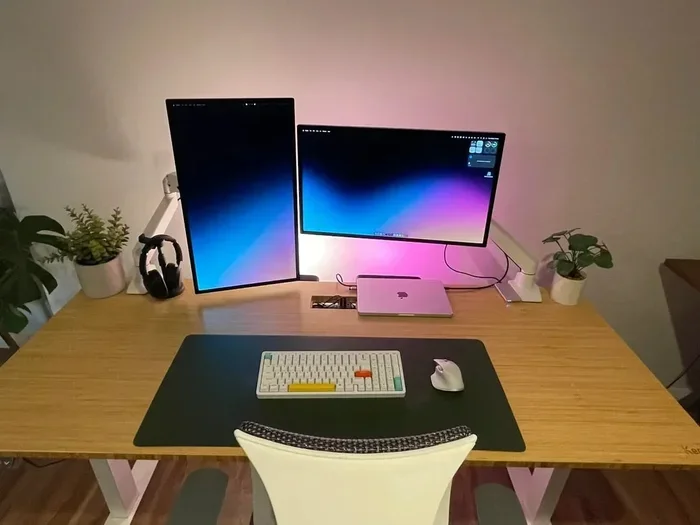
Can I Use My Laptop As A Second Monitor For My PC Reddit
Yes, you can use your laptop as a second monitor for your PC, and Reddit communities are full of real-world advice on how to do it. Whether you want to extend your workspace or mirror your screen, there are wired and wireless options that work with both Windows and Mac laptops. This guide covers every method, software recommendation, and common mistake so you can set up a dual-screen experience without spending a dime.
Have you ever sat at your desk and thought, “I need more screen space”? You are not alone. So many people search for ways to expand their workspace without buying a second physical monitor. And one idea that keeps popping up everywhere is using a laptop as a second monitor for your PC. The question “Can I use my laptop as a second monitor for my PC Reddit” is one of the most searched queries in the tech space right now. People turn to Reddit because real users share honest, hands-on experience. They do not just give theory. They give practical advice that actually works.
The good news is that yes, you can absolutely use your laptop as a second display. There are multiple ways to do it. Some methods are free. Some cost a small fee. Some use cables, and others go completely wireless. Reddit threads are packed with users who have tried every option and shared their results. In this article, I will walk you through every method, every tool, and every tip you need to know. By the end, you will know exactly which approach fits your setup best.
Key Takeaways
- It is possible: You can use your laptop as a second monitor for your PC using software or wired connections.
- Reddit is a goldmine: Real users share tested methods and honest reviews on forums.
- Software options like SpaceDesk and Duet Display make it easy: These tools let you extend your desktop wirelessly or over USB.
- HDMI input is rare on laptops: Most laptops only have HDMI output, so you need a workaround.
- Wireless methods work well: Miracast and Wi-Fi Direct allow screen extending without cables.
- Performance depends on your setup: USB 3.0 or better gives the best results for a lag-free experience.
- Avoid common mistakes: Using the wrong cable or outdated software causes frustration and poor display quality.
📑 Table of Contents
- Why Use Your Laptop As a Second Monitor?
- Can I Use My Laptop As A Second Monitor For My PC Reddit: What People Say
- How to Connect Your Laptop to Your PC As a Second Monitor
- Laptop As Monitor for PC: Wired vs Wireless Comparison
- Common Mistakes People Make When Using a Laptop As a Second Monitor
- Expert Insights on Using a Laptop As a Second Display
- Best Software for Extending Your PC Display to a Laptop
- Key Takeaways
- FAQ
- Final Thoughts
Why Use Your Laptop As a Second Monitor?
Before we dive into the how, let us talk about the why. There are many reasons people want to extend their desktop to a laptop screen. Some are practical. Some are just convenient.
Extra Screen Space Boosts Productivity
Having two screens lets you keep your email open on one screen while working on a document on the other. You can reference a spreadsheet while writing reports. You can watch a tutorial while coding. Studies show that dual-screen setups increase productivity by up to 30 percent. You do not need to buy an expensive external monitor to get this benefit.
Save Money
Buying a second monitor can cost anywhere from 100 to 400 dollars. If you already own a laptop, why not use it? This is one of the biggest reasons people search for “laptop as second monitor for PC Reddit.” They want a free or low-cost solution.
Portability and Flexibility
Unlike a fixed monitor, your laptop can move with you. You can set up a dual-screen workspace at home, at the office, or at a coffee shop. When you are done, you close the laptop and go. This flexibility is a huge advantage.
Repurpose an Old Laptop
Got an old laptop sitting in a drawer? It may still work perfectly as a second display. Instead of letting it collect dust, turn it into a useful extension of your current PC. This is a great way to get more value from old hardware.
Can I Use My Laptop As A Second Monitor For My PC Reddit: What People Say
The Reddit community is one of the best places to find real-world advice on this topic. When people ask, “Can I use my laptop as a second monitor for my PC Reddit,” they get hundreds of replies from people who have actually done it. Let me break down what the community is saying.
Top Methods Reddit Users Recommend
Reddit threads on this topic consistently highlight a few go-to methods. Here is what the community loves:
- SpaceDesk: This free Windows software is the most recommended option. Users love that it is reliable and easy to set up. You connect your laptop to the same network as your PC and extend your display over Wi-Fi or Ethernet.
- Duet Display: This is a paid app that works with both Windows and Mac laptops. Users praise its low latency and smooth performance. It uses a USB cable for the best results.
- Windows Projecting to This PC: Built into Windows 10 and 11, this feature lets you cast your PC screen to your laptop wirelessly. It is free and requires no extra software.
- HDMI or VGA Cable (When Possible): A small number of laptops have HDMI input ports. If yours does, you can connect it directly with a cable. This is the simplest method, but it is rare.
What Reddit Users Warn About
Not everything works perfectly. Reddit users also share warnings. Some methods cause lag. Some only work with certain laptop models. Some require specific Windows versions. Reading through Reddit threads helps you avoid the methods that cause frustration. The community is honest about what works and what does not.
How to Connect Your Laptop to Your PC As a Second Monitor
Now let us get into the actual setup. There are two main categories of methods: wired and wireless. Each has its pros and cons. Let us explore both.
Method 1: Use SpaceDesk (Free and Wireless)
SpaceDesk is the most popular free option for extending your PC display to a laptop. Here is how it works:
- Download the SpaceDesk driver on your main PC.
- Install the SpaceDesk client on your laptop.
- Make sure both devices are on the same Wi-Fi network.
- Open SpaceDesk on your laptop and select your PC from the list.
- Your laptop screen now acts as a second monitor.
One of the biggest advantages of SpaceDesk is that it is completely free. The Reddit community frequently calls it the best no-cost solution. It works over Wi-Fi, but for lower latency, you can connect both devices with an Ethernet cable. This gives you a wired experience without buying special hardware.
Quick Tip: If you experience lag, switch to a 5 GHz Wi-Fi band instead of 2.4 GHz. This reduces interference and improves performance significantly.
Method 2: Use Duet Display (Paid but Premium)
Duet Display is a paid app that costs around 15 to 20 dollars. But users say it is worth every penny. Here is why:
- It uses a USB cable connection, which means very low latency.
- It supports both Windows and Mac laptops.
- The display quality is sharp and smooth.
- It works with USB-C and USB-A cables.
Many Reddit users recommend Duet Display for people who need a reliable, lag-free experience. If you use your laptop for creative work like photo editing or video editing, the low latency of Duet Display makes a big difference. It feels almost like a real second monitor.
Method 3: Windows Built-In Projection
If you are using Windows 10 or Windows 11, you already have a built-in tool for projecting your PC screen to another device. Here is how to use it:
- On your PC, go to Settings and search for “Projecting to this PC.”
- Set it to “Available everywhere” or “Available anywhere on secure networks.”
- On your laptop, press Windows Key + P and select “Connect to a wireless display.”
- Choose your PC from the list and accept the connection.
This method is completely free and does not require any third-party software. However, it works best for mirroring rather than extending. If you want to extend your desktop, SpaceDesk or Duet Display are better choices.
Method 4: Wired HDMI Connection (Rare but Possible)
A few laptops come with HDMI input ports. If your laptop has one, you can connect it directly to your PC using an HDMI cable. This gives you a plug-and-play experience with zero lag. However, most modern laptops only have HDMI output ports, not input. So this method only works with specific models. Check your laptop manual or search online to see if your model supports HDMI input.
Method 5: Use a USB-C to HDMI Capture Card
This is a creative workaround that Reddit users swear by. You buy a USB capture card (like an Elgato or a cheap Amazon Basics one). You plug an HDMI cable from your PC into the capture card, and then plug the capture card into your laptop’s USB port. Your laptop sees the capture card as an external display. This method works with almost any laptop and gives you a solid wired connection. The downside is the extra cost of the capture card, which usually runs 15 to 50 dollars.
Laptop As Monitor for PC: Wired vs Wireless Comparison
Not sure which method to choose? Here is a quick comparison of the most popular options.
| Method | Type | Cost | Lag | Setup Difficulty |
|---|---|---|---|---|
| SpaceDesk | Wireless / Wired | Free | Low to Medium | Easy |
| Duet Display | Wired (USB) | Paid (~$20) | Very Low | Easy |
| Windows Projection | Wireless | Free | Medium | Easy |
| HDMI Direct | Wired | Free (if supported) | None | Very Easy |
| USB Capture Card | Wired | Paid (~$15-$50) | Low | Medium |
As you can see, each method has trade-offs. If you want free and easy, go with SpaceDesk. If you want premium quality, go with Duet Display. If you want zero lag and your laptop supports it, use a direct HDMI connection.
Common Mistakes People Make When Using a Laptop As a Second Monitor
Reddit threads are full of people who ran into problems. Here are the most common mistakes and how to avoid them.
Using the Wrong Cable
Not all cables are created equal. Using an old VGA cable will give you poor image quality. Always use HDMI or DisplayPort cables when possible. If you are going the wireless route, make sure your Wi-Fi connection is strong and stable.
Ignoring Display Settings
After connecting your laptop, you need to configure your Windows display settings. Right-click on your desktop and select Display Settings. Make sure to choose “Extend these displays” instead of “Duplicate.” If you do not do this, you will just mirror your screen instead of extending it.
Overlooking Laptop Battery Drain
Using your laptop as a second monitor drains its battery, especially over Wi-Fi. If you plan to use it for long hours, keep your laptop plugged in. Some Reddit users also recommend lowering the laptop screen brightness to save power.
Choosing the Wrong Software
There are dozens of apps that claim to let you use a laptop as a monitor. Not all of them work well. Stick with trusted options like SpaceDesk, Duet Display, or built-in Windows features. Reddit users consistently recommend these because they have been tested by thousands of real users.
Not Updating Drivers
Outdated display drivers can cause connection issues and poor performance. Before setting up your second monitor, make sure your graphics drivers are up to date on both your PC and your laptop.
Expert Insights on Using a Laptop As a Second Display
Tech experts and power users on Reddit agree on a few key points. First, a wired connection always beats a wireless one when it comes to performance. If you can use a USB cable or HDMI capture card, do it. Second, the quality of your Wi-Fi network matters a lot for wireless methods. A 5 GHz band is essential for smooth performance. Third, the laptop you use as a monitor should have a decent resolution. A low-resolution laptop screen will look blurry when stretched across a larger workspace.
Expert Tip: If you are using your laptop as a second monitor for gaming or video editing, a wired connection is a must. Wireless methods introduce enough latency to make these tasks frustrating. For office work, browsing, and coding, wireless methods work perfectly fine.
Another insight from experienced users is to close unnecessary programs on your laptop. When your laptop is acting as a second monitor, it is also running its own operating system. Freeing up RAM and CPU helps both machines perform better.
Best Software for Extending Your PC Display to a Laptop
Let me highlight the top software options that Reddit users love. Each one has its strengths.
SpaceDesk (Best Free Option)
SpaceDesk is the undisputed champion of free solutions. It works over Wi-Fi or Ethernet, supports multiple operating systems, and is incredibly easy to set up. The Reddit community has thousands of positive posts about it. It is the first recommendation you will see in almost every thread about using a laptop as a second monitor.
Duet Display (Best Premium Option)
Duet Display costs money, but it delivers a premium experience. The USB connection ensures minimal lag, and the app is optimized for performance. Artists, designers, and video editors swear by it. If you need a reliable second screen for professional work, Duet Display is worth the investment.
SuperDisplay (Simple and Lightweight)
SuperDisplay is another option that Reddit users mention. It is a simple app that extends your desktop over USB. It is not as feature-rich as Duet Display, but it is lightweight and gets the job done.
Deskreen (Open Source Alternative)
Deskreen is an open-source tool that lets you turn any device with a web browser into a second screen. It is free and works over Wi-Fi. It is not as polished as SpaceDesk, but it is a solid option for people who prefer open-source software.
Key Takeaways
- You can definitely use your laptop as a second monitor for your PC: Multiple methods work, and Reddit users confirm they all function well.
- SpaceDesk is the best free option: It is reliable, easy to set up, and works wirelessly over your home network.
- Duet Display is the best paid option: It offers the lowest latency and the smoothest experience for demanding tasks.
- Wired connections outperform wireless: If you need zero lag, use a USB cable or HDMI capture card.
- Avoid common mistakes: Check your display settings, use the right cables, and keep your drivers updated.
- Reddit is your best resource: The community is full of real users who share honest reviews, troubleshooting tips, and creative workarounds.
- Old laptops make great second monitors: Do not throw away an older laptop. Repurpose it and get more value from it.
FAQ
Can any laptop be used as a second monitor for a PC?
Most laptops can be used as a second monitor through software like SpaceDesk or Duet Display. However, a small number of laptops have HDMI input ports that allow a direct wired connection. Check your laptop specifications to see which methods are supported.
Is it free to use a laptop as a second monitor?
Yes, it can be completely free. SpaceDesk and Windows built-in projection are both free. Duet Display costs around 20 dollars but offers a premium experience. USB capture cards cost between 15 and 50 dollars if you prefer a wired setup.
Does using a laptop as a second monitor cause lag?
Wireless methods can have some lag, especially over 2.4 GHz Wi-Fi. Using a 5 GHz band or a wired USB connection significantly reduces lag. For gaming or video editing, always choose a wired connection to avoid any performance issues.
Can I use a Mac laptop as a second monitor for a Windows PC?
Yes, but it requires specific software. Duet Display supports both Mac and Windows laptops and works with Windows PCs. SpaceDesk also works with Mac laptops on the same network. Built-in Windows projection does not work with Mac laptops.
What is the best cable to connect a laptop to a PC for a second monitor?
If your laptop has an HDMI input port, use an HDMI cable. Otherwise, a USB-C to HDMI capture card is the best wired option. For wireless setups, a strong 5 GHz Wi-Fi connection gives the best results without any cables.
Why do people ask about this on Reddit?
Reddit is a trusted platform where real users share their experiences. When people search “Can I use my laptop as a second monitor for my PC Reddit,” they want honest, tested advice from people who have actually done it. The Reddit community provides detailed troubleshooting tips, software recommendations, and warnings about methods that do not work well.
Final Thoughts
Using your laptop as a second monitor for your PC is one of the smartest and most cost-effective upgrades you can make. Whether you are a student, a freelancer, or a professional, extra screen space makes a real difference in your daily workflow. The methods covered in this article are all tried and tested by real users on Reddit and beyond.
Start with SpaceDesk if you want a free, easy solution. Try Duet Display if you need premium performance. Explore the Windows built-in projection tool if you just want a quick wireless setup. Whatever route you choose, you will be surprised at how simple and rewarding it is to turn that old laptop into a powerful second screen.
The next time you find yourself wishing for more desk space, remember that the answer is already in front of you. Your laptop can be your second monitor. Give it a try today, and you will wonder how you ever worked without the extra screen.