How Can I Use Wi Fi While Traveling Around the World
Using Wi Fi while traveling doesn’t have to be stressful. This guide covers everything you need to know about staying connected worldwide, from portable hotspot devices and eSIM plans to finding free Wi-Fi abroad and keeping your data safe. You’ll learn practical steps to avoid expensive roaming charges and stay online wherever your adventures take you.
Traveling the world is one of life’s greatest joys. But staying connected while you’re on the move can feel like a puzzle. Whether you’re exploring bustling cities in Europe or relaxing on a beach in Southeast Asia, having reliable Wi-Fi while traveling makes all the difference. You need it for navigation, communication, sharing photos, and even work. In this guide, we’ll walk you through every practical way to use Wi-Fi while traveling the world. You’ll discover the best tools, the smartest strategies, and the common mistakes to avoid.
So, what does it really take to stay online abroad? The answer is simpler than you think. With the right setup, you can access the internet almost anywhere without breaking the bank. Let’s dive into the details and get you connected.
Key Takeaways
- Portable Wi-Fi devices let you stay connected in over 100 countries without relying on local networks.
- eSIM and data-only SIM cards are often cheaper and more convenient than traditional international roaming.
- Free Wi-Fi is widely available at airports, cafes, hotels, and public spaces around the world.
- Security matters when using public Wi-Fi while traveling, so always use a VPN and avoid sensitive transactions.
- Offline tools like downloaded maps and saved documents help you stay productive even without a connection.
- Wi-Fi on flights is becoming more common, so check with your airline before you depart.
📑 Table of Contents
Why Staying Connected While Traveling Matters
In today’s world, being offline while traveling can feel isolating. You rely on Wi-Fi while traveling for so many everyday tasks. Navigation apps help you find your way through unfamiliar streets. Messaging apps keep you in touch with family and friends. And for many travelers, staying connected is essential for work or managing bookings on the go.
Beyond convenience, having internet access improves your safety. You can look up local emergency numbers, check travel advisories, and share your location with loved ones. It also enhances your travel experience. You can research restaurants, read reviews, and discover hidden gems that aren’t in any guidebook. Wi-Fi while traveling isn’t a luxury anymore. It’s a necessity.
The Cost of Staying Connected Abroad
One of the biggest concerns travelers have is cost. Roaming charges from your home carrier can quickly add up. A few hours of browsing or streaming can result in a surprisingly large bill. This is why many travelers seek affordable Wi-Fi while traveling alternatives. The good news is that there are plenty of budget-friendly options available today.
Understanding your options helps you choose the best one for your trip. Some methods work better for short vacations, while others are ideal for long-term travelers. Let’s explore the most popular ways to get connected.
Best Ways to Use Wi-Fi While Traveling
There are several reliable methods to access Wi-Fi while you’re abroad. Each has its own strengths and trade-offs. Let’s break them down so you can pick what works best for your travel style.
1. Use a Portable Wi-Fi Device
A portable Wi-Fi device is one of the best investments for frequent travelers. These small gadgets create your own personal hotspot using a local SIM card in the country you’re visiting. You can connect multiple devices at once, including your phone, laptop, and tablet.
Many travelers ask, can I have a portable Wi-Fi device that works globally? The answer is yes. Companies like GlocalMe, Skyroam, and TEZDA offer pocket Wi-Fi devices that work in over 100 countries. You simply pick a data plan for your destination, insert the SIM, and you’re online.
Here are some benefits of using a portable Wi-Fi device:
- You share the connection with up to 5 or more devices simultaneously.
- You avoid expensive international roaming fees from your home carrier.
- You get a dedicated data connection that’s more secure than public Wi-Fi.
- Most devices are battery-powered and fit in your pocket.
If you’re planning a trip to multiple countries, look for a device that offers global data plans. This way, you don’t need to swap SIM cards every time you cross a border. It’s a seamless experience that keeps you connected 24/7.
2. Get an eSIM or Travel Data SIM Card
eSIM technology has changed the game for travelers. An eSIM is a digital SIM card built into your phone. You can activate a data plan from a local carrier in your destination country without needing a physical SIM card. This means you can have local Wi-Fi-like data access right from your phone.
Apps like Airalo, Holafly, and Nomad make it easy to purchase eSIM data plans before you even leave home. You simply scan a QR code, and your phone is connected within minutes. This is one of the most convenient ways to enjoy Wi-Fi while traveling without carrying extra hardware.
Here’s a quick comparison of eSIM vs. portable Wi-Fi devices:
- eSIM: Best for solo travelers who only need data on their phone. It’s lightweight and requires no extra device.
- Portable Wi-Fi: Better for groups or travelers who need to connect multiple devices. It also works with any device that supports Wi-Fi.
If your phone supports eSIM, this is often the simplest and most cost-effective option. Just make sure your phone is unlocked before you travel.
3. Connect to Free Public Wi-Fi
Free Wi-Fi is everywhere in popular travel destinations. Cafes, restaurants, airports, hotels, and even public parks often offer free internet access. Finding free Wi-Fi while traveling is usually not a problem, especially in urban areas.
But there are important things to keep in mind. Public Wi-Fi networks are convenient, but they’re also less secure. Hackers can sometimes intercept data on open networks. This is why using a VPN (Virtual Private Network) is essential when connecting to public Wi-Fi while traveling. A VPN encrypts your data and keeps your personal information safe.
Here are some smart tips for using free public Wi-Fi:
- Always use a VPN when connecting to unfamiliar networks.
- Avoid logging into banking apps or entering sensitive information on public Wi-Fi.
- Turn off auto-connect features so your phone doesn’t join unknown networks without your permission.
- Forget the network after you’re done to prevent your phone from connecting automatically next time.
Many travelers also wonder, can I connect to my neighbor’s Wi-Fi without a password while abroad? The short answer is that this isn’t really practical when you’re traveling internationally. Instead, focus on legitimate free networks or paid options for reliable access.
4. Use Wi-Fi on Your Flight
More airlines are offering Wi-Fi on flights now. This is great news for travelers who want to stay connected from the moment they board. You can check emails, browse the web, or even stream content during long-haul flights.
Can you get Wi-Fi on your flight? In most cases, yes. Major airlines like Delta, American Airlines, Emirates, and British Airways offer in-flight Wi-Fi packages. The quality and speed vary, but it’s usually enough for messaging, browsing, and light work. Some airlines offer free messaging services, so you can stay in touch without paying extra.
Before your next flight, check the airline’s website for Wi-Fi details. You can often purchase a day pass or a full-flight package in advance. This saves you time and sometimes money compared to buying on board.
5. Boost Your Wi-Fi Signal in Your Accommodation
Sometimes the Wi-Fi at your hotel or rental isn’t great. Weak signals in certain rooms or slow speeds can be frustrating. If you’re staying somewhere with poor internet, there are a few things you can try.
First, position yourself closer to the router. Walls and floors can weaken the signal significantly. Second, ask the front desk if there’s a stronger network available. Some properties have separate networks for guests in different buildings or floors.
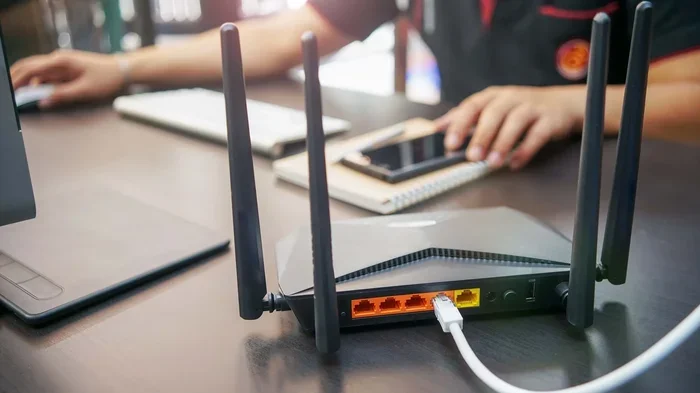
For longer stays, you might consider a travel router. A travel router connects to the existing Wi-Fi and rebroadcasts a stronger signal in your room. This is especially helpful if you’re sharing accommodations with other travelers and need reliable access for everyone.
While you’re at it, you can also boost your Wi-Fi signal outside your accommodation if you’re working from a nearby cafe or park. Some portable signal boosters are compact enough to fit in your carry-on luggage.
How to Stay Safe on Wi-Fi While Traveling
Security is one of the most important aspects of using Wi-Fi while traveling. When you’re on unfamiliar networks, your personal data is more vulnerable than at home. Taking a few simple precautions can protect you from potential threats.
Use a VPN at All Times
A VPN is your best friend when traveling. It creates an encrypted tunnel between your device and the internet. This means that even if someone is snooping on the same network, they can’t see what you’re doing. Popular VPN services like NordVPN, ExpressVPN, and Surfshark offer easy-to-use apps that work on phones, tablets, and laptops.
Make it a habit to turn on your VPN every time you connect to a new Wi-Fi network. This is especially important when you’re using free public Wi-Fi while traveling in airports, train stations, or cafes.
Turn Off Sharing and Auto-Connect
Before you travel, go into your device settings and turn off file sharing, AirDrop, and Bluetooth discovery. These features can make your device visible to others on the same network. You should also disable auto-connect for open Wi-Fi networks. This prevents your phone from quietly joining an unsecured network without your knowledge.
Keep Your Software Updated
Software updates often include security patches that fix vulnerabilities. Make sure your phone, laptop, and apps are up to date before you leave. This is a simple step that goes a long way in keeping your data safe while you’re abroad.
Top Tips for Managing Data While Traveling
Even with Wi-Fi access, you’ll likely need some mobile data during your trip. Here are practical tips to manage your data usage wisely.
Download Offline Maps and Content
One of the smartest things you can do before your trip is download offline content. Google Maps lets you save entire city maps for offline use. You can also download offline documents, music, and podcasts. This way, you’re never completely stranded if Wi-Fi isn’t available.
Monitor Your Data Usage
Keep an eye on how much data you’re using each day. Streaming video and video calls consume a lot of data quickly. If you have a limited data plan, use Wi-Fi whenever possible for heavy tasks like watching videos or updating apps. Save your mobile data for essential tasks like navigation and messaging.
Set Up Wi-Fi Calling
Many smartphones support Wi-Fi calling. This feature lets you make phone calls over Wi-Fi instead of using cellular networks. It’s incredibly useful when traveling because it can help you avoid international calling charges. Just make sure your carrier supports Wi-Fi calling and that it’s enabled before you leave.
Common Mistakes Travelers Make With Wi-Fi Abroad
Avoiding common mistakes can save you money, time, and frustration. Here are some pitfalls to watch out for.
Relying Only on Free Wi-Fi
Free Wi-Fi is great, but it’s not always reliable. Hotels, cafes, and airports may have spotty connections or limited hours. If you only depend on free Wi-Fi, you might find yourself stranded without internet when you need it most. Always have a backup plan, like an eSIM or portable hotspot.
Not Checking Roaming Charges Before You Leave
Many travelers don’t realize their home carrier charges steep roaming fees until they get home and see their bill. Always check your carrier’s international data rates before you travel. In many cases, a local data plan or eSIM will be far cheaper than using your home plan abroad.
Forgetting to Unlock Your Phone
Your phone must be unlocked to use a local SIM card or eSIM abroad. If your phone is locked to a specific carrier, you won’t be able to use alternative data plans. Contact your carrier before your trip to request an unlock. Most carriers will do this for free if you meet their eligibility requirements.
Ignoring Wi-Fi Security
It’s tempting to log into bank accounts or enter credit card details on public Wi-Fi. But this is a serious security risk. Always use a VPN or wait until you’re on a trusted network before accessing sensitive information. Taking this small precaution can save you from identity theft.
Final Thoughts on Using Wi-Fi While Traveling
Staying connected while exploring the world is easier than ever before. With the right tools and a bit of planning, you can enjoy reliable Wi-Fi while traveling without spending a fortune. Whether you choose a portable hotspot, an eSIM, or a mix of free public networks and a VPN, the key is preparation.
Start by assessing your travel style. Are you a solo backpacker or a family on a two-week vacation? Do you need constant connectivity for work, or just enough to navigate and share photos? Your answers to these questions will guide you toward the best solution.
Remember, the goal is to stay connected without stress. Pick the method that fits your budget, your trip length, and your device needs. Test everything before you leave home so you’re not scrambling to figure things out in an unfamiliar airport or city.
Wi-Fi while traveling is no longer a challenge. It’s an opportunity to explore with confidence, share your journey in real time, and stay safe on the road. With the tips in this guide, you’re ready to go. Safe travels and happy browsing!
Frequently Asked Questions
Can I use my phone’s hotspot while traveling internationally?
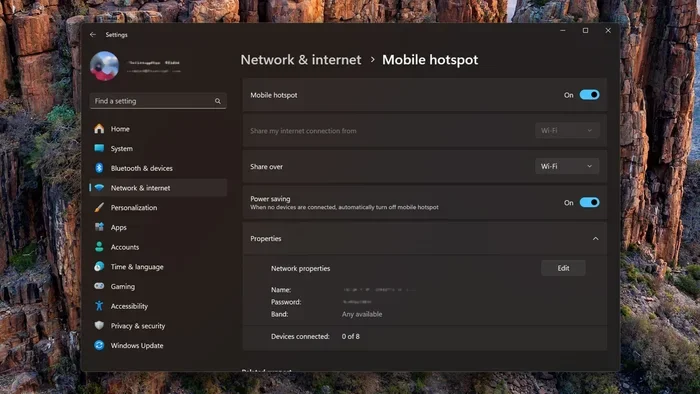
Yes, you can use your phone’s hotspot while traveling, but it may incur high roaming charges depending on your carrier. To avoid surprise fees, consider using an eSIM data plan or a portable Wi-Fi device instead. Always check your carrier’s international data rates before relying on your phone as a hotspot abroad.
Is free Wi-Fi safe to use while traveling?
Free Wi-Fi is convenient but not always secure. Public networks at cafes, airports, and hotels can be targeted by hackers. To stay safe, always use a VPN when connecting to free Wi-Fi while traveling. Avoid accessing banking apps or entering personal information on open networks.
What is the best portable Wi-Fi device for international travel?
Popular options include GlocalMe, Skyroam, and TEZDA. These devices offer global coverage and easy-to-use data plans. The best choice depends on the countries you’re visiting and how much data you need. Compare coverage maps and pricing before you decide.
Do I need a VPN when using Wi-Fi while traveling?
Yes, a VPN is highly recommended when using Wi-Fi while traveling. It encrypts your internet connection and protects your personal data on public networks. Many travelers consider a VPN an essential travel tool, especially when connecting to unfamiliar or open Wi-Fi networks abroad.
Can I get Wi-Fi on international flights?
Many airlines now offer Wi-Fi on international flights, though availability and speed vary. Major carriers like Delta, Emirates, and British Airways typically provide in-flight Wi-Fi packages. You can often purchase a pass in advance through the airline’s website or app.
How much data do I need for a week of travel?
A moderate traveler might use 1 to 3 GB of data per week for navigation, messaging, light browsing, and social media. Heavy users who stream video or video call frequently may need 5 GB or more. Download offline maps and content to reduce your data usage while traveling.
=== CONCLUSION ===
Using Wi-Fi while traveling is all about having the right tools and a solid plan. Whether you grab a portable hotspot, activate an eSIM, or rely on free public networks, the key is to stay prepared and keep your data secure. With the tips and strategies in this guide, you can explore the world with confidence and stay connected every step of the way. Start planning your connectivity setup today, and enjoy a smoother, smarter travel experience tomorrow.