Does Your Network Connection Affect Wi Fi Performance
Your network connection plays a huge role in how well your Wi-Fi performs. From your internet plan to your router placement, every detail matters. Understanding the link between your network setup and Wi-Fi speed helps you troubleshoot slow connections and get the most out of your broadband connection.
Have you ever wondered why your Wi-Fi feels slow even though you pay for a fast internet plan? The answer might be closer than you think. Your network connection has a direct impact on how well your wireless router performs every single day.
Many people assume that buying a fancy router guarantees blazing-fast speeds. But the truth is, your network connection involves much more than just the box on your shelf. It includes your internet service provider (ISP), your modem, the cables you use, the devices connected, and even the physical space around your router.
In this article, we will break down exactly how your network connection affects Wi-Fi performance. You will learn what slows you down, what helps you speed up, and what simple steps you can take right now to improve your wireless connection. Whether you stream movies, game online, or just browse the web, this guide has something for you.
Key Takeaways
- Your ISP and internet plan set the ceiling: No router can deliver speeds your plan doesn’t support.
- Network congestion slows everything down: Too many devices sharing bandwidth kills performance.
- Router placement and interference matter a lot: Walls, distance, and other electronics weaken your signal.
- Wired connections are faster and more stable: Ethernet beats Wi-Fi for consistency and low latency.
- Regular maintenance keeps your network fast: Updates, reboots, and cleanups prevent slow-downs.
- Upgrading old equipment solves many problems: Newer routers support faster standards and more devices.
📑 Table of Contents
- What Is a Network Connection and How Does It Relate to Wi-Fi?
- How Your Network Connection Impacts Wi-Fi Speed
- Common Network Issues That Hurt Wi-Fi Performance
- Wired vs. Wireless: Which Connection Type Matters More?
- How to Optimize Your Network for Better Wi-Fi Performance
- When to Upgrade Your Network Equipment
- Expert Insights on Network and Wi-Fi Optimization
- Key Takeaways
- Conclusion
What Is a Network Connection and How Does It Relate to Wi-Fi?
Before we dive into the details, let us clear up some basics. A network connection is the pathway that brings the internet to your devices. Wi-Fi is just the wireless part of that pathway. Think of it like a highway system. Your ISP provides the road, your modem is the on-ramp, and your wireless router is the exit that lets your devices access the internet without cables.
When people ask, “Does my network connection affect my Wi-Fi?” the short answer is absolutely yes. Every part of the chain matters. If one link is weak, the whole connection suffers. This is why understanding each piece helps you fix problems faster.
The Chain of Your Network
Here is how a typical home network works:
- ISP delivers internet through a cable, fiber, or satellite connection.
- Modem translates that signal into data your network can use.
- Router splits the data and sends it to your devices.
- Wi-Fi broadcasts the signal wirelessly so you can connect without cables.
If any of these steps has a bottleneck, your Wi-Fi speed drops. For example, a great router cannot fix a slow internet plan. And a fast plan will still feel sluggish if your router is outdated or poorly placed.
How Your Network Connection Impacts Wi-Fi Speed
Your Wi-Fi speed depends on many factors that start well before the wireless signal leaves your router. Let us look at the main ways your network connection shapes performance.
Your Internet Plan Sets the Speed Limit
Your ISP plan is the foundation of everything. If you pay for 100 Mbps, no router in the world will give you 500 Mbps. Many people do not realize this. They blame their wireless router when the real issue is their broadband connection.
Here is a simple way to think about it. Your internet plan is like a water pipe. Your router is the faucet. Even the best faucet cannot push more water through a thin pipe. So before you tweak anything else, check your plan speed with an internet speed test.
Bandwidth Sharing Among Devices
Every device connected to your network uses a slice of your total bandwidth. Your phone, laptop, smart TV, gaming console, and even smart home gadgets all compete for the same pool. When too many devices pull data at once, your Wi-Fi performance drops.
This is called network congestion. It is the same idea as traffic on a busy road. More cars mean slower travel for everyone. If your family is streaming, gaming, and video calling all at the same time, expect slower speeds for each activity.
Latency and Ping Affect Real-Time Activities
Latency is the delay between sending a request and getting a response. Gamers call it “ping.” High latency makes games lag, video calls freeze, and browsing feel sluggish. Your network connection type has a big say in your latency levels.
Fiber connections usually have the lowest latency. Cable is decent. Satellite and DSL tend to have higher delays. So if you game or join frequent video calls, your connection type matters more than you might think.
Common Network Issues That Hurt Wi-Fi Performance
Now that you understand the basics, let us look at the most common problems that weaken your Wi-Fi through your network connection. These issues are easy to overlook but easy to fix.
Old or Outdated Routers
Routers age just like any other tech. Older models do not support newer Wi-Fi standards like Wi-Fi 6 or Wi-Fi 6E. If your router is more than five years old, it might be holding back your entire wireless connection.
New routers handle more devices, offer better range, and deliver faster speeds. If you have been putting off an upgrade, this could be the single biggest improvement you make. Check out our guide on Can I Change My Wi-Fi Router for tips on picking the right one.
Poor Router Placement
Where you put your router matters more than most people realize. Walls, floors, furniture, and even large appliances block wireless signals. A router tucked in a closet or basement will struggle to reach every room.
For the best Wi-Fi performance, place your router in a central, open area. Keep it elevated and away from metal objects. If your signal still does not reach certain spots, consider learning how to boost your Wi-Fi signal outside for better coverage across your property.
Interference From Other Devices
Your wireless router talks on specific frequencies, usually 2.4 GHz or 5 GHz. But so do many other devices. Baby monitors, microwaves, Bluetooth speakers, and even neighboring Wi-Fi networks can cause interference.
Interestingly, Wi-Fi and Bluetooth share some of the same frequency ranges, which can create conflicts in busy homes. To reduce interference, try switching to the 5 GHz band or changing your router channel. Most modern routers have an auto-select feature that picks the clearest channel for you.
Network Security Problems
An unsecured network lets neighbors and strangers use your Wi-Fi. This eats into your bandwidth and slows your connection for everyone. Always use strong passwords and WPA3 encryption when available.
If you ever suspect someone is using your network without permission, changing your password is a quick fix. You can also check connected devices in your router settings. For help managing your network list, see our article on how to delete unwanted Wi-Fi networks.
Wired vs. Wireless: Which Connection Type Matters More?
This is a question many tech users ask. The answer depends on what you need. Both wired Ethernet and wireless Wi-Fi have strengths and weaknesses.
Wired Connections: Speed and Stability
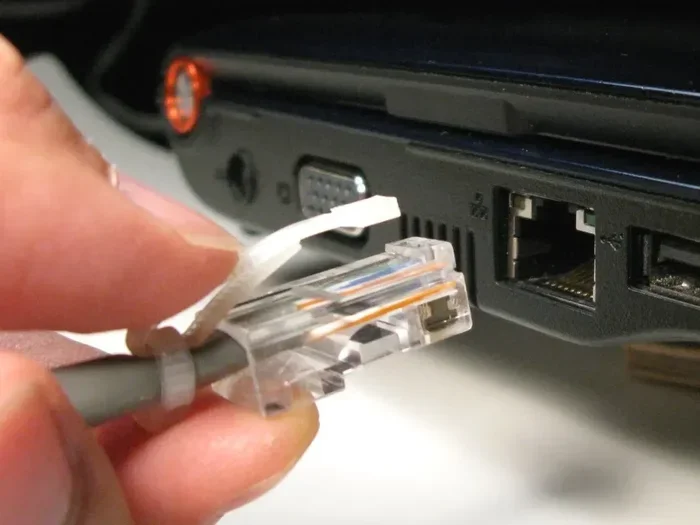
An Ethernet cable gives you the most stable and fastest connection possible. There is no interference, no signal loss through walls, and virtually no latency. For tasks like gaming, video editing, and large file transfers, wired is always better.
The trade-off is mobility. You cannot move around freely with a cable. That is where Wi-Fi shines. Most people want the convenience of wireless access, and modern routers make that experience very good.
Wireless Connections: Convenience and Flexibility
Wi-Fi lets you connect from anywhere in your home. You can browse on your couch, stream in the kitchen, or take calls from the bedroom. The convenience factor is huge. But wireless signals do degrade over distance and through obstacles.
If you want the best of both worlds, consider a mesh network system. These systems use multiple nodes to spread Wi-Fi coverage evenly throughout your home. They are especially helpful in larger houses where a single router cannot reach every corner.
Quick Comparison
- Wired Ethernet: Faster, more stable, lower latency, but less flexible.
- Wireless Wi-Fi: Convenient, mobile, good enough for most tasks, but subject to interference and distance limits.
For most households, a strong Wi-Fi setup paired with a decent internet plan is all you need. Reserve wired connections for devices that demand peak performance.
How to Optimize Your Network for Better Wi-Fi Performance
Good news. You do not need to be a tech expert to improve your Wi-Fi performance. A few simple changes can make a big difference. Here are the most effective steps you can take right now.
Restart Your Router Regularly
Restarting your router clears its memory and refreshes connections. Many people never do this, and their network connection slowly degrades over time. Make it a habit to restart your router once a week. You can even set a schedule if your router supports it.
Update Your Router Firmware
Router manufacturers release firmware updates that fix bugs, improve security, and sometimes boost performance. Check your router settings or app regularly for updates. An outdated router is like running old software on a new phone, it just does not work as well.
Use the Right Frequency Band
Most dual-band routers offer both 2.4 GHz and 5 GHz options. The 2.4 GHz band reaches farther but is slower and more crowded. The 5 GHz band is faster but has a shorter range. For speed-heavy tasks like streaming or gaming, use the 5 GHz band whenever possible.
Limit Unnecessary Devices
Go through your connected devices and remove anything you do not recognize or no longer use. Smart plugs, old phones, and forgotten IoT devices quietly eat up bandwidth. Fewer devices mean more speed for the ones that matter.
Consider a Mesh System for Large Homes
If your home is large or has multiple floors, a single router may not cut it. A mesh Wi-Fi system uses several nodes to create seamless coverage. These systems are easy to set up and manage through a phone app.
For tips on connecting devices directly, check out our guide on connecting your Wi-Fi directly to your TV for a more stable streaming experience.
When to Upgrade Your Network Equipment
Sometimes troubleshooting is not enough. Your equipment might simply be too old or too weak for your needs. Knowing when to upgrade saves you frustration and money in the long run.
Signs You Need a New Router
- Your Wi-Fi speeds are consistently slower than your plan promises.
- Your router is more than five years old.
- You frequently experience dropped connections or dead zones.
- Newer devices cannot connect using the latest Wi-Fi standards.
- Your household has more than five to ten connected devices.
If several of these sound familiar, it is time to invest in a newer wireless router. Look for models that support Wi-Fi 6 or Wi-Fi 6E. These standards handle more devices and deliver faster speeds with better efficiency.
When to Upgrade Your Modem
Your modem matters just as much as your router. An old modem can cap your speeds regardless of how good your router is. Check with your ISP to see if a modem upgrade is available or recommended for your plan.
Some ISPs rent modems that are outdated. Buying your own compatible modem can improve speeds and save money over time. Just make sure the model is approved by your provider.
Is It Time for a New Internet Plan?
If you have upgraded your equipment and still experience slow speeds, the problem might be your plan itself. Internet needs grow over time. What worked five years ago may not be enough now.
Consider how many people use your network and what they do. Streaming 4K video, online gaming, and remote work all demand more bandwidth. Upgrading to a faster plan can be the simplest solution to poor Wi-Fi performance.
Expert Insights on Network and Wi-Fi Optimization
Network engineers and IT professionals share a few habits that make a real difference. Here is what the experts recommend for maintaining a strong network connection and fast Wi-Fi.
- Run speed tests regularly. This helps you track whether your connection is performing as expected.
- Keep router firmware updated. Security patches and performance improvements come through updates.
- Use a wired connection for stationary devices. Desktop computers, smart TVs, and gaming consoles benefit from Ethernet.
- Monitor bandwidth usage. Some devices and apps use more data than you realize. Check your router’s admin panel for details.
- Place your router on the main floor. Signal strength is strongest at the center of your home.
These small habits add up over time. They keep your wireless connection running smoothly and help you avoid common problems before they start.
Key Takeaways
- Your network connection is a chain: every link from ISP to device affects your Wi-Fi speed.
- Your internet plan sets the maximum speed: no router can exceed what your plan delivers.
- Too many connected devices cause congestion: managing your network helps maintain performance.
- Router placement and interference are major factors: central placement and clean channels improve signal quality.
- Wired connections outperform wireless for stability: use Ethernet for devices that need consistent speed.
- Regular maintenance prevents slow-downs: updates, reboots, and cleanups keep things running smoothly.
- Upgrading old equipment solves many common issues: modern routers and modems support faster standards and more devices.
Conclusion
Your network connection absolutely affects your Wi-Fi performance. From your internet plan to your router placement, every piece of the puzzle contributes to how fast and stable your wireless experience feels. The good news is that most problems are easy to identify and fix once you know what to look for.
Start by checking your plan speed, updating your router, and placing it in the best possible spot. Reduce interference, limit unnecessary devices, and restart your router regularly. These simple steps can transform your wireless connection without spending a dime.
If you have tried everything and still face issues, it might be time to upgrade your equipment or your internet plan. A strong network connection is the foundation of a great Wi-Fi experience. Take control of yours today and enjoy faster, more reliable internet every day.
Frequently Asked Questions
Can a bad network connection slow down my Wi-Fi even if I have a fast plan?
Yes, absolutely. A slow or unstable network connection acts as a bottleneck. Even if your ISP plan is fast, problems with your modem, router, cables, or signal interference can reduce your Wi-Fi speed significantly.
How many devices are too many for a home Wi-Fi network?
Most consumer routers handle around 15 to 25 devices comfortably. Beyond that, you may notice slower speeds and connection drops. If you have a large household with many smart devices, consider a mesh network system for better performance.
Does the distance between my router and device affect Wi-Fi speed?
Yes, distance is one of the biggest factors. The further your device is from the router, the weaker the signal becomes. Walls, floors, and furniture also weaken the signal. Moving closer to the router or using a mesh node can help.
Should I use a wired connection for streaming and gaming?
For the best experience, yes. A wired Ethernet connection provides faster speeds, lower latency, and more stability than wireless Wi-Fi. It is especially valuable for competitive gaming and 4K streaming.
How often should I restart my router?
Once a week is a good habit. Restarting clears temporary data, refreshes connections, and can resolve minor slowdowns. Some routers also support scheduled restarts for convenience.
Can my neighbors’ Wi-Fi networks affect my performance?
Yes, especially if you both use the same frequency channel. Neighboring networks create interference that can slow down your Wi-Fi connection. Switching to a less crowded channel or using the 5 GHz band can reduce this problem.