Do You Need A Phone Line For A Wi Fi Box Connection
You do not always need a phone line to set up a Wi-Fi box at home. Many modern internet options like cable, fiber, and fixed wireless deliver Wi-Fi without any phone line at all. This guide walks you through every method so you can choose the best option for your home.
Do you need a phone line for a Wi-Fi box? This is one of the most common questions people ask when they are setting up home internet. The short answer is no. You have many options today that deliver Wi-Fi without ever touching a phone line. Whether you live in a city apartment or a rural home, there is a solution that fits your needs.
Understanding your options helps you save money and avoid unnecessary setup fees. Many people assume a phone line is required because that is how older connections worked. But technology has changed a lot. Today, broadband comes through cable wires, fiber optic cables, and even wireless signals from towers. Each method has its own benefits. Let us explore them all so you can make the best choice for your home.
Key Takeaways
- Phone lines are not always required: Many internet types work without any phone line connection.
- Cable and fiber are popular alternatives: These deliver fast Wi-Fi through coaxial or light signals instead of phone wires.
- Fixed wireless and mobile hotspots work well: Great options for rural areas where traditional lines are not available.
- DSL still uses phone lines: But you can use the internet and make phone calls at the same time.
- Check with your provider: Not all internet service providers offer every type of connection.
📑 Table of Contents
- What Is a Wi-Fi Box and How Does It Work?
- Can You Get Internet Without Any Phone Line at All?
- How to Choose the Right Internet Option for Your Home
- Common Mistakes People Make When Setting Up Wi-Fi Without a Phone Line
- Expert Tips for Getting the Best Wi-Fi Performance
- Do You Still Need a Phone Line for Your Internet?
What Is a Wi-Fi Box and How Does It Work?
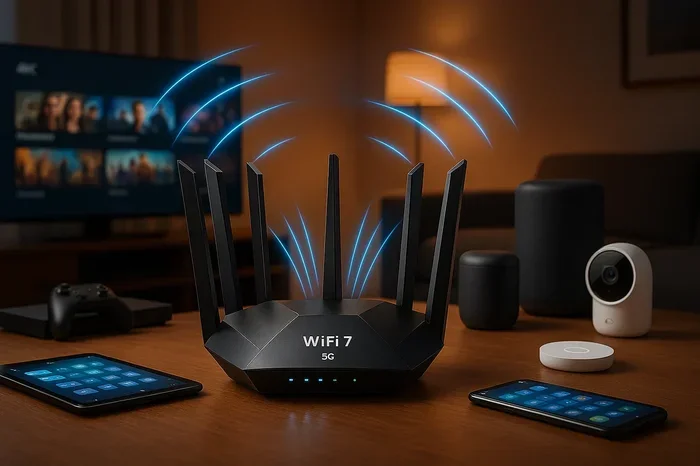
A Wi-Fi box is just another name for a wireless router. It connects to your internet source and sends out a wireless signal. This signal lets your phones, laptops, tablets, and smart devices connect to the internet without any cables. The box itself does not need a phone line to work. What matters is the type of internet connection feeding into it.
Think of the Wi-Fi box like a radio station. The music comes from somewhere else — in this case, your internet provider. The box just broadcasts that signal around your home. So the real question is not about the box itself. It is about how the internet gets to your house in the first place.
Types of Internet Connections That Do Not Need a Phone Line
Several types of internet connection methods work perfectly without a phone line. Here is a closer look at each one.
Cable Internet uses the same coaxial cables that deliver cable television. A cable modem connects to this line, and then your Wi-Fi box picks up the signal from the modem. Cable internet is widely available in cities and suburbs. It offers good speeds and reliable performance for most households.
Fiber Optic Internet is the fastest option available today. It uses thin glass cables that carry data as light pulses. Fiber does not need a phone line at all. It delivers incredibly fast speeds and very low latency. However, fiber availability is still limited in many areas. Check with your broadband provider to see if fiber is available in your neighborhood.
Fixed Wireless Internet uses radio signals sent from a tower to a receiver on your roof or window. This is a great option for rural areas where cable and fiber are not available. Fixed wireless does not require any physical phone line. You just need a clear line of sight to the nearest tower.
Satellite Internet beams a signal from space to a dish on your property. It works anywhere with a clear view of the sky. Satellite internet does not use phone lines. It is slower than cable or fiber, but it is a lifeline for people in remote locations where no other option exists.
Types of Internet Connections That Do Use a Phone Line
Some older connection types still rely on phone lines. Here are the main ones you should know about.
DSL (Digital Subscriber Line) uses your existing phone line to deliver internet. The good news is that DSL and phone calls can work at the same time. You do not have to give up your landline to use DSL internet. DSL speeds are moderate and work well for basic browsing and streaming.
Dial-up Internet is the oldest form of home internet. It uses a phone line and ties up the line while you are online. Dial-up is extremely slow by today’s standards. Very few people use it anymore, but it still exists in some very rural areas.
Can You Get Internet Without Any Phone Line at All?
Yes, absolutely. Many people get Wi-Fi at home without a phone line and never miss it. If you are moving to a new home or switching providers, you have plenty of choices. Cable internet, fiber optic, fixed wireless, and satellite internet all work without a phone line.
When you are shopping for a plan, ask your provider directly whether a phone line is required. Most modern providers offer phone-line-free options. You can also check if portable Wi-Fi devices are available in your area. These devices use cellular networks to create a Wi-Fi hotspot at home. They are simple to set up and require no physical phone line or even a permanent installation.
Some people use a combination of methods. For example, you might have cable internet for your home and a portable hotspot as a backup. This gives you flexibility and peace of mind if your main connection goes down.
How to Choose the Right Internet Option for Your Home
Choosing the right home network setup depends on several factors. Here is what you should consider before making a decision.
- Availability: Not every internet type is available everywhere. Check what services are offered at your address before anything else.
- Speed: Think about how many people use your internet and what they do. Streaming, gaming, and video calls need faster speeds.
- Price: Compare monthly costs across different providers and connection types. Sometimes cable is cheaper than fiber, and satellite can be pricier.
- Data Caps: Some providers limit how much data you can use each month. If you stream a lot, look for plans with generous or no data caps.
- Reliability: Fiber and cable tend to be more reliable than satellite or fixed wireless, especially during bad weather.
If you are unsure where to start, call a few local providers and ask what options they offer. You can also use online tools to check availability by entering your zip code. This saves you time and helps you make a confident choice.
Setting Up Your Wi-Fi Box Without a Phone Line
Once you have chosen your internet type, setting up your wireless router is usually straightforward. Most providers send a technician or ship a self-install kit. Here is a quick overview of the process.
- Connect your modem to the internet source. This could be a cable outlet, a fiber terminal, or a satellite dish.
- Connect your Wi-Fi box to the modem using an Ethernet cable.
- Power on both devices and wait for them to boot up.
- Open your device settings and look for the new Wi-Fi network.
- Enter the password printed on your router or provided by your provider.
That is it. You now have a working home network with no phone line involved. If you ever want to change your router or upgrade your equipment, you can do so without calling a technician. Just make sure your new router is compatible with your internet type.
Common Mistakes People Make When Setting Up Wi-Fi Without a Phone Line
Even with the right information, people sometimes run into problems. Here are a few common mistakes to avoid.
Assuming all providers offer the same options. Different providers specialize in different types of connections. One company might offer great cable service, while another is better for fixed wireless. Do your research before signing up.
Ignoring router placement. Where you put your Wi-Fi box matters a lot. Place it in a central, open area of your home. Avoid hiding it behind furniture or inside closets. Good placement improves your Wi-Fi signal and reduces dead zones.
Forgetting about security. Always change the default password on your router. Use a strong, unique password to keep your home network safe from unauthorized users. You should also enable WPA3 encryption if your router supports it.
Not checking your speeds after setup. Run a speed test once everything is connected. If your speeds are much lower than what you are paying for, contact your provider. There might be a simple fix, like moving your modem closer to the main connection point.
Expert Tips for Getting the Best Wi-Fi Performance
Getting your Wi-Fi box set up is only half the battle. Making it perform well takes a little extra effort. Here are some expert tips that really make a difference.
First, keep your router firmware updated. Manufacturers release updates that fix bugs and improve performance. Most modern routers have an app that lets you check for updates easily. Second, consider using a mesh Wi-Fi system if your home is large or has thick walls. Mesh systems use multiple nodes to spread your signal evenly throughout the house.
Third, if you experience slow speeds in certain areas, you can boost your Wi-Fi signal with a range extender or by adjusting your router channels. Interference from neighboring networks can slow things down, and switching to a less crowded channel can help.
Finally, if you want to connect your TV directly to the internet without using Wi-Fi, you can use an Ethernet cable from your router. This gives your TV a stable, fast connection for streaming. You can also connect your Wi-Fi directly to your TV if running a cable is not practical. Both methods work well and improve your streaming experience.
Do You Still Need a Phone Line for Your Internet?
The answer is clear: in most cases, you do not need a phone line for a Wi-Fi box. Modern internet technology has given us many alternatives that are faster, more reliable, and often cheaper than traditional phone-line-based connections. Whether you choose cable, fiber, fixed wireless, or satellite, you can enjoy strong Wi-Fi without ever needing a phone jack.
Take the time to explore your options. Compare providers, check availability, and choose a plan that matches your household needs. With the right setup, you will have fast, dependable internet that keeps everyone connected. And remember, if you ever need to change your Wi-Fi router or troubleshoot your connection, you have plenty of resources and options available to help you along the way.
Frequently Asked Questions
Can I get Wi-Fi in my home without any phone line?
Yes, you can. Cable internet, fiber optic, fixed wireless, and satellite internet all deliver Wi-Fi without requiring a phone line. Check what options are available at your address and choose the one that fits your needs best.
Does DSL internet require a phone line?
Yes, DSL uses your existing phone line to deliver internet. However, you can still make phone calls while using DSL because the internet signal and voice signal operate on different frequencies.
What is the fastest way to get Wi-Fi without a phone line?
Fiber optic internet is the fastest option available today. It uses light signals through glass cables and delivers incredibly high speeds without any phone line involvement.
Can I use a portable Wi-Fi device instead of a home phone line?
Yes, portable Wi-Fi devices use cellular networks to create a wireless hotspot. They are a great alternative if you do not have a phone line or traditional broadband available at your home.
Is fixed wireless internet a good option for rural areas?
Absolutely. Fixed wireless uses radio signals from a tower and does not require any phone line. It is one of the best options for rural homes where cable and fiber are not available.
Do I need special equipment if I switch from a phone-line connection to a phone-line-free connection?
You may need a new modem and router depending on the type of connection you switch to. Most providers offer compatible equipment or self-install kits to make the transition smooth and simple.
=== CONCLUSION ===
So, do you need a phone line for a Wi-Fi box? The answer is almost always no. Today’s technology gives you many powerful options to get online without ever using a phone line. Cable, fiber, fixed wireless, and satellite internet all deliver excellent Wi-Fi to your home. Each option has its strengths, and the best choice depends on your location, budget, and usage needs.
Take control of your home internet setup. Explore the options available in your area, compare plans, and choose the connection that works best for you. With the right equipment and a solid plan, you will enjoy fast, reliable Wi-Fi without the need for a phone line. The future of home internet is wireless, flexible, and more accessible than ever before.