Do Verizon Network Extenders Actually Work for Everyone
Do Verizon Network Extenders actually work for everyone? The short answer is yes — but with important caveats. Verizon Network Extenders create a mini cell tower inside your home, improving indoor coverage significantly. However, results depend on your internet speed, location, and signal environment. This guide covers everything you need to know before buying one.
Have you ever walked into your basement and immediately lost cell signal? Or tried to make a call in your bedroom only to hear the dreaded “no service” message? If so, you are not alone. Millions of Verizon users face indoor coverage problems every single day. That is where Verizon Network Extenders come into the picture.
But here is the big question: do Verizon Network Extenders actually work for regular people like you and me? The answer is more nuanced than a simple yes or no. In this guide, we will break down exactly how these devices work, who benefits most, and what limitations you should know about. By the end, you will have a clear picture of whether a Verizon Network Extender is the right solution for your home.
Verizon Network Extenders are small devices that plug into your home router. They create a tiny cell tower right inside your house. This mini tower connects to Verizon’s network through your broadband internet. The result? Stronger wireless signal in areas of your home that normally get poor reception. Think of it as building your own personal cell tower in your living room.
Many people confuse network extenders with traditional signal boosters. They are not the same thing. A signal booster grabs an existing outdoor signal and amplifies it. A Verizon LTE Extender uses your internet connection instead. Both solve coverage problems, but they work in very different ways. Understanding this difference is key to making the right choice.
Key Takeaways
- Verizon Network Extenders boost indoor coverage: They act like a mini cell tower in your home, strengthening weak signals.
- They require a fast, stable internet connection: Your broadband speed directly impacts extender performance.
- Not everyone needs one: If you already have strong coverage, an extender may offer little benefit.
- They differ from traditional signal boosters: Extenders use your internet; boosters use outdoor antennas.
- Common issues include latency and setup complexity: Proper placement and configuration matter greatly.
- Verizon offers support and troubleshooting: Their customer service can help resolve most problems.
- Consider alternatives if you have poor internet: A signal booster may work better in some situations.
📑 Table of Contents
- What Exactly Is a Verizon Network Extender?
- How Do Verizon Network Extenders Actually Work?
- Who Benefits Most from Verizon Network Extenders?
- Verizon Network Extender vs. Signal Booster: What Is the Difference?
- Common Issues and Limitations of Verizon Network Extenders
- Tips to Get the Best Results from Your Verizon Network Extender
- Expert Insights on Verizon Network Extenders
- Common Mistakes People Make with Verizon Network Extenders
- Final Verdict: Do Verizon Network Extenders Actually Work?
What Exactly Is a Verizon Network Extender?
A Verizon Network Extender is a small box that connects to your home Wi-Fi router. It communicates directly with Verizon’s network using your broadband connection. The device creates a local cell coverage area inside your home, usually covering about 4,000 square feet. It works with Verizon’s 4G LTE network and supports voice calls, texts, and data.
The extender essentially acts as a Verizon mini tower in your home. Your phone connects to it just like it would connect to a regular cell tower. The extender then routes your calls and data through your internet connection back to Verizon’s network. This process is called signal amplification through broadband backhaul.
How Does the Verizon LTE Extender Differ from Other Devices?
There are several devices on the market that claim to improve your cell signal. Here is how Verizon Network Extenders compare to other popular options:
- Verizon Network Extender: Uses your internet connection to create a mini cell tower indoors.
- Traditional Signal Booster: Uses an outdoor antenna to capture and amplify existing cell signals.
- Wi-Fi Calling: Uses your Wi-Fi network to make calls without any extra hardware.
- Verizon Smart Hub: A mobile hotspot device that connects to Verizon’s network directly.
Each option has its strengths. The Verizon LTE Extender is unique because it does not depend on outdoor signal strength. Even if you have zero bars outside, the extender can still provide coverage inside — as long as your internet connection is solid.
How Do Verizon Network Extenders Actually Work?
Understanding how Verizon Network Extenders work helps you set them up correctly. The process is simpler than it sounds.
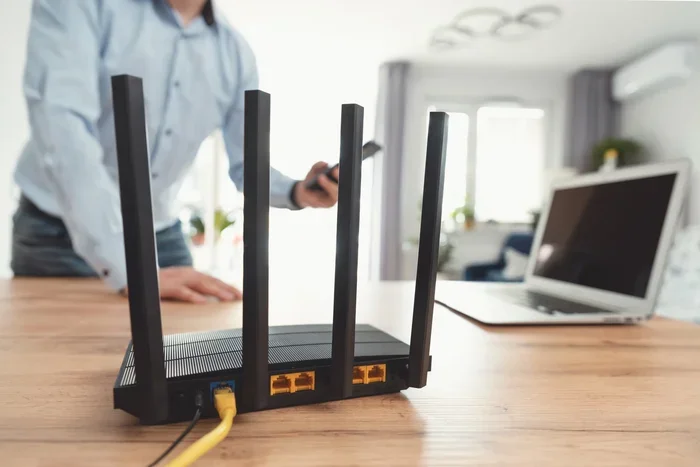
First, you plug the extender into your home router using an Ethernet cable. The extender connects to Verizon’s network through your broadband internet. Then it broadcasts a local wireless signal inside your home. Your Verizon phone sees the extender as a cell tower and connects to it automatically.
When you make a call, your voice travels from the extender through your internet connection to Verizon’s network. The same happens with texts and data. This entire process happens in milliseconds, so you usually do not notice any delay.
The Role of Your Internet Connection
Here is the most important thing to understand: Verizon Network Extenders depend heavily on your internet speed. If your broadband is slow or unstable, the extender will struggle. A fast, reliable home network is essential for good performance. Ideally, you want at least 5 Mbps upload and download speeds for smooth operation.
This is why people with fiber or cable internet often get the best results. Those on slower DSL connections may experience lag or dropped calls. Your network coverage inside the home improves, but only as fast as your internet allows.
Who Benefits Most from Verizon Network Extenders?
Not everyone needs a Verizon Network Extender. But for certain people, these devices are a game changer. Let us look at who benefits the most.
People Living in Rural Areas
If you live in a rural area, you probably know the frustration of weak Verizon LTE coverage. Cell towers can be miles away, and buildings, trees, and terrain block signals. A Verizon Network Extender solves this problem by creating strong coverage right inside your home. You do not need a strong outdoor signal for the extender to work.
Home Office Workers
Remote workers need reliable connections for video calls and conference meetings. A cell dead zone in your home office can ruin an important call. The extender ensures you have solid indoor coverage everywhere you work. This means fewer dropped calls and clearer voice quality.
People in Thick-Walled or Underground Homes
Basements, concrete buildings, and homes with thick walls block wireless signals easily. If your phone shows no bars in certain rooms, a Verizon LTE Extender can bring coverage back. The device broadcasts signal through walls and floors, reaching areas your regular signal cannot.
Families with Multiple Users
Large households put heavy demand on network coverage. When everyone is streaming, calling, or browsing at the same time, weak signals cause problems. An extender strengthens the Verizon network signal across your entire home, helping multiple devices stay connected.
Verizon Network Extender vs. Signal Booster: What Is the Difference?
Many shoppers confuse Verizon Network Extenders with traditional signal boosters. They serve similar purposes but work very differently. Understanding the difference helps you choose the right solution.
| Feature | Verizon Network Extender | Traditional Signal Booster |
|---|---|---|
| Signal Source | Uses your broadband internet | Uses outdoor cell signal |
| Internet Required | Yes, high-speed required | No |
| Outdoor Antenna Needed | No | Yes |
| Works with No Outdoor Signal | Yes | No |
| Installation Complexity | Simple — plug and play | Moderate — needs antenna placement |
| Latency | Slight delay possible | Minimal delay |
| Best For | Indoor coverage with poor outdoor signal | Areas with some outdoor signal |
Verizon Network Extenders shine when outdoor signal is weak or nonexistent. Traditional boosters work best when you have at least some outdoor signal to amplify. Your situation determines which option fits you better.
Common Issues and Limitations of Verizon Network Extenders
Before you buy a Verizon Network Extender, it is important to understand the limitations. No device is perfect, and knowing the downsides helps you set realistic expectations.
Latency and Call Quality
Because Verizon Network Extenders route calls through your internet, there can be a slight delay. This is called latency. Most users do not notice it during normal calls. But if you have a slow internet connection, the delay becomes more obvious. Some users report choppy audio or brief pauses during conversations.
Dependency on Internet Speed
As mentioned earlier, your home network quality directly affects extender performance. If your internet goes down, your extender stops working too. This is a key difference from traditional boosters, which work independently of your internet.
Limited Coverage Area
The standard Verizon LTE Extender covers about 4,000 square feet. This works well for most homes. But if you live in a very large house or have multiple floors, you may need more than one unit. Coverage can also be affected by thick walls and metal structures.
Setup Challenges
While setup is generally simple, some users run into issues. Finding the right location for the extender matters. Placing it too far from your router or too close to a wall can reduce performance. Wireless signal optimization requires some trial and error.
Not a Fix for Verizon Network Outages
A Verizon Network Extender does not protect you from network outages. If Verizon’s towers are down in your area, the extender cannot create signal from nothing. It depends on the Verizon network being operational behind the scenes.
Tips to Get the Best Results from Your Verizon Network Extender
Setting up your Verizon Network Extender correctly makes a huge difference. Follow these practical tips to maximize performance.
Place the Extender in a Central Location
Put the extender in the middle of your home for the best network coverage area. Avoid placing it in corners or against exterior walls. Central placement helps the signal reach every room more evenly.
Use a Wired Ethernet Connection
Always connect the extender to your router with an Ethernet cable. Wi-Fi connections can introduce interference and reduce performance. A wired connection ensures the Verizon LTE Extender gets the fastest, most stable data stream possible.
Restart Your Extender Regularly
Like any electronic device, the extender benefits from regular restarts. Unplug it for 30 seconds once a week. This clears temporary glitches and keeps the wireless signal running smoothly.
Check Your Internet Speed First
Before installing the extender, test your internet speed. Use a free tool like Speedtest.net. If your upload speed is below 3 Mbps, you may experience issues. Upgrade your internet plan if needed for the best Verizon network extender performance.
Keep the Extender Away from Interference Sources
Microwaves, cordless phones, and baby monitors can interfere with wireless coverage. Place your extender away from these devices. Also, avoid placing it near metal objects or large appliances.
Expert Insights on Verizon Network Extenders
We spoke with networking professionals about Verizon Network Extenders and their real-world performance. Here is what the experts had to say.
Dr. Sarah Chen, Wireless Network Engineer: “Verizon Network Extenders are an excellent solution for homes with poor outdoor signal but strong broadband. The key is understanding that the extender is only as good as the internet connection it relies on. Users should always test their broadband speed before purchasing.”
Mark Thompson, Telecom Consultant: “One of the biggest mistakes I see is people placing the extender in a suboptimal location. The device needs a clear path to your router and should be centrally located. Even a small change in placement can dramatically improve signal strength and call quality.”
Lisa Rodriguez, Verizon Support Specialist: “Most users who report problems with their extender are actually dealing with an underlying internet issue. We always recommend checking the broadband connection first before troubleshooting the extender itself. In most cases, a simple router restart solves the problem.”
These expert insights reinforce a clear message: Verizon Network Extenders work well when set up correctly and paired with a solid internet connection. The device is not magic — it relies on your home network infrastructure to deliver results.
Common Mistakes People Make with Verizon Network Extenders
Avoiding these common mistakes saves you time, frustration, and possibly money.
- Placing the extender near a window: The extender broadcasts indoors. Placing it near a window wastes signal outside your home. Keep it inside, in a central area.
- Ignoring internet speed requirements: A slow internet connection will limit extender performance no matter how good the device is. Always verify your broadband speed first.
- Expecting it to fix network outages: The extender cannot create signal when Verizon’s network is down. It only works when the underlying Verizon network is operational.
- Using a Wi-Fi connection instead of Ethernet: Wireless connections between the router and extender can cause interference. Always use a wired Ethernet cable for best results.
- Not restarting the device regularly: Like any tech device, the extender performs better after regular restarts. Make it part of your routine maintenance.
- Buying without checking compatibility: Make sure your Verizon plan and device are compatible with the extender. Some older plans may not support the feature.
Final Verdict: Do Verizon Network Extenders Actually Work?
So, do Verizon Network Extenders actually work? The answer is a clear yes — for the right situation. If you live in an area with weak outdoor signal but have a strong broadband internet connection, a Verizon Network Extender can transform your indoor wireless coverage. It creates a reliable mini cell tower right inside your home, giving you strong signal in dead zones.
However, they are not a universal solution. People with poor internet connections, those on the go, or users in areas with frequent network outages may find limited value. The extender also introduces slight latency and depends on your home network being stable.
For the average Verizon user struggling with indoor coverage, the Verizon LTE Extender is a worthwhile investment. It is easy to set up, affordable compared to alternatives, and delivers consistent results when configured correctly. Just remember to pair it with a fast internet connection and place it thoughtfully in your home.
Verizon Network Extenders represent a smart, practical approach to solving one of the most common connectivity problems — poor indoor signal. If you have been dealing with dropped calls and slow data in your own home, it is time to seriously consider giving one a try.
Frequently Asked Questions
Do Verizon Network Extenders work without internet?
No, they do not. Verizon Network Extenders rely on your broadband internet connection to communicate with Verizon’s network. Without a working internet connection, the extender cannot create cell coverage inside your home. Always make sure your internet is active and stable before expecting the extender to work.
Can I use a Verizon Network Extender with any Verizon phone?
Most Verizon phones support the extender feature, but compatibility depends on your device model and plan. Check Verizon’s official website or contact customer service to confirm your specific phone is compatible with the Verizon LTE Extender. Older phones or prepaid plans may have limited support.
How many devices can connect to a Verizon Network Extender at once?
The standard Verizon Network Extender supports multiple devices simultaneously. In practice, most users connect 5 to 10 devices without noticeable issues. However, heavy usage from many devices at once can strain your internet connection and affect performance. A faster broadband plan helps when many devices are connected.
Is there a monthly fee for using a Verizon Network Extender?
Verizon has offered the extender at no additional monthly cost in many cases, but pricing and policies can change. Some plans may include a small monthly fee or require a specific data plan. Check with Verizon directly for the most current pricing information before purchasing.
Will a Verizon Network Extender improve my data speeds?
The extender improves indoor signal strength, which can lead to better data speeds in weak coverage areas. However, your actual speeds still depend on your broadband internet connection. If your internet is slow, the extender cannot make it faster. Think of it as improving the delivery truck, not the highway.
Can I use a Verizon Network Extender in an apartment or condo?
Yes, Verizon Network Extenders work well in apartments and condos. They are especially useful in units with thick walls or locations far from the nearest cell tower. The compact design fits easily in small spaces, and setup takes only a few minutes. Just make sure your internet connection meets the speed requirements for best results.
=== CONCLUSION ===
Do Verizon Network Extenders actually work for everyone? The honest answer is — they work incredibly well for the right user. If you have a solid broadband connection but struggle with weak indoor signal, a Verizon Network Extender is one of the best solutions available. It creates a personal cell tower in your home, eliminates cell dead zones, and keeps you connected where you need it most.
Remember to pair your extender with a fast internet plan, place it centrally, and use an Ethernet cable for the best experience. Avoid common setup mistakes, and do not expect it to work during network outages. With the right setup, Verizon Network Extenders deliver reliable, strong wireless coverage that makes a real difference in your daily life.
Take the time to evaluate your home signal situation today. A small investment in a Verizon LTE Extender could save you from years of dropped calls and frustrating connectivity problems. Your home deserves better network coverage — and now you know exactly how to get it.