Can You Use Apple Pay Without a Card or Bank Account
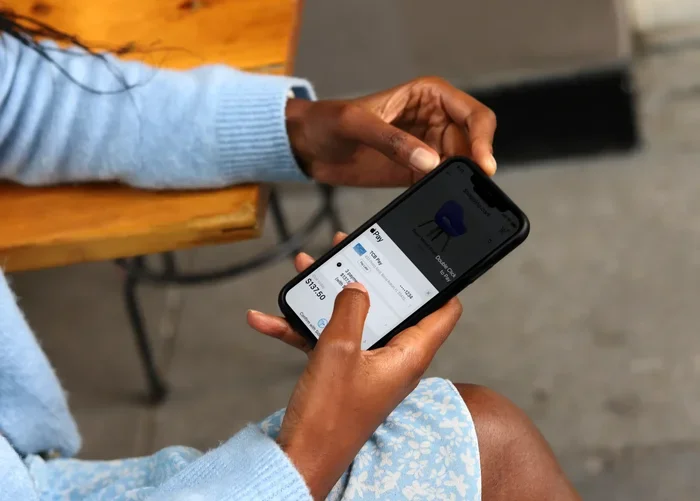
You can use Apple Pay in some ways without a traditional credit or debit card, but a bank account or card is usually required for full functionality. Apple Pay works as a digital wallet that lets you make contactless payments using your iPhone or Apple Watch. While you cannot set up Apple Pay with no funding source at all, there are clever workarounds like prepaid cards, gift cards, and Apple Cash that give you flexibility. This guide breaks down every option so you can decide what works best for your situation.
Can you use Apple Pay without a card or bank account? This is a question many people ask, especially those who want a simpler way to pay for things. The short answer is: it depends. Apple Pay is a mobile payment system that works with your iPhone, Apple Watch, iPad, or Mac. It lets you tap your device and pay in seconds. But does it work if you don’t have a credit card or a bank account? The truth is more nuanced than you might think.
In this guide, we will explore every angle of using Apple Pay without a traditional card or bank account. We will look at prepaid options, Apple Cash, gift cards, and other creative workarounds. Whether you are a teen, a young adult, or someone who prefers not to use banks, this article has you covered. Let us dive in and break it all down.
Key Takeaways
- Apple Pay needs a payment source: You typically need a card or bank account, but alternatives exist.
- Prepaid cards work with Apple Pay: Some prepaid debit cards can be added to Apple Wallet.
- Apple Cash offers a workaround: You can receive and send money through Apple Cash without a physical card.
- Gift cards have limited use: Certain gift cards can be added, but not all retailers support them.
- Apple Pay requires an Apple device: You need an iPhone, Apple Watch, iPad, or Mac to use the service.
- Security is a major benefit: Apple Pay uses tokenization to protect your real card numbers.
- No card means limited features: Without any funding source, you cannot make payments through Apple Pay.
📑 Table of Contents
- What Is Apple Pay and How Does It Work?
- Can You Set Up Apple Pay Without a Card?
- Using Apple Pay With a Prepaid Card
- Using Apple Cash as an Alternative
- Can You Use Gift Cards With Apple Pay?
- What If You Have No Card and No Bank Account At All?
- Is Apple Pay Safe Without a Traditional Card?
- Frequently Asked Questions
- Final Thoughts
What Is Apple Pay and How Does It Work?
Apple Pay is a digital wallet made by Apple. It lets you pay for goods and services using your Apple device. Instead of pulling out a physical card, you simply hold your phone near a payment terminal. The technology behind this is called NFC, or Near Field Communication. It allows your device to communicate with the payment reader wirelessly.
When you make a payment with Apple Pay, your actual card number is never shared with the merchant. Instead, Apple uses a process called tokenization. This means a unique digital token replaces your real card number. This makes contactless payment through Apple Pay one of the safest ways to pay.
Devices That Support Apple Pay
Not all Apple devices can use Apple Pay. Here is a quick look at what works:
- iPhone 6 or newer running iOS 8 or later
- Apple Watch paired with an iPhone
- iPad Pro, iPad Air 2, iPad mini 3 or newer
- Mac with Touch ID or Apple Pay enabled
You also need to have a supported payment app installed and a compatible card or account linked. Without any funding source, Apple Pay cannot process transactions. This is the core reason most people think you need a card or bank account.
Can You Set Up Apple Pay Without a Card?
The honest answer is no, not fully. Apple Pay requires a funding source to work. This means you need some form of payment linked to your Apple Wallet. However, “card” does not only mean a traditional credit or debit card. There are alternative funding methods that can act as your payment source.
Why Apple Pay Requires a Funding Source
Apple Pay is a payment platform, not a bank. It does not hold your money or issue credit on its own. It simply acts as a bridge between your money and the merchant. So you always need something of value behind it. This could be a debit card, a credit card, a prepaid card, or even Apple Cash.
If you have absolutely no card or bank account, you cannot set up Apple Pay from scratch. The setup process will ask you to add a payment method. This is a hard requirement from Apple’s side. But do not worry, there are several workarounds that we will cover next.
Using Apple Pay With a Prepaid Card
One of the best alternatives to a traditional bank account is a prepaid card. A prepaid card works like a debit card, but it is not linked to a bank account. You load money onto the card upfront, and you can only spend what you have.
How Prepaid Cards Work With Apple Pay
Some prepaid cards are supported by Apple Pay. You can add them to your Apple Wallet just like a regular debit card. Once added, you can tap to pay at any terminal that accepts contactless payment. Here are some popular prepaid card options:
- Netspend Prepaid Visa — widely supported by Apple Pay
- Green Dot Prepaid Card — a popular choice for Apple Wallet
- Walmart MoneyCard — works with Apple Pay at many retailers
- PayPal Prepaid Mastercard — can be added to Apple Wallet
Not all prepaid cards work with Apple Pay, though. The card must be issued by a major network like Visa or Mastercard. It also needs to support tokenization, which is the security process Apple Pay uses. Before you buy a prepaid card, check the issuer’s website to confirm Apple Pay compatibility.
Quick Tip
Look for prepaid cards that advertise mobile payment support on their packaging or website. This saves you time and frustration during setup.
Pros and Cons of Using Prepaid Cards
Prepaid cards are great for people who want to avoid banks. But they come with trade-offs. Here is a quick comparison:
- Pros: No credit check required, easy to get, helps with budgeting, works with Apple Pay
- Cons: Often has monthly fees, reload fees, and limited customer protections compared to bank accounts
Using Apple Cash as an Alternative
Apple Cash is a feature built into Apple Pay that lets you send and receive money through iMessage. It is like having a digital wallet inside your iPhone. You can use Apple Cash to pay for things in stores, online, and in apps. And here is the good news, you do not always need a traditional card to use it.
How Apple Cash Works
Apple Cash is tied to your Apple ID. You can fund it by receiving money from friends or family through iMessage. Once you have Apple Cash on your device, you can use it to pay at stores that accept Apple Pay. It works just like a debit card payment, but the money comes from your Apple Cash balance.
To get Apple Cash, someone needs to send you money first. You can also add funds from a linked bank account or card. But if you receive Apple Cash from another person, you can use it without ever touching a bank account or card yourself.
Limitations of Apple Cash
Apple Cash is convenient, but it has some limits. You cannot receive Apple Cash from just anyone. The sender must also have an Apple device and Apple Cash enabled. Also, Apple may hold funds for a short time if it detects unusual activity. And if you want to transfer Apple Cash to a bank account, you do need a bank account at that point.
Expert Insight
Financial experts say Apple Cash is a great entry point for people who are banking hesitant. It introduces digital payments without the commitment of opening a bank account. However, it should not be seen as a full replacement for a traditional financial account.
Can You Use Gift Cards With Apple Pay?
Gift cards are another option people explore when they want to use Apple Pay without a card. The short answer is: some gift cards work, but not all.
Which Gift Cards Are Supported?
Apple allows you to add certain gift cards to Apple Wallet. These are typically store-specific gift cards from major retailers. For example:
- Apple Store Gift Cards
- Starbucks Gift Cards
- Walmart Gift Cards
- Target Gift Cards
Once added, you can use these gift cards to pay at the corresponding retailer. However, you cannot use a Starbucks gift card to pay at a grocery store. Each gift card is limited to its issuer.
Why Some Gift Cards Do Not Work
Many gift cards do not support Apple Pay because they lack the necessary NFC technology and tokenization support. The gift card must be issued by a payment network that Apple can tokenize. Generic gift cards from smaller retailers or restaurants may not qualify. Always check the card’s terms or the Apple Wallet app to see if it can be added.
What If You Have No Card and No Bank Account At All?
If you truly have no card and no bank account, your options are limited but not completely gone. Here are a few paths you can explore to still use mobile payment technology.
Step-by-Step Options
- Get a prepaid card from a major retailer or financial service provider. Load it with cash at a participating location.
- Ask a friend or family member to send you Apple Cash through iMessage.
- Add a supported gift card to Apple Wallet for use at specific stores.
- Look into digital banks that offer instant virtual debit cards compatible with Apple Pay.
Each of these options gives you a way to access cashless payment without a traditional bank account. They are not perfect, but they are practical.
Common Mistakes People Make
- Assuming all prepaid cards work: Always verify compatibility before purchasing.
- Ignoring fees: Prepaid cards and gift cards often come with hidden charges.
- Not updating Apple Wallet: Keep your app updated to ensure smooth performance.
- Overlooking Apple Cash limits: There are daily and weekly transfer limits you should know about.
Is Apple Pay Safe Without a Traditional Card?
Safety is a top concern for anyone using digital payment methods. The good news is that Apple Pay remains secure regardless of the funding source you use. Whether you pay with a prepaid card, Apple Cash, or a gift card, the same security features apply.
Apple Pay uses tokenization to protect your data. Your real card or account number is never stored on your device or shared with merchants. Instead, a unique device account number is used for each transaction. Even if a merchant’s system is hacked, your real payment information stays safe.
You also have Face ID or Touch ID protection. This means no one can use your Apple Pay unless they can unlock your device. And if your phone is lost or stolen, you can use the Find My app to remotely disable Apple Pay on that device.
Key Takeaways
- Apple Pay security does not depend on your card type: Tokenization and biometric authentication protect every transaction.
- Apple Cash is safe for peer-to-peer payments: It uses the same encryption as all other Apple Pay transactions.
- Prepaid cards are protected too: Even if your prepaid card is used fraudulently, your real account details are never exposed.
Frequently Asked Questions
Can I use Apple Pay with no bank account or card at all?
No, you cannot set up Apple Pay without any funding source. Apple Pay requires a payment method to be linked. However, you can use workarounds like prepaid cards, Apple Cash, or gift cards to avoid a traditional bank account or credit card.
Can I add a prepaid card to Apple Pay?
Yes, many prepaid cards from major issuers like Visa or Mastercard can be added to Apple Wallet. Check the prepaid card issuer’s website or the Apple Wallet app to confirm support before you buy.
Does Apple Cash count as a bank account?
No, Apple Cash is not a bank account. It is a digital payment feature within Apple Pay. You can receive and spend Apple Cash without having a traditional bank account. However, transferring Apple Cash to a bank account does require one.
Can I use Apple Pay at any store?
No, you can only use Apple Pay at stores that accept contactless payments. Look for the contactless payment symbol at the checkout terminal. Most major retailers and many small businesses now support tap to pay technology.
Is Apple Pay free to use?
Yes, Apple Pay does not charge you any fees for making purchases. However, your card issuer or prepaid card provider may charge their own fees. Always check the terms of your payment method for any potential costs.
What happens if my phone is stolen and I use Apple Pay?
Apple Pay is designed to be safe in this situation. Your real card numbers are never stored on your phone. You can use the Find My app to put your device in Lost Mode, which disables Apple Pay. You can also remove your cards remotely from iCloud.com.
Final Thoughts
So, can you use Apple Pay without a card or bank account? The answer is a qualified yes. You cannot set up Apple Pay with zero funding, but you have several practical alternatives. Prepaid cards, Apple Cash, and supported gift cards all let you enjoy the convenience of mobile payment without a traditional bank account or credit card.
Apple Pay is more than just a payment tool. It is a gateway to a faster, safer, and more convenient way to spend. Whether you are paying for coffee, shopping online, or sending money to a friend, the digital wallet experience is hard to beat.
If you are new to contactless payment, start small. Try adding a prepaid card or receiving some Apple Cash from a friend. Once you see how easy it is, you will wonder how you ever managed without it. The future of cashless payment is here, and Apple Pay is leading the way.
Take some time today to explore your options. Set up Apple Pay with the method that works best for you. You will be glad you did the next time you tap your phone and walk out of a store with your purchase in hand.