Can You Use Any Usb C Charger For Dell Laptop Safely
You can use a USB C charger for your Dell laptop, but not just any charger will do safely. The right USB-C charger must match your Dell laptop’s power delivery requirements, wattage, and voltage needs. Using an incompatible charger can damage your battery or even harm your device.
Let’s be honest. We all love the convenience of a single charger for everything. Your phone, your tablet, and yes, even your Dell laptop. The universal nature of USB-C makes this dream feel within reach. But here’s the thing: just because a USB-C plug fits your Dell laptop’s port doesn’t mean it’s safe or effective.
Using the wrong charger can lead to slow charging, battery damage, or worse. And in today’s world where connectivity matters more than ever, even things like 5G towers for Wi-Fi show how interconnected our device ecosystems have become. You want your gear to work together seamlessly, and that starts with the right power source.
In this guide, we’ll walk you through everything you need to know about using a USB-C charger with your Dell laptop. From understanding wattage and power delivery to spotting compatible options and avoiding common mistakes, we’ve got you covered. Let’s dive in.
Key Takeaways
- Not all USB-C chargers are equal: Dell laptops need specific wattage and power delivery standards to charge safely.
- Check your Dell model’s requirements: Each laptop has a recommended charger spec you should match before plugging in.
- USB Power Delivery (PD) is key: Look for PD-compatible chargers to ensure fast and safe charging.
- Third-party chargers can work: But only if they meet Dell’s voltage and amperage standards.
- Using the wrong charger risks damage: Overvoltage, underpowering, and overheating are real concerns.
- OEM Dell chargers are safest: But quality third-party options offer great alternatives.
📑 Table of Contents
- Understanding USB-C Charging for Dell Laptops
- Can You Use Any USB-C Charger Safely?
- What to Look for in a USB-C Charger for Dell
- OEM vs Third-Party USB-C Chargers for Dell
- Quick Tips for Safe USB-C Charging
- Common Mistakes People Make with USB-C Chargers
- Which Dell Models Need Special Attention?
- The Future of Laptop Charging
- Final Thoughts
Understanding USB-C Charging for Dell Laptops
USB-C has become the go-to charging standard for most modern laptops. It’s small, reversible, and supports high-speed data transfer along with power delivery. But the term “USB-C” only refers to the shape of the connector. It doesn’t tell you much about what the charger can actually do.
What Makes USB-C Different from Other Ports
Older Dell laptops used barrel-style DC plugs or USB-A connectors. USB-C is completely different. It’s a newer standard that carries both data and power through a single tiny cable. This means one cable can charge your laptop, connect to external monitors, and transfer files at the same time.
But here’s where it gets tricky. Not every USB-C charger delivers the same amount of power. A charger that works fine for your phone might completely fail to charge your Dell laptop. Or worse, it might charge so slowly that your laptop drains faster than it fills up.
Why Dell Laptops Have Specific Power Needs
Dell designs its laptops with specific charging profiles. These profiles dictate how much power your laptop needs to charge properly. A Dell XPS 13 might need 45 watts, while a Dell Inspiron 15 might require 65 watts. A gaming laptop like the Dell G15 could need 130 watts or more.
Each model has a recommended USB-C charger specification. When you match that specification, charging happens at full speed and your battery stays healthy. When you don’t, you run into problems.
Can You Use Any USB-C Charger Safely?
This is the big question, and the short answer is: it depends. Let’s break down what “depends” really means.
The Short Answer: No, Not Any Charger
You cannot just grab any USB-C charger and expect it to work safely with your Dell laptop. The charger needs to meet certain requirements. These include the right wattage, correct voltage, and proper USB Power Delivery support.
Think of it like fueling your car. You can put regular gas in most cars, but a high-performance engine needs premium fuel. Using the wrong fuel won’t always break the engine immediately, but it will cause problems over time.
What Happens When You Use the Wrong Charger
Using an incompatible USB-C charger can cause several issues:
- Slow charging: The charger simply can’t deliver enough power to keep up with usage.
- Battery degradation: Underpowering your laptop repeatedly can shorten battery lifespan.
- Overheating: Poorly made chargers can generate excess heat, which damages components.
- No charging at all: Some chargers won’t negotiate the correct power profile with your Dell laptop.
- Potential hardware damage: In rare cases, a faulty charger can harm the charging port or motherboard.
These aren’t just theoretical risks. Many users report exactly these problems after switching to an incompatible charger. The good news is that avoiding these issues is straightforward once you know what to look for.
What to Look for in a USB-C Charger for Dell
Not all USB-C chargers are created equal. But finding the right one doesn’t have to be complicated. Here’s what matters most.
Wattage Matters Most
Wattage determines how much power your charger can deliver. Dell laptops typically need between 45W and 130W depending on the model. Always check your laptop’s original charger rating first.
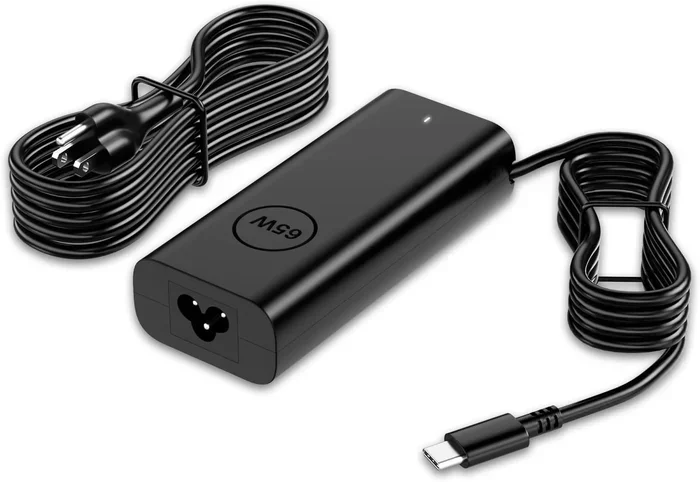
You can usually find this information on the bottom label of your Dell laptop or in the user manual. If your original charger says 65W, look for a replacement USB-C charger rated at 65W or higher. Going higher is generally fine, but going lower can cause issues.
USB Power Delivery (PD) Compatibility
USB Power Delivery is a protocol that allows devices to negotiate the right amount of power. Not all USB-C chargers support PD. This is the most important feature to look for.
A USB-C charger without PD support will likely just trickle-charge your Dell laptop or not charge it at all. Always confirm that the charger is PD-compatible before purchasing.
Voltage and Amperage Requirements
Beyond wattage, your Dell laptop expects specific voltage and amperage levels. Most Dell laptops work with 20V at varying amperage (3.25A for 65W, for example). A charger that can’t maintain stable voltage can cause intermittent charging or performance issues.
Quality chargers regulate voltage and amperage automatically through the PD protocol. This is another reason why PD support is non-negotiable for Dell laptops.
Dell-Specific Charging Profiles
Some Dell laptops use proprietary charging protocols alongside standard USB-C PD. These laptops might need a Dell OEM charger or a certified third-party alternative to charge correctly. Models like the Dell XPS and Dell Latitude series are particularly sensitive to this.
If you own one of these models, always verify compatibility before buying a third-party charger. The extra effort saves you from frustrating charging problems down the road.
OEM vs Third-Party USB-C Chargers for Dell
This is where many people get stuck. Should you buy the original Dell charger or save money with a third-party option? Let’s compare.
| Feature | OEM Dell Charger | Third-Party USB-C Charger |
|---|---|---|
| Compatibility | Guaranteed for your Dell model | Varies by brand and model |
| Price | Higher cost | More affordable options |
| Safety Certifications | Built to Dell standards | Depends on the manufacturer |
| Durability | High quality materials | Varies widely |
| Warranty Support | Full Dell warranty coverage | Limited or no warranty |
| Availability | Can be hard to find | Widely available online |
OEM Dell chargers are the safest bet. They’re designed specifically for your laptop and come with full warranty support. But they’re also expensive, and they’re easy to lose or damage.
Third-party chargers from reputable brands like Anker, Belkin, and UGREEN offer excellent alternatives. Look for ones that are Dell-certified or carry USB-IF certification. These chargers meet strict safety and performance standards.
Avoid cheap no-name chargers from unknown sellers. They might work once or twice, but the long-term risks aren’t worth saving a few dollars. A bad charger can damage your laptop’s battery or even pose a fire hazard.
Quick Tips for Safe USB-C Charging
Follow these simple tips to keep your Dell laptop charging safely and efficiently:
- Always check wattage first. Match the charger’s wattage to your Dell laptop’s requirement or go higher.
- Look for USB PD support. This is the protocol that makes USB-C charging work properly with laptops.
- Use quality cables. A cheap USB-C cable can limit charging speed or fail entirely. Invest in a certified cable.
- Avoid charging in extreme heat. High temperatures slow charging and can damage your battery over time.
- Unplug when fully charged. Leaving your laptop plugged in 24/7 can reduce battery health over months.
- Inspect your charger regularly. Look for frayed cables, bent connectors, or unusual heat during charging.
These habits might seem small, but they add up to a longer-lasting battery and a safer charging experience. Think of it as basic maintenance for your device, similar to how you’d care for a car engine.
Common Mistakes People Make with USB-C Chargers
Even well-meaning laptop users make charging mistakes. Here are the most common ones to avoid.
Assuming Any USB-C Cable Works
Not all USB-C cables are created equal. Some cables only support data transfer at lower speeds or limited power delivery. A cable rated for 60W won’t work with a 130W charger, and vice versa. Always use cables that match or exceed your charger’s wattage rating.
Ignoring the Dell Charging Indicator
Dell laptops have built-in charging indicators. If your laptop shows a warning about an incompatible charger, pay attention. Ignoring these warnings can lead to battery damage or charging failures.
Buying Based on Price Alone
The cheapest USB-C charger on Amazon might seem like a great deal. But it could lack proper safety circuitry, deliver unstable voltage, or fail to charge your Dell laptop at all. Spending a little more on a certified charger protects your investment.
Overlooking the Charging Port
Sometimes the problem isn’t the charger at all. Dust, debris, or physical damage to the USB-C port can prevent proper charging. Keep your port clean and inspect it regularly for any signs of wear or damage.
Which Dell Models Need Special Attention?
Some Dell laptops are pickier about USB-C charging than others. Here’s a quick guide.
Dell XPS Series: These premium laptops often require Dell-certified USB-C chargers. They have specific power negotiation requirements that generic chargers may not meet.
Dell Latitude Series: Business-grade Latitudes are designed for enterprise use. They typically support standard USB-C PD but may have additional charging security features.
Dell Inspiron Series: Most Inspiron models are more flexible with USB-C chargers. They work well with a wide range of PD-compatible third-party options.
Dell Gaming Laptops (G-Series, Alienware): These power-hungry machines need high-wattage chargers, often 130W or more. Standard 65W USB-C chargers won’t cut it. Always check the specific model’s requirements.
Understanding your specific Dell model’s needs is the first step to finding the right charger. When in doubt, consult Dell’s official support page or reach out to their customer service for guidance.
The Future of Laptop Charging
USB-C is rapidly becoming the universal charging standard for laptops across all brands. The USB Power Delivery specification continues to evolve, supporting higher wattages and faster charging speeds. In the near future, you may be able to charge any laptop with any USB-C charger without worrying about compatibility.
Technologies like 5G towers for Wi-Fi and advancements in wireless power delivery also hint at a future where cables might become optional. But for now, USB-C remains the best and most practical charging solution for Dell laptops.
As this ecosystem matures, we can expect even more seamless charging experiences. Universal compatibility will become the norm rather than the exception. Until then, knowing your Dell laptop’s specific charging requirements keeps you safe and powered up.
Final Thoughts
So, can you use any USB-C charger for your Dell laptop? The answer is a careful no. While USB-C is a universal connector, the charger itself needs to meet specific requirements for safe and effective charging. Match the wattage, ensure USB Power Delivery support, and stick with reputable brands.
Your Dell laptop is a significant investment. Taking a few extra minutes to choose the right charger protects that investment and keeps your device running smoothly for years. Whether you go with an OEM Dell charger or a quality third-party option, the key is compatibility and safety.
Keep these guidelines in mind the next time you need a replacement charger. Your laptop and its battery will thank you. And remember, the cheapest option isn’t always the best option when it comes to powering your devices.
Frequently Asked Questions
Can I charge my Dell laptop with a phone USB-C charger?
Generally, no. Phone USB-C chargers typically deliver 18W to 25W, which is usually not enough for most Dell laptops. Your laptop may charge extremely slowly or not charge at all while you use it. Always check your Dell model’s wattage requirement first.
Will a higher wattage USB-C charger damage my Dell laptop?
No, a higher wattage charger will not damage your laptop. Dell laptops only draw the power they need through the USB Power Delivery protocol. A 130W charger on a 65W laptop will simply deliver 65W safely.
How do I know if my Dell laptop supports USB-C charging?
Check the charging port on your Dell laptop. If it’s a small, oval-shaped reversible port, it’s likely USB-C. You can also check your laptop’s user manual or Dell’s official support website for your specific model.
Are GaN chargers good for Dell laptops?
Yes, Gallium Nitride (GaN) chargers are excellent for Dell laptops. They’re compact, efficient, and support high wattage through USB Power Delivery. Many GaN chargers now offer 65W, 100W, and even 130W output options.
Can I use a USB-C hub or dock to charge my Dell laptop?
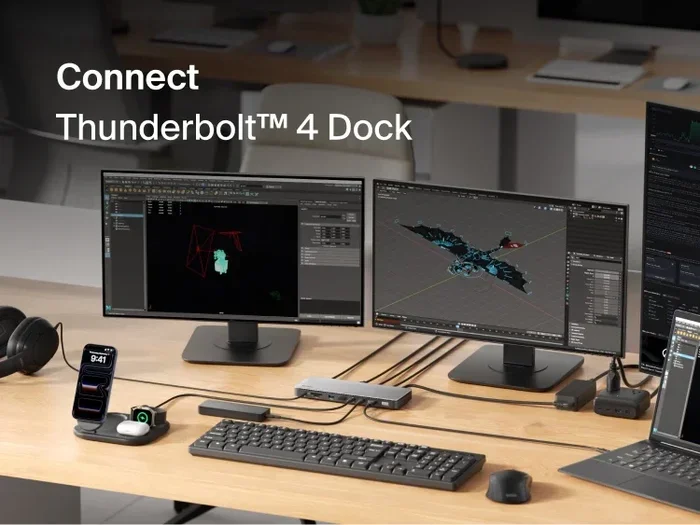
Yes, many USB-C docks and hubs support pass-through charging. This means they can charge your Dell laptop while also connecting to other peripherals. Just make sure the dock supports the right wattage for your laptop model.
Why does my Dell laptop say “Plugged in, not charging” with a USB-C charger?
This usually means the charger isn’t compatible with your Dell laptop’s charging protocol. It could lack proper USB Power Delivery support or the wrong wattage. Try using the original Dell charger or a certified USB-C PD charger that matches your laptop’s requirements.
=== CONCLUSION ===
Choosing the right USB-C charger for your Dell laptop doesn’t have to be confusing. The key is understanding what your laptop needs and matching those needs with a compatible charger. Focus on wattage, USB Power Delivery support, and reputable brands. Avoid the temptation of cheap, uncertified options that promise everything but deliver little.
With the right charger, your Dell laptop will charge safely, quickly, and reliably every time. Take a few minutes to check your model’s specifications, invest in quality charging gear, and enjoy the convenience that USB-C brings to your daily routine.