Can Usb Port Be Used For Charging Your Devices Fast
Yes, you can absolutely use a USB port for charging your devices fast. USB ports are built into laptops, wall adapters, cars, and power banks, and they deliver power to keep your phone, tablet, and other gadgets running. The speed depends on the USB type, the port version, and the charger you use. USB-C and USB 3.0 ports offer much faster charging than older USB-A and USB 2.0 ports. This guide covers everything you need to know about USB port charging, from speed limits to pro tips that save you time.
Have you ever plugged your phone into a laptop and wondered if that little USB port was really doing its job? Maybe you have a wall adapter with multiple USB ports and you are not sure which one charges fastest. The truth is, USB port charging is something most of us rely on every single day without giving it a second thought.
USB ports are everywhere. They are on your laptop, your desktop computer, your car dashboard, your wall adapter, and even on some power strips. But can every USB port charge your devices fast? The short answer is yes, but there is a lot more to it than that. Different port types, different USB versions, and different cables all affect how quickly your phone or tablet gets powered up.
In this guide, we will break down everything you need to know about using a USB port for charging. We will look at how USB charging works, which port types are fastest, and what mistakes you might be making that are slowing you down. By the end, you will know exactly how to get the most out of every USB port you touch.
Let us dive in and make your charging routine faster, smarter, and way more convenient.
Key Takeaways
- USB ports can charge devices: Nearly every USB port delivers power for charging, but speeds vary widely.
- USB-C is the fastest option: USB-C with Power Delivery can charge laptops and phones rapidly.
- Port version matters: USB 3.0 and USB 4 ports provide higher wattage than older versions.
- Use the right cable and charger: Cheap cables limit charging speed even on fast ports.
- Avoid common mistakes: Overloading ports, using damaged cables, and ignoring wattage needs slow down charging.
- USB port charging is versatile: You can charge phones, tablets, earbuds, laptops, and more from a single port.
📑 Table of Contents
- How Does a USB Port Work for Charging?
- Different Types of USB Ports and Their Charging Speeds
- Can You Charge Any Device Through a USB Port?
- How to Charge Faster Using a USB Port
- Common USB Charging Mistakes to Avoid
- USB Port Charging vs Wall Charger: What Is the Difference?
- Expert Insights on USB Port Charging
- Key Takeaways
- Conclusion
How Does a USB Port Work for Charging?
USB stands for Universal Serial Bus. It was originally designed to connect devices and transfer data. But over time, USB ports also became a way to deliver power. This is called USB power delivery, and it is the reason you can charge your phone by plugging it into a computer or a wall outlet.
When you plug a device into a USB port, electricity flows from the port through the cable and into your device’s battery. The speed of that flow depends on two main things: voltage and amperage. Voltage is the pressure of the electricity, and amperage is the volume. Together, they determine the wattage, which is the total power delivered.
Understanding Voltage, Amperage, and Wattage
Here is a simple way to think about it. Voltage is like water pressure in a hose. Amperage is how much water flows through. Wattage is the total power. Most USB ports deliver 5 volts of power. Older USB 2.0 ports provide about 0.5 amps, which equals 2.5 watts. USB 3.0 ports can push 0.9 amps, or 4.5 watts. That is enough to charge a phone slowly but not fast.
Newer USB standards support higher voltages and amperage. USB-C with Power Delivery can go up to 20 volts and 5 amps, which is 100 watts. That is enough to charge a laptop. So when you ask, can USB port be used for charging fast, the answer depends entirely on the port’s capabilities.
What Is USB Power Delivery?
USB Power Delivery, or USB PD, is a charging protocol that lets devices negotiate the right amount of power. When you plug in a device, it tells the port how much power it needs. The port then delivers that exact amount. This makes charging safer and more efficient. USB PD is built into most modern USB-C ports and is a game changer for fast charging.
Different Types of USB Ports and Their Charging Speeds
Not all USB ports are created equal. Some charge your devices in minutes, while others take hours. Here is a breakdown of the most common USB port types and what you can expect from each one.
USB Type-A Ports
USB Type-A is the classic rectangular port you have seen for decades. It is found on older laptops, desktop computers, and wall chargers. USB-A ports typically deliver 5 watts of power with USB 2.0 and up to 7.5 watts with USB 3.0.
These ports can charge your phone, but they do it slowly. If you are in a rush, a USB-A port is not your best friend. However, they still work fine for overnight charging or for low-power devices like earbuds and smartwatches.
USB Type-C Ports
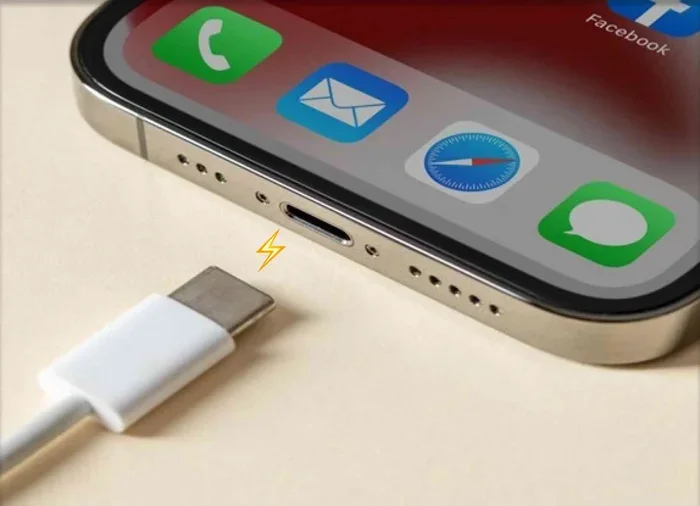
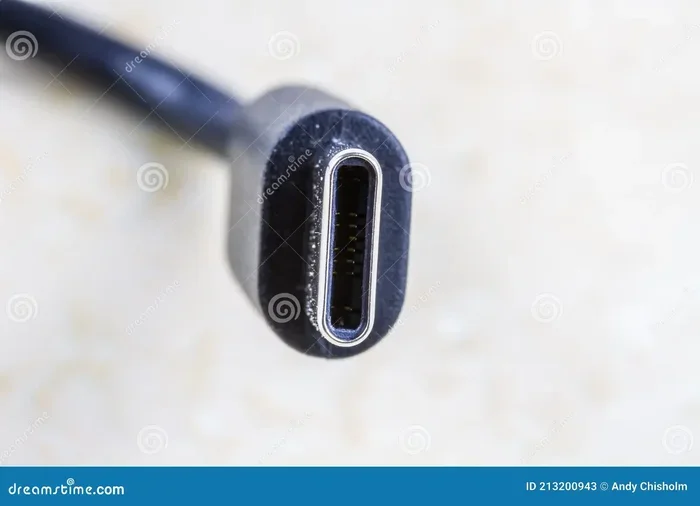
USB Type-C is the modern standard. It is small, reversible, and supports much higher power delivery. USB-C ports can charge devices at speeds ranging from 18 watts to 100 watts, depending on the version and the charger.
Most new phones, tablets, and laptops use USB-C. If you have a device with a USB-C port, you are in great shape for fast charging. Just make sure your cable and charger also support USB-C and Power Delivery.
USB Mini and Micro Ports
USB Mini and Micro ports are older designs you may still find on some devices. They are smaller than USB-A and were common on older phones and cameras. These ports typically charge slowly and are being phased out in favor of USB-C.
If you still have devices with Micro USB ports, they will charge, but not as fast as USB-C. Consider upgrading your cables and chargers to take advantage of faster standards.
USB 2.0 vs USB 3.0 vs USB 4
The USB version matters just as much as the port shape. Here is a quick comparison of the different USB versions and their charging capabilities.
| USB Version | Max Power Delivery | Charging Speed |
|---|---|---|
| USB 2.0 | 2.5 watts | Slow |
| USB 3.0 | 4.5 watts | Moderate |
| USB 3.1 | 7.5 watts | Moderate to Fast |
| USB 3.2 | 15 watts | Fast |
| USB4 | 100 watts | Very Fast |
As you can see, the newer the USB version, the more power it can deliver. If you want fast USB port charging, look for USB 3.0 or newer, and ideally USB-C with Power Delivery support.
Can You Charge Any Device Through a USB Port?
The good news is that most devices can be charged through a USB port. Phones, tablets, wireless earbuds, smartwatches, portable speakers, and even some laptops all use USB for power. But there are a few things to keep in mind.
Devices That Charge Well via USB
- Smartphones: Most modern phones charge perfectly through USB ports, especially via USB-C.
- Tablets: iPads and Android tablets charge well through USB-C ports with Power Delivery.
- Wireless Earbuds: The charging case for earbuds uses very little power, so any USB port works fine.
- Smartwatches: Most smartwatches come with USB charging cables that work with any standard port.
- Portable Power Banks: You can charge a power bank through USB, and then use it to charge your other devices on the go.
Devices That Need Special Charging
Some devices need more power than a standard USB port can provide. Gaming consoles, certain digital cameras, and some larger laptops may require proprietary chargers with higher wattage. In these cases, a regular USB port might not be enough, or it will charge very slowly.
Always check your device’s charging requirements before relying on a USB port. If your device needs 45 watts and your USB port only delivers 15 watts, you will be waiting a long time.
Quick Tips for Charging Different Devices
- Check your device manual for recommended wattage.
- Use a USB-C cable with Power Delivery for the fastest speeds.
- Do not rely on computer USB ports for charging laptops.
- Use a wall charger with a USB port for the best results.
How to Charge Faster Using a USB Port
Now that you know how USB charging works, let us talk about how to make it faster. There are several things you can do to speed up USB port charging and get your devices powered up in less time.
Use a High-Wattage Charger
The charger you plug into the wall matters a lot. A 5-watt charger will charge your phone slowly. A 20-watt or 30-watt charger will do it much faster. Look for chargers that support USB Power Delivery or Qualcomm Quick Charge for the best results.
When choosing a charger, match the wattage to your device’s needs. Most modern phones charge best with 18 to 30 watts. Laptops may need 45 to 100 watts. Using a charger with the right wattage makes a huge difference.
Choose the Right Cable
A cheap or old cable can ruin your charging speed, even if your port and charger are top-notch. Look for cables that support high amperage and USB Power Delivery. USB-C cables rated for 3 amps or 5 amps will charge much faster than basic cables rated for 1 or 2 amps.
Avoid using cables that are damaged, frayed, or very long. Longer cables have more resistance, which reduces power delivery. Keep your cables short and in good condition for the fastest charging.
Turn Off Your Device While Charging
This is a simple trick that works every time. When your phone or tablet is on, it uses power even while charging. Turning it off or putting it in airplane mode lets the battery focus on getting powered up instead of running apps and the screen.
You do not have to turn your device off completely. Just switching to airplane mode can cut power usage significantly and speed up charging time.
Remove Thick Phone Cases
Some phone cases trap heat during charging. Heat slows down the charging process and can even damage your battery over time. If you notice your phone gets hot while charging, take off the case to help it cool down and charge faster.
Use a Wall Outlet Instead of a Computer Port
Computer USB ports are designed for data transfer, not fast charging. They usually deliver 2.5 to 7.5 watts. A wall charger with a USB port can deliver 18 watts or more. For the fastest USB port charging, always plug into a wall outlet when you can.
Common USB Charging Mistakes to Avoid
Even if you have the best equipment, certain habits can slow down your charging. Here are the most common mistakes people make when charging devices through USB ports.
Using the Wrong Cable
Not all cables are created equal. A USB 2.0 cable limits the power your device receives, no matter how good your charger is. Always use cables that match your port type and support the wattage you need.
Charging Through a USB Hub Without Power
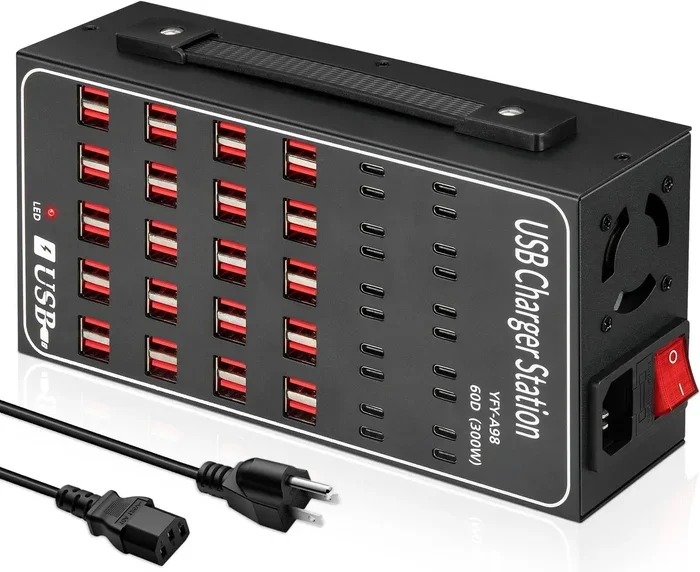
USB hubs are great for connecting multiple devices, but unpowered hubs can only deliver a small amount of power. If you plug multiple devices into an unpowered hub, none of them will charge fast. Use a powered USB hub if you need to charge multiple devices at once.
Ignoring Heat
Heat is the enemy of fast charging. If your device or charger gets hot, stop charging and let things cool down. Charging in a cool, well-ventilated area helps maintain optimal speed and protects your battery health.
Using Damaged Ports or Cables
A damaged USB port or cable can cause slow charging, intermittent connection, or even safety hazards. Inspect your cables and ports regularly. If you see fraying, bent pins, or debris inside the port, fix or replace them before continuing to use them.
Overloading a Single Port
Plugging a high-power device into a port that is already struggling to power other connected devices will slow everything down. Each USB port has a maximum power output. Stay within that limit for reliable and fast charging.
USB Port Charging vs Wall Charger: What Is the Difference?
You might wonder whether it even matters where you charge your device. The answer is yes, it matters quite a bit. Let us compare USB port charging with using a traditional wall charger.
A wall charger plugs directly into an electrical outlet and delivers consistent, high-wattage power. Most wall chargers provide 10 to 65 watts or more, depending on the model. A USB port on a computer or car typically delivers much less power, usually between 2.5 and 15 watts.
Wall chargers are faster and more reliable for charging. They are also better for your battery health because they deliver stable power without fluctuations. USB ports on computers are convenient but not ideal for fast charging.
That said, USB port charging has its advantages. It is portable, versatile, and you can charge multiple devices from one source. A good wall charger with multiple USB ports gives you the best of both worlds: fast charging and convenience.
Expert Insights on USB Port Charging
We asked tech experts about the best practices for USB port charging. Here is what they had to say.
Use USB-C whenever possible. USB-C is the future of charging. It supports faster power delivery, data transfer, and is reversible, so you never have to flip the cable. If you have a choice between USB-A and USB-C, always go with USB-C.
Invest in a good wall charger. A quality wall charger with multiple USB-C ports and Power Delivery support can charge all your devices quickly and safely. Look for chargers from reputable brands that are certified for safety.
Do not ignore cable quality. The cable is the weakest link in most charging setups. A premium USB-C cable with proper wiring makes a noticeable difference in charging speed and device safety.
Keep your firmware updated. Some devices receive charging optimization updates through firmware. Keeping your device updated ensures you get the best charging performance from your USB ports.
Key Takeaways
- USB ports can charge devices fast: The speed depends on the port type, USB version, and cable quality.
- USB-C with Power Delivery is the fastest option: It can deliver up to 100 watts for laptops and fast-charging phones.
- Older USB-A and USB 2.0 ports charge slowly: They work fine for overnight charging but are not ideal when you are in a hurry.
- Wall chargers outperform computer USB ports: For fastest results, plug into a wall outlet with a quality charger.
- Cable quality matters: Always use cables that support the wattage and amperage your device needs.
- Avoid common mistakes: Overloading ports, using damaged cables, and ignoring heat all slow down charging.
- USB port charging is versatile and convenient: You can charge phones, tablets, earbuds, and more from almost any USB source.
Conclusion
The answer to the question can USB port be used for charging is a clear and definite yes. USB ports are one of the most convenient and versatile ways to keep your devices powered up. Whether you are charging your phone from a laptop, your tablet from a car, or your earbuds from a wall adapter, USB port charging works reliably for almost every device you own.
The key to fast and safe charging is understanding your equipment. Know which USB port type you have, check the power delivery specifications, and use the right cables and chargers. Avoid common mistakes like using damaged cables, overloading ports, or ignoring heat buildup.
With the right setup, you can charge your devices quickly and efficiently every single time. USB port charging is not just a backup option, it is a practical and powerful way to keep your tech running throughout the day. So the next time you plug in a cable, you will know exactly what is happening behind that little port and how to get the most out of it.
Take these tips, apply them to your daily routine, and you will notice a real difference in how fast your devices charge. Happy charging.
Frequently Asked Questions
Can I charge my phone with any USB port?
Yes, you can charge most phones with any USB port that provides power. However, the charging speed will vary. A USB-C port with Power Delivery will charge your phone much faster than an older USB 2.0 port. Always check the port type and power output for the best results.
Is USB port charging safe for my device battery?
USB port charging is generally safe and will not harm your battery. Modern devices have built-in charging controllers that regulate power flow. To be extra safe, use certified cables and chargers from reputable brands to avoid power fluctuations.
Why is my USB port charging so slowly?
Slow USB charging is usually caused by an old USB version, a low-wattage charger, a cheap cable, or a damaged port. Try using a USB-C cable with a high-wattage wall charger to speed things up significantly.
Can I charge a laptop through a USB port?
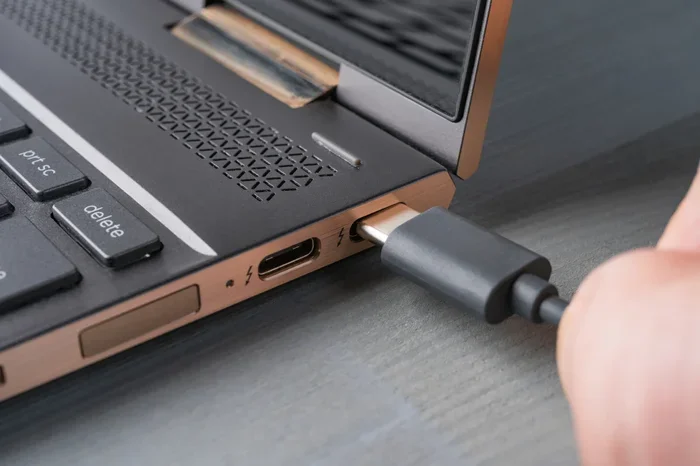
Yes, but only if the USB port supports USB Power Delivery. Most modern laptops with USB-C ports can be charged through USB-C with PD support. Older laptops with USB-A ports usually cannot charge through USB alone.
Do all USB-C cables support fast charging?
No, not all USB-C cables are the same. Some basic USB-C cables only support low power delivery. Look for cables that are rated for 3 amps or higher and support USB Power Delivery for fast charging.
Can I use a USB hub to charge multiple devices at once?
Yes, you can use a USB hub to charge multiple devices. However, an unpowered hub will limit the power each port can deliver. A powered USB hub with its own power supply will charge multiple devices faster and more reliably.