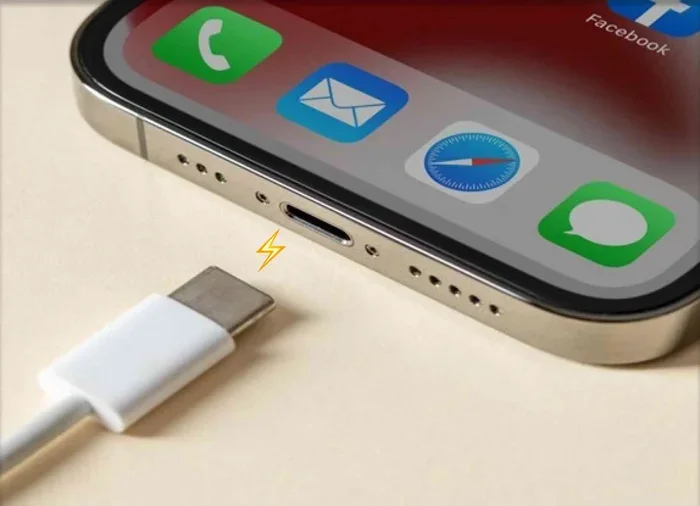
Can iPhone 15 Use Any USB C Cable Without Any Problems
Can iPhone 15 Use Any USB C cable? The short answer is yes, but with some important caveats. While the iPhone 15 uses USB-C, not every cable delivers the same fast charging speeds or data transfer rates. Using the wrong cable can mean slower charges, missed file transfers, or even potential damage over time. This guide breaks down exactly which USB-C cables work, which ones to avoid, and how to get the best performance from your new iPhone 15.
You just got your hands on the iPhone 15, and you are excited to ditch the old Lightning cable for good. But then a question hits you: Can iPhone 15 Use Any USB C cable without any problems? It is a fair question. Apple made the switch to USB-C, and now you see USB-C cables everywhere. Your laptop charger has one. Your friend’s tablet uses one. Even your new earbuds came with one. So surely any USB-C cable should work, right?
The truth is a bit more nuanced than a simple yes or no. Can iPhone 15 Use Any USB C cable for basic charging? Yes. But if you want fast charging, reliable data transfer, and long-term safety, the cable you pick matters a lot more than you might think. In this guide, we will walk you through everything you need to know about USB-C cables and your iPhone 15.
We will cover which cables work best, what to look for, common mistakes to avoid, and expert tips to get the most out of your new phone. Whether you are a casual user or someone who depends on their iPhone for work, this article has you covered.
Key Takeaways
- Universal Connector: The iPhone 15 uses USB-C, so most USB-C cables will physically connect and charge your phone.
- Not All Cables Are Equal: Cheap or uncertified cables may charge slowly or fail to transfer data properly.
- Fast Charging Needs the Right Cable: You need a USB-C to USB-C cable that supports USB Power Delivery (PD) for the fastest speeds.
- MFi Certification Matters: Look for MFi-certified cables to ensure safety and full compatibility with iOS.
- Thunderbolt Cables Offer More: Thunderbolt 3 or 4 cables provide faster data transfer and video output for iPhone 15 Pro models.
- Third-Party Cables Can Work Great: Reputable brands like Anker, Belkin, and Nomad offer excellent alternatives to Apple’s own cable.
📑 Table of Contents
- Understanding USB-C and the iPhone 15
- Can iPhone 15 Use Any USB C Cable for Charging?
- Data Transfer: Does Any USB-C Cable Work?
- Apple USB-C Cable vs. Third-Party USB-C Cables
- Thunderbolt and USB-C: What iPhone 15 Pro Users Need to Know
- Common Mistakes People Make with USB-C Cables and iPhone 15
- Best USB-C Cables for iPhone 15: What to Buy
- Final Thoughts: Can iPhone 15 Use Any USB C Cable?
Understanding USB-C and the iPhone 15
The iPhone 15 lineup marks a big change for Apple. After years of using the Lightning connector, Apple finally moved to the universal USB-C standard. This shift was driven by European Union regulations, but it also brings real benefits for users. One cable can now charge your phone, your laptop, your tablet, and more.
But here is the thing. Just because a cable has a USB-C connector on both ends does not mean it is created equal. Can iPhone 15 Use Any USB C cable for charging? Technically, yes. Any USB-C cable will send power to your phone. But the speed, safety, and features you get depend heavily on the cable’s quality and specifications.
What Makes a USB-C Cable Different?
Not all USB-C cables are built the same way. There are several factors that set them apart:
- Wire Gauge: Thicker wires carry more power. A thin cable might charge your phone slowly or get hot.
- Chipset and Certification: Some cables have chips that communicate with your device to deliver the right amount of power.
- Data Transfer Speed: USB 2.0, USB 3.0, and USB 3.2 cables offer very different transfer speeds.
- Power Delivery Support: USB Power Delivery (PD) allows for faster and more efficient charging.
- Length: Longer cables can sometimes deliver less power due to resistance.
When you ask Can iPhone 15 Use Any USB C cable, the answer depends on what you want the cable to do. Basic charging? Almost any cable works. Fast charging and data transfer? You need the right one.
Can iPhone 15 Use Any USB C Cable for Charging?
The simplest answer is yes. Can iPhone 15 Use Any USB C cable to plug into a wall charger or a power bank? Absolutely. The USB-C connection is universal, and your iPhone 15 will recognize it and start drawing power.
But here is where it gets interesting. If you use a basic, low-quality USB-C cable, you might notice your phone charges much slower than expected. A cheap cable might only deliver 5 watts of power. That means a full charge could take hours. On the other hand, a good USB-C cable with Power Delivery support can charge your iPhone 15 from zero to 50 percent in about 30 minutes.
So while any USB-C cable will technically charge your phone, the experience can vary wildly. This is why choosing the right cable matters more than most people realize.
What Charging Speeds Can You Expect?
Your iPhone 15 supports fast charging up to 20 watts. But to get those speeds, you need three things working together:
- A USB-C Power Delivery charger rated for at least 20 watts.
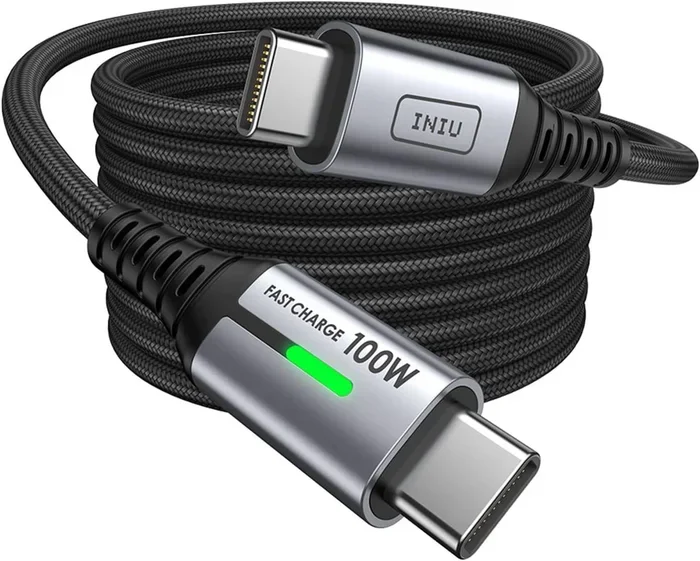
- A USB-C to USB-C cable that supports Power Delivery.
- A compatible power source, like a wall outlet or a quality power bank.
If you use a standard USB-C cable that came with a cheap accessory, you might only get 10 watts or less. That is still faster than the old Lightning cable, but it is not the full fast-charging experience Apple promises.
Quick Tip: If you want the fastest possible charge, look for a cable that is explicitly labeled as USB-C Power Delivery. These cables are designed to handle higher wattage safely.
Data Transfer: Does Any USB-C Cable Work?
Charging is one thing, but what about transferring files, photos, and videos from your iPhone 15 to your computer? Can iPhone 15 Use Any USB C cable for data transfer? The answer here is more complicated.
Your iPhone 15 supports USB 3 speeds, which means data transfer rates up to 10 gigabits per second. But you will only get those speeds with a USB-C cable that supports USB 3.0 or higher. Most basic USB-C cables only support USB 2.0, which maxes out at 480 megabits per second. That is a huge difference.
With a USB 2.0 cable, transferring a 4K video from your iPhone to a laptop could take several minutes. With a USB 3.0 cable, the same transfer might take just seconds.
How to Check if Your Cable Supports Fast Data Transfer
Here are a few ways to figure out what your USB-C cable can do:
- Check the packaging: Look for labels like USB 3.0, USB 3.1, USB 3.2, or USB4.
- Look for the SS symbol: A “SuperSpeed” or “SS” logo on the connector means USB 3 support.
- Check the cable rating: Good cables will list their data speed on the product page or the cable itself.
- Test it yourself: Transfer a large file and time it. If it takes more than a minute or two, you are likely on USB 2.0.
If you regularly move large files between your iPhone 15 and other devices, investing in a high-quality USB 3.0 or USB 3.1 cable is well worth it.
Apple USB-C Cable vs. Third-Party USB-C Cables
Apple sells its own USB-C to USB-C cable for the iPhone 15. It works great, but it costs around $19. That price tag makes many people wonder if they need it, or if they can save money with a third-party option.
Can iPhone 15 Use Any USB C cable from other brands? Yes, but with a big caveat. The cable needs to be reliable and, ideally, MFi certified.
What Is MFi Certification?
MFi stands for Made for iPhone. It is Apple’s certification program for accessories. An MFi-certified USB-C cable has been tested and approved by Apple to work safely with iOS devices. Here is why it matters:
- Safety: MFi cables are designed to prevent overheating and power surges.
- Compatibility: They work seamlessly with all iPhone features, including fast charging.
- Software Updates: Non-certified cables can sometimes cause issues after iOS updates.
- Data Integrity: MFi cables are more likely to transfer files without errors.
Comparison Table: Apple vs. Third-Party USB-C Cables
| Feature | Apple USB-C Cable | MFi-Certified Third-Party Cable | Cheap Non-Certified Cable |
|---|---|---|---|
| Fast Charging Support | Yes | Yes (most) | Sometimes |
| Data Transfer Speed | USB 3 (10 Gbps) | USB 3 (varies) | USB 2 (480 Mbps) |
| Safety Certifications | Yes | Yes (MFi) | Rarely |
| Price | $19 | $8-$15 | $3-$5 |
| Durability | Excellent | Good to Excellent | Poor |
| iOS Compatibility | Full | Full | Sometimes limited |
As you can see, the cheapest option is not always the best. A $3 cable might save you a few dollars now but could cost you in slow charging, failed transfers, or even a damaged battery over time.
Expert Insight: Brands like Anker, Belkin, Nomad, and Baseus offer excellent MFi-certified USB-C cables at much lower prices than Apple’s own. These are safe, reliable, and often come with longer warranties.
Thunderbolt and USB-C: What iPhone 15 Pro Users Need to Know
If you own an iPhone 15 Pro or iPhone 15 Pro Max, you have an extra layer of capability. These models support Thunderbolt, which means they can use Thunderbolt 3 or Thunderbolt 4 cables for even faster data transfer and video output.
Can iPhone 15 Use Any USB C cable when you have a Pro model? Yes, but Thunderbolt cables unlock features that standard USB-C cables cannot. With a Thunderbolt cable, you can connect your iPhone 15 Pro to an external display, transfer files at up to 40 gigabits per second, and use professional-grade accessories.
When to Choose a Thunderbolt Cable
You do not need a Thunderbolt cable for everyday use. If you just want to charge your phone and transfer some photos, a standard USB-C cable is fine. But if you do any of the following, a Thunderbolt cable is a great investment:
- Editing video directly on your iPhone and transferring large project files.
- Connecting your iPhone to an external monitor or display.
- Using professional audio or video interfaces.
- Backing up massive photo libraries to an external drive.
Thunderbolt cables are backward compatible, too. A Thunderbolt cable will work with any USB-C device, including the standard iPhone 15. You just might not get the full Thunderbolt speeds on the non-Pro models.
Quick Tip: If you are not sure whether you need Thunderbolt, start with a good USB 3.0 cable. It handles 95 percent of everyday tasks perfectly and costs less than a Thunderbolt option.
Common Mistakes People Make with USB-C Cables and iPhone 15
Even though USB-C is simple on the surface, there are some common mistakes that trip people up. Here are the ones to watch out for:
1. Using a Cable That Came with a Cheap Charger
Not all chargers and cables are a matched set. A charger that came with a free gift or a budget accessory might include a low-quality cable. These cables often lack the wiring to handle fast charging safely.
2. Assuming All USB-C Cables Are the Same
This is the biggest misconception. A USB-C cable from your old Bluetooth speaker is not the same as one from your laptop. The internal wiring, chipset, and build quality vary widely.
3. Ignoring Cable Length
Longer cables can lose power over distance. A 6-foot cable might charge slightly slower than a 1-foot cable, especially if the cable is thin. For the fastest charging, use a shorter, thicker cable when possible.
4. Buying Counterfeit or Uncertified Cables
Cheap cables from unknown sellers on online marketplaces are a gamble. They might work fine for a week and then stop working, overheat, or even damage your charging port. Always buy from reputable brands and retailers.
5. Forgetting to Check the Charger
The cable is only half the equation. You also need a USB-C charger that supports Power Delivery. A standard USB-C charger that only outputs 5 watts will charge your iPhone 15 slowly, no matter how good the cable is.
Common Mistakes to Avoid:
- Do not use frayed or damaged cables, even if they still work.
- Do not buy the cheapest cable you can find if you rely on your phone daily.
- Do not assume your laptop’s USB-C port delivers the same power as a wall charger.
- Do not ignore warning signs like excessive heat during charging.
Best USB-C Cables for iPhone 15: What to Buy
Now that you know what to look for, here are some solid recommendations for USB-C cables that work great with the iPhone 15:
Best Overall: Anker 653 USB-C to USB-C Cable
This cable is MFi certified, supports fast charging, and offers reliable data transfer. It is durable, well-built, and comes in several lengths. It is a favorite among iPhone 15 users for good reason.
Best Budget: JSAUX USB-C to USB-C Cable
An affordable option that still supports fast charging and data transfer. It is not as premium as the Anker, but it gets the job done without breaking the bank.
Best Premium: Belkin Boost Charge USB-C to USB-C Cable
Belkin is a trusted name in accessories. This cable offers excellent build quality, fast charging, and full compatibility with iPhone 15. It is a bit pricier, but it is built to last.
Best for Pro Users: Cable Matters Thunderbolt 4 Cable
If you have an iPhone 15 Pro, this Thunderbolt 4 cable gives you the fastest possible speeds. It is perfect for video editing, large file transfers, and connecting to external displays.
Key Takeaways from This Section:
- Always look for MFi certification when buying a USB-C cable for iPhone 15.
- Brands like Anker, Belkin, and JSAUX offer great value.
- Thunderbolt cables are best for iPhone 15 Pro users who need maximum speed.
- Price does not always equal quality, but extremely cheap cables are usually a bad sign.
Final Thoughts: Can iPhone 15 Use Any USB C Cable?
So, can iPhone 15 Use Any USB C cable without any problems? The honest answer is: it depends on what you need it to do.
For basic charging, almost any USB-C cable will work. Your iPhone 15 will happily draw power from whatever USB-C source you plug it into. But if you want fast charging, reliable data transfers, and long-term safety, the cable you choose matters a great deal.
The best approach is simple. Invest in an MFi-certified USB-C cable from a reputable brand. It does not need to be the most expensive option on the market, but it should be one that is built well and tested for safety. A good USB-C cable for your iPhone 15 is one of the cheapest upgrades you can make, and it pays off every single day.
Your iPhone 15 is a powerful device. It deserves a cable that keeps up with it. Do not let a cheap, low-quality cable hold you back from the full experience. Pick the right cable, and your iPhone 15 will charge fast, transfer data quickly, and stay safe for years to come.
The bottom line: Not every USB-C cable is created equal, but with the right knowledge, you can easily find one that works perfectly with your iPhone 15. You have got this.
Frequently Asked Questions
Can iPhone 15 Use Any USB C Cable for Fast Charging?
Not just any cable will do. You need a USB-C to USB-C cable that supports USB Power Delivery (PD). Look for cables rated for at least 20 watts. MFi-certified cables from reputable brands are the safest bet for fast charging your iPhone 15.
Will a USB-C Cable From My Android Phone Work With iPhone 15?
Yes, it will work for charging and basic data transfer. However, the charging speed and data transfer rate depend on the cable’s quality. A high-quality USB-C cable from an Android device should work fine, but a cheap one might charge slowly.
Do I Need a Thunderbolt Cable for iPhone 15?
No, not for everyday use. A standard USB-C cable handles charging and file transfers just fine. Thunderbolt cables are only necessary if you have an iPhone 15 Pro and need the fastest data speeds or want to connect to external displays and professional accessories.
How Can I Tell if My USB-C Cable Is MFi Certified?
Look for the MFi logo on the cable packaging or the product listing. Reputable brands always mention MFi certification in their product descriptions. If a cable does not mention certification, it is best to avoid it, especially for daily iPhone use.
Can I Use a Long USB-C Cable With My iPhone 15?
Yes, you can use a longer cable, but keep in mind that longer cables may deliver slightly less power. For the fastest charging, a shorter cable (around 1 to 3 feet) is ideal. For convenience, a 6-foot cable works well but may charge a bit slower.
What Happens If I Use a Non-Certified USB-C Cable With iPhone 15?
A non-certified cable might still charge your phone, but it could charge slowly, overheat, or fail to transfer data properly. In rare cases, low-quality cables can even damage your iPhone’s charging port. Always choose MFi-certified or reputable third-party cables for safety.