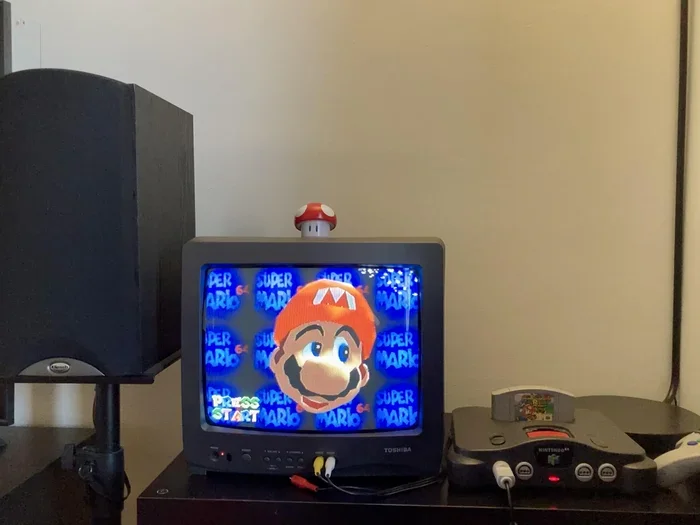
Can You Hook Up A Nintendo 64 To A Newer Tv Right Now
Yes, you can hook up a Nintendo 64 to a newer TV and enjoy your favorite retro games on a modern screen. The process requires the right cables, adapters, or an HDMI converter to bridge the gap between old and new technology. Whether you own a CRT or a flat-screen display, this guide walks you through every step to get your Nintendo 64 running smoothly on today’s televisions.
You dusted off your old Nintendo 64. You plugged it in. And then… nothing. Or worse, a fuzzy, unplayable mess on your brand-new flat-screen TV. If you have ever tried to connect a retro console to a modern display, you know the frustration. The good news is that you absolutely can hook up a Nintendo 64 to a newer TV and get great results. This guide shows you exactly how to do it, step by step, without any guesswork.
Retro gaming has exploded in popularity over the last few years. Gamers young and old are rediscovering the magic of classic titles like Super Mario 64, Zelda: Ocarina of Time, and GoldenEye 007. But here is the catch. The Nintendo 64 was designed for CRT televisions from the 1990s. Modern TVs use completely different signal types, resolutions, and input standards. That means you need the right tools to make the connection work properly.
In this article, we will cover every method you can use to connect your N64 to a newer television. We will talk about cables, adapters, converters, and settings. We will also share tips to improve image quality and reduce common problems like input lag and blurry visuals. By the end, you will know exactly what to buy, what to do, and how to get the best experience possible.
Key Takeaways
- Multiple connection options exist: You can use composite cables, component adapters, HDMI converters, or SCART leads to connect an N64 to a modern TV.
- Image quality varies by method: HDMI adapters generally provide the clearest picture, while composite cables may look blurry on larger screens.
- Input lag is a real concern: Modern TVs can add display lag that affects retro gaming performance, so choosing the right settings matters.
- Your N64 model matters: Different N64 revisions use different video outputs, which affects your cable and adapter choices.
- Quick fixes solve most issues: Common problems like blurry images, no signal, or audio sync issues are easy to resolve with basic troubleshooting.
- Retro gaming is thriving: Connecting classic consoles like the N64 to new TVs keeps the retro gaming community alive and growing.
📑 Table of Contents
- Why Connecting Your Nintendo 64 to a Modern TV Matters
- Understanding Your Nintendo 64 Video Output Options
- The Best Ways to Connect an N64 to a Newer TV
- Step-by-Step Connection Guide
- Common Problems and How to Fix Them
- Expert Tips for the Best Retro Gaming Experience
- Is It Worth It? Honest Thoughts on Retro Gaming on Modern TVs
Why Connecting Your Nintendo 64 to a Modern TV Matters
You might be wondering why this even matters. Can you not just keep playing on your old CRT TV? Sure, you can. But there are real reasons to connect your Nintendo 64 to a newer display. First, CRT TVs are getting harder to find and expensive to buy. Second, modern TVs offer larger screens, which makes retro games look and feel more immersive. Third, newer TVs often have better sound systems than old CRT sets.
There is also the practical side. If you have young kids or family members who want to try classic games, a modern TV setup is far more convenient. You do not need a dedicated gaming room or a bulky old television taking up space. With the right connection method, your Nintendo 64 can sit right next to your current setup and work perfectly.
That said, not every connection method is equal. Some will give you a crisp, clean image. Others might leave you squinting at a blurry screen. Understanding your options is the first step to success. Let us dive into what your N64 can output and what your modern TV can accept.
The Signal Gap Between Old and New TVs
The Nintendo 64 outputs video through composite or RCA cables in most regions. These cables send a single analog signal that combines color and brightness into one cable. On a CRT TV, this worked fine. CRT screens were designed for analog signals and lower resolutions. But modern LCD and LED TVs are digital. They expect clean, sharp digital signals. When you feed an old analog signal into a digital TV, the TV has to convert it. This conversion process can cause blur, ghosting, and poor image quality.
The key issue is resolution. The N64 outputs at roughly 240p to 480i depending on the game and TV settings. Modern TVs are built for 1080p or 4K resolutions. When a modern TV tries to display a 240p signal, it has to upscale it. This upscaling is not always done well, which is why retro games can look rough on big flat screens. But do not worry. There are ways to fix this, and we will get to them soon.
Understanding Your Nintendo 64 Video Output Options
Before you buy any cables or adapters, it helps to understand what your specific Nintendo 64 model can output. Different N64 versions have different video capabilities. Let us break them down.
The Standard N64 Model
The original Nintendo 64 that came out in 1996 uses a standard composite RCA output. This is the yellow, white, and red cable set that comes in the box. The yellow cable carries the video signal, while the white and red cables carry stereo audio. This is the most basic connection method, and it works with almost any TV that has RCA inputs.
However, composite cables have limitations. The image quality is average at best, especially on larger modern TVs. Colors can bleed, and text can look fuzzy. If you are using the standard composite cables that came with your N64, you will likely notice the picture is not as sharp as you would like on a new TV.
The N64 Rev 2 and Later Models
Nintendo released revised versions of the N64 over the years. The N64 Rev 2 and later models introduced a different video output design. Some of these models support composite video through the RCA jacks, but they also have the potential for better connections. If you have a newer revision N64, you may have more options for improving your image quality.
The important thing to know is that all standard N64 models can connect to a modern TV. The difference lies in how much effort you need to put in to get a good picture. We will cover every method in the next section.
The Best Ways to Connect an N64 to a Newer TV
There are several methods you can use to connect your Nintendo 64 to a modern television. Each method has its pros and cons. Let us go through them one by one so you can choose the best option for your setup and budget.
Method 1: Composite RCA Cables (The Easiest Way)
The simplest way to connect an N64 to a new TV is by using the original composite RCA cables. Most modern TVs still have RCA inputs, even if they are hidden on the back or side of the set. You just plug in the yellow, white, and red cables and you are good to go.
This method is the easiest and cheapest. You probably already have the cables if you still have your original N64 box. However, the image quality will not be great on a large modern TV. Expect a soft, slightly blurry picture. Colors may not be as vibrant as they were on a CRT. But for casual gaming or getting your console working quickly, composite cables do the job.
Quick Tip: If you use composite cables, try adjusting the sharpness and noise reduction settings on your TV. Turning down noise reduction can sometimes sharpen the retro image and make it look cleaner.
Method 2: Component Cable Adapter (Better Image Quality)
If you want a noticeably better picture, a component cable adapter is a great step up. Component cables split the video signal into three separate channels: red, green, and blue. This separation produces a sharper, more detailed image than composite cables.
You will need an N64 component cable or an adapter that converts the N64’s composite output to component. Some third-party manufacturers make these adapters specifically for the N64. The result is a much clearer picture on a modern TV, with better color accuracy and sharper text.
Quick Tip: Look for adapters that are specifically designed for the N64. Universal retro gaming adapters can work, but model-specific adapters usually give the best results. Check reviews before you buy to make sure the adapter is compatible with your N64 revision.
Method 3: HDMI Converter (The Best Quality Option)
If you want the best possible image quality on your modern TV, an HDMI converter is the way to go. These devices take the analog signal from your N64 and convert it to a digital HDMI signal. You then plug the HDMI cable directly into your TV, just like you would with a modern console.
HDMI converters come in different shapes and sizes. Some are simple pass-through adapters that add minimal processing. Others include features like upscaling, scanline filtering, and noise reduction. The more advanced units can make your N64 games look surprisingly good on a big 4K TV.
Quick Tip: When shopping for an HDMI converter, look for one with low input lag. Input lag is the delay between pressing a button and seeing the action on screen. For retro gaming, you want this delay to be as small as possible so your gameplay feels responsive.
Method 4: SCART Adapter (For European and Select Markets)
If you live in Europe or certain other regions, you might have a TV with SCART inputs. SCART is a connector standard that was widely used in Europe for decades. It supports better video quality than composite RCA and can carry both audio and video through a single cable.
You can use an N64 SCART adapter to connect your console to a TV with SCART inputs. These adapters are easy to find and relatively affordable. The image quality is better than composite but not quite as good as component or HDMI conversion. Still, if SCART is your only option, it works well and is a solid choice for retro gaming on a modern TV.
Comparison Table: Connection Methods at a Glance
| Method | Image Quality | Ease of Setup | Cost | Best For |
|---|---|---|---|---|
| Composite RCA | Fair | Very Easy | Free (included) | Quick setup, casual play |
| Component Adapter | Good | Easy | Low to Medium | Better picture without HDMI |
| HDMI Converter | Excellent | Moderate | Medium to High | Best quality on modern TVs |
| SCART Adapter | Good | Easy | Low | European TV setups |
Step-by-Step Connection Guide
Now that you know your options, let us walk through the actual setup process. We will cover the most popular method, which is using an HDMI converter, since it gives the best results on modern TVs.
Step 1: Gather Your Equipment
Before you start, make sure you have everything you need. Here is what you will typically require:
- Nintendo 64 console (any revision works)
- Original N64 composite cables (the yellow, white, and red RCA set)
- HDMI converter adapter (specifically designed for retro consoles or the N64)
- HDMI cable (any standard HDMI cable will work)
- USB power cable (many HDMI converters need power from a USB source)
Step 2: Connect the N64 to the Converter
Plug the yellow RCA cable into the video output on the back of your N64. Connect the white and red cables to the audio outputs. Then plug the other ends of these cables into the corresponding inputs on your HDMI converter. Make sure each cable is firmly seated in its port.
Step 3: Connect the Converter to Your TV
Take your HDMI cable and plug one end into the HDMI output on the converter. Plug the other end into any available HDMI port on your TV. If your converter requires external power, connect it to a USB power source. This could be a USB wall adapter or a USB port on your TV.
Step 4: Switch Your TV to the Correct Input
Turn on your TV and use your remote to switch to the HDMI input you plugged the cable into. Most modern TVs have multiple HDMI ports, so make sure you select the right one. You should see the N64 startup screen on your display.
Step 5: Adjust Your TV Settings
Once you see the N64 image, go into your TV’s picture settings. Here are a few adjustments that can improve your experience:
- Turn off noise reduction. This feature can blur retro images and make text hard to read.
- Reduce sharpness slightly. Some TVs over-sharpen retro signals, creating a harsh look.
- Disable any motion smoothing or interpolation. These features add artificial frames and can make retro games look strange.
- Set the picture mode to Game or PC mode if available. These modes reduce input lag and process the image more faithfully.
Common Problems and How to Fix Them
Even with the right setup, you might run into some issues when connecting your N64 to a newer TV. Here are the most common problems and their solutions.
No Signal or Black Screen
If your TV shows no signal or a black screen, the first thing to check is your connections. Make sure all cables are firmly plugged in. Try a different HDMI port on your TV. If you are using a converter, make sure it is receiving power. Sometimes simply unplugging everything and plugging it back in resolves the issue.
Blurry or Fuzzy Image
A blurry picture is very common when using composite cables on a modern TV. The TV’s upscaling process can soften the image. Switching to a component adapter or HDMI converter will dramatically improve sharpness. If you must use composite cables, try adjusting your TV’s sharpness and noise reduction settings as mentioned earlier.
Audio and Video Sync Issues
Occasionally, you might notice that the audio and video are out of sync. This is more common with cheaper HDMI converters. If this happens, try a different converter or check if your converter has any settings or firmware updates that can fix the issue. Using a higher-quality converter usually eliminates sync problems.
Display Lag or Input Delay
Input lag is the delay between your button press and the action appearing on screen. Modern TVs add processing time to the signal, which creates lag. This can make fast-paced N64 games feel unresponsive. To reduce input lag, use the Game or PC picture mode on your TV, disable all image processing features, and choose a converter with low latency.
Expert Tips for the Best Retro Gaming Experience
Here are some insider tips from experienced retro gamers that will help you get the most out of your Nintendo 64 on a modern TV.
Use a CRT if you can. Nothing beats the authentic look and feel of playing N64 games on a CRT television. The image is crisp, colors are vibrant, and there is zero input lag. If you have access to a working CRT, it is still the gold standard for retro gaming.
Consider a retro gaming capture card. If you want to stream or record your N64 gameplay on a modern setup, a capture card can help. Some capture cards also improve signal quality by providing clean digital output. Look for capture cards that support retro console inputs.
Keep your N64 clean. Dust and corrosion on the cartridge slot and video output ports can cause connection problems. Use a soft brush or compressed air to clean your console regularly. A clean connection means a better signal and fewer headaches.
Store your cables properly. RCA and HDMI cables can wear out over time. Keep them coiled loosely and stored in a cool, dry place. Replace any cables that show signs of damage like fraying or bent connectors.
Explore the retro gaming community. There are many online forums and communities dedicated to retro gaming and console connectivity. Sites like Reddit’s r/retrogaming and various retro gaming blogs are great places to find advice, product recommendations, and troubleshooting help for your specific setup.
Is It Worth It? Honest Thoughts on Retro Gaming on Modern TVs
The short answer is yes. Connecting your Nintendo 64 to a newer TV is absolutely worth it. It lets you enjoy classic games on a bigger, better screen with modern convenience. You get the best of both worlds: the timeless charm of retro gaming and the comfort of a modern display setup.
The image quality will not match what you remember from your old CRT, but with the right adapter or converter, it can come surprisingly close. The key is managing your expectations and choosing the right connection method for your budget and setup. A basic composite cable will work in a pinch, but an HDMI converter will transform your experience.
Retro gaming is more popular now than it has ever been. New games are still being made for classic consoles, emulation communities are thriving, and retro hardware is being preserved and celebrated. By connecting your N64 to a modern TV, you are joining a vibrant community of gamers who appreciate the history and joy of classic video games.
So go ahead. Plug in that Nintendo 64. Fire up Mario Kart 64 or Blast Corps. Relive the memories. With the right setup, your newer TV can become the perfect display for all your retro gaming adventures.
Frequently Asked Questions
Can I connect a Nintendo 64 directly to a smart TV without any adapters?
Yes, if your smart TV has RCA composite inputs, you can use the original N64 cables directly. However, most modern smart TVs do not have RCA inputs, so you will likely need an HDMI converter or adapter to make the connection work properly.
Why does my Nintendo 64 look blurry on my new TV?
The N64 outputs a low-resolution analog signal that modern TVs must upscale to display. This upscaling process can cause blur and softness. Using a component adapter or HDMI converter will significantly improve image sharpness and clarity on your new TV.
What is the best HDMI converter for the Nintendo 64?
Look for converters specifically designed for retro consoles. Popular options include the RetroTINK series and the Open Source Scan Converter (OSSC). These devices offer low input lag, high-quality signal conversion, and features like scanline filtering that enhance the retro gaming look.
Does connecting an N64 to a modern TV cause input lag?
Yes, modern TVs can add input lag because of their image processing. You can reduce this lag by switching your TV to Game or PC mode, disabling motion smoothing, and using a low-latency HDMI converter. These steps will make your N64 gameplay feel much more responsive.
Can I use an N64 emulator on a modern TV instead?
Yes, N64 emulators run on modern devices like PCs, Raspberry Pi units, and retro gaming mini consoles. These emulate the N64 hardware and output a digital signal that modern TVs handle natively. However, nothing beats the authentic feel of playing on real N64 hardware connected to your TV.
Are there any risks to connecting old hardware to a new TV?
There are very few risks. The main concern is using cheap or poorly made adapters that could potentially damage your console or TV. Stick to reputable brands and read reviews before purchasing. As long as you use quality equipment, connecting your N64 to a modern TV is completely safe.
=== CONCLUSION ===
Hooking up a Nintendo 64 to a newer TV is easier than most people think. With the right cables, adapters, or converters, you can enjoy all your favorite N64 classics on a modern display. Whether you choose the simple composite cable route or invest in an HDMI converter for the best quality, the retro gaming experience on a new TV is genuinely rewarding.
Remember to adjust your TV settings to reduce input lag and improve image clarity. Choose the connection method that fits your budget and setup. And most importantly, have fun revisiting the games that defined a generation of gaming.
The Nintendo 64 has stood the test of time for good reason. Its games are timeless, its library is incredible, and its charm is undeniable. By connecting it to a newer TV, you keep that legacy alive and make it accessible for years to come. So grab your controller, pick your game, and enjoy the magic of retro gaming on your modern screen.