Do Marshall Speakers Need To Be Plugged In For Power
Not all Marshall speakers need to be plugged in. Many popular models like the Marshall Emberton, Kilburn, and Stanmore II come with built-in rechargeable batteries that let you play music wirelessly for hours. However, some larger Marshall amplifiers and older models do require a constant power connection. Whether you need a wall outlet depends entirely on the specific speaker you own.
Marshall speakers are iconic. They look amazing, they sound incredible, and they bring a classic rock-and-roll vibe to any room. But here is a question a lot of people ask: do Marshall speakers need to be plugged in for power? The answer is not as simple as yes or no. It depends on which Marshall speaker you have, what model it is, and what kind of power source it uses.
Some Marshall speakers are fully portable and run on rechargeable batteries. You can take them to the beach, the backyard, or on a road trip without worrying about finding an outlet. Other Marshall speakers are designed to stay in one place and need to be plugged into the wall at all times. Understanding the difference is important if you want to get the most out of your gear.
In this article, we will break down everything you need to know about Marshall speaker power. We will look at which models are battery-powered, which ones need a wall connection, how long the batteries last, and tips for getting the best performance. Whether you just bought your first Marshall speaker or you are a longtime fan, this guide has you covered.
Key Takeaways
- Battery-powered Marshall speakers exist: Models like the Emberton and Kilburn run on rechargeable batteries and do not need to stay plugged in.
- Some Marshall speakers do need power: Larger stackable amps and vintage models require a constant AC power source to function.
- Battery life varies by model: You can expect anywhere from 20 to 40 hours depending on the speaker and volume level.
- Charging is simple: Most Marshall speakers use a standard USB-C or micro-USB cable to recharge.
- You can use them while charging: Most Marshall battery-powered models allow you to play music while plugged in.
- Wireless connectivity is built-in: Many Marshall speakers support Bluetooth, so you do not need cables to stream music from your phone.
- Always check your model: If you are unsure, check the back panel or product manual to see if your speaker has a battery.
📑 Table of Contents
- How Marshall Speakers Get Their Power
- Do Marshall Speakers Need To Be Plugged In For Power?
- Understanding Marshall Speaker Battery Life
- When To Plug In Your Marshall Speaker
- Marshall Speaker Power Options Compared
- Common Mistakes With Marshall Speaker Power
- Expert Tips For Getting The Best Power Performance
- Final Thoughts
How Marshall Speakers Get Their Power
Marshall makes a wide range of audio products. From compact portable Bluetooth speakers to full-size guitar amplifiers, the power requirements vary a lot. Let us look at the two main ways Marshall speakers get their energy.
Battery-Powered Marshall Models
Many of the newer Marshall speakers are designed to be portable. These models have a built-in rechargeable battery that powers the speaker without needing a wall outlet. You charge them using a USB cable, and then they are ready to go.
Some of the most popular battery-powered Marshall speakers include:
- Marshall Emberton: This compact round speaker is completely wireless. It offers up to 20 hours of battery life and is perfect for on-the-go listening.
- Marshall Kilburn II: A larger portable speaker with deep bass and a rechargeable battery that lasts up to 40 hours on moderate volume.
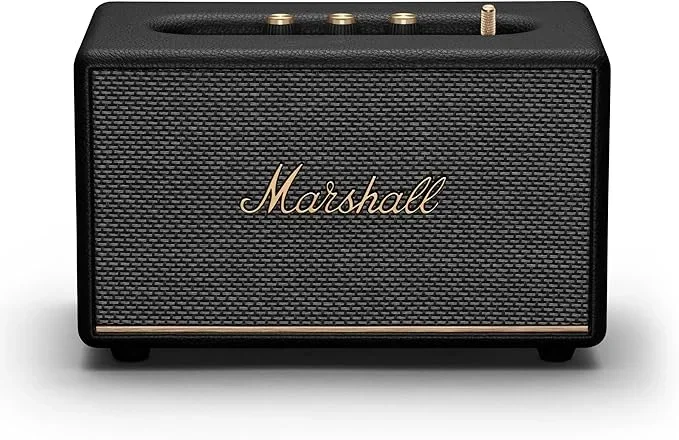
- Marshall Stanmore II Bluetooth: This is a bigger home speaker that can run on battery, though it is often used plugged in.
- Marshall Tufton: A portable boombox-style speaker with a powerful battery that delivers rich sound for outdoor use.
These battery-powered models are great because they give you freedom. You are not stuck next to an outlet. You can carry them around the house or take them outside. Just make sure you charge them up before you head out.
Wall-Powered Marshall Models
On the other side of the spectrum, some Marshall speakers and amplifiers are designed to stay plugged in. These are typically the larger, more powerful units that are meant for home studios, practice rooms, or permanent setups.
Here are some examples of Marshall speakers that do need to be plugged in:
- Marshall MG series amplifiers: These practice amps, like the MG15GFX or MG30GFX, require a constant power supply to produce sound.
- Marshall stack amplifiers: The classic Marshall stack setups used by guitarists need wall power to run the head and cab speakers.
- Marshall Bluetooth receivers: Some Marshall products are designed as accessories that plug into existing amps. These receivers need power from the amp or a separate outlet.
If you own one of these models, you cannot just grab it and go. It needs to stay connected to a power source. This is not necessarily a bad thing. These speakers often deliver more power and louder volume because they have a constant energy supply.
Do Marshall Speakers Need To Be Plugged In For Power?
The short answer is: it depends on your model. The longer answer is that Marshall offers both battery-powered and wall-powered options, and knowing which one you have makes all the difference.
If your Marshall speaker has a rechargeable battery built inside, you do not need to keep it plugged in all the time. Once it is fully charged, you can unplug it and use it wirelessly. This is the case with most of the portable Marshall Bluetooth speakers.
If your Marshall speaker does not have a battery, then yes, it needs to be plugged in to work. This includes most of the guitar amplifiers and larger home speakers that are designed for stationary use. These models draw power directly from the wall outlet to drive the speakers and amplifiers inside.
A quick way to tell is to look at the back or bottom of your speaker. If you see a battery compartment or a charging port, your speaker likely has battery power. If you only see a power inlet and speaker output cables, it probably needs to stay plugged in.
Also, keep in mind that some Marshall speakers can work both ways. They can run on battery for portability or be plugged in for longer sessions. This gives you the best of both worlds.
Understanding Marshall Speaker Battery Life
One of the most common questions people ask about battery-powered Marshall speakers is how long the battery actually lasts. The answer depends on several factors, including the model, the volume level, and the type of music you are playing.
How Long Does A Marshall Speaker Battery Last?
Here is a general breakdown of battery life for popular Marshall portable speakers:
- Marshall Emberton: Around 20 hours at moderate volume. At higher volumes, expect closer to 15 hours.
- Marshall Kilburn II: Up to 40 hours on a single charge. This is one of the longest-lasting portable speakers on the market.
- Marshall Tufton: Approximately 26 hours of playtime, which is impressive for a speaker this size.
- Marshall Stanmore II (battery mode): Around 20 hours, though this model is often used plugged in at home.
These numbers are estimates. Your actual battery life may vary based on how loud you play, the equalizer settings, and the temperature. Cold weather can drain batteries faster, so keep that in mind if you are using your speaker outdoors in winter.
How To Maximize Your Marshall Speaker Battery
Want to get the most out of every charge? Here are some practical tips:
- Lower the volume: Playing at 50% volume uses significantly less battery than playing at full blast.
- Turn off Bluetooth when not in use: If you are not streaming music, the Bluetooth connection still draws power.
- Reduce EQ effects: Heavy bass boosting and extra treble can drain the battery faster because the amplifier works harder.
- Keep the speaker at room temperature: Extreme heat or cold reduces battery efficiency.
- Charge fully before first use: Give your new speaker a full charge cycle to activate the battery properly.
Following these simple tips can help your Marshall speaker battery last longer between charges. It is like taking care of any rechargeable device, such as your phone or your iPhone battery. Good habits make a big difference over time.
When To Plug In Your Marshall Speaker
Even if your Marshall speaker has a battery, there are times when plugging it in makes sense. Let us talk about when you should connect your speaker to a power source.
Charging Your Marshall Speaker
Every battery-powered Marshall speaker needs to be charged eventually. Most models use a USB-C cable, though some older ones use micro-USB. The charging time varies by model, but it typically takes around 3 to 5 hours for a full charge.
You will know it is time to charge when the battery indicator starts flashing or the sound quality drops noticeably. Some Marshall speakers have a dedicated battery light on the top or back that shows the remaining charge level. Keep an eye on this so you are never caught with a dead speaker at a party.
Pro tip: You can charge your Marshall speaker while using it. This means you can keep it plugged in during a long gathering and never worry about the battery dying. Just be aware that the battery will charge more slowly if you are playing music at the same time.
Can You Use Marshall Speakers While Charging?
Yes, most battery-powered Marshall speakers allow you to play music while they are plugged in and charging. This is really useful for long events or when you do not want to wait for a full charge before using the speaker.
However, there is one thing to keep in mind. If you use your speaker while it charges for extended periods, the battery may not get a full charge. It is like keeping your phone plugged in all the time while using it. It works, but it is not ideal for the battery’s long-term health. If you can, let it charge fully before unplugging it.
Also, make sure you use the original charger or a high-quality USB cable. Cheap cables can cause slow charging or even damage the battery over time. This is similar to how you should use a proper speaker cable or adapter to avoid connectivity issues.
Marshall Speaker Power Options Compared
Not all Marshall speakers are created equal when it comes to power. Here is a comparison of the main power options available across the Marshall speaker lineup.
| Marshall Model | Power Source | Battery Life | Portable? |
|---|---|---|---|
| Marshall Emberton | Rechargeable Battery | ~20 hours | Yes |
| Marshall Kilburn II | Rechargeable Battery | ~40 hours | Yes |
| Marshall Tufton | Rechargeable Battery | ~26 hours | Yes |
| Marshall Stanmore II | Battery or AC Power | ~20 hours | Semi-portable |
| Marshall MG15GFX | AC Power Only | N/A | No |
| Marshall Stack (JCM800) | AC Power Only | N/A | No |
As you can see, the portable models give you the most flexibility. You get wireless freedom and long battery life. The wall-powered models deliver more raw power and are better suited for permanent setups or professional use.
If you are someone who likes to move around, a battery-powered Marshall speaker is the way to go. But if you set up your gear in one spot and want maximum volume and clarity, a wall-powered model might be a better fit.
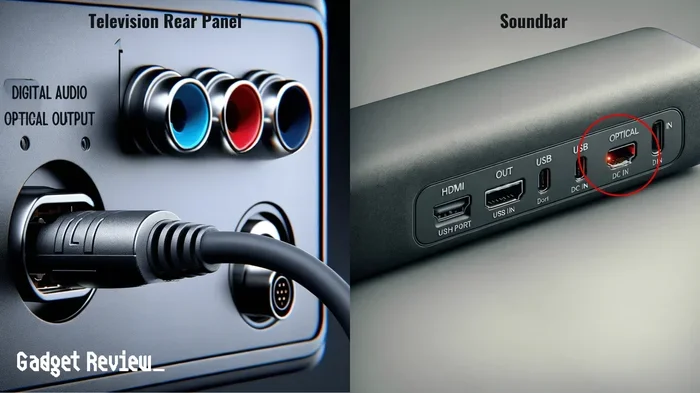
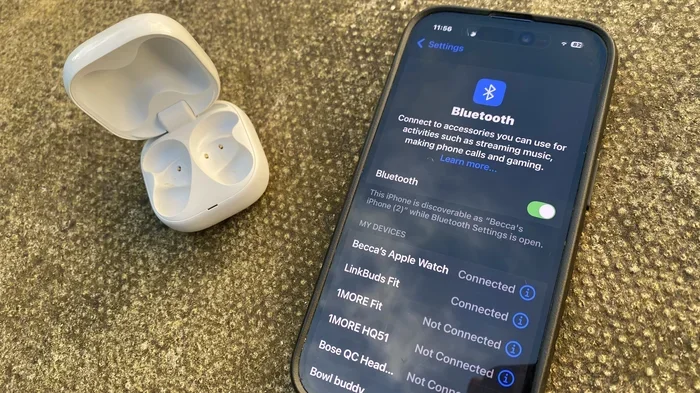
It is also worth noting that some people use Marshall speakers as part of a larger audio setup. For example, you might connect a Marshall Bluetooth speaker to your TV or laptop for better sound. If you want to do this, you can pair Bluetooth devices to your TV or use an auxiliary cable for a wired connection. This gives you more flexibility in how you use your Marshall speaker at home.
Common Mistakes With Marshall Speaker Power
There are a few common mistakes that Marshall speaker owners make when it comes to power and charging. Avoiding these can save you a lot of frustration.
- Leaving the speaker plugged in all the time: Even though most modern speakers have overcharge protection, keeping it plugged in 24/7 can reduce battery lifespan over time. Unplug it once it is fully charged.
- Using the wrong charger: Always use the charger that came with the speaker or one with matching specifications. A wrong voltage charger can damage the internal battery.
- Ignoring the battery indicator: If your speaker shows a low battery warning, charge it soon. Running the battery completely dead repeatedly can shorten its overall life.
- Storing the speaker unused for months: If you are not going to use your Marshall speaker for a while, charge it to about 50% first. Storing a completely dead battery for a long time can cause it to lose capacity.
- Assuming all Marshall speakers are wireless: This is a big one. Not every Marshall product is battery-powered. Always check the specifications before you buy if portability matters to you.
These mistakes are easy to avoid with a little awareness. Taking care of your speaker’s power system will help it last for years. Think of it like maintaining any electronic device, from your iPad battery health to keeping your phone charged properly.
Expert Tips For Getting The Best Power Performance
Here are some expert-backed tips to help you get the most out of your Marshall speaker’s power system:
- Update your firmware: Marshall occasionally releases firmware updates that improve battery efficiency. Check the Marshall app or website to see if an update is available for your model.
- Use the right Bluetooth codec: If your phone and speaker support it, using a more efficient Bluetooth codec can reduce power consumption during wireless playback.
- Store properly: Keep your speaker in a cool, dry place when not in use. Heat is the enemy of lithium-ion batteries.
- Clean the charging port: Dust and debris in the USB port can cause slow charging. Use a dry brush or compressed air to keep it clean.
- Match the speaker to the task: Use a portable model for outdoor trips and a wall-powered model for home listening. This ensures you always have the right power setup for the situation.
These tips may seem small, but they add up over time. They help you get consistent performance from your Marshall speaker every single time you turn it on.
Final Thoughts
So, do Marshall speakers need to be plugged in for power? The answer really comes down to which model you own. Portable Marshall speakers like the Emberton, Kilburn II, and Tufton come with rechargeable batteries and do not need to stay plugged in. You can take them anywhere and enjoy wireless music for hours on a single charge.
Larger Marshall amplifiers and some home speaker models do require a constant power connection. These are the ones you keep on your desk or in your studio, always ready to go because they never run out of juice.
Understanding your speaker’s power needs helps you get the best experience. It also helps you take better care of your gear. Charge it properly, store it right, and you will enjoy your Marshall speaker for many years to come.
Whether you are a casual listener or a serious music fan, Marshall speakers deliver an experience that is hard to beat. Just make sure you know how your specific model gets its power, and you will be all set to enjoy your music wherever life takes you.
Frequently Asked Questions
Can I use my Marshall speaker while it is charging?
Yes, most battery-powered Marshall speakers allow you to play music while they are plugged in and charging. However, the battery will charge more slowly if you are using the speaker at the same time. It is best to let it charge fully when you can for optimal battery health.
How long does it take to charge a Marshall speaker?
Most Marshall portable speakers take around 3 to 5 hours to fully charge from empty. The exact time depends on the model and the charger you use. Always use the cable that came with the speaker for the best results.
Do all Marshall speakers have Bluetooth?
Most modern Marshall portable speakers come with built-in Bluetooth. However, some older or larger models, especially guitar amplifiers, may not have Bluetooth. Always check the product specifications to confirm before you buy.
Can I connect my Marshall speaker to my TV?
Yes, you can connect a Bluetooth-enabled Marshall speaker to your TV if the TV supports Bluetooth. Alternatively, you can use an auxiliary cable or an HDMI adapter to connect the speaker to your TV for better sound quality.
What should I do if my Marshall speaker battery is not holding a charge?
If your battery is not lasting as long as it used to, try calibrating it. Let the battery drain completely, then charge it to 100% without interruption. If the problem continues, the battery may need to be replaced. Contact Marshall customer support for assistance.
Can I take my Marshall speaker in the shower or pool?
It depends on the model. Some Marshall speakers have an IP rating that makes them water-resistant or waterproof. For example, the Marshall Emberton has an IP67 rating. Always check the water resistance rating of your specific model before exposing it to water.