Can You Connect Earphones To Bluetooth Without Hassle
Yes, you can connect earphones to Bluetooth in just a few simple steps. Whether you have wireless earbuds or Bluetooth headphones, this guide walks you through the entire process. You will learn how to pair your device, fix common connection issues, and get the best audio performance. Connecting earphones to Bluetooth is easier than most people think, and this article makes it even simpler with clear instructions and expert tips.
Have you ever wanted to go wireless but wondered if your earphones can even connect to Bluetooth? The good news is that connecting earphones to Bluetooth is something almost anyone can do today. Whether you are at home, at the gym, or commuting to work, a wireless connection gives you freedom and convenience. Can you connect earphones to Bluetooth without any fancy tech skills? Absolutely. This guide breaks everything down into simple steps so you can start listening wirelessly right away.
Wireless audio has changed the way we listen to music, take calls, and watch videos. Gone are the days of tangled cords and limited movement. Bluetooth earphones let you move freely while still enjoying high-quality sound. In this article, we will cover everything you need to know about connecting earphones to Bluetooth, from the basics to troubleshooting tips. By the end, you will feel confident pairing any Bluetooth device with your earphones.
Key Takeaways
- Bluetooth earphones work with almost any device: smartphones, tablets, laptops, and smart TVs all support Bluetooth connectivity.
- The pairing process is simple: just enable Bluetooth, put your earphones in pairing mode, and select them from the list.
- Common connection issues are easy to fix: most problems come from distance, interference, or outdated software.
- Bluetooth version matters: newer versions offer better range, sound quality, and battery life.
- Wireless audio has come a long way: modern Bluetooth earphones deliver rich, high-quality sound without wires.
- Regular maintenance keeps connections strong: updating firmware and reducing interference helps a lot.
📑 Table of Contents
How Bluetooth Technology Works With Earphones
Understanding Bluetooth Basics
Bluetooth is a short-range wireless technology that lets devices talk to each other without cables. When you connect earphones to Bluetooth, your phone or laptop sends audio signals through the air using radio waves. These signals travel from your source device to your earphones, giving you wireless sound.
The process is surprisingly simple. Your phone or computer has a Bluetooth chip inside it. Your earphones also have one. When both devices are turned on and discoverable, they find each other and form a connection. This connection is called a Bluetooth pairing. Once paired, the devices remember each other and reconnect automatically most of the time.
Bluetooth connectivity works over short distances, usually up to 30 feet or about 10 meters. This range is more than enough for most everyday uses. You can walk around your room, kitchen, or office without losing the connection. The latest Bluetooth version standards offer even better range and stability than older ones.
Bluetooth Versions and What They Mean
Not all Bluetooth connections are the same. Different Bluetooth versions offer different speeds, ranges, and energy efficiency. Here is a quick look at what you should know:
- Bluetooth 4.0: This version introduced low energy consumption. Many older wireless earphones use this standard.
- Bluetooth 5.0: This version doubled the range and improved data transfer speed. It is now common in most modern Bluetooth earphones.
- Bluetooth 5.2 and 5.3: These newer versions offer better audio quality, lower latency, and stronger connections. High-end wireless earbuds often use these versions.
When you connect earphones to Bluetooth, your device will automatically use the best version supported by both the earphones and the source device. You do not need to do anything special. Just make sure both devices support a reasonably recent version for the best experience.
How to Connect Earphones to Bluetooth Step by Step
Preparing Your Earphones
Before you start, make sure your earphones are ready. Most wireless earphones need to be charged before use. Check the battery level if your model has an indicator. A low battery can cause connection problems, so keep your earphones powered up.
Next, you need to put your earphones into pairing mode. This makes them visible to other devices. The way to do this varies by brand and model, but here are some common steps:
- Turn on your earphones by pressing and holding the power button.
- Look for a flashing LED light, usually blue or red. This means they are in pairing mode.
- Some models require you to hold a specific button for a few seconds to enter pairing mode.
- Check your earphone manual if you are unsure. Most brands list the exact steps on their website too.
Once your earphones are in pairing mode, they are ready to be found by your device. This is the most important step in the Bluetooth pairing process, so do not skip it.
Pairing Your Device
Now it is time to connect your earphones to your phone, tablet, or computer. Here is how to do it on most devices:
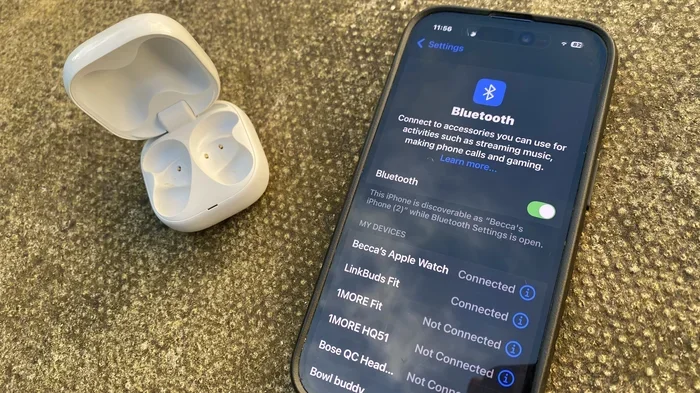
- Open the Bluetooth settings on your device. On most phones, you can swipe down from the top of the screen and tap the Bluetooth icon.
- Make sure Bluetooth is turned on. The toggle should be blue or green when it is active.
- Your device will start scanning for nearby Bluetooth devices. Wait a few seconds.
- Look for your earphones in the list of available devices. They might show up by brand name or as “Wireless Earphones.”
- Tap on the name of your earphones to pair them.
- Wait for a confirmation message. You may hear a short tone in your earphones.
That is it. You have successfully connected earphones to Bluetooth. You can now start playing music, taking calls, or watching videos without any wires.
Confirming the Connection
After pairing, check that the connection is working properly. Play some audio and see if it comes through your earphones. You should hear clear sound without any delay. If you notice any issues, try moving closer to your source device.
Most devices will remember your paired earphones. The next time you turn them on, they should reconnect automatically. This makes daily use very convenient. You do not need to repeat the pairing process every time.
Common Bluetooth Connection Problems and Easy Fixes
Even though connecting earphones to Bluetooth is usually smooth, sometimes things go wrong. Here are the most common issues and how to fix them quickly.
Earphones Won’t Show Up in the List
This is one of the most frustrating problems. If your earphones do not appear in the list of available devices, try these steps:
- Make sure your earphones are in pairing mode. The flashing light should confirm this.
- Turn Bluetooth off and back on again on your source device.
- Move closer to your device. Distance can affect discoverability.
- Remove old pairings from both devices and try again.
- Restart both your earphones and your source device.
Sometimes a simple restart solves the problem. Bluetooth troubleshooting often starts with the basics before you dig into advanced settings.
Audio Keeps Cutting Out
If your sound keeps dropping or breaking up, the Bluetooth signal might be weak. Here is what you can do:
- Stay within the recommended Bluetooth range of about 30 feet.
- Move away from walls, metal objects, and other electronics that might cause interference.
- Make sure your earphones are fully charged. Low battery can weaken the signal.
- Check if other wireless devices nearby are using the same frequency.
Wireless interference is a common cause of audio dropouts. Wi-Fi routers, microwaves, and even USB 3.0 ports can interfere with your wireless connection. Moving away from these sources often fixes the problem.
Connection Drops Frequently
If your earphones keep disconnecting, the Bluetooth connectivity between the devices may be unstable. Try these fixes:
- Update the software on both your earphones and your source device.
- Forget the device pairing and pair again from scratch.
- Check for firmware updates for your earphones through the manufacturer’s app.
- Reduce the number of Bluetooth devices connected at the same time.
Keeping your devices updated is one of the best ways to maintain a stable wireless audio experience. Manufacturers often release updates that fix connection bugs and improve performance.
Types of Bluetooth Earphones Available Today
True Wireless Earbuds
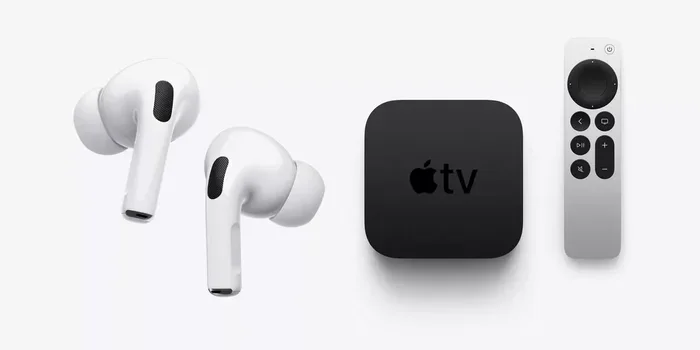
True wireless earbuds are the most popular type of Bluetooth earphones today. They have no wires at all, not even between the two earbuds. Each earbud connects directly to your device. Brands like Apple, Samsung, and Sony make popular true wireless models.
These earphones are compact and easy to carry. They fit in your pocket and are great for workouts and commuting. Most true wireless earbuds offer about 5 to 8 hours of battery life on a single charge, with the charging case providing extra charges.
Over-Ear Bluetooth Headphones
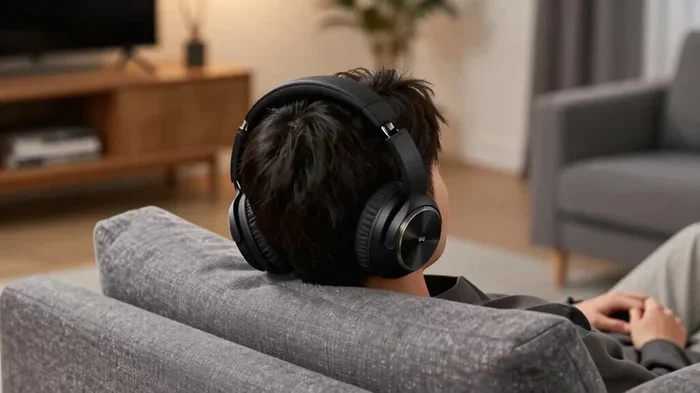
If you prefer bigger earphones with better sound quality, over-ear Bluetooth headphones are a great choice. They cover your entire ear and often deliver richer, deeper sound. These are ideal for listening to music at home or in the office.
Over-ear models usually have longer battery life than true wireless earbuds. Many offer 20 to 40 hours of playback on a single charge. They also tend to have better noise cancellation features. If sound quality is your priority, these are worth considering.
Neckband-Style Wireless Earphones
Neckband earphones connect the two earbuds with a band that rests around your neck. They are lightweight and comfortable for long listening sessions. These earphones often have larger batteries than true wireless models, giving you more playback time.
Neckband style earphones are a good option if you find true wireless earbuds too small or easy to lose. They stay secure during exercise and are generally more affordable. Many people use them for casual listening and phone calls.
Tips to Get the Best Bluetooth Performance
Keep Your Devices Close
The closer your source device is to your earphones, the stronger the Bluetooth signal will be. Try to keep your phone or laptop within the same room when using your earphones. Walls and furniture can weaken the signal, so clear line of sight helps.
Update Your Bluetooth Drivers
If you are connecting to a computer, make sure your Bluetooth drivers are up to date. Outdated drivers can cause connection problems and poor audio quality. On Windows, go to Device Manager and check for updates. On Mac, keep your system software current.
Reduce Interference
Other wireless devices can interfere with your Bluetooth connection. Wi-Fi networks, baby monitors, and even other Bluetooth devices can create signal congestion. If you experience problems, try turning off nearby wireless devices and see if the connection improves.
Clean Your Earphones Regularly
This might sound unrelated, but dirty earphones can have connection issues. Sweat, dust, and earwax can block sensors and charging contacts. Wipe your earphones gently with a soft cloth after each use. This simple habit keeps them working at their best.
Use the Right Earphones for Your Needs
Not all Bluetooth earphones are the same. Think about how you will use them. If you need earphones for calls, look for models with good microphones. If you want sound quality for music, choose ones with good audio drivers and support for codecs like AAC or aptX. Earphone compatibility with your device also matters, so check that your earphones work with your phone or computer before buying.
Final Thoughts on Bluetooth Earphone Connectivity
Can you connect earphones to Bluetooth without any trouble? Yes, you absolutely can. The process is straightforward, and most devices make it easy to pair and reconnect. Whether you use true wireless earbuds, over-ear headphones, or neckband-style earphones, Bluetooth technology makes wireless listening simple and enjoyable.
Remember to keep your devices updated, stay within range, and reduce interference for the best experience. If you run into problems, the troubleshooting tips in this guide should help you get back on track quickly. Connecting earphones to Bluetooth opens up a world of freedom and convenience. Once you go wireless, you will not want to go back to tangled cords.
Start today. Put your earphones in pairing mode, open your Bluetooth settings, and make the connection. You will be amazed at how easy it is. Wireless audio is the future, and it is already in your hands.