Does Vizio TV Have Bluetooth Here Is Everything You Need
Yes, many Vizio TV models come with built-in Bluetooth, allowing you to connect wireless headphones, speakers, and audio devices. Vizio SmartCast TVs support Bluetooth pairing for a clutter-free viewing experience. If your Vizio model lacks Bluetooth, you can add it easily with a Bluetooth adapter or use alternative wireless methods.
Do you own a Vizio TV and want to go wireless? You are not alone. Many people want to connect Bluetooth headphones or speakers to their Vizio TV without dealing with cables. The good news is that most modern Vizio TVs come with Bluetooth built right in. This means you can stream audio to your favorite wireless devices in just a few taps.
In this guide, we will cover everything you need to know about Vizio TV Bluetooth. We will look at which models support it, how to pair devices, and what to do if your TV does not have Bluetooth. Whether you want to watch movies late at night without waking anyone or just love a cable-free setup, this article has you covered.
Key Takeaways
- Built-in Bluetooth: Most Vizio SmartCast TVs from 2018 onward include Bluetooth support.
- Easy Pairing: You can connect wireless headphones and speakers directly through TV settings.
- Bluetooth Adapter Option: Older Vizio models without Bluetooth can be upgraded with a USB adapter.
- Multiple Devices: Vizio TVs can pair with headphones, soundbars, and speakers simultaneously.
- Audio Lag Fixes: Simple settings adjustments reduce Bluetooth audio delay on Vizio TVs.
📑 Table of Contents
- Does Vizio TV Have Bluetooth Built In?
- How to Connect Bluetooth Devices to a Vizio TV
- What Bluetooth Devices Work with Vizio TVs?
- Can You Add Bluetooth to a Vizio TV That Does Not Have It?
- Common Bluetooth Problems with Vizio TVs and How to Fix Them
- Vizio Bluetooth vs. Other Smart TV Brands
- Pro Tips for Getting the Best Bluetooth Experience on Your Vizio TV
- Can You Use Vizio TV Bluetooth for Gaming?
- Is Bluetooth on Vizio TV Secure?
- Conclusion
Does Vizio TV Have Bluetooth Built In?
The short answer is yes. Most Vizio SmartCast TVs come with built-in Bluetooth. Vizio has been adding this feature to their TVs for several years now. However, not every single Vizio model has it. The presence of Bluetooth depends on the year, model line, and TV size.
Which Vizio TV Models Support Bluetooth?
Vizio organizes their TVs into several series. Here is a quick look at which ones typically include Bluetooth:
- Vizio M-Series: Nearly all M-Series TVs from 2018 and newer have Bluetooth.
- Vizio V-Series: Most V-Series models include Bluetooth support.
- Vizio P-Series: Premium P-Series TVs always have Bluetooth.
- Vizio OLED Models: All Vizio OLED TVs support Bluetooth.
- Older Models: TVs from 2016 and earlier may not have Bluetooth at all.
If you are not sure about your specific model, you can check the settings menu. Go to Menu > Audio Settings and look for a Bluetooth option. If you see it, your TV is Bluetooth-ready.
How to Connect Bluetooth Devices to a Vizio TV
Pairing a Bluetooth device to your Vizio TV is simple. The process is similar across most SmartCast models. Here is a step-by-step walkthrough.
Step 1: Turn on Bluetooth on Your Vizio TV
First, press the Menu button on your Vizio remote. Navigate to Audio Settings or Sound. Look for an option called Bluetooth or Pair Device. Turn it on. Your TV will now start searching for nearby devices.
Step 2: Put Your Device in Pairing Mode
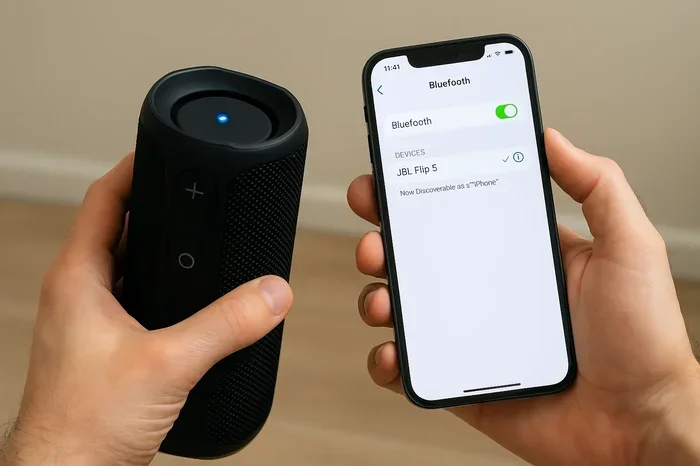
Next, take your Bluetooth device. This could be wireless headphones, a portable speaker, or even a soundbar. Put it into pairing mode. Most devices have a dedicated button for this. Once the device flashes, it is ready to be found.
Step 3: Select and Connect
Go back to your Vizio TV. Your device should appear on the screen. Select it and wait for the connection. You should hear a confirmation sound or see a message that says “Connected.”
Step 4: Test the Audio
Play a video or some music. If the sound comes through your Bluetooth device, you are all set. If not, try moving the device closer to the TV. Bluetooth works best within about 30 feet.
What Bluetooth Devices Work with Vizio TVs?
You can connect a wide range of wireless devices to a Vizio TV. Here are the most popular options:
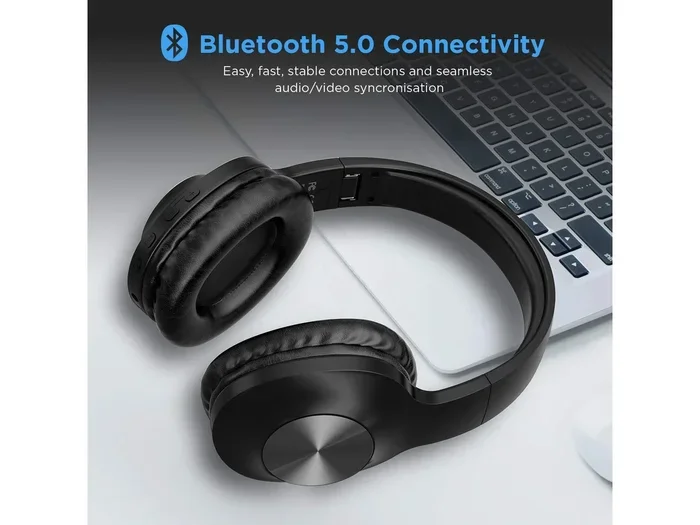
- Wireless Headphones: Great for late-night watching. No one else gets disturbed.
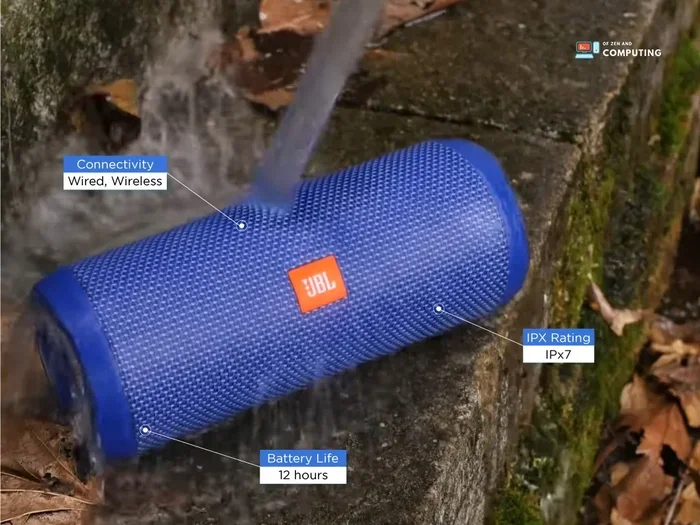
- Bluetooth Speakers: Want louder sound? Pair a portable speaker with your TV.
- Soundbars: Many modern soundbars connect via Bluetooth for a cleaner setup.
- Hearing Aids: Some Bluetooth-enabled hearing aids can connect to compatible TVs.
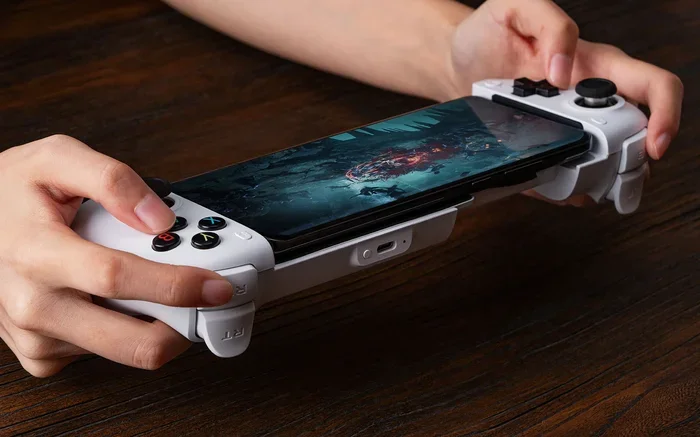
- Game Controllers: Certain wireless controllers also use Bluetooth for input.
If you want to use a Bluetooth speaker with your TV, you might also check out our guide on using Alexa as a Bluetooth speaker for your TV. It covers some great speaker options that work well with Vizio.
Can You Add Bluetooth to a Vizio TV That Does Not Have It?
Not every Vizio TV has Bluetooth. Older models and some budget lines may lack this feature. But do not worry. You still have options.
Option 1: Use a Bluetooth Transmitter
A Bluetooth transmitter plugs into your TV’s audio output. It sends audio wirelessly to your Bluetooth headphones or speakers. These transmitters are small and affordable. You can find them for under $20 online. Just plug it in, pair your device, and you are good to go.
If you are looking at wireless audio solutions, you may also want to explore how Alexa can work as a Bluetooth speaker for your TV. It is another great way to add wireless audio to any setup.
Option 2: Use a Bluetooth Adapter
Some Vizio TVs have USB ports. You can buy a Bluetooth USB adapter that plugs right in. This adds Bluetooth capability to your TV. Make sure the adapter is compatible with SmartCast TVs before buying.
Option 3: Use a Wired Connection with a Bluetooth Speaker
If wireless is not working, you can always connect a Bluetooth speaker using a cable. Use the TV’s headphone jack or an RCA cable. Then connect the speaker to the cable output. It is not wireless, but it gets the job done.
For older TVs or non-smart setups, you might also consider how to make your TV have Bluetooth using simple add-on devices.
Common Bluetooth Problems with Vizio TVs and How to Fix Them
Bluetooth is great, but sometimes it causes headaches. Here are the most common issues and how to solve them.
Audio Lag or Delay
One of the biggest complaints is audio lag. The sound does not match the video. This happens because Bluetooth takes a moment to transmit audio. To fix this, try lowering the audio delay in your TV settings. Go to Menu > Audio > Audio Delay and adjust it until the sound and picture sync up.
Device Will Not Pair
If your device will not connect, try these steps:
- Turn Bluetooth off and back on your TV.
- Make sure your device is in pairing mode.
- Move the device closer to the TV.
- Remove the device from the TV’s Bluetooth memory and try again.
- Restart both the TV and the Bluetooth device.
Connection Keeps Dropping
Bluetooth signals can drop if there are walls or other devices in the way. Keep your Bluetooth device in the same room as the TV. Avoid placing it near microwaves or Wi-Fi routers, as these can cause interference.
If you are having trouble with wireless connections on your TV, you might also want to check how Bluetooth headphones work with Roku TVs. Many of the same pairing principles apply across smart TV brands.
Low Audio Quality
Bluetooth audio is not always as crisp as a wired connection. If you notice lower sound quality, try updating your TV’s firmware. Go to Menu > System > Check for Updates. New firmware often improves Bluetooth performance.
Vizio Bluetooth vs. Other Smart TV Brands
How does Vizio compare to other TV brands when it comes to Bluetooth? Here is a quick comparison:
| Brand | Built-in Bluetooth | Bluetooth Range | Ease of Pairing |
|---|---|---|---|
| Vizio | Yes (most models 2018+) | About 30 feet | Very Easy |
| Samsung | Yes | About 30 feet | Very Easy |
| LG | Yes | About 30 feet | Very Easy |
| Roku TV | Limited (varies by model) | About 20 feet | Moderate |
| TCL | Yes (most models) | About 30 feet | Very Easy |
Vizio holds up well against the competition. The Bluetooth experience on Vizio SmartCast TVs is smooth and straightforward. Pairing takes just a few seconds, and the connection stays stable in most cases.
If you are comparing Vizio with other brands, you might also want to look at how Bluetooth headphones pair with LG TVs. LG offers a similar Bluetooth experience with a few extra features in their settings menu.
Pro Tips for Getting the Best Bluetooth Experience on Your Vizio TV
Want to get the most out of your Vizio TV’s Bluetooth? Follow these simple tips:
- Keep your TV updated. Firmware updates often fix Bluetooth bugs and improve performance.
- Stay close. Keep your Bluetooth device within 30 feet of the TV for the best signal.
- Reduce interference. Move away from Wi-Fi routers and microwaves when pairing.
- Use the right audio profile. Vizio TVs support the A2DP profile for stereo audio. Make sure your device supports it too.
- Pair one device at a time. If you have multiple Bluetooth devices, connect one at a time for a cleaner setup.
- Restart when in doubt. A simple restart of both the TV and the Bluetooth device solves most connection issues.
These small steps make a big difference. Your wireless audio will sound clearer and stay connected longer.
Can You Use Vizio TV Bluetooth for Gaming?
Yes, you can use Bluetooth with a Vizio TV for gaming. Connect wireless headphones to enjoy immersive sound without bothering others. The audio delay on Vizio TVs is usually low enough for casual gaming.
However, if you play competitive or fast-paced games, the slight delay might bother you. In that case, a wired connection or a low-latency Bluetooth transmitter works better. You can also check if your Vizio TV supports low-latency audio codecs in the Bluetooth settings.
Is Bluetooth on Vizio TV Secure?
Bluetooth connections on Vizio TVs are generally safe. Modern Bluetooth uses encryption to protect your data. However, Bluetooth is a wireless signal, so it can be accessed by nearby devices. To stay safe, only pair devices you trust. Do not accept unknown pairing requests from strangers.
Conclusion
Does Vizio TV have Bluetooth? Yes, most Vizio SmartCast TVs do. The feature is available on models from 2018 and newer, including M-Series, V-Series, P-Series, and OLED TVs. Connecting wireless headphones, speakers, and soundbars is quick and easy through the TV’s audio settings.
If your Vizio TV does not have Bluetooth, you can add it with a transmitter or adapter. These are affordable and simple to use. Just remember to keep your devices close, reduce interference, and update your firmware for the best experience.
Going wireless with your Vizio TV opens up a whole new way to enjoy your favorite shows and movies. You can watch late at night, share audio with your own headphones, or just enjoy a cleaner setup without cables. Vizio TV Bluetooth makes it all possible with just a few simple steps.
Now that you know everything about Vizio TV Bluetooth, grab your wireless headphones and start watching. Happy streaming!
Frequently Asked Questions
Do all Vizio TVs have Bluetooth?
No, not all Vizio TVs have Bluetooth. Most models from 2018 and newer support Bluetooth, especially SmartCast TVs. Older models and some budget lines may not include this feature. You can check your TV’s audio settings to confirm.
Can I connect multiple Bluetooth devices to my Vizio TV at once?
Vizio TVs typically support one Bluetooth audio connection at a time. However, some newer models may allow multiple devices to be paired. You can switch between paired devices easily in the Bluetooth settings menu.
Why is there audio lag when using Bluetooth with my Vizio TV?
Audio lag happens because Bluetooth takes time to transmit audio signals. This is normal for all Bluetooth connections. You can reduce lag by adjusting the audio delay settings in your Vizio TV menu or by moving closer to the TV.
Can I use Bluetooth headphones with my Vizio TV for late-night watching?
Yes, Bluetooth headphones work great with Vizio TVs. Just pair them through the TV’s audio settings and enjoy private listening. This is perfect for watching movies late at night without disturbing anyone else in the house.
What should I do if my Vizio TV will not find my Bluetooth device?
First, make sure your Bluetooth device is in pairing mode. Then restart both the TV and the device. Move them closer together. If the problem continues, remove the device from the TV’s Bluetooth memory and try pairing again.
Can I use a Bluetooth transmitter with any Vizio TV?
Yes, a Bluetooth transmitter works with almost any Vizio TV. It plugs into the audio output or headphone jack and sends wireless audio to your Bluetooth headphones or speakers. This is a great option for older Vizio TVs without built-in Bluetooth.