Does Bluetooth Work Without Wi Fi or an Internet Connection
Yes, Bluetooth works without Wi-Fi or an internet connection. Bluetooth is a wireless technology that connects devices directly to each other using radio waves, not through a router. You can pair headphones, speakers, and other Bluetooth devices and enjoy full functionality even when completely offline.
Does Bluetooth work without Wi-Fi? The short answer is yes. Bluetooth is a wireless technology that lets devices talk to each other without needing a router or an internet connection. You can pair your headphones, transfer files between phones, and use a Bluetooth speaker all without ever connecting to a Wi-Fi network.
Many people confuse Bluetooth with Wi-Fi. They assume both need the internet to work. But that is not true. Bluetooth creates its own direct connection between two devices. It uses radio waves on a specific frequency to send and receive data. This means your Bluetooth headphones will still play music from your phone even if you have no internet at all.
In this article, we will explain exactly how Bluetooth works on its own. We will cover what you can do without Wi-Fi, which devices rely on this technology, and how Bluetooth and Wi-Fi differ. You will also find practical tips for troubleshooting when things go wrong. Let us dive in.
Key Takeaways
- Bluetooth works independently: It does not need Wi-Fi or the internet to connect devices.
- Bluetooth uses radio waves: Devices communicate directly with each other through short-range wireless signals.
- Many offline tasks work fine: You can stream music, transfer files, and use accessories without any internet.
- Range matters: Bluetooth has a typical range of about 30 feet, regardless of Wi-Fi availability.
- Some features need internet: Smart devices like smart speakers may need Wi-Fi for certain online features.
- Bluetooth and Wi-Fi are different: They serve different purposes and operate on separate frequencies.
- Troubleshooting is simple: Most Bluetooth problems without Wi-Fi have easy fixes.
📑 Table of Contents
- What Is Bluetooth and How Does It Work?
- Does Bluetooth Need Wi-Fi to Function?
- What Can You Do With Bluetooth Without Wi-Fi?
- Common Devices That Use Bluetooth Without the Internet
- Bluetooth vs. Wi-Fi: Key Differences
- Troubleshooting Bluetooth When There Is No Internet
- Frequently Asked Questions About Bluetooth Without Wi-Fi
- Final Thoughts
What Is Bluetooth and How Does It Work?
Bluetooth is a wireless communication standard that allows devices to exchange data over short distances. It was developed in the 1990s and has become one of the most common wireless technologies in the world. You will find it in phones, laptops, headphones, speakers, keyboards, and even cars.
How Bluetooth Connects Devices
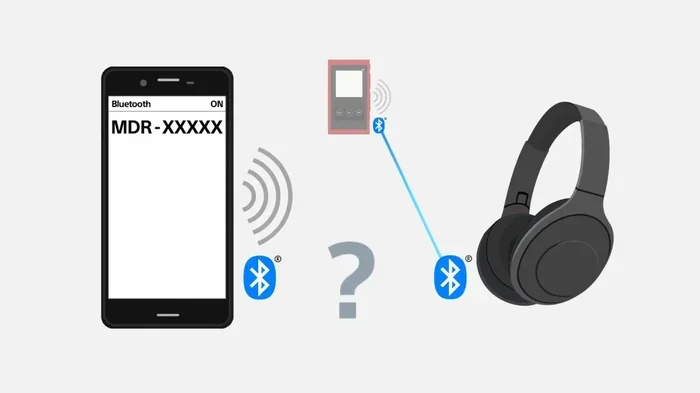
Bluetooth works by creating a personal area network (PAN) between two or more devices. This is called Bluetooth pairing. When you pair two devices, they agree on a frequency and a secure connection. Once paired, they can send and receive data without any outside help.
Here is how the process works:
- One device becomes discoverable and broadcasts a signal.
- The other device picks up that signal.
- Both devices exchange security keys.
- A direct connection is established.
- Data flows between the devices through radio waves.
This entire process happens without a Wi-Fi network or an internet connection. The devices communicate directly with each other using Bluetooth protocol over short-range radio signals.
Bluetooth Versions and Their Range
Bluetooth has evolved over the years. Each new version improves range, speed, and energy efficiency. Here are the most common versions you will encounter:
- Bluetooth 4.0: Introduced low energy mode. Range of about 30 feet.
- Bluetooth 4.2: Better security and slightly faster data transfer.
- Bluetooth 5.0: Doubled range to about 80 feet. Faster and more stable.
- Bluetooth 5.3: Latest version with improved efficiency and connection stability.
Even on older versions, Bluetooth works without Wi-Fi. The version only affects range and speed, not whether you need internet.
Does Bluetooth Need Wi-Fi to Function?
The answer is simple. Bluetooth does not need Wi-Fi to function. These are two completely different wireless technologies that serve different purposes. Bluetooth connects devices directly to each other. Wi-Fi connects devices to the internet through a router.
Why People Confuse Bluetooth With Wi-Fi
It is easy to see why people mix these up. Both are wireless technologies. Both let you connect devices without cables. Many modern devices support both Bluetooth and Wi-Fi at the same time. When your phone connects to a Bluetooth speaker, you might also see the Wi-Fi icon on your screen. This makes it seem like they are linked.
But they are not. Your phone could lose its Wi-Fi connection completely and still play music through a Bluetooth speaker. The Bluetooth connection stays alive because it does not depend on the internet.
When Bluetooth Does Need Wi-Fi
There are a few cases where a Wi-Fi connection might be helpful for Bluetooth devices. Some smart Bluetooth speakers need Wi-Fi to access streaming services like Spotify or Netflix. In those cases, the Bluetooth connection handles the audio output, but the content comes from the internet.
Similarly, some Bluetooth headphones with smart features may need Wi-Fi for firmware updates or app connectivity. But the basic function of playing audio works perfectly without any internet at all.
What Can You Do With Bluetooth Without Wi-Fi?
You might be surprised by how much you can do with Bluetooth when there is no internet connection. The list of offline Bluetooth uses is long and practical.
1. Stream Music from Your Device
You can connect Bluetooth headphones or a Bluetooth speaker to your phone and play music stored directly on your device. No internet needed. Your downloaded playlists, offline podcasts, and locally saved files all work through Bluetooth.
2. Transfer Files Between Devices
Bluetooth file transfer works without Wi-Fi. You can send photos, documents, and videos between two phones or between a phone and a laptop. This is especially handy when you do not have internet access but need to share a file quickly.
3. Use Bluetooth Keyboards and Mice
Wireless keyboards and mice that use Bluetooth work perfectly offline. You can type on your laptop or tablet without any internet connection. Many people use Bluetooth keyboards with tablets for note-taking in areas with no Wi-Fi.
4. Connect to Car Audio Systems
Most modern cars support Bluetooth audio. You can stream music from your phone through your car speakers and make hands-free calls. None of these features require Wi-Fi or mobile data. They work through the direct Bluetooth connection between your phone and your car.
5. Use Fitness Trackers and Smartwatches
Many fitness trackers and smartwatches connect to your phone via Bluetooth. They track your steps, heart rate, and sleep patterns locally. You do not need the internet to record this data. It syncs later when you reconnect to Wi-Fi.
6. Connect Accessories for Gaming
You can use Bluetooth headphones with gaming consoles or Bluetooth controllers with mobile devices. The gaming experience does not depend on Wi-Fi for the connection itself. You can play offline games with full Bluetooth audio and control.
Common Devices That Use Bluetooth Without the Internet
Many everyday devices rely on Bluetooth and work great without any internet. Here is a look at the most common ones.
Bluetooth Headphones and Earbuds
Bluetooth headphones are the most popular Bluetooth devices in the world. Whether you have wireless earbuds or over-ear headphones, they connect directly to your phone or computer. You can listen to downloaded music, take calls, and watch videos without Wi-Fi. The audio streams from your device to the headphones through a direct Bluetooth connection.
Bluetooth Speakers
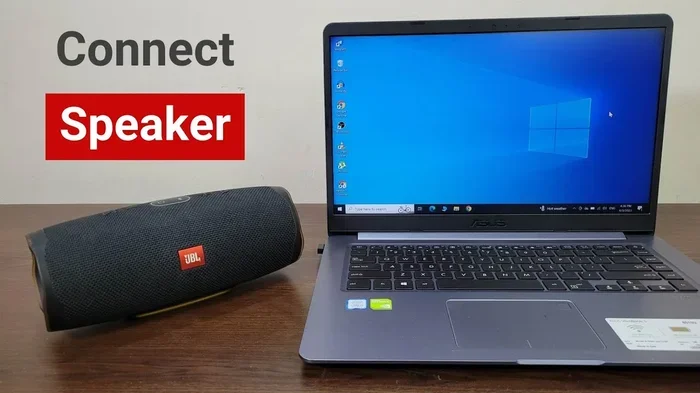
Bluetooth speakers are perfect for offline gatherings. You can bring one to a park, a beach, or a cabin in the woods. As long as your phone has music stored locally, the Bluetooth speaker will play it. No router, no internet, no problem.
Bluetooth Keyboards and Trackpads
Whether you are working on a tablet in a remote location or giving a presentation, Bluetooth keyboards and trackpads work without any internet. They are ideal for offline productivity and creative work.
Bluetooth Controllers
Gaming controllers that use Bluetooth connect to phones, tablets, and PCs for offline gaming. You do not need an internet connection to play single-player games or use a controller for local multiplayer.
Bluetooth vs. Wi-Fi: Key Differences
Understanding the difference between Bluetooth and Wi-Fi helps you use both more effectively. They are not interchangeable, even though both are wireless technologies.
| Feature | Bluetooth | Wi-Fi |
|---|---|---|
| Needs Internet? | No | Yes |
| Range | Short (10-80 feet) | Long (up to 150 feet indoors) |
| Purpose | Device-to-device connection | Device-to-internet connection |
| Power Usage | Low | Moderate to high |
| Data Speed | Lower | Higher |
| Setup | Simple pairing | Requires router and password |
The key takeaway is that Bluetooth is designed for short-range device connections. Wi-Fi is designed for accessing the internet. They complement each other but do not depend on each other.
Think of it this way. Bluetooth is like a private walkie-talkie between two devices. Wi-Fi is like a telephone line that connects you to the world. You can use a walkie-talkie without a telephone line. That is exactly how Bluetooth works without Wi-Fi.
Troubleshooting Bluetooth When There Is No Internet
Sometimes Bluetooth acts up even when you do not need the internet. Here are common issues and quick fixes.
Bluetooth Will Not Pair
If your Bluetooth device will not pair, try these steps:
- Turn Bluetooth off and back on.
- Make sure the other device is in pairing mode.
- Move the devices closer together.
- Remove old pairings and try fresh.
- Restart both devices.
Audio Keeps Cutting Out
If your audio drops frequently, check the following:
- Stay within Bluetooth range (about 30 feet).
- Remove physical obstacles between devices.
- Turn off other Bluetooth devices that might cause interference.
- Make sure your device battery is charged.
Bluetooth Connected But No Sound
If the connection is there but you hear nothing:
- Check the volume on both the source device and the Bluetooth accessory.
- Make sure the correct audio output is selected.
- Unpair and re-pair the devices.
- Check if the Bluetooth device is muted.
Quick Tips for Better Bluetooth Performance
Keep your Bluetooth devices updated. Firmware updates often improve connection stability. Keep your devices close together for the best signal. Avoid placing Bluetooth devices near microwaves or other electronics that use the same frequency. These simple steps keep your Bluetooth connection strong without any internet.
For more on using Bluetooth with other devices, check out can you use Bluetooth on a hearing aid for helpful tips on offline Bluetooth use.
Frequently Asked Questions About Bluetooth Without Wi-Fi
Can I use Bluetooth headphones without Wi-Fi?
Yes, you can use Bluetooth headphones without Wi-Fi. The Bluetooth connection works directly between your phone and the headphones. As long as you have music or audio files stored on your device, you can listen without any internet connection. The audio streams through the Bluetooth signal, not through Wi-Fi.
Does Bluetooth use data?
No, Bluetooth does not use mobile data or internet data. It uses its own radio frequency to transfer data between devices. This means you can use Bluetooth features without using any of your data plan. It is a separate wireless technology that operates independently of your internet connection.
Can I connect two phones using Bluetooth without internet?
Yes, two phones can connect via Bluetooth without any internet. You can share files, photos, and contacts between phones using a direct Bluetooth pairing. This is one of the oldest and most reliable uses of Bluetooth technology. No router or internet connection is required.
Will my Bluetooth speaker work in a place with no Wi-Fi?
Absolutely. A Bluetooth speaker will work anywhere as long as it is paired with a device that has audio to play. Whether you are at a cabin in the woods or in a car without a hotspot, your Bluetooth speaker plays music from your device through a direct wireless connection. Wi-Fi is not involved at all.
Can Bluetooth work over long distances without Wi-Fi?
Bluetooth has a limited range even without Wi-Fi. Standard Bluetooth works up to about 30 feet. Bluetooth 5.0 and newer can reach up to 80 feet under ideal conditions. If you need longer range, you would need a Wi-Fi connection or a different technology. But for most everyday uses, the Bluetooth range is more than enough.
Is Bluetooth safe to use without Wi-Fi?
Yes, Bluetooth is safe to use without Wi-Fi. The Bluetooth protocol includes built-in security features like encryption and authentication. Using Bluetooth offline does not expose you to any additional risks compared to using it online. Just make sure you only pair with trusted devices.
Final Thoughts
Bluetooth works without Wi-Fi and without an internet connection. It is a powerful, independent wireless technology that connects your devices directly to each other. Whether you are streaming music through Bluetooth headphones, transferring files between phones, or using a Bluetooth speaker at a remote location, you do not need a router or an internet plan.
The beauty of Bluetooth lies in its simplicity. It pairs devices quickly, uses very little power, and works almost everywhere. You can rely on it at home, in the car, at the office, or in the great outdoors. As long as your devices support Bluetooth, you have a wireless connection that does not depend on the internet.
Understanding how Bluetooth works gives you more confidence in using your devices. You will stop worrying about lost Wi-Fi connections and start enjoying the freedom of wireless device connectivity wherever you go. So the next time someone asks if Bluetooth works without Wi-Fi, you will know the answer is a confident yes.
Keep your Bluetooth devices charged, keep them paired, and enjoy the seamless wireless experience that works even when the internet does not. For more useful tips on Bluetooth and wireless technology, explore our other guides on smart devices and connectivity.