Can You Watch Live Tv On A Projector And How To Do It
Yes, you can absolutely watch live TV on a projector. Whether you use a cable box, an antenna, a streaming stick, or cast from your phone, a projector turns any room into a home theater. This guide covers every method so you can pick the best setup for your space and budget.
Key Takeaways
- Multiple ways to watch live TV: You can use a cable box, an antenna, a streaming device, or cast from your phone to a projector.
- HDMI is the easiest connection: Most projectors have HDMI ports, making it simple to connect any live TV source.
- Smart projectors add convenience: Built-in apps and Wi-Fi let you stream live channels without extra devices.
- Outdoor viewing is possible: With the right setup, you can enjoy live sports and events on a big screen outside.
- Audio matters: Pairing your projector with a soundbar or speakers greatly improves the viewing experience.
- Placement and screen choice affect quality: A proper setup ensures a clear, bright, and enjoyable picture.
📑 Table of Contents
Can You Watch Live Tv On A Projector And How To Do It
Watching live TV on a projector feels like a game changer. Instead of staring at a small screen, you get a cinematic experience right in your living room. Whether it is a Sunday football game or the evening news, a projector makes everything feel bigger and more immersive.
The short answer is yes, you can watch live TV on a projector. But the “how” depends on your setup, budget, and what devices you already own. Some people plug in a cable box. Others use an antenna or a streaming stick. And a growing number of users rely on smart projectors that handle everything on their own.
This guide walks you through every method step by step. You will learn what equipment you need, how to connect everything, and which option works best for your situation. By the end, you will feel confident setting up live TV on your projector no matter what kind you own.
Let us dive in and explore all the ways to bring live television to your big screen.
Why Watch Live TV on a Projector
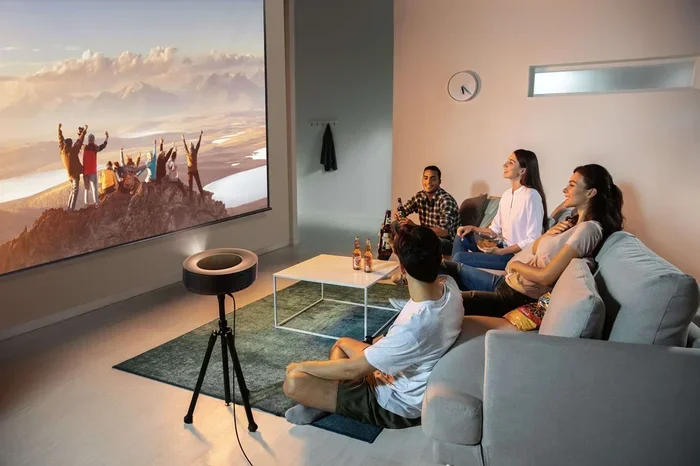
People choose projectors over traditional TVs for many reasons. The most obvious one is size. A projector can display images from 80 inches to over 150 inches. No TV on the market comes close to that kind of screen without costing a fortune.
Beyond size, projectors create a theater-like atmosphere. When you dim the lights and fill the room with a large picture, watching live sports or events feels completely different. It becomes an event rather than just background noise.
Another advantage is flexibility. You can move a portable projector from room to room. You can set it up in a backyard for a watch party. You can even take it on vacation. This kind of portability is something a TV simply cannot match.
Cost is also a factor. Large TVs are expensive. A decent projector that delivers a 100-inch image often costs less than a 65-inch TV. For budget-conscious entertainment lovers, this makes projectors a smart choice.
Projector vs TV for Live TV Viewing
When comparing a projector to a TV for live TV, there are trade-offs. A TV offers brighter pictures in well-lit rooms. It also has better built-in speakers in most cases. A projector needs a dark or dimly lit room to look its best. And the audio usually requires an external speaker setup.
However, the size advantage of a projector is undeniable. For sports fans and movie lovers, nothing beats the feeling of a 100-inch screen filling your field of vision. If you are willing to manage lighting and sound, a projector delivers a live TV experience that a TV simply cannot replicate.
Methods to Watch Live TV on a Projector
There are several ways to get live TV onto your projector. Each method has its own benefits and requirements. Let us look at the most popular options so you can choose the one that fits your needs.
Method 1: Using a Cable Box
The simplest way to watch live TV on a projector is through a cable box. Most cable boxes have an HDMI output. You just connect an HDMI cable from the box to the projector and you are done.
Here is how to set it up:
- Check that your projector has an HDMI port.
- Get an HDMI cable long enough to reach from your cable box to the projector.
- Connect one end to the cable box and the other to the projector.
- Switch the projector to the correct input source.
- Turn on the cable box and start watching.
This method works well if you already pay for cable TV. You get all your regular channels in full quality. The only downside is the cost of a cable subscription, which continues to rise every year.
Method 2: Using an Antenna
If you want free over-the-air channels, an antenna is the way to go. You do not need a cable subscription. You just need a digital antenna and a projector with an HDMI input.
Some antennas connect directly to the projector through USB. But most setups work better with a digital converter box in between. The antenna picks up the signal, the converter box decodes it, and the projector displays the picture.
This option is perfect for people who live close to broadcast towers. You can get local channels like ABC, CBS, NBC, and FOX without paying a monthly fee. For sports fans, this means free access to local games and events.
Method 3: Using a Streaming Device
Streaming devices like Roku, Amazon Fire Stick, and Chromecast are excellent for watching live TV on a projector. These small gadgets plug directly into the projector’s HDMI port and connect to your Wi-Fi.
Once connected, you can download apps like YouTube TV, Hulu + Live TV, Sling TV, and ESPN+. These services offer dozens of live channels for a fraction of what cable costs. You get sports, news, and entertainment all in one place.
The setup is straightforward. Plug the streaming device into the projector, connect to Wi-Fi, and launch your preferred app. Within minutes, you are watching live TV on a big screen.
Method 4: Casting from Your Phone or Laptop
Casting is one of the most convenient ways to watch live TV on a projector. You can mirror your phone or laptop screen wirelessly to the projector. This works great if you want to watch a live stream or a sports event from an app.
You can pair your phone to a projector using several methods. Miracast works on most Android devices. AirPlay works with iPhones and iPads. Some projectors also support Google Cast or proprietary apps from the manufacturer.
For a wired option, you can connect your laptop to the projector using an HDMI cable. This gives you a stable connection with no lag. It is ideal if you want to watch a live stream from a browser or a laptop app.
Just keep in mind that wireless casting can sometimes have a slight delay. For live sports where timing matters, a wired connection or a streaming device may be a better choice.
Method 5: Using a Smart Projector
Smart projectors are built to stream content directly. They have Wi-Fi, built-in apps, and operating systems just like a TV. You do not need any extra devices to watch live TV with a smart projector.
Brands like XGIMI, Anker Nebula, and LG make projectors with live TV apps built in. You simply connect to Wi-Fi, open the app, and start watching. These projectors are perfect for people who want a simple, all-in-one setup.
The downside is that smart projectors tend to cost more than basic models. But if you value convenience and do not want to manage multiple devices, the extra cost is worth it.
What You Need for a Great Live TV Setup
Getting the best picture and sound from your projector requires a few key pieces of equipment. Here is what you need to consider for a complete live TV setup.
Choosing the Right Projector
Not all projectors are created equal for live TV viewing. You want a projector with good brightness, sharp resolution, and low input lag. Brightness is measured in lumens, and for live TV, you should aim for at least 2,000 lumens.
Resolution matters too. A 1080p projector delivers sharp, clear images. If you can afford it, a 4K projector takes the experience to another level. Input lag is especially important for live sports. Lower input lag means the action on screen matches what is happening in real time.
If you are unsure about which projector works best for your walls, you can learn more about using a projector on your wall in our detailed guide.
Connection Options
The most common way to connect a live TV source to a projector is through HDMI. Nearly every modern projector has at least one HDMI port. It carries both video and audio in a single cable, which makes it incredibly convenient.
Some older projectors only have VGA or composite inputs. These can still work, but you may need an adapter. Adapters can sometimes reduce picture quality, so HDMI is always the preferred option.
For wireless connections, look for projectors that support Miracast, AirPlay, or Google Cast. These features let you stream content from your devices without any cables. However, a wired HDMI connection will always give you the most reliable results for live TV.
Audio Setup
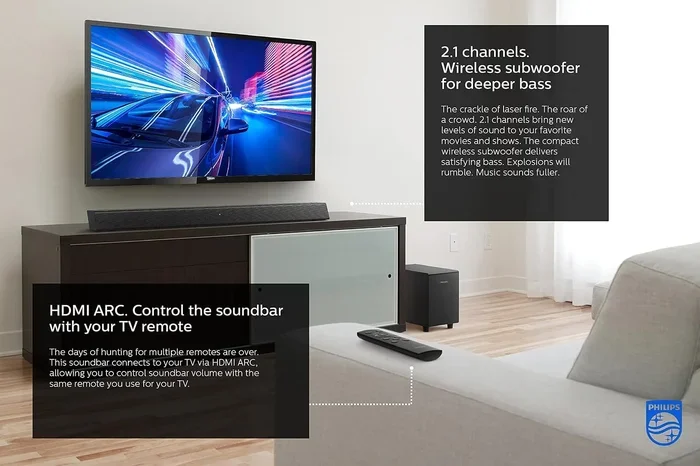
Projectors are known for having weak built-in speakers. For a truly enjoyable live TV experience, you should add external audio. A soundbar, a set of Bluetooth speakers, or even your home stereo system works great.
Many projectors have a 3.5mm audio jack or Bluetooth capability. You can connect speakers directly to the projector or pair them wirelessly. The difference in sound quality is dramatic. Dialogue becomes clearer, and the overall experience feels much more immersive.
Screen or Wall Selection
You can watch live TV on a projector using a wall, a pull-down screen, or a portable screen. A white wall works in a pinch, but a dedicated projector screen gives you a much better picture. Screens have a special coating that reflects light evenly, which makes the image sharper and brighter.
If you do not have a screen, a white sheet can work as a temporary option. Just make sure it is pulled tight and wrinkle-free. For more tips on using alternative surfaces, check out our guide on using a sheet as a projector screen.
Blackout curtains can also help improve picture quality by blocking ambient light. They create a darker room environment, which makes the projected image pop. This is especially helpful if you are watching during the daytime.
Tips for the Best Live TV Experience on a Projector
Once you have your projector set up for live TV, a few simple tips can make a huge difference. These small adjustments improve picture quality, sound, and overall enjoyment.
Manage Room Lighting
Projectors work best in dim or dark rooms. Bright ambient light washes out the image and reduces contrast. Close your curtains, turn off overhead lights, and use lamps with warm, soft bulbs for a cozy viewing atmosphere.
If you must watch in a bright room, look for a projector with high brightness ratings. A projector with 3,000 or more lumens can handle some ambient light without losing too much image quality.
Position the Projector Correctly
Place your projector at the right distance from the screen or wall. Most projectors work best when placed a few feet away from the surface. Too close and the image will be small. Too far and it may be blurry or dim.
Many projectors have keystone correction and zoom features. These let you adjust the image size and shape without moving the projector. Use them to fine-tune your setup for the perfect picture.
Keep Your Projector Clean
Dust and debris can affect picture quality over time. Clean the projector lens gently with a microfiber cloth. Make sure the air vents are not blocked, as projectors can overheat if they cannot breathe properly.
Replacing the projector lamp on schedule also keeps the image bright and clear. A worn-out lamp produces dull, dim pictures that ruin the live TV experience.
Use the Right Cables
Not all HDMI cables are the same. For the best live TV quality, use a high-speed HDMI cable that supports the resolution of your projector. A cheap or old cable can limit picture quality and cause connection issues.
Keep cables organized and away from foot traffic. Loose cables can disconnect during a live event, which is the last thing you want during a crucial game moment.
Common Mistakes to Avoid
Setting up a projector for live TV is straightforward, but some common mistakes can ruin the experience. Here are a few things to watch out for.
- Ignoring room lighting: Watching in a bright room makes the image look washed out and hard to see.
- Using the wrong input source: Always double-check that the projector is set to the correct HDMI port.
- Skipping audio upgrades: Projector speakers are weak. Adding external audio transforms the experience.
- Placing the projector too close or too far: Test the distance before committing to a permanent setup position.
- Forgetting to update apps: Streaming apps on smart projectors need regular updates for the best performance.
- Overlooking cable quality: A low-quality HDMI cable can cause signal drops and blurry pictures.
Avoiding these mistakes saves you frustration and ensures you get the most out of your live TV projector setup every single time.
Frequently Asked Questions
Can I Use Any Projector for Live TV?
Most modern projectors work for live TV as long as they have an HDMI input. Older projectors with only VGA ports may need an adapter. Smart projectors are the most convenient because they have built-in apps and Wi-Fi for streaming live channels directly.
Do I Need a Special Cable to Watch Live TV on a Projector?
A standard HDMI cable is all you need in most cases. It carries both video and audio from your cable box, antenna, or streaming device to the projector. Make sure the cable is high-speed and supports your projector’s resolution for the best picture quality.
Can I Watch Live Sports on a Projector?
Yes, you can watch live sports on a projector. Connect a cable box, streaming device, or antenna to the projector and tune into your favorite sports channels. For the best experience, use a projector with low input lag so the action stays in sync with the real event.
Is Watching Live TV on a Projector Better Than on a TV?
It depends on what you value. A projector offers a much larger screen and a more immersive experience. A TV is brighter and works better in well-lit rooms. If you watch in a dim room and want a cinematic feel, a projector is the better choice.
How Do I Get Sound When Watching Live TV on a Projector?
Most projectors have weak built-in speakers. You can connect external speakers using a 3.5mm audio jack, Bluetooth, or an HDMI audio extractor. A soundbar or Bluetooth speakers make a big difference in sound quality for live TV.
Can I Watch Live TV on a Projector Without Internet?
Yes, you can watch live TV without internet by using a cable box or an antenna. Both of these methods receive over-the-air or cable signals that do not require Wi-Fi. A streaming device or smart projector does need an internet connection to access live channels.
Final Thoughts
Watching live TV on a projector is one of the best upgrades you can make to your home entertainment setup. The large screen, the immersive feel, and the flexibility of different connection methods make it a fantastic choice for sports fans, news junkies, and casual viewers alike.
You have many options to choose from. Cable boxes give you access to all your favorite channels. Antennas let you watch for free. Streaming devices bring modern convenience. And smart projectors simplify everything into one device.
The key is to pick the method that matches your budget and needs. Start with what you already own and build from there. A simple HDMI cable and a streaming stick can transform your projector into a powerful live TV machine.
So go ahead and give it a try. Set up your projector, grab some snacks, and enjoy live TV the way it was meant to be seen. Once you experience the big screen, you will never want to go back to a small TV again.