Can You Use Bluetooth Through Aux A Complete Guide
Yes, you can use Bluetooth through an AUX port with the right adapter or transmitter. A Bluetooth aux adapter lets you stream wireless audio to any device with a standard 3.5mm input. This guide walks you through setup, compatibility, and pro tips for the best results.
Can you use Bluetooth through aux? The short answer is yes. If you have a device with an AUX port, you can make it wireless. A small Bluetooth adapter or transmitter opens up a world of wireless audio without replacing your old gear. This guide breaks down everything you need to know.
Whether you want to stream music in your car, connect wireless headphones to a stereo, or add Bluetooth to a speaker, an aux-based setup works well. You do not need expensive equipment either. A simple Bluetooth aux cable or transmitter can do the job for under fifty dollars.
In this article, we cover how it all works, what devices are compatible, and how to set things up step by step. We also share common mistakes to avoid and tips for the best audio quality. Let us get into it.
Key Takeaways
- Bluetooth through aux is possible: You just need a Bluetooth transmitter or adapter to bridge the connection.
- Setup is simple: Most Bluetooth aux devices plug right into your AUX port and pair in seconds.
- Audio quality varies: Your Bluetooth codec and cable quality affect the sound you hear.
- Latency can be an issue: Some adapters cause a slight delay, which matters for video and gaming.
- Many devices work: Cars, stereos, TVs, and speakers can all use Bluetooth through aux.
📑 Table of Contents
- What Does Bluetooth Through Aux Mean?
- Devices That Work with Bluetooth Through Aux
- How to Set Up Bluetooth Through Aux
- Audio Quality and Bluetooth Codecs
- Benefits of Using Bluetooth Through Aux
- Common Problems and How to Fix Them
- Quick Tips for the Best Bluetooth Aux Experience
- Expert Insight: Is Bluetooth Through Aux Worth It?
- Final Thoughts
What Does Bluetooth Through Aux Mean?
Bluetooth through aux means using a Bluetooth transmitter or adapter to send wireless audio to a device that has an AUX input. The AUX port, also called a 3.5mm jack, normally connects to devices with a cable. A Bluetooth adapter changes that wired connection into a wireless one.
Think of it like this. Your car stereo has an AUX port. Without Bluetooth, you need a cable to play music from your phone. With a Bluetooth aux adapter, your phone connects wirelessly to that same port. The adapter receives the Bluetooth signal and turns it into an audio output through the aux jack.
This method works for many devices. Car stereos, home speakers, TVs, and older audio systems all benefit from this simple upgrade. You keep your existing gear and just add wireless capability.
How the Connection Works
A Bluetooth transmitter pairs with your phone, tablet, or computer. It then sends the audio signal through a cable to the AUX input on your device. The device treats it like any other wired audio source. You do not need to install any special software in most cases.
The process uses Bluetooth codecs to compress and send audio. Common codecs include SBC, AAC, and aptX. Better codecs mean higher audio quality and less lag. We will talk more about this later in the article.
Devices That Work with Bluetooth Through Aux
Many devices support Bluetooth through aux. Here is a look at the most common ones:
Car Stereos and Radios
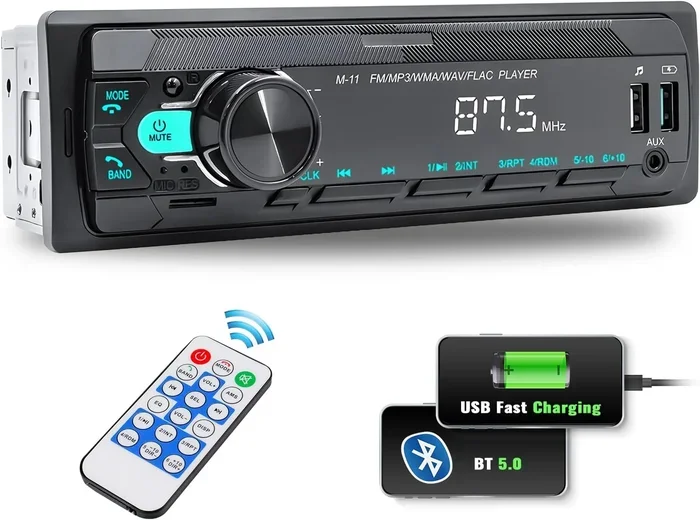
If your car has an AUX input, a Bluetooth car adapter can make it wireless. You plug the adapter into the AUX port and pair your phone. Now you can take calls and play music without cables. This is one of the most popular uses for Bluetooth aux setups.
Some people also use an FM Bluetooth transmitter for cars without an AUX port. It broadcasts the audio to an empty FM frequency. But a direct AUX adapter gives better sound quality.
Home Stereos and Speakers
Old home stereos and bookshelf speakers often have AUX inputs. A Bluetooth receiver plugs right into the aux port. You can then stream from any Bluetooth device. This is a great way to breathe new life into older audio equipment.
For example, if you have a Bose Wave radio, you can add Bluetooth with a simple receiver. Check out our guide on making your old Bose Wave Radio Bluetooth for more ideas.
Televisions
Many TVs have AUX ports, especially older models. A Bluetooth transmitter connected to the AUX output lets you use wireless headphones with your TV. This is perfect for late-night watching or for people with hearing difficulties.
Some smart TVs already have built-in Bluetooth. But for TVs that do not, an aux-based Bluetooth adapter is an easy fix. You can also learn more about adding Bluetooth to your TV in our article on making your TV have Bluetooth.
Laptops and Computers
Desktop computers and some laptops have AUX outputs. You can plug a Bluetooth transmitter into the audio out port. This lets you stream audio wirelessly to any Bluetooth speaker or headphones. It works well for music, calls, and video watching.
If you want to connect external speakers, check out our guide on plugging speakers into your laptop for more options.
How to Set Up Bluetooth Through Aux
Setting up Bluetooth through aux is straightforward. Here is a step-by-step guide that works for most devices:
Step 1: Choose Your Bluetooth Adapter
You have two main options:
- Bluetooth transmitter: Sends audio from a source device to a Bluetooth receiver.
- Bluetooth receiver: Receives Bluetooth signals and outputs them through an AUX cable.
For most aux setups, you need a Bluetooth receiver. It plugs into the AUX port on your device and pairs with your phone or tablet.
Step 2: Plug It In
Connect the adapter to the AUX port on your device. Use a 3.5mm aux cable if the adapter requires one. Make sure the connection is firm. A loose cable causes static and dropouts.
If you are using a car stereo, the adapter often plugs directly into the AUX port behind the radio. Some models use a USB port for power as well.
Step 3: Pair Your Device
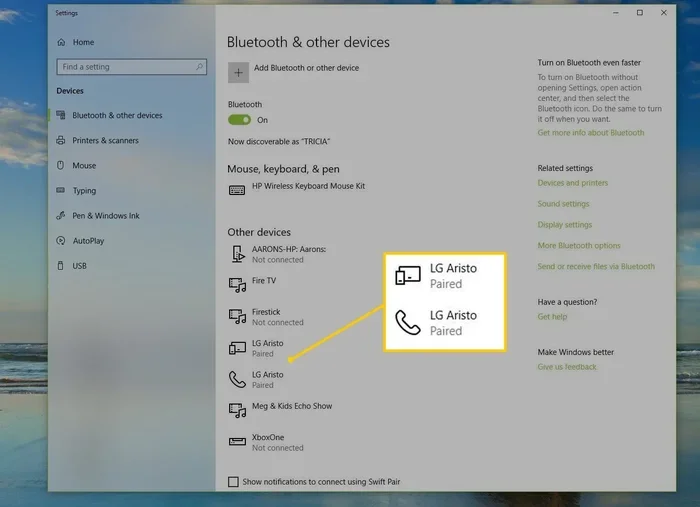
Turn on Bluetooth on your phone or source device. Put the adapter in pairing mode. Select the adapter from your Bluetooth menu. Once paired, audio should flow through the aux connection automatically.
Most adapters pair within ten seconds. If it does not connect, try turning Bluetooth off and on again. You can also reset the adapter by holding the power button for five seconds.
Step 4: Test and Adjust
Play some music and check the sound quality. Adjust the volume on both your source device and the receiving device. If you hear static, check your cable connections. A high-quality aux cord makes a big difference in sound clarity.
Audio Quality and Bluetooth Codecs
The sound quality you get from Bluetooth through aux depends on several factors. Understanding these helps you make better choices.
Bluetooth Codecs Explained
A Bluetooth codec is the method used to compress and send audio wirelessly. Different codecs offer different levels of quality and latency:
- SBC: The basic codec. Works on all devices but offers average quality.
- AAC: Better than SBC. Common on Apple devices.
- aptX: High-quality codec with low latency. Great for music and video.
- aptX HD and aptX Adaptive: Even better quality. Found on newer adapters.
If you care about sound quality, look for an adapter that supports aptX or aptX HD. These codecs deliver much better audio than standard SBC.
Does Aux Limit Bluetooth Quality?
Yes and no. The AUX port itself is an analog connection. It cannot carry the full digital quality of a Bluetooth signal. However, a good adapter and codec minimize the loss. For most listeners, the difference is barely noticeable.
If you want the best possible sound, use a high-quality aux cable and a Bluetooth adapter with a good codec. Cheap adapters and cables often introduce noise and reduce clarity.
Benefits of Using Bluetooth Through Aux
There are many reasons to use Bluetooth through an AUX connection:
- Keep your old devices: No need to buy new speakers or stereos. Add wireless to what you already own.
- Simple setup: Most Bluetooth aux adapters work right out of the box. No technical skills needed.
- Affordable: A good Bluetooth receiver costs between twenty and sixty dollars.
- Portable: Small adapters fit in your pocket. You can use them in multiple devices.
- No cables to manage: Stream music from across the room without tangled wires.
- Wider compatibility: Works with almost any device that has an AUX input.
Using Bluetooth through aux also pairs well with other wireless setups. For instance, if you use wireless headphones with a TV, a Bluetooth aux adapter is a reliable solution. You can also check out our article on playing radio using Bluetooth for more wireless audio ideas.
Common Problems and How to Fix Them
Bluetooth through aux is not perfect. Here are the most common issues and their solutions:
Audio Delay or Latency
Some users notice a slight delay between the video and audio. This happens because Bluetooth takes a moment to process and send the signal. It is called latency.
To fix this, use an adapter with aptX Low Latency support. Also, check that your source device is not too far from the adapter. Keep the distance under thirty feet for the best performance.
Static or Crackling Sound
Static often comes from a loose connection or a cheap cable. Try these fixes:
- Check that the aux cable is fully plugged in.
- Replace the cable with a higher-quality one.
- Move away from other wireless devices that might cause interference.
- Keep the adapter and cable away from power sources.
Paired but No Sound
If your device pairs but you hear nothing, try these steps:
- Check the volume on both devices.
- Make sure the adapter is set to the correct input mode.
- Unpair and re-pair the devices.
- Restart your source device and the adapter.
Short Range
Most Bluetooth aux adapters work within thirty feet. Walls and obstacles reduce the range. If you experience dropouts, move closer to the adapter or remove physical barriers between the devices.
Quick Tips for the Best Bluetooth Aux Experience
Follow these tips to get the most out of your Bluetooth aux setup:
- Buy a name-brand adapter. Cheap no-name adapters often have poor range and sound quality.
- Use a short aux cable. A shorter cable reduces signal loss and static.
- Keep firmware updated. Some adapters have firmware updates that improve performance.
- Turn off other Bluetooth devices nearby. Too many active Bluetooth connections cause interference.
- Charge your adapter regularly. A low battery causes dropouts and poor performance.
- Use the right codec. Choose aptX or AAC when your devices support it for the best sound.
These simple steps make a big difference. You will enjoy clearer audio and fewer connection problems.
Expert Insight: Is Bluetooth Through Aux Worth It?
From a practical standpoint, Bluetooth through aux is one of the best budget-friendly ways to add wireless audio to your setup. It costs little, takes minutes to set up, and works with a wide range of devices. You do not need technical expertise either.
The main limitation is audio quality. Bluetooth compression and the analog AUX connection mean you will not get studio-perfect sound. But for everyday listening, the difference is minimal. Most people cannot tell the difference between a high-quality Bluetooth stream and a wired connection.
If you want to upgrade your car audio, add wireless capability to your home stereo, or use wireless headphones with your TV, a Bluetooth aux adapter is the easiest solution. It is reliable, affordable, and works with almost everything.
Final Thoughts
So, can you use Bluetooth through aux? Absolutely. With a simple Bluetooth receiver or transmitter, you can make almost any device with an AUX port wireless. The setup is easy, the cost is low, and the results are great for most uses.
Whether you want to stream music in your car, listen to your TV without disturbing anyone, or add wireless capability to your old stereo, Bluetooth through aux delivers. Pick a quality adapter, follow the setup steps, and enjoy your wireless audio freedom.
Start with one device and test it out. Once you see how easy and convenient it is, you will likely want to add Bluetooth aux adapters to more of your gear. It is one of the simplest and most satisfying tech upgrades you can make.
Frequently Asked Questions
Can I use Bluetooth through aux on any device?
Most devices with a standard 3.5mm AUX port can use Bluetooth through aux. You need a Bluetooth receiver or adapter that plugs into the aux port. Check that your device has an AUX input before buying an adapter.
Does Bluetooth through aux affect audio quality?
There is a small loss in quality compared to a pure wired connection. However, a good Bluetooth adapter with aptX or AAC support minimizes this loss. For most listeners, the difference is barely noticeable during everyday use.
Can I use Bluetooth through aux in my car?
Yes, this is one of the most popular uses. A Bluetooth car adapter plugs into your car’s AUX port and pairs with your phone. You get wireless music streaming and hands-free calling without replacing your car stereo.
What is the difference between a Bluetooth transmitter and a Bluetooth receiver for aux?
A Bluetooth receiver takes a wireless signal and sends it through an aux cable to your device. A Bluetooth transmitter takes an audio output from your device and sends it wirelessly to Bluetooth headphones or speakers. For aux setups, you usually need a receiver.
Is there latency when using Bluetooth through aux?
Some latency is normal with Bluetooth connections. It ranges from a fraction of a second to a few seconds depending on the codec and adapter quality. Adapters with aptX Low Latency support reduce this delay significantly.
How far can I be from my device when using Bluetooth through aux?
Most Bluetooth aux adapters work within thirty feet. Walls, furniture, and other electronics can reduce this range. Keep your source device within a reasonable distance for the best connection stability.
=== CONCLUSION ===
Using Bluetooth through aux is one of the easiest and most affordable ways to add wireless audio to your devices. Whether it is your car, your home stereo, or your TV, a simple Bluetooth adapter or receiver does the job. The setup takes minutes, and the results are impressive for the price.
Remember to choose a quality adapter with a good Bluetooth codec for the best sound. Keep your cables short and your connections firm. And do not let the fear of technical setup stop you. Anyone can do this.
Now that you know how it works, try it out. Pick up a Bluetooth aux adapter today and enjoy the freedom of wireless audio with your existing gear.