How Can I Get Wifi Without Signal And Stay Connected
Struggling with weak or no WiFi signal? You are not alone, and there are real solutions. This guide shows you how to get wifi without signal using boosters, extenders, and clever workarounds that actually work. We break down every option so you can pick the best fix for your home or on-the-go needs.
We have all been there. You are sitting in your favorite spot, ready to stream a movie or hop on a video call, and then it happens. The WiFi symbol disappears. Your screen shows “No Signal.” It is frustrating, right? A weak or missing WiFi signal can ruin your entire day. But here is the good news. There are many ways to get wifi without signal and get back online fast. This guide walks you through every solution, from simple fixes to advanced gear. You will learn why signals drop, how to boost them, and what to do when nothing seems to work.
Whether you are dealing with a dead zone in your bedroom or a complete loss of connection in your backyard, we have you covered. We will look at practical tools like signal boosters and WiFi extenders. We will also explore alternative options like mobile hotspots and cellular data. By the end, you will know exactly what to do. Let us dive in and get you connected again.
Key Takeaways
- Identify the root cause: Understanding why your signal drops is the first step to fixing it.
- Use a WiFi booster or extender: These devices amplify your existing signal and reach dead zones.
- Try a mobile hotspot: Cellular data can replace WiFi when nothing else works.
- Optimize router placement: Small changes in location can dramatically improve your wireless coverage.
- Consider mesh WiFi systems: They eliminate dead zones across larger homes.
- Explore offline internet options: Some solutions work even without a traditional internet provider.
📑 Table of Contents
Why Do You Lose WiFi Signal?
Before we fix the problem, let us understand why it happens. WiFi signals travel through the air from your router to your devices. But many things can block or weaken that signal. Think of it like light from a lamp. Walls, furniture, and distance all reduce how far the light reaches. The same thing happens with your wireless connection.
Older routers may not send a strong enough signal to reach every room. Large homes with thick walls are especially tricky. Even appliances like microwaves can interfere with your wireless internet. Sometimes the problem is simple, like outdated firmware or a crowded WiFi channel. Other times, it is a mix of factors. Knowing the cause helps you pick the right fix.
Common Causes of Signal Loss
- Distance from the router: The farther you are, the weaker the signal becomes.
- Physical barriers: Concrete walls, metal objects, and water tanks block signals.
- Interference: Other electronics, neighboring WiFi networks, and Bluetooth devices can cause noise.
- Outdated equipment: Old routers may not support modern wireless standards.
- Software issues: Outdated drivers or router firmware can create connection problems.
Once you identify the cause, you can move to the solutions. And there are plenty of them.
Ways To Get WiFi Without Signal
Now let us get to the good stuff. Here are the most effective ways to restore your internet connection when your WiFi signal is weak or gone entirely.
1. Move Your Router to a Better Spot
This is the simplest fix, and it works surprisingly well. Your router should sit in a central location in your home. Avoid putting it in a corner, closet, or behind furniture. Elevating the router on a shelf can also help. The goal is to spread the signal evenly in all directions. If your router is hidden away, moving it could solve your no signal problem right away.
2. Use a WiFi Extender or Repeater
A WiFi extender picks up your existing signal and rebroadcasts it to areas your router cannot reach. These devices are affordable and easy to set up. You place the extender halfway between your router and the dead zone. It then creates a new coverage area. This is a great option for single-room dead zones or extending signal to a distant room.
If you want a more permanent solution, check out Can I Extend My WiFi To My Shed for tips on covering outdoor spaces too.
3. Upgrade to a Mesh WiFi System
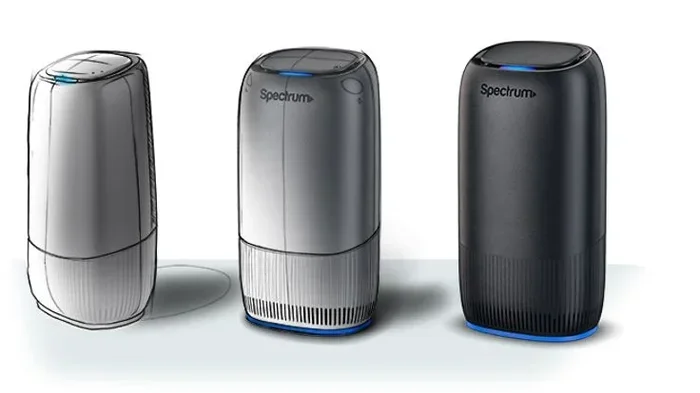
Mesh WiFi systems are a step above traditional extenders. Instead of one router, you get multiple nodes placed around your home. Each node talks to the others and creates one seamless network. You can walk from room to room without losing connection. Mesh systems are perfect for larger homes or spaces with many walls. They are also great if you want to boost your WiFi signal outside and cover your porch or patio.
For more on outdoor signal solutions, read Can I Boost My Wi Fi Signal Outside to explore your options.
4. Use a Mobile Hotspot
When your WiFi is completely out, a mobile hotspot can save the day. Most smartphones can share their cellular data connection with other devices. Just turn on the hotspot feature, connect your laptop or tablet, and you are online. This works great when you are traveling or when your home internet goes down.
Another option is a dedicated portable WiFi device. These are small gadgets that use cellular networks to create a WiFi signal. They are perfect for road trips, camping, or areas where broadband is not available. If you want to learn more about staying connected on the go, check out Can I Get Portable Wi Fi for helpful advice.
5. Switch to a Different Internet Source
Sometimes the problem is not your WiFi at all. It is your internet source. If your provider is down or your plan does not reach your location, you need an alternative. Satellite internet, fixed wireless, and even 5G home internet are all viable options. Some people also explore getting wifi without an internet provider by using public networks or community hotspots.
If you are curious about alternatives, look into Can I Get Wifi Without An Internet Provider for more ideas.
6. Update Your Router and Device Drivers
Do not overlook software updates. Router manufacturers release firmware that improves performance and fixes bugs. Similarly, your devices need updated WiFi drivers to communicate properly. Outdated drivers are a common but overlooked cause of signal problems. Check your router settings or use the companion app to update firmware. On your computer, go to device manager and update the wireless adapter driver.
7. Change Your WiFi Channel
In crowded neighborhoods, many routers use the same WiFi channel. This creates interference and weakens everyone’s signal. You can log into your router settings and switch to a less crowded channel. Use a WiFi analyzer app to find the best channel. This simple change can make a huge difference in signal strength and speed.
How To Boost Your Existing WiFi Signal
Sometimes you do not need a new device. You just need to make your current setup work better. Here are practical tips to boost your existing wireless coverage.
Optimize Router Placement
Place your router in an open area, away from walls and metal objects. Do not hide it behind a TV or inside a cabinet. The more open space around the router, the better the signal spreads. Ideally, put it at a higher position, like on top of a bookshelf.
Adjust the Antennas
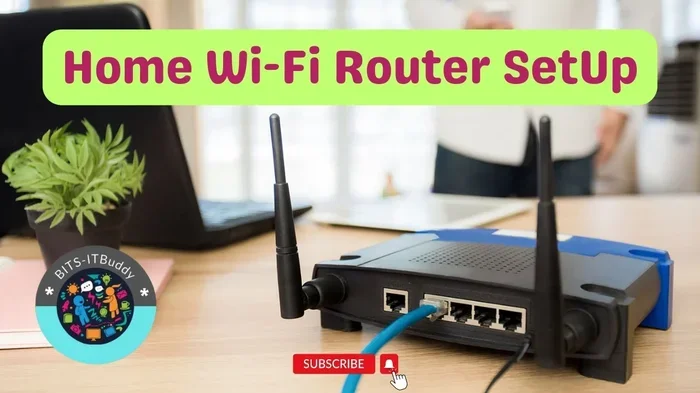
If your router has external antennas, try adjusting them. One antenna should point straight up, and the other at a 45-degree angle. This creates a more even signal spread across different floors or rooms. For multi-story homes, this small tweak can be a game changer.
Reduce Interference from Other Devices
Keep your router away from microwaves, cordless phones, baby monitors, and Bluetooth speakers. These devices operate on similar frequencies and can disrupt your WiFi. Even large metal appliances like fridges can block signals. Creating some distance between these items and your router helps a lot.
Use QoS Settings on Your Router
Quality of Service (QoS) settings let you prioritize certain devices or activities. For example, you can give your video calls or gaming console more bandwidth. This ensures important tasks get the connection they need, even when the network is busy.
Alternative Internet Options When WiFi Fails
There are times when WiFi simply cannot reach where you need it. Maybe you are working in a garage, a backyard shed, or a vacation cabin. In these cases, you need alternatives that do not rely on your home WiFi network.
Cellular Data Plans
A strong cellular data plan can replace home WiFi in a pinch. Many carriers offer unlimited data plans that work well for browsing, streaming, and video calls. You can use a phone hotspot or a dedicated hotspot device like a Jetpack or MiFi unit. These create a personal WiFi network wherever you have cell service.
Satellite Internet
Satellite internet works almost anywhere. It is a great option for rural areas where cable or fiber is not available. Services like Starlink have made satellite internet faster and more reliable. The setup involves a small dish that connects to a router. You get a full WiFi signal without needing a phone line or cable connection.
Fixed Wireless Internet
Fixed wireless uses a tower signal instead of cables. A small antenna is installed on your property and connects to a nearby tower. This is a solid option for suburban and rural homes. It offers decent speeds and low latency, making it suitable for most online activities.
Public WiFi Networks
Libraries, coffee shops, and community centers often offer free WiFi. While not ideal for daily use, they are great backup options. Just remember to use a VPN when connecting to public networks for safety.
Common Mistakes That Kill Your WiFi Signal
Avoiding these mistakes can save you a lot of frustration. Many people unknowingly make their signal problems worse.
- Putting the router on the floor: Signals spread better when the router is elevated.
- Ignoring firmware updates: Old software can cause slow speeds and dropouts.
- Using outdated equipment: An old router may not support modern WiFi standards like WiFi 5 or WiFi 6.
- Overloading the network: Too many devices on one router can slow everyone down.
- Not restarting the router: A simple reboot can fix many temporary connection issues.
- Using cheap extenders: Budget extenders often cut speed in half. Invest in a quality device.
Steering clear of these mistakes keeps your network running smoothly. It also extends the life of your equipment.
Quick Tips for Better WiFi Every Day
Here are some quick wins you can try right now. These small changes add up to a big improvement.
- Restart your router weekly. This clears memory and refreshes the connection.
- Use the 5GHz band for speed. It is faster but has shorter range than 2.4GHz.
- Use the 2.4GHz band for range. It penetrates walls better than 5GHz.
- Keep your router in a cool, ventilated spot. Overheating can slow performance.
- Set a strong WiFi password. This prevents neighbors from using your bandwidth.
- Use Ethernet for stationary devices. A wired connection is always faster and more stable than wireless.
Final Thoughts: Stay Connected No Matter What
Losing your WiFi signal does not have to mean losing your connection. As we have seen, there are many ways to get wifi without signal and get back online. From simple router tweaks to mesh systems and mobile hotspots, the options are plentiful. Start with the easiest fixes and work your way up to more advanced solutions. Most of the time, a repositioned router or a basic extender solves the problem completely.
Remember that every home and situation is different. What works for one person may not work for another. The key is to identify your specific problem and try the solutions that fit your needs. Do not settle for a weak signal when better options exist. With the right tools and knowledge, you can enjoy strong, reliable wireless coverage everywhere in your home and beyond. Stay connected, stay productive, and never let a dead WiFi zone slow you down again.
Frequently Asked Questions
Why does my WiFi say no signal even when the router is on?
This usually happens when your device is too far from the router or there are thick walls blocking the signal. Try moving closer to the router and see if the signal returns. If it does, the issue is range, and a WiFi extender can help.
Can I get internet without a WiFi signal at home?
Yes. You can use a mobile hotspot, cellular data plan, or satellite internet to stay connected. These alternatives do not rely on a traditional WiFi signal and work even when your home network is down.
How far can a WiFi signal reach indoors?
A typical home router can reach about 150 feet indoors. However, walls, furniture, and other obstacles reduce that distance significantly. For larger homes, a mesh WiFi system or extender is the best way to cover every room.
Do WiFi extenders really work?
Yes, WiFi extenders work well for expanding coverage. However, they can reduce speed slightly because they rebroadcast the signal. Place the extender where it still gets a strong signal from the router for the best results.
What is the best way to fix a WiFi dead zone?
The best fix depends on the cause. Moving the router, using a mesh system, or adding a WiFi extender are the top solutions. For outdoor dead zones, a weatherproof extender or booster works wonders.
Is it possible to boost WiFi signal for free?
Yes. Simple steps like repositioning the router, updating firmware, changing the WiFi channel, and reducing interference cost nothing. These free tweaks often improve signal strength significantly.
=== CONCLUSION ===
Getting wifi without signal is a challenge, but it is one you can solve. We covered everything from basic router placement to advanced mesh systems. You now have a full toolkit of solutions to try at home. Start with the quick fixes and move to more powerful options if needed. The goal is simple: stay connected no matter where you are in your home or on the go. With the right approach, a strong and reliable wireless connection is always within reach.