How Can I Get Wi Fi While Camping Without Service Now
Getting Wi-Fi while camping without service is easier than you think. You can use a mobile hotspot, satellite internet, or a Wi-Fi extender to stay connected. This guide covers the best options for camping internet and how to set them up. We also share tips to boost your signal in remote areas.
There is nothing worse than being out in nature, far from civilization, and realizing you need Wi-Fi. Maybe you need to check a weather report. Perhaps you want to share photos with friends. Or maybe you just need to send an urgent message. Whatever the reason, getting Wi-Fi while camping without service is a real challenge. But it is not impossible.
In this guide, we will walk you through every option available. You will learn about mobile hotspots, satellite internet, signal boosters, and more. We will also share practical tips to help you stay connected in the most remote locations. Whether you are car camping or hiking deep into the backcountry, there is a solution for you.
Let us start with the basics. Most people think you need a cell tower nearby to get any kind of internet. That is not always true. There are several ways to get Wi-Fi without a traditional internet provider while you are out in the wild. The key is knowing which option fits your camping style and budget.
Key Takeaways
- Mobile hotspots are the most popular and affordable way to get camping Wi-Fi.
- Satellite internet works in areas with zero cell coverage but costs more.
- Signal boosters can extend your range and improve weak connections.
- Portable Wi-Fi devices let you connect multiple devices at once.
- Planning ahead and knowing your options saves time and money.
- Offline alternatives like downloaded maps keep you functional without Wi-Fi.
📑 Table of Contents
Why Do You Need Wi-Fi While Camping?
Some people go camping to disconnect completely. That is a valid choice. But many campers find that having internet access makes their trip safer and more enjoyable. Let us look at why staying connected matters.
Safety and Emergency Access
When you are camping in a remote area, help can be far away. Having Wi-Fi or at least a data connection lets you call for help if needed. You can check weather alerts, fire warnings, and road conditions. In an emergency, a few bars of signal can make all the difference.
Navigation and Maps
Even if you have a paper map, digital maps are incredibly useful. You can download offline maps ahead of time. But if you do have a connection, real-time GPS updates are a game changer. You can find new trails, check for closures, and avoid getting lost.
Sharing Your Experience
Let us be honest. Many of us want to share our camping adventures. Posting photos and updates keeps friends and family in the loop. It also helps you document your trips. A little Wi-Fi goes a long way for the social media crowd.
Options for Getting Wi-Fi While Camping Without Service
Now let us get into the meat of the topic. There are several ways to get internet while camping. Each option has pros and cons. Let us break them down so you can choose what works best for you.
Mobile Hotspot
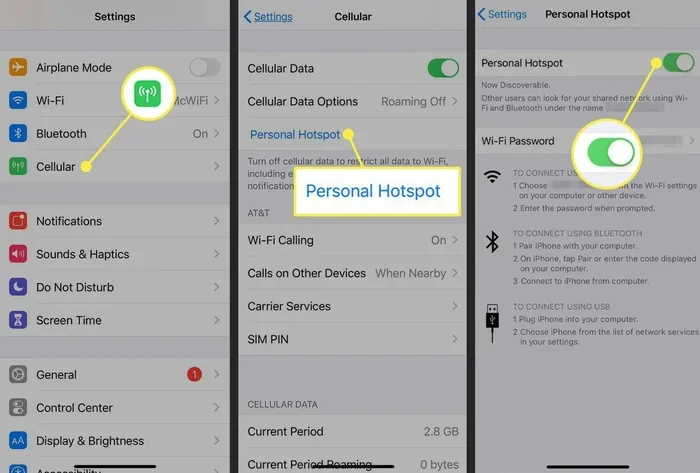
A mobile hotspot is one of the easiest ways to get Wi-Fi while camping. You can use your smartphone as a hotspot or buy a dedicated hotspot device. Your phone connects to a nearby cell tower and shares that connection with your other devices.
Here is how it works. You turn on the hotspot feature on your phone. Other devices like tablets and laptops can then connect to it. It is simple and does not require extra gear. The downside is that it drains your phone battery fast.
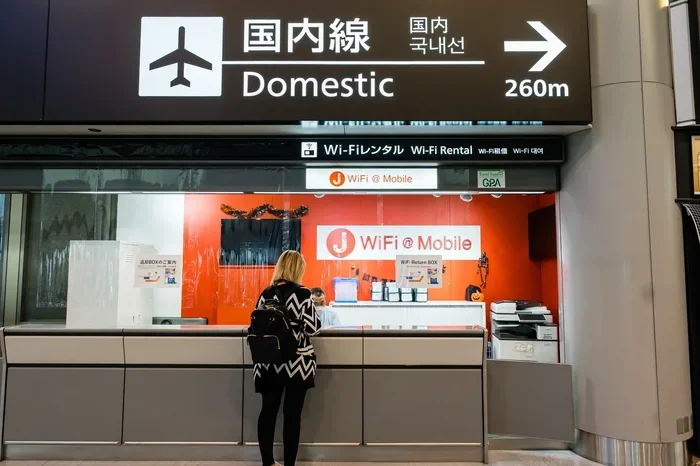
If you want a better option, consider a dedicated portable Wi-Fi device. These are small gadgets made specifically for creating a mobile hotspot. They have bigger batteries and stronger antennas than phones. You can find them at most electronics stores or online.
Before you go camping, check your cell coverage map. You need to know if your carrier has a tower near your campsite. If you have no signal, a mobile hotspot will not help. That is where the next option comes in.
Satellite Internet
Satellite internet is the most powerful option for getting Wi-Fi without service. It does not rely on cell towers at all. Instead, it connects to satellites orbiting the Earth. This means you can get internet almost anywhere on the planet.
Popular satellite internet providers include Starlink, HughesNet, and Viasat. Starlink is the most popular for outdoor use right now. It offers portable plans and fast speeds. The equipment is a bit pricey, but it works where nothing else will.
Here are some things to keep in mind about satellite internet:
- Speed: Starlink offers the fastest speeds, often 50 to 200 Mbps.
- Cost: Plans range from $50 to $150 per month depending on the provider.
- Setup: You need a clear view of the sky for the dish to work.
- Portability: Some plans are designed for RVs and camping trips.
Satellite internet is not perfect. It can be affected by heavy tree cover or bad weather. But for true off-grid connectivity, it is the best option available today.
Wi-Fi Extender or Repeater
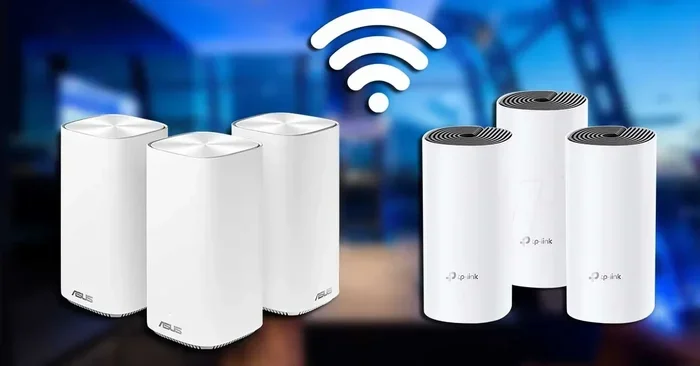
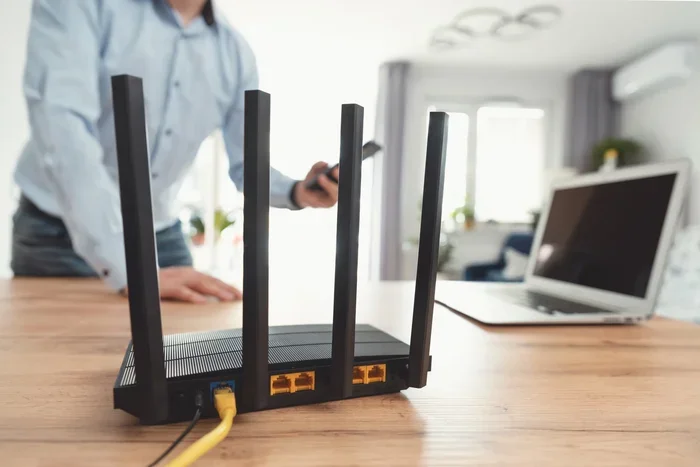
If you are car camping near a town or campground, a Wi-Fi extender can work wonders. These small devices pick up a weak Wi-Fi signal and boost it. They are affordable and easy to use.
You can also look into boosting your Wi-Fi signal outside using a directional antenna. These antennas focus the signal in one direction, which helps you pull in a weaker network from farther away. They are great for campgrounds that offer free Wi-Fi but have a weak connection at the back of the site.
The limitation here is obvious. You need a Wi-Fi network nearby to extend. If you are in a remote area with no Wi-Fi at all, this option will not work.
Public Wi-Fi and Hotspot Apps
Some campgrounds, parks, and rest stops offer free public Wi-Fi. You can also use apps like Wi-Fi Map to find nearby networks. These apps show you where free Wi-Fi is available, even in rural areas.
Keep in mind that public Wi-Fi is often slow and not very secure. Avoid accessing sensitive accounts like banking on public networks. Use a VPN if you need to protect your data.
How to Set Up a Mobile Hotspot for Camping
Setting up a mobile hotspot for your camping trip is straightforward. Here is a step-by-step guide to help you get started.
Step 1: Check Your Data Plan
Before you head out, check your cell phone plan. Make sure you have enough data for your trip. Streaming video uses a lot of data. Even browsing and messaging add up over a few days. Consider getting a data-only SIM card or a separate hotspot plan if your current plan does not have enough data.
Step 2: Choose the Right Device
You have two choices here. You can use your smartphone as a hotspot, or you can buy a dedicated hotspot device. Dedicated devices like the Netgear Nighthawk or TP-Link hotspot are better for longer trips. They have stronger batteries and can connect more devices at once.
If you are looking for something simple, your phone will work fine for short trips. Just remember to bring a portable charger.
Step 3: Find the Best Location
Your hotspot connection depends on cell signal strength. Set up your hotspot near a window or outside your tent or vehicle. Walls and roofs can block signals. The higher you place your device, the better the connection will be.
Step 4: Manage Your Data Usage
Once you are connected, be smart about your data. Here are some quick tips:
- Turn off automatic updates on your devices.
- Download content like maps and movies before you leave.
- Use text-based messaging apps instead of video calls.
- Close apps running in the background.
- Lower video streaming quality to save data.
Boosting Your Signal in Remote Areas
Sometimes you have a cell signal, but it is too weak for a good connection. A cell signal booster can help with this. These devices amplify weak signals and make them usable for internet access.
There are two main types of signal boosters. The first is a personal booster like a weBoost device. This is a small unit you place near your phone or hotspot. It pulls in weak signals and strengthens them. The second type is a vehicle-mounted booster. This works well if you are car camping or traveling in an RV.
You can also try extending your Wi-Fi to your shed or other outdoor structures if you have a base camp setup. This is not exactly for wilderness camping, but it is very useful for established campgrounds with a Wi-Fi hub in a central location.
Another trick is to position yourself on a hilltop or open area. Cell signals travel better in open spaces with fewer obstructions. Even moving 50 feet can make a big difference.
Quick Tips for Better Signal
- Turn off Wi-Fi on your device so it focuses on the cellular network.
- Switch between 4G and 3G if 4G is too weak.
- Restart your device to refresh the connection.
- Use airplane mode and turn off Wi-Fi to force a better tower connection.
- Keep your device charged. Low battery can weaken signal strength.
Comparing Camping Wi-Fi Options
With so many options available, it can be hard to choose. Here is a quick comparison of the most popular methods for getting Wi-Fi while camping.
| Option | Best For | Cost | Works Without Cell Service? |
|---|---|---|---|
| Mobile Hotspot | Short trips, light use | Low (uses existing plan) | No |
| Satellite Internet | Remote areas, long trips | High (monthly fee + equipment) | Yes |
| Wi-Fi Extender | Campgrounds with weak Wi-Fi | Low to moderate | No |
| Signal Booster | Weak but available cell signal | Moderate | No |
| Public Wi-Fi | Near towns and parks | Free | No |
As you can see, satellite internet is the only option that works completely without any cell service. If you are going truly off-grid, that is your best bet. For most casual campers, a mobile hotspot with a good data plan will do the trick.
Common Mistakes to Avoid
Many campers make mistakes that ruin their chances of getting Wi-Fi in the wild. Here are some common pitfalls to avoid.
Not Checking Coverage Before You Go
Do not assume you will have service just because you had it last time. Cell towers get upgraded, moved, or shut down. Always check coverage maps before your trip. You can use your carrier’s website or apps like OpenSignal to verify coverage in your camping area.
Overestimating Your Data Needs
It is easy to use a lot of data without realizing it. Background apps, auto-play videos, and cloud backups all eat up data fast. Monitor your usage closely and set data limits on your devices if possible.
Forgetting to Bring the Right Gear
Do not forget your charger, power bank, or hotspot device. Running out of battery in a remote area is frustrating. Make a checklist before every trip and pack accordingly.
Relying on Wi-Fi When You Need Data
Some campgrounds offer Wi-Fi but no cellular data. If your hotspot relies on cell service and there is no cell coverage, Wi-Fi alone will not save you. Always have a backup plan.
Final Thoughts on Getting Wi-Fi While Camping
Getting Wi-Fi while camping without service is all about preparation and choosing the right tools. A mobile hotspot works great for most situations. Satellite internet is your go-to for truly remote areas. Signal boosters can save the day when you have a weak connection. And Wi-Fi extenders help you make the most of campground networks.
The best approach is to combine a few of these methods. Use a mobile hotspot as your primary connection and a signal booster as backup. Download offline maps and entertainment ahead of time so you are not completely dependent on internet access.
Remember, the goal of camping is to enjoy nature. You do not need to be connected 24 7. But having the option to get online when you really need it gives you peace of mind. It keeps you safe, informed, and able to share your adventures with the people you care about.
So next time you head out into the woods, take a page from this guide. Plan ahead, pack the right gear, and you will be surprised how connected you can stay even in the most remote locations. Happy camping!
Frequently Asked Questions
Can I get Wi-Fi while camping without any internet provider?
Yes, you can. Options like satellite internet and mobile hotspots do not require a traditional home internet provider. Satellite services like Starlink work anywhere with a clear view of the sky, making them perfect for remote camping trips.
What is the best way to get Wi-Fi in a remote camping area?
Satellite internet is the best option for truly remote areas. It does not depend on cell towers or any local infrastructure. Starlink is currently the most popular choice for campers who need reliable internet in the wilderness.
How much data do I need for camping Wi-Fi?
It depends on what you plan to do. Light browsing and messaging use about 1 to 2 GB per day. Streaming video can use 3 to 5 GB per hour. For most campers, a plan with 10 to 20 GB of data per month is plenty.
Can I use my phone as a hotspot while camping?
Yes, most smartphones have a built-in hotspot feature. Just go to your settings and turn on the personal hotspot. Keep in mind that this drains your battery quickly, so bring a portable power bank.
Do I need a special device for camping Wi-Fi?
Not necessarily. Your phone can work as a hotspot. But a dedicated portable hotspot device offers better battery life and stronger connections. If you camp often, a dedicated device is worth the investment.
How can I improve my Wi-Fi signal at a campsite?
Position your device near a window or outside. Use a signal booster if the cell signal is weak. Avoid setting up your hotspot deep inside a tent or vehicle, as walls block signals. Moving to higher ground can also help significantly.