Does Login Mean Password And How To Keep It Secure
Many people ask: does login mean password? The short answer is no — login and password are two different but connected parts of accessing your online accounts. Understanding this difference is the first step toward better cyber security and account protection. This guide breaks down the login process and gives you practical tips to keep your login credentials safe from hackers.
Every day, millions of people type in their login credentials without really thinking about what those words mean. You tap in your username, enter a secret code, and hit enter. But have you ever stopped and asked yourself, does login mean password? It is a simple question, yet most people never think about the answer.
The truth is that login and password are not the same thing. They work together, but they serve different purposes. Knowing the difference matters more than you might think. When you understand how the login process actually works, you can take much better care of your online safety.
This article will walk you through everything you need to know. We will clear up the confusion, explain how user authentication works, and share real tips to keep your accounts safe. Whether you are a total beginner or someone who uses the internet every day, you will find practical advice here. Let us get started.
Key Takeaways
- Login and password are not the same thing: login refers to the entire process of signing in, while a password is just one piece of the puzzle.
- A strong password is your first line of defense: using long, unique passwords dramatically reduces your risk of a data breach.
- Two-factor authentication adds a critical extra layer: even if someone steals your password, they still cannot access your account.
- A password manager simplifies secure logins: you only need to remember one master password while it handles the rest.
- Common mistakes like reusing passwords put you at risk: avoiding these habits is one of the easiest ways to boost your online safety.
- Staying updated on authentication trends keeps you ahead of threats: new tools and methods make secure login easier than ever.
📑 Table of Contents
- What Does Login Mean Password Really Mean?
- How the Login Process Actually Works
- Common Login Security Mistakes You Should Avoid
- How to Keep Your Login Credentials Secure
- The Role of Two-Factor Authentication in Secure Login
- Best Practices for Creating and Managing Strong Passwords
- What Happens When Your Password Gets Compromised?
- Conclusion
What Does Login Mean Password Really Mean?
The phrase does login mean password comes up a lot in everyday conversations. People use these words almost like they mean the same thing. But they really do not. Let us break it down in simple terms.
Login is the whole process of getting into your account. It is the action you take. When you go to a website, type in your name, and enter your secret code, you are logging in. That entire journey from the login screen to seeing your dashboard is the login process.
A password, on the other hand, is just one piece of that journey. It is the secret code that proves you are who you say you are. Think of it like a key. The lock is the account. The key is the password. The act of putting the key in and turning it is the login.
So when someone asks does login mean password, the answer is clearly no. Login is the action. Password is the tool. They belong together, but they are not interchangeable. Understanding this small but important distinction helps you think more clearly about account protection.
Why People Confuse Login With Password
There is a good reason for the confusion. Most of the time, when you log in, you need both a username and a password. The two feel like one single step. Apps and websites often bundle them together on the same login page. You barely notice the separate parts because it all happens so fast.
Another reason is language. We say things like “my login” or “my password” as if they mean the same thing. In casual talk, that is fine. But when it comes to cyber security, precision matters. The more clearly you understand these terms, the better you can protect yourself.
How the Login Process Actually Works
Now that we have cleared up the big question — does login mean password — let us look at how the process actually unfolds. It is simpler than you might expect, and knowing the steps helps you understand where security matters most.
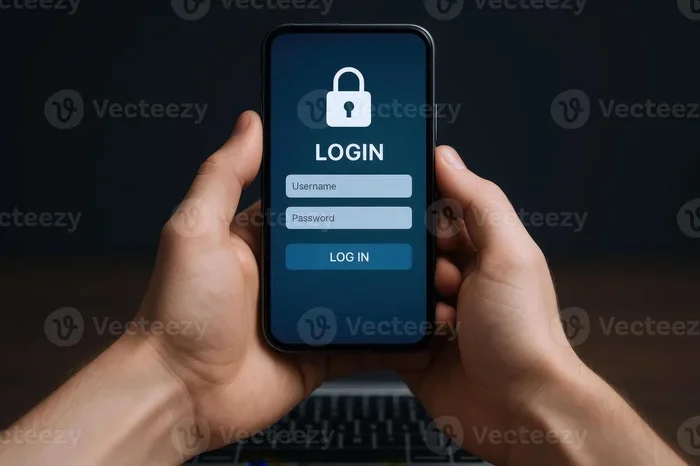
When you visit a website or open an app, you first see a login screen. This is the gateway. It asks for your identity. Usually, that means a username or email address. Some sites also ask for other details, like a phone number or security question.
Next comes the password step. You type in your secret code. The website then checks that code against what it has stored in its system. If the code matches, you are in. If it does not match, you get an error message and try again.
This whole exchange is called user authentication. It is the system’s way of verifying that you are the real owner of the account. The better the authentication setup, the safer your account stays.
What Happens Behind the Scenes
When you submit your login credentials, a lot happens in the background. The website does not store your password in plain text. Instead, it uses a process called hashing. Hashing scrambles your password into a long string of characters. Even the website itself cannot read your original password.
This is a good thing. It means that if hackers break into the website’s database, they do not get your actual password right away. They get the scrambled version. But that does not mean you are completely safe. Hackers can still try to reverse-engineer weak passwords. This is exactly why your password strength matters so much.
The Role of the Login Username
People often forget about the username part of the equation. Your login username is the label that identifies you. It could be your email, a handle, or a number. The password is what proves you belong to that label.
Together, the username and password form your access code pair. Both parts are essential. If someone gets hold of your username but not your password, they still cannot get in. But if they get both, your account is at serious risk. This is why keeping both pieces of the puzzle safe is so important.
Common Login Security Mistakes You Should Avoid
Understanding does login mean password is only half the battle. The other half is knowing what you should not do. Many people make avoidable mistakes that put their accounts at risk. Let us look at the most common ones.
Using the Same Password Everywhere
This is the number one mistake people make. If you use the same secure password for your email, bank, and social media, you are playing a dangerous game. When one site gets hacked, all your accounts become vulnerable.
Imagine a thief who steals one key. Now they have access to your house, your car, and your office. That is exactly what happens when you reuse passwords. Every account should have a unique password. Yes, that means more to remember. But there is a simple solution for that, which we will cover soon.
Choosing Weak and Easy-to-Guess Passwords
Passwords like “123456” or “password123” are still shockingly common. Hackers use automated tools that can guess these in seconds. A weak password gives them the keys to your digital life.
Your password should be long, random, and unique. A mix of uppercase letters, lowercase letters, numbers, and symbols works best. The longer it is, the harder it is to crack. A strong password is your best friend when it comes to online safety.
Sharing Your Passwords With Others
It can be tempting to share a password with a friend or family member. Maybe you want to let someone stream a show or check a delivery. But every time you share a password, you increase the risk. You never know who might pass it along or write it down somewhere unsafe.
If you absolutely need to share access, use a secure sharing tool built into a password manager. These tools let you grant temporary access without revealing the actual password. It is a small step that makes a big difference for your login security.
Ignoring Updates and Security Alerts
When a website or app asks you to update your password after a data breach, do not ignore it. These alerts exist for a reason. Hackers often use leaked credentials from old breaches to try logging into other accounts.
This is called credential stuffing, and it works because so many people reuse passwords. Updating your password after a breach is one of the simplest and most effective things you can do. It takes two minutes and could save you from identity theft.
How to Keep Your Login Credentials Secure
Now let us get to the good part. How do you actually keep your login credentials safe? The good news is that you do not need to be a tech expert. A few simple habits can make a huge difference.
Use a Password Manager
A password manager is a tool that stores all your passwords in one encrypted place. You only need to remember one master password. The manager handles everything else. It can generate strong, random passwords for every account you own.
Popular options include tools like Bitwarden, 1Password, and LastPass. These tools also autofill your login details, which saves time and reduces the chance of typos. A password manager takes the burden of remembering dozens of passwords off your shoulders.
Enable Two-Factor Authentication
Two-factor authentication, often called 2FA, is one of the best things you can do for your account protection. It adds a second step to the login process. After you enter your password, you also need to confirm your identity through a second method.
This could be a code sent to your phone, a fingerprint scan, or a verification app like Google Authenticator. Even if a hacker steals your password, they still cannot get in without that second factor. Think of it as a deadbolt on top of your door lock.
Check If Your Data Has Been Leaked
You can check whether your email or username has appeared in a known data breach. Websites like Have I Been Pwned let you enter your email and instantly see if it has been compromised. This is a free and easy way to stay informed about your cyber security status.
If your information shows up in a breach, change your password immediately. And do not just change it on that one site. Change it everywhere you used the same password. This is where that password manager really pays off.
Be Careful Where You Log In
Logging into your accounts on public Wi-Fi is risky. Hackers can intercept your data on unsecured networks. If you must log in on the go, use a virtual private network, or VPN. A VPN encrypts your connection and keeps your login credentials safe from prying eyes.
Also, avoid saving passwords on shared or public computers. Always log out when you are done, and clear your browser data if needed. These small habits add up to strong protection over time.
The Role of Two-Factor Authentication in Secure Login
We touched on two-factor authentication earlier, but it deserves its own spotlight. Two-factor authentication is changing the way people think about the login process. It is becoming a standard feature on most major platforms, and for good reason.
In the past, a password alone was enough to protect your account. But today, passwords get stolen, guessed, and leaked all the time. Two-factor authentication closes the gap. It ensures that even if your password falls into the wrong hands, your account stays locked.
There are several types of 2FA available. SMS codes are the most common. You receive a text message with a short number, and you type it in to complete the login. Authenticator apps like Authy or Microsoft Authenticator are even more secure because they generate codes offline.
Some advanced systems use biometric factors, like your fingerprint or face scan. These are nearly impossible to fake. The more factors you use, the safer your account becomes. If a platform offers 2FA, there is no reason not to turn it on.
Biometric Authentication: The Future of Login
Face recognition and fingerprint scanning are becoming standard on smartphones. These authentication methods are fast, convenient, and highly secure. You do not need to remember a single password to unlock your phone or approve a payment.
Biometrics tie your identity to your physical body. That makes them very hard for hackers to replicate. As more devices adopt this technology, the days of relying solely on passwords are numbered. But for now, passwords and 2FA remain the backbone of secure login.
Best Practices for Creating and Managing Strong Passwords
Creating a strong password is not as hard as it sounds. You do not need to be a genius or a tech wizard. A few simple rules can help you build passwords that are both strong and memorable.
First, go for length. A password with 12 or more characters is much harder to crack than one with 8 characters. Second, mix it up. Use a combination of uppercase letters, lowercase letters, numbers, and special symbols. Third, avoid personal information. Do not use your name, birthday, or pet’s name. Hackers can find this information on social media in seconds.
Fourth, use a passphrase. A passphrase is a string of random words that you can remember easily. For example, “PurpleTigerDancesInRain” is long, strong, and much easier to remember than “Xj7$p!Qz”. Fifth, never reuse a password across different sites.
How Often Should You Change Your Password?
Old advice said to change your password every 30 days. But security experts now recommend a different approach. Unless you have reason to believe your password has been compromised, changing it too often can actually hurt. People tend to make small, predictable changes when forced to update frequently.
A better approach is to create a strong password and stick with it. Change it only if you suspect a breach or if the service asks you to. Pair this habit with a password manager, and you will be in great shape.
Quick Tips for Everyday Login Safety
- Never write your password on a sticky note attached to your monitor or desk.
- Use a different email address for important accounts like banking and email.
- Log out of accounts when using shared or public devices.
- Turn on login alerts so you get notified of any unusual activity.
- Review your connected apps regularly and remove ones you no longer use.
- Use a VPN on public networks to encrypt your internet connection.
What Happens When Your Password Gets Compromised?
Even with the best precautions, passwords can still get compromised. It is a reality of living in a digital world. But knowing what to do when it happens can make all the difference.
First, change your password immediately. Do it on the affected account and on any other account where you used the same password. Second, check your account activity. Look for logins you do not recognize, unfamiliar devices, or changes you did not make.
Third, enable two-factor authentication if you have not already. This adds a safety net even after a breach. Fourth, contact the service provider. Let them know about the issue. They may have additional steps to help you secure your account.
Finally, learn from the experience. Use the breach as a reminder to strengthen your overall online safety habits. Update your passwords, clean up old accounts, and make sure your password manager is up to date.
Conclusion
So, does login mean password? The answer is a clear and simple no. Login is the process. Password is one part of that process. Understanding this difference gives you a stronger foundation for protecting your online life.
Your login credentials are the keys to your digital world. Treat them with care. Use strong, unique passwords. Enable two-factor authentication wherever possible. Use a password manager to take the guesswork out of security. And stay alert to the signs of a compromised account.
You do not need to be a tech expert to stay safe online. You just need good habits and a willingness to learn. Every small step you take toward better login security makes a real difference. Start today. Your future self will thank you.
Take a few minutes right now to review your most important accounts. Update any weak passwords. Turn on two-factor authentication. These simple actions can protect you from identity theft, financial loss, and a lot of stress. Your online safety is worth the effort.
Frequently Asked Questions
What is the difference between login and password?
Login refers to the entire process of signing into an account, while a password is just the secret code you use during that process. They work together but are not the same thing. Think of login as the action and password as the tool.
Can someone access my account with just my username?
No, a username alone is not enough to get into your account. The password is required to complete the user authentication process. This is why keeping your password safe is so important for your account protection.
How do I know if my password has been leaked?
You can use free tools like Have I Been Pwned to check if your email or username has appeared in a known data breach. If it has, change your password immediately on that site and anywhere else you used the same password.
Is two-factor authentication really necessary?
Yes, it is one of the most effective ways to boost your secure login. Even if a hacker gets your password, they still cannot access your account without the second factor. It is a simple step that adds a powerful layer of cyber security.
What makes a password strong?
A strong password is at least 12 characters long and includes a mix of uppercase letters, lowercase letters, numbers, and symbols. Avoid personal information and common words. Using a password manager can help you create and store strong passwords easily.
Should I change my password regularly?
You do not need to change it frequently unless you suspect a breach or the service asks you to. Regular changes can actually lead to weaker passwords because people make small, predictable updates. Focus on creating one strong password and keeping it safe instead.