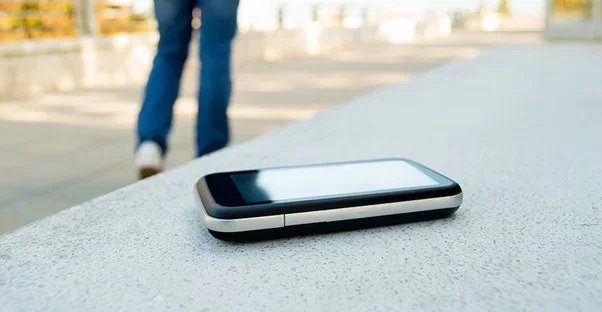
Here Is What to Do When You Leave Your Verizon Cell Phone
Leaving your Verizon cell phone behind can be stressful, but quick action makes all the difference. This guide walks you through every step to secure your device, protect your data, and prevent unauthorized access. Whether you forgot it at home or lost it in a public place, these tips will help you stay calm and in control.
We have all been there. You walk out the door, grab your coffee, and head to work. Then it hits you. Your Verizon cell phone is still sitting on the kitchen counter. That sinking feeling in your stomach is real. But here is the good news. You can take action right now to protect everything on your device.
Leaving your Verizon cell phone behind happens more often than you might think. A busy morning, a distracted moment, and suddenly your phone is not in your pocket. The key is not to panic. Instead, follow a clear plan. This guide shows you exactly what to do when you realize your phone is not with you.
Whether you left it at home, at a restaurant, or somewhere else entirely, the steps below will help you stay safe. We cover everything from locating your device to securing your personal data. You will learn how to use Verizon’s built-in tools, contact support, and prevent this from happening again. Let us get started.
Key Takeaways
- Act Fast: The sooner you take action after leaving your Verizon cell phone behind, the safer your data and account stay.
- Use Verizon’s Built-In Tools: Verizon offers free tracking, locking, and wiping features to help you locate and secure your device.
- Secure Your Account: Change passwords and enable two-factor authentication to prevent unauthorized access to your Verizon account.
- Back Up Your Data: Regular backups ensure you never lose important photos, contacts, or files even if your phone is gone for good.
- Prevent Future Incidents: Simple habits like enabling find-my-phone features and using strong passwords can save you from repeat headaches.
- Contact Verizon Support: Verizon’s customer team can help with tracking, suspending service, and filing insurance claims quickly.
- Know Your Insurance Options: Verizon device protection plans can cover loss or theft, saving you money on replacement costs.
📑 Table of Contents
- Step One: Stay Calm and Retrace Your Steps
- Step Two: Use Verizon’s Built-In Tracking Tools
- Step Three: Secure Your Verizon Account
- Step Four: Protect Your Personal Data
- Step Five: Contact Verizon Support and File a Report
- Step Six: Get Your Phone Back or Replace It
- How to Prevent Leaving Your Verizon Cell Phone Behind Again
- Verizon Insurance and Protection Plans for Lost Phones
- Key Takeaways
- Conclusion
Step One: Stay Calm and Retrace Your Steps
The first thing to do is take a deep breath. Panic will not help you find your phone. Instead, think calmly about where you last had it. Walk through your morning routine in your mind. Did you leave it on the nightstand? Did you set it down at the kitchen table? Maybe you left it in your car.
Common Places People Forget Their Phones
Here are the most common spots where people leave their phones behind:
- Nightstand or bedroom dresser
- Kitchen counter or dining table
- Car seats or cup holders
- Restaurant table or bathroom counter
- Office desk or conference room
- Gym locker or bag pocket
- Retail store checkout counter
Go back to each location you visited today. Call your phone from another device. Listen carefully. If it is nearby, you will hear it ring or vibrate. Sometimes the simplest solution is the fastest one.
Step Two: Use Verizon’s Built-In Tracking Tools
Verizon offers several tools to help you locate your device. These features work best when your phone is turned on and connected to the internet. If you have not set them up yet, now is the time to do so.
Using Verizon Cloud and Device Manager
Verizon Cloud lets you access your phone’s data from any device with a web browser. You can also use the Verizon Device Manager to see your phone’s last known location. Here is how to get started:
- Open a web browser on your computer or another phone.
- Go to the Verizon Device Manager website.
- Log in with your Verizon account credentials.
- Select your device from the list.
- Click the “Locate” button to see its position on a map.
If your phone is nearby, you can make it ring at full volume. This works even if your phone is set to silent. It is a handy feature that many people do not know about.
Using Find My Phone Through Google or Apple
Both Android and iPhone devices have their own built-in tracking tools. These work alongside Verizon’s services to give you more options.
For Android phones: Sign in to your Google account and go to Find My Device. You can track your phone’s location, play a sound, lock it, or erase it remotely.
For iPhones: Sign in to iCloud and use the Find My app. Apple’s tracking is very accurate and offers similar features like Lost Mode and remote wipe.
These tools are free and available to all Verizon customers. Make sure you have them enabled before you ever need them.
Step Three: Secure Your Verizon Account
When you leave your Verizon cell phone behind, your account could be at risk. Someone who finds your phone might try to access your personal information. Taking quick steps to secure your account is essential.
Change Your Account Password
Log in to your Verizon account from a safe device. Change your account password immediately. Use a strong password that includes letters, numbers, and symbols. Avoid using the same password you used on your phone.
Enable Two-Factor Authentication
Two-factor authentication adds an extra layer of security. Even if someone has your password, they cannot log in without a second verification step. Verizon makes this easy to set up through your account settings.
Check for Unauthorized Activity
Review your recent account activity. Look for any calls, texts, or data usage you do not recognize. If you see anything suspicious, contact Verizon support right away. They can help you investigate and secure your line.
Step Four: Protect Your Personal Data
Your phone holds a lot of personal information. Photos, messages, emails, banking apps, and more. If someone gets hold of your lost device, they could access all of it. Here is how to protect your data.
Remote Lock Your Phone
Both Android and iPhone allow you to lock your device remotely. This prevents anyone from opening your phone or accessing your apps. You can also display a message on the lock screen with a phone number where the finder can reach you.
Remote Wipe as a Last Resort
If you are certain you will not get your phone back, consider wiping it remotely. This erases all data on the device. It is a serious step, but it protects your privacy. Make sure you have a backup before you do this.
Check Your Cloud Backups
Verizon Cloud, Google Drive, and iCloud all back up your phone data automatically. Make sure your backups are up to date. This way, even if your phone is gone, your photos and contacts are safe.
Quick Tip: Set up automatic backups today. This simple habit saves you from data loss in any emergency. Check your backup settings once a month to make sure everything is working.
Step Five: Contact Verizon Support and File a Report
Verizon’s customer support team is there to help you through this situation. They have tools and resources you might not know about. Do not hesitate to reach out.
What to Tell Verizon Support
When you call Verizon, have the following information ready:
- Your phone number and account details
- The make and model of your lost device
- The last known location of your phone
- Whether you have remote tracking enabled
- Any suspicious activity on your account
Verizon support can help you suspend your service temporarily. This prevents anyone from making calls or using data on your line. They can also assist with filing an insurance claim if you have device protection.
File a Police Report if Needed
If you believe your phone was stolen, file a police report. This creates an official record of the incident. It also helps with insurance claims and Verizon’s investigation process. Keep a copy of the report for your records.
Step Six: Get Your Phone Back or Replace It
Once you have secured your account and data, it is time to focus on getting a working phone again. The path you take depends on whether you recover your device or not.
If You Recover Your Phone
If you get your phone back, take a moment to check everything. Make sure no data was accessed or changed. Update your passwords. Check for any new apps you did not install. Run a security scan to make sure your device is clean.
If You Cannot Recover Your Phone
If your phone is gone for good, here is what to do next:
- Contact Verizon to deactivate your old line and transfer your number to a new device.
- File an insurance claim if you have Verizon device protection.
- Order a replacement phone through Verizon or a third-party retailer.
- Set up your new device with all your accounts and backups.
- Update your payment methods and app logins on the new phone.
Verizon offers several options for replacing a lost or stolen phone. Your coverage and plan type determine what is available to you. Check your specific plan details for more information.
How to Prevent Leaving Your Verizon Cell Phone Behind Again
The best way to handle a lost phone is to prevent it from happening in the first place. Small habits can make a big difference.
Build a Routine
Create a habit of checking for your phone before you leave any location. Get in the practice of patting your pockets or checking your bag. Over time, this becomes second nature.
Use a Phone Strap or Lanyard
A phone strap keeps your device attached to your body at all times. You cannot leave it behind if it is always with you. These straps come in many styles and prices.
Enable Notifications for Important Apps
Some apps send notifications when your phone is left behind. Apps like Life360 or Cerberus can alert you if your phone moves away from a set location. This gives you an early warning system.
Keep Your Phone in One Designated Spot at Home
Choose one spot in your home for your phone. A bowl on the entryway table works great. Every time you come home, put your phone in that spot. You will never forget where it is again.
Quick Tip: Set a recurring alarm on your phone labeled “Check Phone” for when you usually leave home. This gentle reminder can save you from a stressful situation every single day.
Verizon Insurance and Protection Plans for Lost Phones
Verizon offers several protection plans that cover lost or stolen devices. Understanding your options can save you money and time.
Verizon Device Protection
Verizon Device Protection covers loss, theft, and damage. It includes unlimited repairs and a replacement device option. You pay a monthly fee, but the coverage can save you hundreds of dollars.
Asurion and Total Mobile Protection
Asurion is Verizon’s main protection partner. Their Total Mobile Protection plan includes technical support, data backup, and device replacement. You can file a claim online or through the Asurion app.
What to Expect When Filing a Claim
Filing an insurance claim is straightforward. Here is the general process:
- Report the loss or theft to Verizon.
- File a claim through the Asurion app or website.
- Provide the required information and proof of purchase.
- Choose your replacement option.
- Receive your new device within a few days.
Most claims are processed quickly. You can often get a replacement device within 24 to 48 hours. Keep your claim number and all documentation for your records.
Key Takeaways
- Act Fast: The sooner you take action after leaving your Verizon cell phone behind, the safer your data and account stay.
- Use Verizon’s Built-In Tools: Verizon offers free tracking, locking, and wiping features to help you locate and secure your device.
- Secure Your Account: Change passwords and enable two-factor authentication to prevent unauthorized access to your Verizon account.
- Back Up Your Data: Regular backups ensure you never lose important photos, contacts, or files even if your phone is gone for good.
- Prevent Future Incidents: Simple habits like enabling find-my-phone features and using strong passwords can save you from repeat headaches.
- Contact Verizon Support: Verizon’s customer team can help with tracking, suspending service, and filing insurance claims quickly.
- Know Your Insurance Options: Verizon device protection plans can cover loss or theft, saving you money on replacement costs.
Conclusion
Leaving your Verizon cell phone behind does not have to be a disaster. With the right steps, you can protect your data, secure your account, and get back on track quickly. Start by staying calm and retracing your steps. Use Verizon’s tracking tools to locate your device. Secure your account with new passwords and two-factor authentication. Protect your personal data through remote locking or wiping. Contact Verizon support for help and guidance. And finally, take steps to prevent this from happening again.
The best defense is preparation. Set up your tracking tools today. Enable automatic backups. Create a routine for checking your phone. These small actions add up to big protection.
Remember, you are not alone. Millions of people lose their phones every year. Verizon has the tools and support to help you through it. Stay proactive, stay informed, and keep your device safe. You have got this.
Frequently Asked Questions
What should I do first if I left my Verizon cell phone at home?
Stay calm and call your phone from another device to see if it is nearby. If it is not at home, use Verizon’s Device Manager or Find My Phone to check its last known location. This helps you decide your next step.
Can I track my lost Verizon phone for free?
Yes. Verizon offers free tracking tools through their Device Manager. Both Android and iPhone also have free built-in tracking features. You just need to have them enabled before your phone goes missing.
How do I secure my Verizon account if my phone is lost?
Log in to your Verizon account from another device and change your password. Enable two-factor authentication for extra security. Check your account activity for anything unusual and contact Verizon support if needed.
Will Verizon replace my phone if it is lost or stolen?
This depends on your protection plan. Verizon Device Protection and Asurion’s Total Mobile Protection cover lost and stolen devices. You will need to file a claim, and a replacement device is typically available within 24 to 48 hours.
How can I prevent leaving my Verizon phone behind in the future?
Build a routine of checking for your phone before you leave any location. Use a phone strap to keep it attached to you. Set a daily alarm reminder to check for your phone. Keep a designated spot for it at home.
What happens if someone finds my lost Verizon phone?
If remote lock and tracking are enabled, you can secure your device and display a message with your contact info. If the phone is wiped remotely, all data is erased. You can also contact Verizon to suspend your line and prevent unauthorized use.