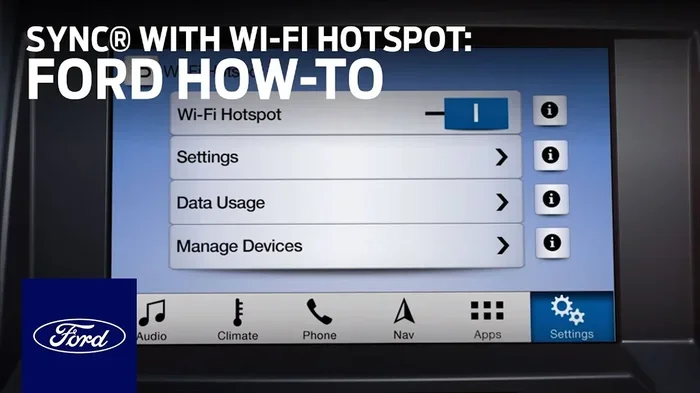
Does Ford WiFi Hotspot Work When Your Vehicle Is Off
Yes, your Ford WiFi hotspot can work when the vehicle is off, but only if you have an active FordPass Connect plan and the system remains powered. The FordPass WiFi hotspot lets you stay connected in your parked car, though there are limits on data and time. Understanding how this feature works helps you get the most out of your in-car WiFi without wasting data or draining your battery.
This is a comprehensive guide about Does Ford Wi Fi Hotspot Work When Vehicle Is Off.
Key Takeaways
- Ford WiFi hotspot works when off: The hotspot can stay active after you turn off the engine, provided you have FordPass Connect and power remains available.
- Data limits apply: Your plan determines how much data you can use while parked or when the vehicle is not running.
- Battery drain is a real concern: Leaving the WiFi on when the car is off can drain your 12V battery over time.
- You can manage settings: Use the Ford SYNC screen or the FordPass app to turn the hotspot on and off and set usage limits.
- Signal range is limited: The WiFi signal from your Ford is strongest within 50 feet and weakens as you move away.
- External boosters help: A WiFi signal booster can extend your car’s WiFi range when parked at home or work.
[FEATURED_IMAGE_PLACEHOLDER]
Does Ford WiFi Hotspot Work When Your Vehicle Is Off?
You just parked your Ford. The engine is off. You sit in the driver’s seat and wonder, “Can I still use the WiFi hotspot?” The answer is yes, but with some important conditions. Ford vehicles equipped with FordPass Connect offer a built-in WiFi hotspot that can stay active even when the vehicle is not running. However, how long it stays on and what you can do with it depends on your plan, your battery health, and your settings.
This guide walks you through everything you need to know about using your Ford WiFi hotspot when the vehicle is off. We cover how the system works, what limits apply, and how to get the best experience. Whether you want to browse the web, stream music, or keep your passengers connected, this article has you covered.
Many Ford owners love the convenience of having a mobile hotspot built right into their car. It turns your vehicle into a WiFi hub. But convenience comes with questions. Does it work when parked? Will it drain your battery? How much data do you actually get? Let us dive into the details.
How the Ford WiFi Hotspot System Works
FordPass Connect is the technology behind the WiFi hotspot in select Ford models. It uses a built-in modem and SIM card to connect to cellular networks, just like your phone does. The system creates a local WiFi network inside and around your vehicle. Devices like phones, tablets, and laptops can then connect to it.
What You Need for FordPass Connect
Not every Ford has this feature. Here is what you need:
- A compatible Ford model: Models like the Ford Explorer, Ford F-150, Ford Escape, and Ford Bronco support FordPass Connect.
- An active FordPass Connect plan: You need a data plan from Ford. Plans vary by data amount and duration.
- A working cellular signal: The hotspot needs cell tower coverage to function, just like your phone.
- Power supply: The system needs power from the vehicle’s electrical system to run.
Once set up, you can find your WiFi network name and WiFi password through the SYNC screen or the FordPass app. The network name usually starts with “FordPass” followed by a few characters. You connect to it just like any other WiFi network.
How the Hotspot Stays Active When the Car Is Off
When you turn off your engine, the car does not fully shut down all electrical systems. Modern vehicles keep certain modules powered on for convenience and security features. The WiFi modem in FordPass Connect is one of them. This means your in-car WiFi can remain available even after you walk away from the vehicle.
However, the system has a built-in timer. After a set period, it may automatically shut off to protect your battery. The exact time depends on your vehicle model and year. Some Fords keep the hotspot active for 15 to 30 minutes after shutdown. Others allow longer periods if the vehicle has a strong battery or a secondary power source.
Can You Use Ford WiFi When the Vehicle Is Completely Off?
The short answer is yes, but there are important caveats. Let us break down the scenarios where your Ford WiFi hotspot works when the vehicle is off.
Scenario 1: Parked with Engine Off but Key Access
If you leave the vehicle in accessory mode or the key fob is still inside the range, the car’s electrical systems stay partially active. In this case, the WiFi hotspot usually stays on without any issues. You can connect your devices and use the internet freely.
This is great for situations like:
- Waiting for someone in a parking lot
- Taking a break during a road trip
- Working from your car in a safe spot
Scenario 2: Vehicle Fully Locked and Unlocked
When you lock your Ford and walk away, the vehicle enters a sleep mode. The WiFi hotspot may stay active for a short window. After that, the system goes into a low-power state or shuts off completely. This protects your 12V battery from draining.
If you need longer WiFi access while parked, you may want to explore portable WiFi options as a backup. A dedicated portable hotspot device can keep you connected for hours without touching your car battery.
Scenario 3: Extended Parking
If you leave your Ford parked for several hours or overnight, the WiFi hotspot will most likely shut off. The vehicle’s power management system prioritizes keeping the battery charged for engine startup. Leaving the hotspot on for extended periods can seriously drain your car battery.
Some Ford owners have reported success using a battery maintainer or trickle charger when they want the hotspot available for longer periods. This keeps the battery healthy while still allowing WiFi access.
Data Usage and Plans for Ford WiFi Hotspot
Using your Ford WiFi hotspot when the vehicle is off counts toward your data plan. FordPass Connect plans come with monthly data allowances. Here is what you need to know about managing your data.
Understanding Your Data Limits
Ford offers several data plans through FordPass Connect. These plans typically range from 5 GB to unlimited data per month. The data you use while the vehicle is on and while it is off all comes from the same pool.
Here are some quick facts about Ford WiFi data usage:
- Light browsing: Uses about 60 MB per hour
- Streaming music: Uses about 100 MB per hour
- Streaming video: Uses about 1 GB per hour
- Video calls: Uses about 500 MB per hour
As you can see, streaming video uses a lot of data. If you plan to use your car WiFi hotspot while parked for long periods, you should monitor your usage closely. The FordPass app lets you check your remaining data at any time.
How to Check Your Data Usage
You can track your FordPass Connect data usage in two ways:
- Through the SYNC screen: Go to Settings, then Connectivity, and look for Data Usage.
- Through the FordPass app: Open the app on your phone, go to your vehicle profile, and check the data section.
Staying on top of your data helps you avoid surprises. You do not want to run out of data in the middle of a trip or while parked at an airport.
What Happens When You Run Out of Data?
Once your data runs out, the WiFi hotspot will stop working. You will not be able to connect new devices, and existing connections will drop. You can purchase additional data or upgrade your plan through the FordPass app or by contacting your Ford dealer.
Battery Health and WiFi Hotspot When Parked
This is one of the most important topics for Ford owners who use their WiFi hotspot while parked. Your car battery powers the WiFi modem when the engine is off. Over time, heavy use can weaken or even kill your battery.
How Much Battery Does the Hotspot Use?
The WiFi modem in your Ford uses a small amount of power, but it adds up. Here is a rough estimate:
- WiFi on, no devices connected: Uses about 2 to 3 amps per hour
- WiFi on, one device connected: Uses about 3 to 5 amps per hour
- WiFi on, multiple devices connected: Uses about 5 to 8 amps per hour
A typical car battery has around 40 to 60 amp-hours of capacity. So if you leave the hotspot on with multiple devices connected, you could drain a significant portion of your battery in just a few hours.
Tips to Protect Your Battery
Here are some practical tips to keep your battery healthy while using the Ford WiFi hotspot when parked:
- Turn off the hotspot when not in use: Use the FordPass app or the SYNC screen to shut it down.
- Limit the number of connected devices: Only connect the devices you need.
- Use a battery maintainer: If you park for long periods, a trickle charger keeps the battery topped off.
- Start the engine periodically: Running the engine for 15 to 20 minutes recharges the battery.
- Check battery health regularly: Have your battery tested at your Ford dealer during routine service visits.
If you find yourself needing WiFi while your car is off for long periods, consider a portable WiFi device as an alternative. These devices run on their own batteries and do not touch your car’s electrical system.
Extending Your Ford WiFi Signal Range
The WiFi signal from your Ford hotspot is strongest within about 50 feet of the vehicle. As you move further away, the signal weakens. This is normal for any mobile WiFi hotspot. But there are ways to improve your coverage.
Factors That Affect WiFi Signal Strength
Several things influence how far your Ford WiFi signal reaches:
- Your cellular signal strength: If the cell tower is far away, your WiFi will be slow or unreliable.
- Obstacles like walls and trees: Physical barriers weaken the signal.
- Number of connected devices: More devices means shared bandwidth and slower speeds.
- Weather conditions: Heavy rain or storms can affect cellular signals.
How to Boost Your Car WiFi Signal
If you find your Ford WiFi signal too weak, you have options. A WiFi signal booster or external antenna can help extend your range. Some aftermarket devices clip onto your car’s roof and amplify the incoming cellular signal, which in turn strengthens your WiFi output.
Another option is to park in areas with strong cell coverage. Near a window or outside a building often gives you a better signal than inside a parking garage.
For those who want a more permanent solution, you might look into whether you can boost your WiFi signal outside your vehicle. Signal boosters designed for RVs and boats work well with cars too. They ensure you have a strong, reliable connection wherever you park.
Comparing Built-in Ford WiFi vs. Portable Hotspots
Here is a quick comparison between Ford’s built-in WiFi and portable WiFi devices:
| Feature | FordPass Connect | Portable WiFi Device |
|---|---|---|
| Built into vehicle | Yes | No |
| Works when car is off | Limited time | Yes, all the time |
| Battery drain risk | Yes | No |
| Data plan required | Yes | Yes (separate plan) |
| Signal range | Up to 50 feet | Up to 50 feet |
| Monthly cost | Varies by plan | Varies by plan |
Both options have their strengths. FordPass Connect is convenient because it is built right into your vehicle. Portable hotspots offer more flexibility and do not risk draining your car battery.
How to Manage Your Ford WiFi Hotspot Settings
Ford gives you several ways to control your WiFi hotspot. You can turn it on, turn it off, set passwords, and manage connected devices. Knowing how to use these controls helps you get the most from your system.
Using the SYNC Screen
The SYNC infotainment system is your main control center for WiFi settings. Here is how to access them:
- Press the Settings icon on your SYNC screen.
- Select Connectivity or Network Settings.
- Look for WiFi Hotspot or FordPass Connect.
- Toggle the hotspot on or off.
- View connected devices and data usage.
You can also change your WiFi password and network name from this menu. Keeping your default password is not a good idea for security. Change it to something unique and hard to guess.
Using the FordPass App
The FordPass app on your smartphone gives you remote control over your WiFi hotspot. You can turn it on before you even get in the car. This is handy on hot or cold days when you want the climate control to start early and the WiFi ready to go.
You can also use the app to check your data usage, see which devices are connected, and update your plan. The app makes it easy to manage everything from your phone.
Setting Up a Guest Network
If you often have passengers who need WiFi, consider setting up a guest network. This keeps your main network secure while still giving visitors access. You can manage guest network settings through the SYNC screen or the FordPass app.
Common Mistakes Ford Owners Make With WiFi Hotspot
Even experienced Ford owners sometimes make mistakes with their WiFi hotspot. Here are the most common ones and how to avoid them.
Leaving the Hotspot On Overnight
This is the number one battery killer. Many owners forget to turn off the hotspot after parking. Overnight, the system can drain your battery completely, leaving you with a car that will not start in the morning. Always turn off the hotspot when you do not need it.
Ignoring Data Usage
It is easy to lose track of how much data you use. Streaming a few movies while parked can eat through several gigabytes. Check your data usage regularly and set alerts if your plan supports it.
Not Updating the Firmware
Ford releases updates for the SYNC system that improve WiFi performance and fix bugs. Keeping your system updated ensures the best experience. You can check for updates through the SYNC screen or the FordPass app.
Connecting Too Many Devices
The Ford WiFi hotspot can handle up to 10 connected devices. But connecting that many slows down the speed for everyone. Stick to the devices you actually need and disconnect ones you are not using.
Expert Tips for Getting the Most From Your Ford WiFi
Here are some expert-level tips to help you get the best experience from your Ford WiFi hotspot.
1. Park near a window for better signal. The cellular modem inside your car works better when it has a clear line of sight to cell towers. Parking near a window or outside improves your connection quality.
2. Use WiFi for browsing, not heavy downloads. The Ford WiFi hotspot is great for emails, browsing, and light streaming. Avoid large downloads or uploads unless you have an unlimited data plan.
3. Turn off the hotspot when the engine is running. You do not need the WiFi on while driving. Your phone can use your cellular data instead. This saves your car’s WiFi data for when you really need it while parked.
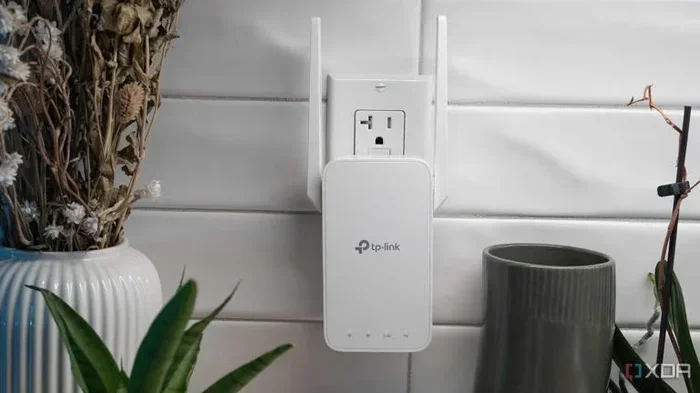
4. Consider a WiFi range extender for your garage. If you use your Ford WiFi at home, a range extender can help the signal reach further into your property. This is especially useful if your garage is far from your house.
5. Keep your FordPass app updated. App updates often include performance improvements and new features. Check for updates regularly in your app store.
6. Talk to your dealer about plan options. Your Ford dealer can help you find the best data plan for your needs. They can also help troubleshoot any connectivity issues you experience.
Final Thoughts
The Ford WiFi hotspot is a fantastic feature that keeps you connected on the go. It works when your vehicle is off, but with limits. Understanding how the system operates, managing your data usage, and protecting your battery are all key to a great experience.
Remember to turn off the hotspot when you do not need it. Monitor your data usage through the FordPass app. And consider a portable WiFi device as a backup for longer parking sessions. With the right approach, your Ford WiFi hotspot becomes an essential part of your daily driving experience.
Whether you are waiting at the airport, taking a break on a road trip, or working from your parked car, your Ford WiFi hotspot has you covered. Just use it wisely, and it will serve you well for years to come.
For more tips on managing your WiFi connections, check out our guide on portable WiFi options and learn how to find your WiFi password in settings. You can also explore ways to boost your WiFi signal outside your home or vehicle for stronger coverage everywhere.
Frequently Asked Questions
Can I leave my Ford WiFi hotspot on all night while parked?
It is not recommended. Leaving the hotspot on overnight can drain your car battery significantly. The system uses power even when no devices are connected. Always turn it off when you do not need it to protect your battery.
How far can you be from a Ford WiFi hotspot?
The WiFi signal from a Ford hotspot works best within 50 feet. The signal weakens as you move further away. Walls, trees, and other obstacles also reduce the effective range.
Do I need a separate data plan for FordPass Connect?
Yes, FordPass Connect requires its own data plan. You can choose from several plans offered by Ford, ranging from limited data to unlimited options. You manage your plan through the FordPass app.
Can I change my Ford WiFi hotspot password?
Yes, you can change your WiFi password through the SYNC screen or the FordPass app. Go to the Connectivity or Network Settings menu and look for WiFi Hotspot settings. Choose a strong, unique password for better security.
Will using the WiFi hotspot drain my car battery quickly?
Using the hotspot for short periods while parked will not drain your battery quickly. However, leaving it on for many hours or overnight can cause significant battery drain. Monitor your usage and turn it off when not needed.
Can I use my Ford WiFi hotspot while driving?
Yes, you can use the Ford WiFi hotspot while driving. The hotspot uses the vehicle’s cellular connection to provide WiFi to your devices. However, it is more efficient to use your phone’s data while driving and save the car’s WiFi data for when you are parked.