Does Chamberlain MyQ Work Without Wi Fi Connectivity
Chamberlain MyQ relies on Wi-Fi to unlock its full smart features, but it can still work in limited ways without an internet connection. The system uses a Wi-Fi hub to connect your garage door opener to the myQ app, enabling remote control, alerts, and automation. Without Wi-Fi, basic operations like manual opening and the physical remote continue to function normally.
This is a comprehensive guide about Does Chamberlain Myq Work Without Wi Fi.
Key Takeaways
- MyQ needs Wi-Fi for smart features: Remote control, notifications, and automation require an active internet connection through the Chamberlain hub.
- Basic functions work offline: The physical remote, wall button, and manual key override still operate without Wi-Fi.
- Cellular backup is not built in: Chamberlain MyQ does not include a cellular fallback, so internet loss means no app access.
- Alternative connectivity exists: You can use Wi-Fi extenders or mesh systems to improve signal reach to your garage.
- Setting up is straightforward: Connecting MyQ to Wi-Fi takes just a few minutes using the myQ mobile app.
- Smart home integration depends on the cloud: Alexa, Google Assistant, and IFTTT all need an active internet connection.
[FEATURED_IMAGE_PLACEHOLDER]
Does Chamberlain MyQ Work Without Wi-Fi Connectivity?
The short answer is: it depends on what you mean by “work.” Chamberlain MyQ is a smart garage door opener system that lets you control and monitor your garage from your phone. But to access those smart features, you need a Wi-Fi connection. Without Wi-Fi, the system reverts to basic garage door operations that have worked for decades.
If you have ever stood in your car wondering whether the garage door is closed, you know the value of a connected system. Chamberlain MyQ solves that problem — but only when the internet is working. Let us break down exactly what happens when Wi-Fi is available and what happens when it is not.
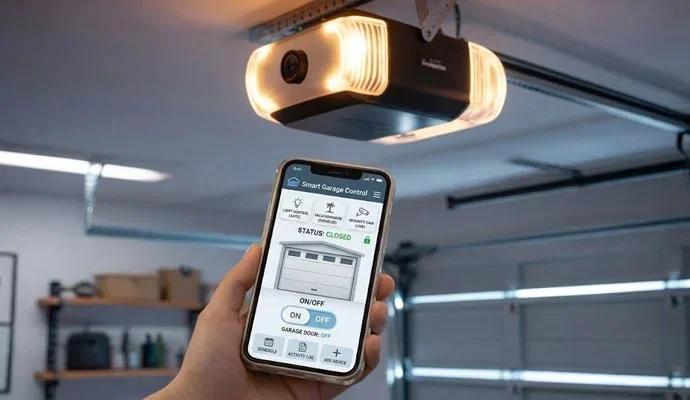
The myQ app is the brain of the operation. It talks to your garage door opener through the Chamberlain Wi-Fi hub. This hub plugs into an electrical outlet near your opener and bridges the gap between your garage and your home network. When the hub has a solid Wi-Fi signal, you get real-time status updates, push notifications, and remote control from anywhere in the world.
But here is the thing many people do not realize. The Wi-Fi hub is just an add-on module. Your garage door opener itself is a standalone device. It has been working fine for years without any internet connection at all. The physical remote control, the wall-mounted button, and the manual key lock all function completely independently of Wi-Fi. So yes, your garage door still opens and closes even when the internet goes down.
The real question is whether you are willing to give up the convenience of smart control. For most homeowners, the answer is no. That is why understanding how Wi-Fi connectivity affects your MyQ experience matters so much.
How Chamberlain MyQ Connects to Your Network
Understanding the connection process helps you troubleshoot problems before they frustrate you. The Chamberlain MyQ hub acts as a translator between your garage door opener and your home network. It communicates with the opener using a radio frequency signal and connects to your router using standard Wi-Fi protocols.
The Role of the myQ Wi-Fi Hub
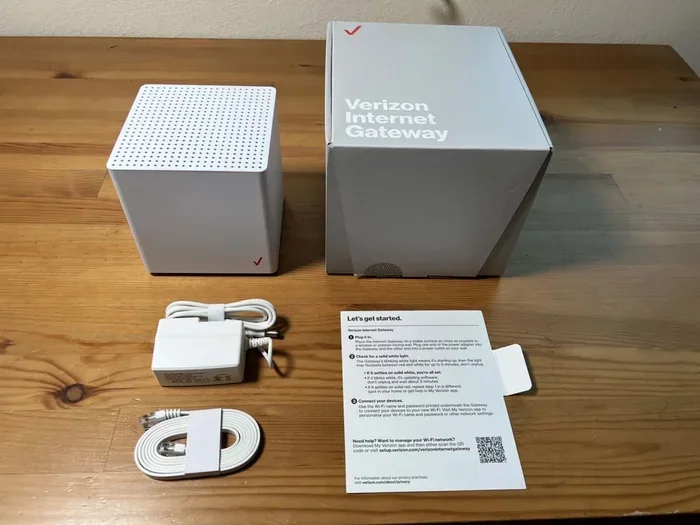
The Wi-Fi hub is a small white device that plugs into a wall outlet. It needs to be within range of your router to get a good signal. Once plugged in, it pairs with your garage door opener through a simple sync process. You then download the myQ app on your phone and follow the on-screen instructions to link the hub to your account.
Here is what the setup process looks like:
- Plug the Wi-Fi hub into an outlet near your garage door opener.
- Download the myQ app on your iPhone or Android device.
- Create a Chamberlain account or sign in.
- Follow the app prompts to pair the hub with your opener.
- Connect the hub to your home Wi-Fi network.
- Test the connection by opening or closing the door from the app.
The whole process takes about five minutes. But if your Wi-Fi signal is weak in the garage, you may run into trouble. This is a common issue that many homeowners face, especially in detached garages or homes with thick walls between the router and the garage.
Wi-Fi Signal Strength Matters
Your garage door opener needs a reliable wireless signal to stay connected to the internet. If the signal drops frequently, you will experience lag when controlling the door from the app. You might also miss important notifications about door status.
A strong signal means instant response. You tap “close” in the app, and the door starts moving within seconds. A weak signal means frustration. The app might show a “device offline” message, or commands might take 30 seconds or longer to process. In some cases, the connection drops entirely until the signal improves.
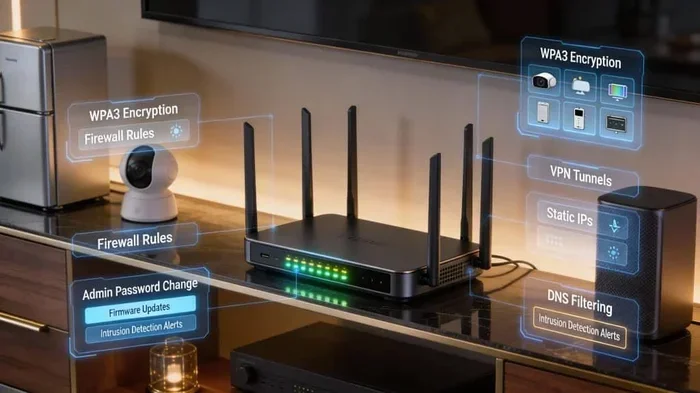
If you are dealing with a weak signal, consider using a Wi-Fi extender or a mesh network system. These devices boost your wireless coverage and help eliminate dead zones. This is especially helpful if your garage is far from your router or if your home has multiple floors and thick construction materials.
What Happens When Wi-Fi Goes Down
Internet outages happen to everyone. Sometimes it is a planned maintenance window. Other times, it is a storm knocking out your service. Either way, you need to know what to expect when your Wi-Fi connection disappears.
Features That Stop Working
When the Wi-Fi goes down, several MyQ features become unavailable. Here is a list of what you lose during an outage:
- Remote control through the app: You cannot open or close the door from your phone.
- Push notifications: You will not receive alerts when someone opens or closes the door.
- Activity logs: The app stops recording door activity until the connection returns.
- Smart home integration: Alexa, Google Assistant, and IFTTT commands will not work.
- Guest access: You cannot grant temporary access to family members or service providers through the app.
- Auto-close scheduling: Any scheduled automation pauses until Wi-Fi is restored.
That is a long list, and it highlights how much of the MyQ experience depends on being online. But here is the good news. The core function of opening and closing your garage door does not stop.
Features That Still Work
Even without Wi-Fi, your garage door opener continues to function using its built-in controls. You can still use the physical remote that came with your opener. The wall-mounted button inside your garage works just as it always did. And if you ever lose both remotes, you can use the manual key lock to open the door from the outside using a metal key.
These backup methods are exactly why garage doors have worked reliably for decades. The smart features are a bonus layer of convenience, not a replacement for the basic mechanics. So during a brief internet outage, you are not stuck. You simply fall back to the traditional ways of operating your door.
However, there is one thing to keep in mind. If you are away from home and the Wi-Fi goes down, you lose the ability to check your garage door status or control it remotely. This is where people feel the biggest pain point. You might be at work or on vacation, wondering whether you remembered to close the garage door before leaving.
Setting Up Chamberlain MyQ for Best Wi-Fi Performance
Getting the most out of your Chamberlain MyQ system means optimizing your Wi-Fi setup. A few simple steps can make a huge difference in reliability and speed.
Placement Tips for the Wi-Fi Hub
Where you place the Wi-Fi hub matters more than most people realize. The hub needs a clear line of sight to your router for the strongest possible signal. Avoid hiding it behind boxes, tools, or metal shelves in the garage. Metal objects can block or weaken the wireless signal significantly.
Ideally, place the hub within 15 to 20 feet of your router. If that is not possible, consider running an ethernet cable to a closer location and using a Wi-Fi access point to extend coverage to the garage. This approach gives you a much more stable connection than relying on a weak wireless signal to travel through walls and across your yard.
Router Settings That Help
Your router settings can also affect how well MyQ performs. Here are a few adjustments worth checking:
- Use the 2.4 GHz band: Most smart home devices, including the MyQ hub, work best on 2.4 GHz Wi-Fi. The 5 GHz band is faster but has shorter range and struggles to penetrate walls.
- Update your router firmware: Older firmware can cause compatibility issues. Check your router manufacturer’s website for the latest updates.
- Change the Wi-Fi channel: If your neighbors have multiple networks, interference can weaken your signal. Switching to a less crowded channel can help.
- Enable QoS settings: Quality of Service settings prioritize traffic for important devices. Giving your MyQ hub priority ensures it stays connected even when other devices are using heavy bandwidth.
These small tweaks can transform a frustrating experience into a smooth one. Many people set up their MyQ system and forget about it. But taking 10 minutes to optimize your network settings pays off in reliability over the long run.
When to Consider Upgrading Your Router
If your current router is more than five years old, it might be time for an upgrade. Newer routers offer better range, stronger signals, and improved handling of multiple connected devices. A modern Wi-Fi 6 router can handle dozens of smart home devices without breaking a sweat.
Before buying a new router, check whether your internet plan and modem support faster speeds. Sometimes the bottleneck is not the router but the modem provided by your internet service provider. If you are still renting a basic modem from your ISP, upgrading to a compatible modem can improve both speed and reliability throughout your home.
Alternatives and Workarounds for Limited Wi-Fi
Not every home has perfect Wi-Fi coverage. Garages are notorious dead zones, especially in larger properties or homes with thick concrete walls. Fortunately, several solutions can bring reliable connectivity to your garage and keep your MyQ system working at its best.
Wi-Fi Extenders and Mesh Systems
A Wi-Fi extender is the simplest and most affordable solution. You plug it into an outlet halfway between your router and the garage, and it rebroadcasts your signal to cover the gap. Mesh systems take this concept further by using multiple nodes placed around your home to create seamless coverage everywhere.
Mesh systems are more expensive than single extenders, but they offer a much better experience. They automatically route your devices to the strongest node, so you never have to manually switch between networks. Brands like Google Nest WiFi, Amazon Eero, and Netgear Orbi all make excellent mesh systems that work well with smart home devices like Chamberlain MyQ.
If you want a budget-friendly option, a simple Wi-Fi extender placed in a window facing the garage can work surprisingly well. Just make sure the extender supports the 2.4 GHz frequency, since that is what MyQ uses.
Powerline Adapters as an Alternative
Powerline adapters use your home’s existing electrical wiring to transmit data. You plug one adapter near your router and connect it via ethernet. Then you plug the second adapter in the garage and connect your Wi-Fi hub to it. This creates a wired backhaul that bypasses Wi-Fi signal issues entirely.
Powerline adapters are not as fast as a direct ethernet connection, but they are far more reliable than a weak Wi-Fi signal. They work well for the small amounts of data that MyQ requires. Think of it as a bridge that carries your internet signal through the walls and into the garage without relying on wireless transmission.
Moving the Router Closer to the Garage
Sometimes the simplest solution is the best one. If your router is in the basement or the far corner of your house, moving it closer to the garage can dramatically improve signal strength. Even relocating the router to a central hallway on the same floor as the garage can make a noticeable difference.
You do not need to buy new equipment for this. Just experiment with different locations and test the signal strength in the garage using your phone. When you find the sweet spot, set up the router there permanently. This free fix can solve many connectivity issues without any additional cost.
MyQ Smart Features You Get With Wi-Fi
When Wi-Fi connectivity is working properly, Chamberlain MyQ offers a range of features that make garage door management effortless. These are the features that justify the investment in a smart system.
Real-Time Notifications
Get instant alerts on your phone every time the garage door opens or closes. This feature is invaluable for security. If you receive a notification at 2 AM that your door just opened, you know something is wrong and can take action immediately. Without Wi-Fi, these alerts simply do not happen.
Remote Control From Anywhere
The ability to open or close your garage door from anywhere in the world is a game-changer. Forgot to close the door before leaving for vacation? Just open the app and tap “close.” Let a trusted friend or family member access your garage while you are away. All of this requires a stable internet connection through the MyQ hub.
Integration With Smart Home Ecosystems
MyQ works with Amazon Alexa, Google Assistant, and Apple HomeKit (through the Chamberlain API). You can voice-control your garage door, create automation routines, and connect with other smart devices in your home. These integrations all depend on cloud connectivity, which means they need Wi-Fi to function.
For example, you could set up a routine where your garage door automatically closes when you arm your security system. Or you could ask Alexa to check the door status before you leave the house. These conveniences make daily life smoother and add a layer of home automation that is hard to replicate without a connected system.
Activity History and Monitoring
The myQ app keeps a detailed log of every door event. You can see when the door was opened, closed, and by whom (if you have multiple users set up). This history is stored in the cloud and is accessible from the app at any time. During a Wi-Fi outage, new events are not recorded, but the existing history remains available once the connection is restored.
Common Problems and How to Fix Them
Even with a good Wi-Fi setup, you may run into occasional issues with your Chamberlain MyQ system. Here are the most common problems and their solutions.
Device Shows as Offline in the App
This is the most common MyQ issue. It usually happens when the Wi-Fi hub loses its connection to the router. Try unplugging the hub, waiting 30 seconds, and plugging it back in. If that does not work, check your router to make sure it is online and functioning normally. Sometimes a simple router restart fixes the problem instantly.
Slow Response Times in the App
If commands take a long time to execute, your Wi-Fi signal in the garage is likely weak. Move the hub closer to the router or add a Wi-Fi extender. You can also try switching your router to a less congested channel to reduce interference from neighboring networks.
MyQ Hub Will Not Connect During Setup
During initial setup, make sure you are using the 2.4 GHz Wi-Fi network. Many modern routers broadcast both 2.4 GHz and 5 GHz networks with the same name, which can confuse the hub. Try temporarily renaming your 2.4 GHz network with a different SSID and connecting to that one instead.
Notifications Not Working
Check that notifications are enabled in both the myQ app settings and your phone’s notification settings. Also make sure your phone has an active data connection. If you are at home and connected to Wi-Fi, the phone and the hub need to communicate through the internet, not just the local network.
Frequently Asked Questions
Can I use Chamberlain MyQ without any Wi-Fi at all?
Yes, but only for basic garage door operations. The physical remote, wall button, and manual key will all work without Wi-Fi. However, you will lose access to the app controls, notifications, smart home integrations, and all other smart features. The MyQ hub simply does not function as intended without an internet connection.
Does Chamberlain MyQ have a cellular backup option?
No, the standard Chamberlain MyQ system does not include a cellular backup. If your home Wi-Fi goes down, you cannot control or monitor your garage door through the app until the internet is restored. Some users work around this by using a secondary mobile hotspot, but this requires additional setup and costs.
How far can I be from home and still control MyQ?
As long as you have an active internet connection on your phone, you can control MyQ from anywhere in the world. The app communicates with the MyQ hub through the cloud, so physical distance does not matter. Whether you are across town or on the other side of the globe, the response time is typically just a few seconds.
Will my garage door still work if the power goes out?
Most Chamberlain garage door openers have a battery backup system that keeps them running during power outages. However, if the Wi-Fi hub also loses power, the smart features will be unavailable until electricity is restored. The manual override and physical remote will still work as long as the opener itself has power from its battery.
Can I connect MyQ to a guest Wi-Fi network?
Yes, the MyQ hub can connect to a guest Wi-Fi network as long as it provides internet access. However, some routers restrict guest network devices from communicating with other devices on the main network. This should not affect MyQ since it only needs internet access, not local network communication with your phone.
Is Chamberlain MyQ compatible with all garage door openers?
MyQ is compatible with most Chamberlain, Craftsman, and LiftMaster garage door openers made after 2011. You can check the compatibility list on the Chamberlain website before purchasing. Older models may require a separate MyQ retrofit kit to add smart functionality.
Conclusion
Chamberlain MyQ works best with Wi-Fi connectivity, and that is really where the magic happens. Without a solid internet connection, you lose the smart features that make the system worth having. Remote control, instant notifications, smart home integration, and activity monitoring all depend on the myQ hub staying connected to your network.
That said, your garage door opener itself does not need Wi-Fi to do its job. The basic mechanics of opening and closing the door work perfectly fine without any internet connection at all. So if you are considering MyQ, understand that it is an enhancement to your existing opener, not a replacement for it.
If your garage is in a Wi-Fi dead zone, invest in a range extender or mesh system before setting up MyQ. This small step saves you from the frustration of intermittent connectivity and ensures you get the full experience. A few minutes of preparation upfront can prevent months of frustration later.
Ultimately, Chamberlain MyQ is a fantastic smart home device that adds real convenience and peace of mind. Just keep your Wi-Fi connection strong and stable, and you will enjoy seamless garage door control from anywhere. The system delivers on its promise when the internet is working, and that is when it truly shines.
Frequently Asked Questions
What is Does Chamberlain Myq Work Without Wi Fi?
Does Chamberlain Myq Work Without Wi Fi is an important topic with many practical applications.